> ## Documentation Index
> Fetch the complete documentation index at: https://docs.begin.eu/llms.txt
> Use this file to discover all available pages before exploring further.
# Asking about your work
> Ask Begin AI about your shifts and hours, and check the period and source of its answer.

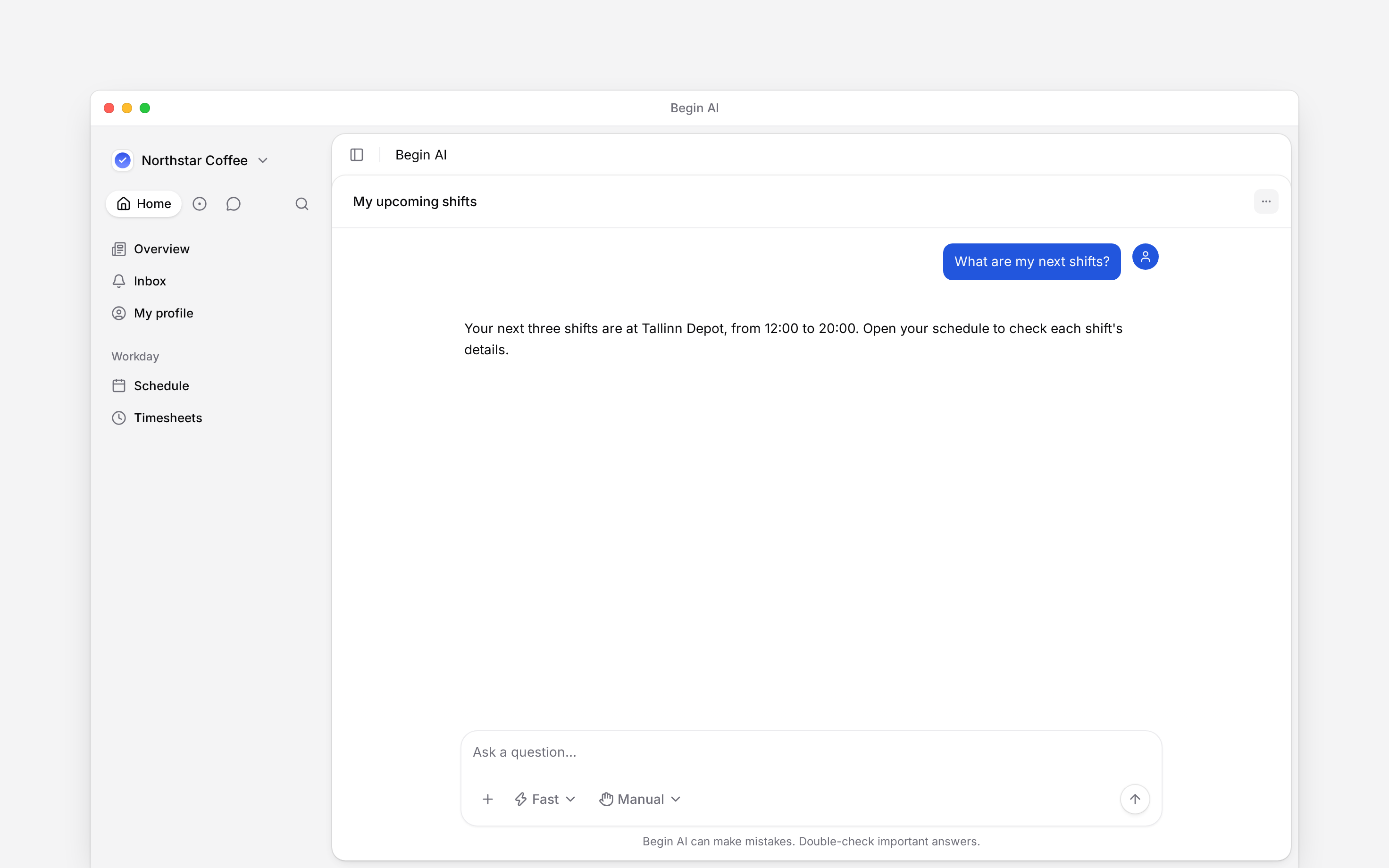
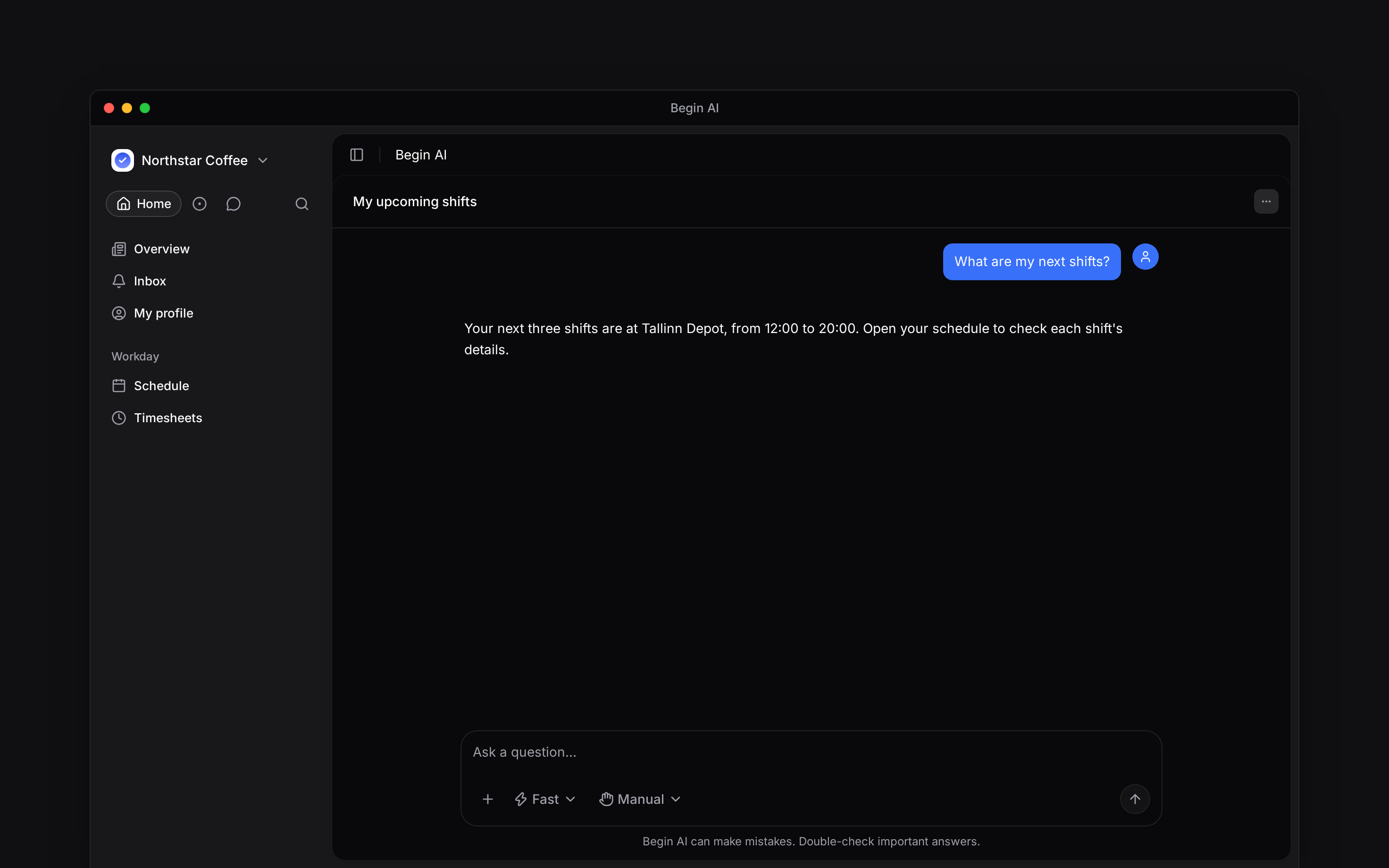
 Ask Begin AI in plain language, using “my” and a date range when you want your own work. Check that you are in the correct workspace before you send.
## Ask one clear question
What shifts do I have next week?
How many approved timesheet hours do I have this month?
Name a location or position when it matters, using the same name you see in Begin. Ask a follow-up in the same chat to narrow the period or clarify a figure.
Ask Begin AI in plain language, using “my” and a date range when you want your own work. Check that you are in the correct workspace before you send.
## Ask one clear question
What shifts do I have next week?
How many approved timesheet hours do I have this month?
Name a location or position when it matters, using the same name you see in Begin. Ask a follow-up in the same chat to narrow the period or clarify a figure.
 ## Check which hours it answered with
Scheduled hours and approved timesheet hours answer different questions. Say **approved timesheet hours** when you mean completed work that has been approved. A request about the rota can otherwise return scheduled hours.
Open your schedule or timesheet when you need to inspect the records behind an answer. Check the dates, workspace and whether the answer covers all the matching records. A partial result is not the complete total.
## Understand its limits
Begin AI follows your role. It cannot reveal a colleague's private timesheet because you ask for their name. If it cannot access something, ask your manager about the underlying record.
It can help you find available pages and controls, but it does not read or send your chat messages. Use [Messages search](/for-employees/messages/finding-messages) to find what someone said.
Asking for a change is a separate action. Read [Reviewing and confirming](/for-employees/ai/reviewing-and-confirming) before using it to update your work.
**Context for employee AI questions.** Schedule reads require schedule access/read; approved-hour queries enforce timesheet read and self visibility when view-others is absent. Date-window reads cover at most 93 days per call; longer periods can be read in windows. Shift search returns at most 50 rows with match information. Hours grouped by person, position or location are hour values; day/type breakdowns are counts. Row-budget truncation is not a total. Open-shift hour totals can be unavailable. Workspace AI must be enabled. App-capability lookup returns permitted and enabled destinations. Message tools can find channels, group chats and shared files by name, not read conversation contents.
## Next
Review a change before it runs.
Use an external assistant with Begin.
## Still need help?
Email the Begin team and we'll get back to you.
Open the AI assistant and get instant answers based on these docs.
## Check which hours it answered with
Scheduled hours and approved timesheet hours answer different questions. Say **approved timesheet hours** when you mean completed work that has been approved. A request about the rota can otherwise return scheduled hours.
Open your schedule or timesheet when you need to inspect the records behind an answer. Check the dates, workspace and whether the answer covers all the matching records. A partial result is not the complete total.
## Understand its limits
Begin AI follows your role. It cannot reveal a colleague's private timesheet because you ask for their name. If it cannot access something, ask your manager about the underlying record.
It can help you find available pages and controls, but it does not read or send your chat messages. Use [Messages search](/for-employees/messages/finding-messages) to find what someone said.
Asking for a change is a separate action. Read [Reviewing and confirming](/for-employees/ai/reviewing-and-confirming) before using it to update your work.
**Context for employee AI questions.** Schedule reads require schedule access/read; approved-hour queries enforce timesheet read and self visibility when view-others is absent. Date-window reads cover at most 93 days per call; longer periods can be read in windows. Shift search returns at most 50 rows with match information. Hours grouped by person, position or location are hour values; day/type breakdowns are counts. Row-budget truncation is not a total. Open-shift hour totals can be unavailable. Workspace AI must be enabled. App-capability lookup returns permitted and enabled destinations. Message tools can find channels, group chats and shared files by name, not read conversation contents.
## Next
Review a change before it runs.
Use an external assistant with Begin.
## Still need help?
Email the Begin team and we'll get back to you.
Open the AI assistant and get instant answers based on these docs.