> ## Documentation Index
> Fetch the complete documentation index at: https://docs.begin.eu/llms.txt
> Use this file to discover all available pages before exploring further.

# Begin AI for your work

> Ask about your own shifts and hours, or get help finding a feature in Begin.

export const IntentList = ({title = "I want to…", children}) => <nav className="kb-intent not-prose" aria-label={title}>
    <div className="kb-intent-header">{title}</div>
    <ul className="kb-intent-rows">{children}</ul>
  </nav>;

export const Intent = ({icon, href, to, beta, children}) => {
  const stroke = {
    fill: "none",
    stroke: "currentColor",
    strokeWidth: 1.6,
    strokeLinecap: "round",
    strokeLinejoin: "round"
  };
  const paths = {
    calendar: "M8 2v4M16 2v4M3 10h18M5 4h14a2 2 0 0 1 2 2v14a2 2 0 0 1-2 2H5a2 2 0 0 1-2-2V6a2 2 0 0 1 2-2z",
    filter: "M22 3H2l8 9.46V19l4 2v-8.54L22 3z",
    plus: "M8 2v4M16 2v4M3 10h18M21 13V6a2 2 0 0 0-2-2H5a2 2 0 0 0-2 2v14a2 2 0 0 0 2 2h8M16 19h6M19 16v6",
    repeat: "m17 2 4 4-4 4M3 11v-1a4 4 0 0 1 4-4h14M7 22l-4-4 4-4M21 13v1a4 4 0 0 1-4 4H3",
    open: "M12 8v4l2 2M5 4h14a2 2 0 0 1 2 2v14a2 2 0 0 1-2 2H5a2 2 0 0 1-2-2V6a2 2 0 0 1 2-2z",
    warning: "M10.29 3.86 1.82 18a2 2 0 0 0 1.71 3h16.94a2 2 0 0 0 1.71-3L13.71 3.86a2 2 0 0 0-3.42 0zM12 9v4M12 17h.01",
    eye: "M2 12s3.64-7 10-7 10 7 10 7-3.64 7-10 7-10-7-10-7zM12 15a3 3 0 1 0 0-6 3 3 0 0 0 0 6z",
    layers: "m12.83 2.18 8.34 4.17a1 1 0 0 1 0 1.79l-8.34 4.17a2 2 0 0 1-1.66 0L2.83 8.14a1 1 0 0 1 0-1.79l8.34-4.17a2 2 0 0 1 1.66 0zM2 17l9.17 4.59a2 2 0 0 0 1.66 0L22 17M2 12l9.17 4.59a2 2 0 0 0 1.66 0L22 12",
    away: "M8 2v4M16 2v4M3 10h18M5 4h14a2 2 0 0 1 2 2v14a2 2 0 0 1-2 2H5a2 2 0 0 1-2-2V6a2 2 0 0 1 2-2zM9 16l6-6M15 16l-6-6",
    swap: "M8 3 4 7l4 4M4 7h16M16 21l4-4-4-4M20 17H4",
    building: "M6 22V4a2 2 0 0 1 2-2h8a2 2 0 0 1 2 2v18M6 12H4a2 2 0 0 0-2 2v6a2 2 0 0 0 2 2h2M18 9h2a2 2 0 0 1 2 2v9a2 2 0 0 1-2 2h-2M10 6h4M10 10h4M10 14h4M10 18h4",
    users: "M16 21v-2a4 4 0 0 0-4-4H6a4 4 0 0 0-4 4v2M9 3a4 4 0 1 0 0 8 4 4 0 0 0 0-8zM22 21v-2a4 4 0 0 0-3-3.87M16 3.13a4 4 0 0 1 0 7.75",
    help: "M12 2a10 10 0 1 0 0 20 10 10 0 0 0 0-20zM9.09 9a3 3 0 0 1 5.83 1c0 2-3 3-3 3M12 17h.01",
    chart: "M3 3v16a2 2 0 0 0 2 2h16M18 17V9M13 17V5M8 17v-3",
    clock: "M12 2a10 10 0 1 0 0 20 10 10 0 0 0 0-20zM12 6v6l4 2",
    check: "M12 2a10 10 0 1 0 0 20 10 10 0 0 0 0-20zM9 12l2 2 4-4",
    message: "M21 11.5a8.38 8.38 0 0 1-.9 3.8 8.5 8.5 0 0 1-7.6 4.7 8.38 8.38 0 0 1-3.8-.9L3 21l1.9-5.7a8.38 8.38 0 0 1-.9-3.8 8.5 8.5 0 0 1 4.7-7.6 8.38 8.38 0 0 1 3.8-.9h.5a8.48 8.48 0 0 1 8 8v.5z",
    reply: "m9 10-5 5 5 5M4 15h11a6 6 0 0 0 0-12h-1",
    attachment: "m21.44 11.05-9.19 9.19a6 6 0 0 1-8.49-8.49l10-10a4 4 0 0 1 5.66 5.66l-10 10a2 2 0 0 1-2.83-2.83l9.19-9.19",
    search: "m21 21-4.34-4.34M11 3a8 8 0 1 0 0 16 8 8 0 0 0 0-16z",
    bell: "M18 8a6 6 0 0 0-12 0c0 7-3 7-3 9h18c0-2-3-2-3-9M10 21h4",
    settings: "M21 4h-7M10 4H3M21 12h-9M8 12H3M21 20h-5M12 20H3M14 2v4M8 10v4M16 18v4",
    zap: "M13 2 4.09 12.91a1 1 0 0 0 .77 1.64h6.14l-1 7.45 8.9-10.91a1 1 0 0 0-.77-1.64h-6.14z"
  };
  return <li className="kb-intent-item">
      <a className="kb-intent-row" href={href}>
        <span className="kb-intent-tile">
          <svg className="kb-intent-glyph" viewBox="0 0 24 24" aria-hidden="true" {...stroke}>
            <path d={paths[icon] ?? paths.calendar} />
          </svg>
        </span>
        <span className="kb-intent-text">
          <span className="kb-intent-goal">
            {children}
            {beta ? <span className="kb-beta">Beta</span> : null}
          </span>
          <span className="kb-intent-to">{to}</span>
        </span>
        <svg className="kb-intent-chevron" viewBox="0 0 24 24" aria-hidden="true" {...stroke}>
          <path d="m9 18 6-6-6-6" />
        </svg>
      </a>
    </li>;
};

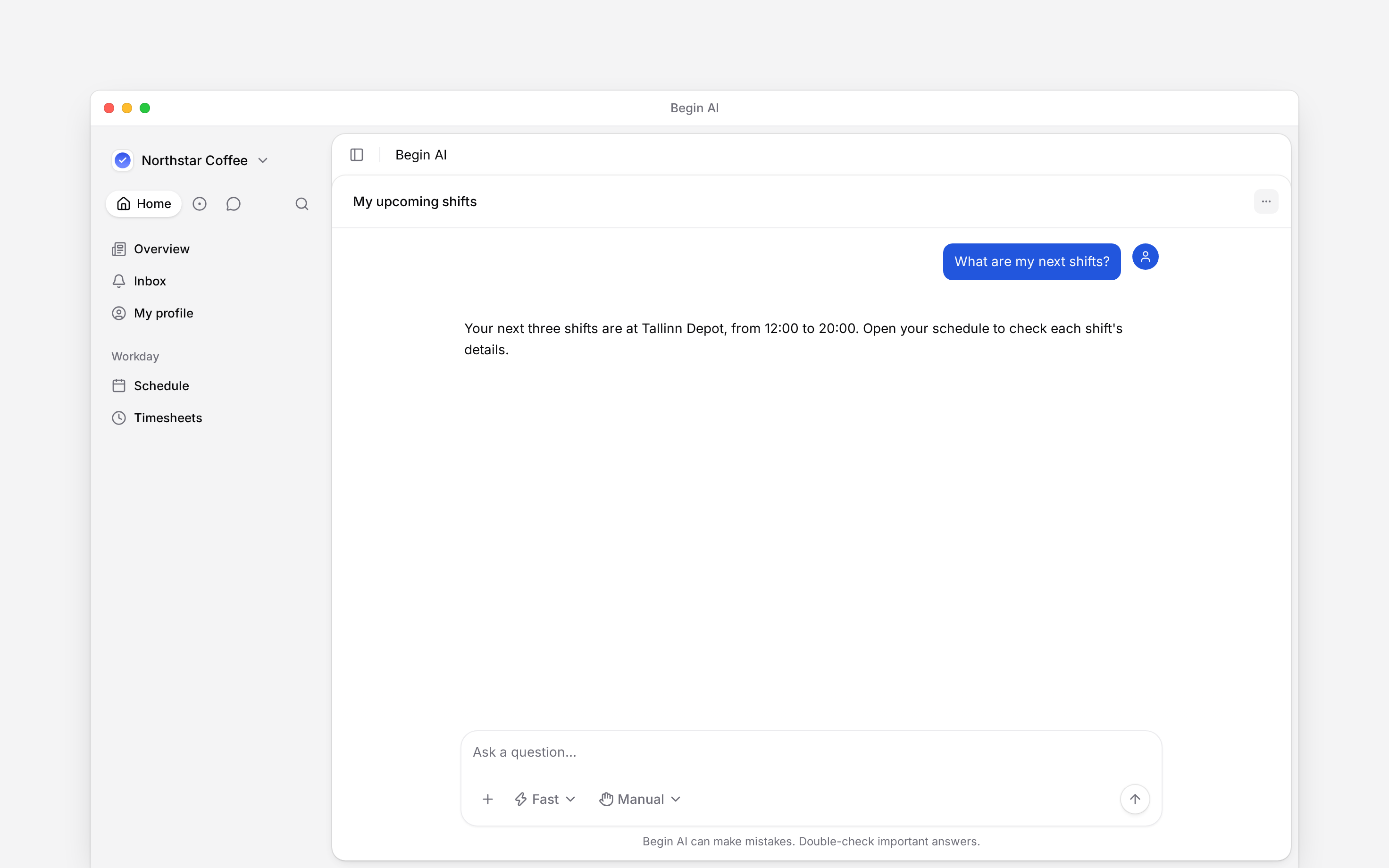
<img src="https://mintcdn.com/beginltd/MeMYha01eZlW8eNA/images/cover/ai-overview-light.png?fit=max&auto=format&n=MeMYha01eZlW8eNA&q=85&s=89f38374fa3fc98b82588a6a11afa5c5" alt="The Begin AI composer with manual approval selected" className="block dark:hidden" noZoom width="1152" height="616" data-path="images/cover/ai-overview-light.png" />

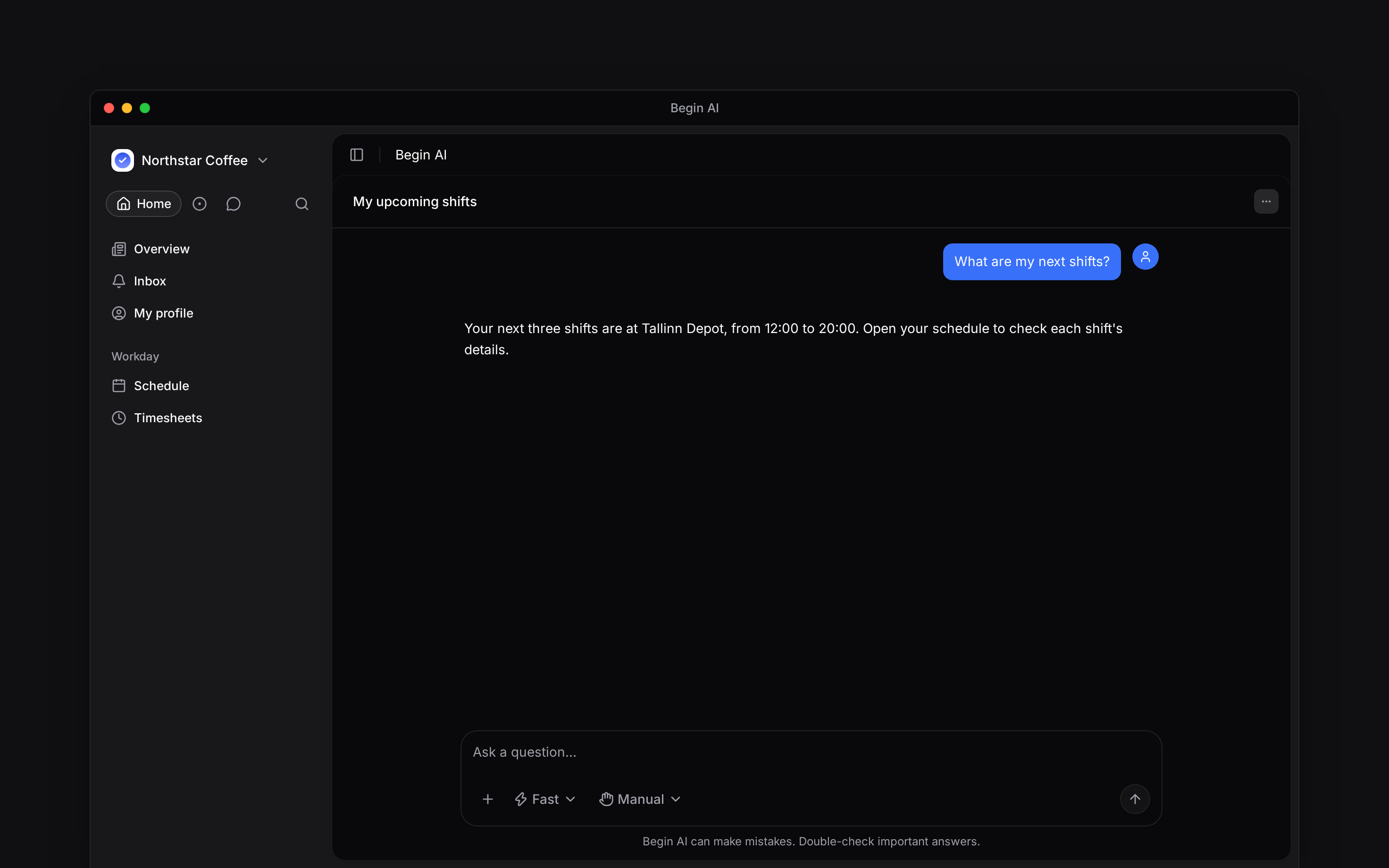
<img src="https://mintcdn.com/beginltd/MeMYha01eZlW8eNA/images/cover/ai-overview-dark.png?fit=max&auto=format&n=MeMYha01eZlW8eNA&q=85&s=68b1527b7f6d593035dd355bf4b75c07" alt="The Begin AI composer with manual approval selected" className="hidden dark:block" noZoom width="1152" height="616" data-path="images/cover/ai-overview-dark.png" />

Begin AI can answer questions about work you can access and make changes your role allows. Open **Begin AI** from your navigation or **More** on a phone. On a computer, you can also press <kbd>Cmd</kbd> / <kbd>Ctrl</kbd> + <kbd>J</kbd>.

<IntentList title="I want to…">
  <Intent icon="help" to="Asking about your work" href="/for-employees/ai/asking-about-your-work">
    Ask about my shifts or approved hours
  </Intent>

  <Intent icon="check" to="Reviewing and confirming" href="/for-employees/ai/reviewing-and-confirming">
    Check a proposed change before it runs
  </Intent>

  <Intent icon="settings" to="External AI assistant" href="/for-employees/integrations/mcp">
    Connect an external AI client
  </Intent>
</IntentList>

## Start in the right workspace

Check the workspace name before asking a question. Use “my shifts” or “my approved timesheet hours” and name the period you want. Your account's access still applies: asking AI does not unlock someone else's private records.

<img src="https://mintcdn.com/beginltd/eTnxmebqR92iwCjw/images/articles/employees/employee-ai-screen-light.png?fit=max&auto=format&n=eTnxmebqR92iwCjw&q=85&s=296efc11a170d7df0698542a159fb89e" alt="Begin AI with the message composer and manual approval control" className="block dark:hidden" width="2944" height="1840" data-path="images/articles/employees/employee-ai-screen-light.png" />

<img src="https://mintcdn.com/beginltd/eTnxmebqR92iwCjw/images/articles/employees/employee-ai-screen-dark.png?fit=max&auto=format&n=eTnxmebqR92iwCjw&q=85&s=a3c3f3beb7827498abca433678f5c583" alt="Begin AI with the message composer and manual approval control" className="hidden dark:block" width="2944" height="1840" data-path="images/articles/employees/employee-ai-screen-dark.png" />

## When the assistant is unavailable

An administrator can switch Begin AI off for the whole workspace. If you see **Begin AI is turned off**, ask your administrator whether your employer makes it available.

The workspace also has a shared AI-token allowance. If Begin says **You're out of AI tokens**, ask the person who manages the workspace subscription. You can still open your schedule, timesheet and other permitted pages directly.

**Context for employee Begin AI.** There is no separate employee AI permission. Tool access is checked against the caller's role and data visibility. The workspace AI switch also stops MCP access. Assistant mode controls model/effort, not permission; Approval mode controls when the user is asked before a supported change. Skills and Loops are separate management capabilities, not part of the default Employee role.

## Next

<Columns cols={2}>
  <Card title="Asking about your work" icon="sparkles" href="/for-employees/ai/asking-about-your-work">
    Ask a clear question about your own work.
  </Card>

  <Card title="Reviewing and confirming" icon="check" href="/for-employees/ai/reviewing-and-confirming">
    Check what a proposed action will do.
  </Card>
</Columns>

## Still need help?

<Columns cols={2}>
  <Card title="Contact support" icon="envelope" href="mailto:support@heybegin.eu">
    Email the Begin team and we'll get back to you.
  </Card>

  <Card title="Ask Begin AI" icon="comment-dots" href="?assistant=open">
    Open the AI assistant and get instant answers based on these docs.
  </Card>
</Columns>