> ## Documentation Index
> Fetch the complete documentation index at: https://docs.begin.eu/llms.txt
> Use this file to discover all available pages before exploring further.
# Reviewing and confirming
> Check the details of an AI action and decide when Begin must ask you first.

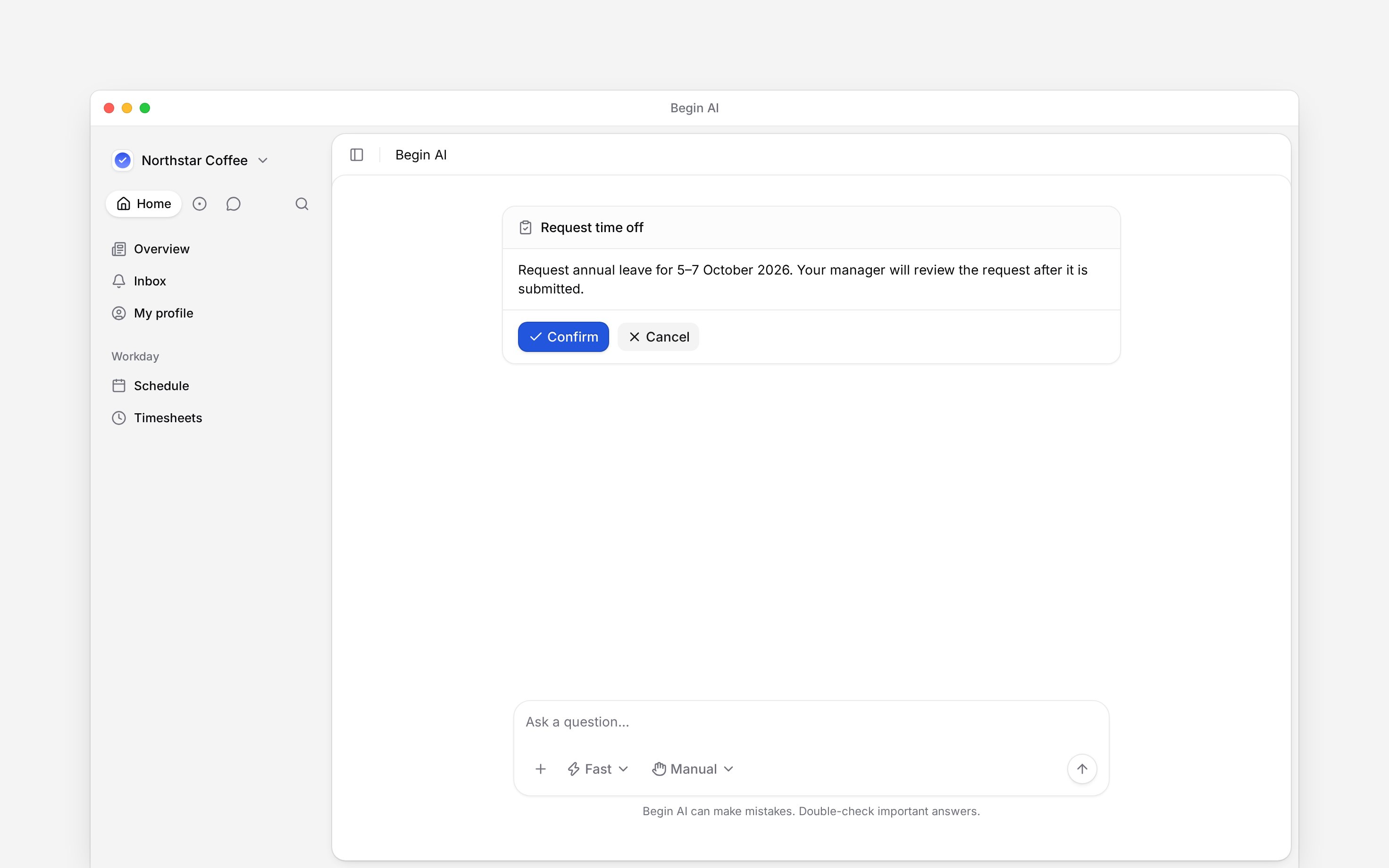
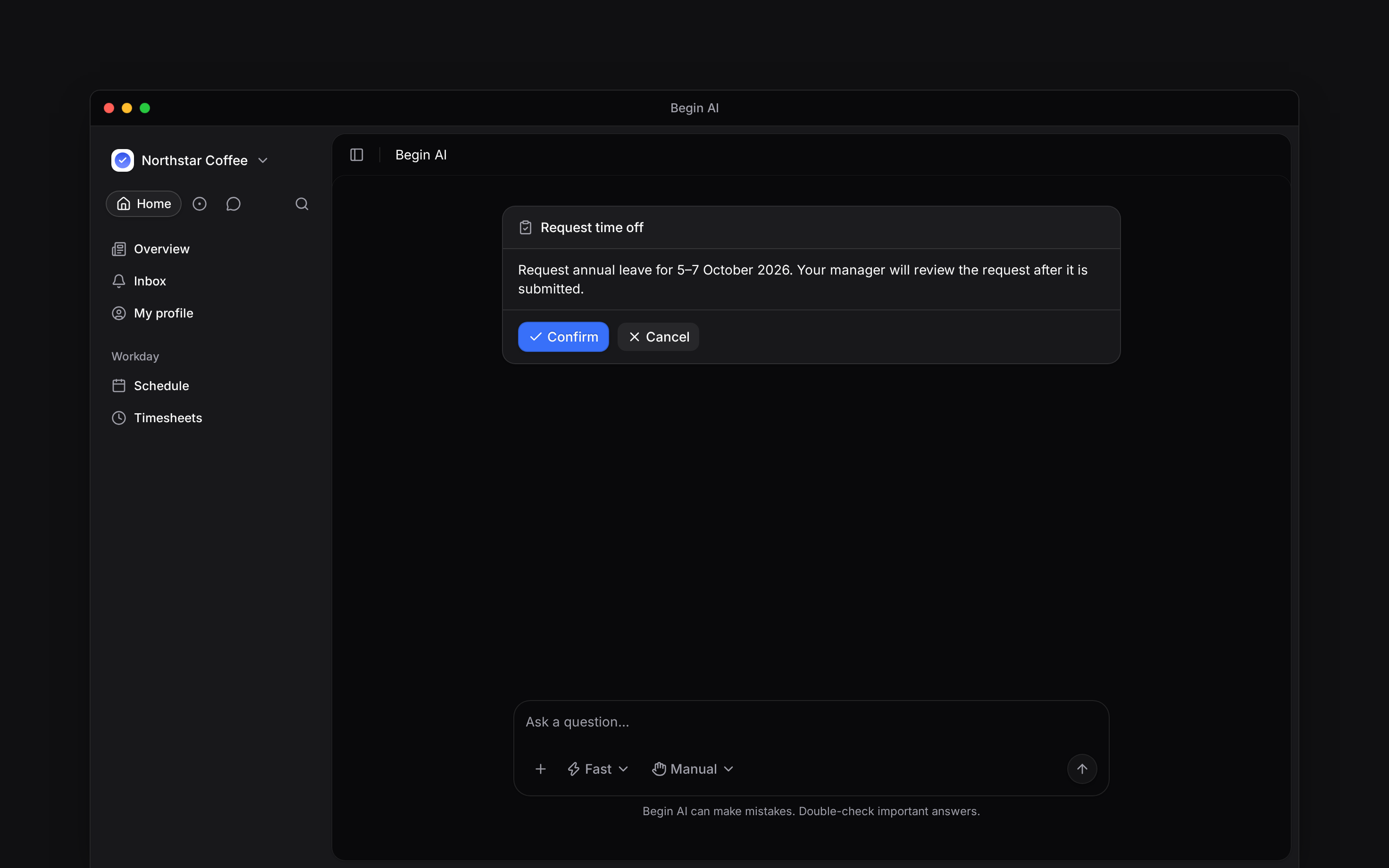
 When you ask Begin AI to change something, your role still decides whether you can do it. Keep **Manually approve** selected when you want to check every proposed change before it runs.
## Check the proposed change
Name the date, time and record, such as your time-off request. AI can only offer actions that
your role permits.
Check the person, dates, times and the action itself. Confirming the wrong dates changes the
wrong work.
Choose **Confirm** when the preview is correct, or **Cancel** and ask for a corrected proposal.
Wait for the result before assuming it succeeded.
Open the relevant page in Begin to check the saved result or request status.
When you ask Begin AI to change something, your role still decides whether you can do it. Keep **Manually approve** selected when you want to check every proposed change before it runs.
## Check the proposed change
Name the date, time and record, such as your time-off request. AI can only offer actions that
your role permits.
Check the person, dates, times and the action itself. Confirming the wrong dates changes the
wrong work.
Choose **Confirm** when the preview is correct, or **Cancel** and ask for a corrected proposal.
Wait for the result before assuming it succeeded.
Open the relevant page in Begin to check the saved result or request status.
 ## Choose when it asks first
Open **Approval mode** in the composer.
| Choose… | When you want… |
| ------------------------- | ----------------------------------------------------------------------------------- |
| **Manually approve** | A confirmation card for every change. This is the default. |
| **Automatically approve** | Routine permitted changes to run immediately, while destructive changes still wait. |
| **Skip all approvals** | Permitted changes to run immediately, subject to the chat's safety restrictions. |
The choice applies to that chat. New chats start with your last choice. Cards already waiting are not automatically accepted when you change the mode.
## Keep approval meanings separate
Your AI confirmation authorises the assistant to perform an action. It is not your manager's approval of a time-off or timesheet request. If the saved request is pending, it still needs the normal review.
Approval mode never adds permission. It cannot let an employee publish shifts, change pay or
approve someone else's request.
An external client connected through Begin MCP has its own confirmation behaviour. It does not show Begin AI's confirmation card.
**Context for employee AI actions.** Schedule create/update permissions can be restricted to the caller's own availability/unavailability; they do not grant employee shift creation. Automatically approve still stages destructive actions such as delete, archive, remove, cancel and unpublish. Skip-all changes to manual confirmation after outside content such as a web result or uploaded file enters the chat. There is no workspace-wide forced approval mode. Permission refusal does not queue a proposal for a manager. Native confirmation labels are Confirm and Cancel. Generated plans, posts and file-upload requests retain their own user actions.
## Next
Read information before changing it.
Understand external-client access and confirmation.
## Still need help?
Email the Begin team and we'll get back to you.
Open the AI assistant and get instant answers based on these docs.
## Choose when it asks first
Open **Approval mode** in the composer.
| Choose… | When you want… |
| ------------------------- | ----------------------------------------------------------------------------------- |
| **Manually approve** | A confirmation card for every change. This is the default. |
| **Automatically approve** | Routine permitted changes to run immediately, while destructive changes still wait. |
| **Skip all approvals** | Permitted changes to run immediately, subject to the chat's safety restrictions. |
The choice applies to that chat. New chats start with your last choice. Cards already waiting are not automatically accepted when you change the mode.
## Keep approval meanings separate
Your AI confirmation authorises the assistant to perform an action. It is not your manager's approval of a time-off or timesheet request. If the saved request is pending, it still needs the normal review.
Approval mode never adds permission. It cannot let an employee publish shifts, change pay or
approve someone else's request.
An external client connected through Begin MCP has its own confirmation behaviour. It does not show Begin AI's confirmation card.
**Context for employee AI actions.** Schedule create/update permissions can be restricted to the caller's own availability/unavailability; they do not grant employee shift creation. Automatically approve still stages destructive actions such as delete, archive, remove, cancel and unpublish. Skip-all changes to manual confirmation after outside content such as a web result or uploaded file enters the chat. There is no workspace-wide forced approval mode. Permission refusal does not queue a proposal for a manager. Native confirmation labels are Confirm and Cancel. Generated plans, posts and file-upload requests retain their own user actions.
## Next
Read information before changing it.
Understand external-client access and confirmation.
## Still need help?
Email the Begin team and we'll get back to you.
Open the AI assistant and get instant answers based on these docs.