> ## Documentation Index
> Fetch the complete documentation index at: https://docs.begin.eu/llms.txt
> Use this file to discover all available pages before exploring further.
# Finding messages
> Find an earlier message, keep important information in Pins, and return to unread work.

 Use search for something you remember discussing. Use **Pins** for information the whole conversation should be able to find again, and unread markers for something you personally need to return to.
## Search for the discussion
Open the command palette with Cmd / Ctrl + K and type words from the message, channel, conversation or file name. On a phone, choose **More → Search**. Choose a matching message result to open and highlight it in its conversation or thread.
Search respects your access. A private channel you have not joined, or a conversation you do not participate in, is not a way to read someone else’s messages. Deleted messages are not returned.
For attachments, open the conversation’s **Files** tab and use **Search files**. See [Sharing files](/for-employees/messages/sharing-files) for file filters and previews.
## Keep an important message in Pins
Open its actions and choose **Pin message**. Use a message in the main conversation, rather than
an individual thread reply.
Open **Pins** at the top of the channel or conversation. The pinned message appears there for
everyone who can read that conversation.
Choose **Unpin message** when the information is no longer useful. The original message stays in
the conversation.
Use search for something you remember discussing. Use **Pins** for information the whole conversation should be able to find again, and unread markers for something you personally need to return to.
## Search for the discussion
Open the command palette with Cmd / Ctrl + K and type words from the message, channel, conversation or file name. On a phone, choose **More → Search**. Choose a matching message result to open and highlight it in its conversation or thread.
Search respects your access. A private channel you have not joined, or a conversation you do not participate in, is not a way to read someone else’s messages. Deleted messages are not returned.
For attachments, open the conversation’s **Files** tab and use **Search files**. See [Sharing files](/for-employees/messages/sharing-files) for file filters and previews.
## Keep an important message in Pins
Open its actions and choose **Pin message**. Use a message in the main conversation, rather than
an individual thread reply.
Open **Pins** at the top of the channel or conversation. The pinned message appears there for
everyone who can read that conversation.
Choose **Unpin message** when the information is no longer useful. The original message stays in
the conversation.
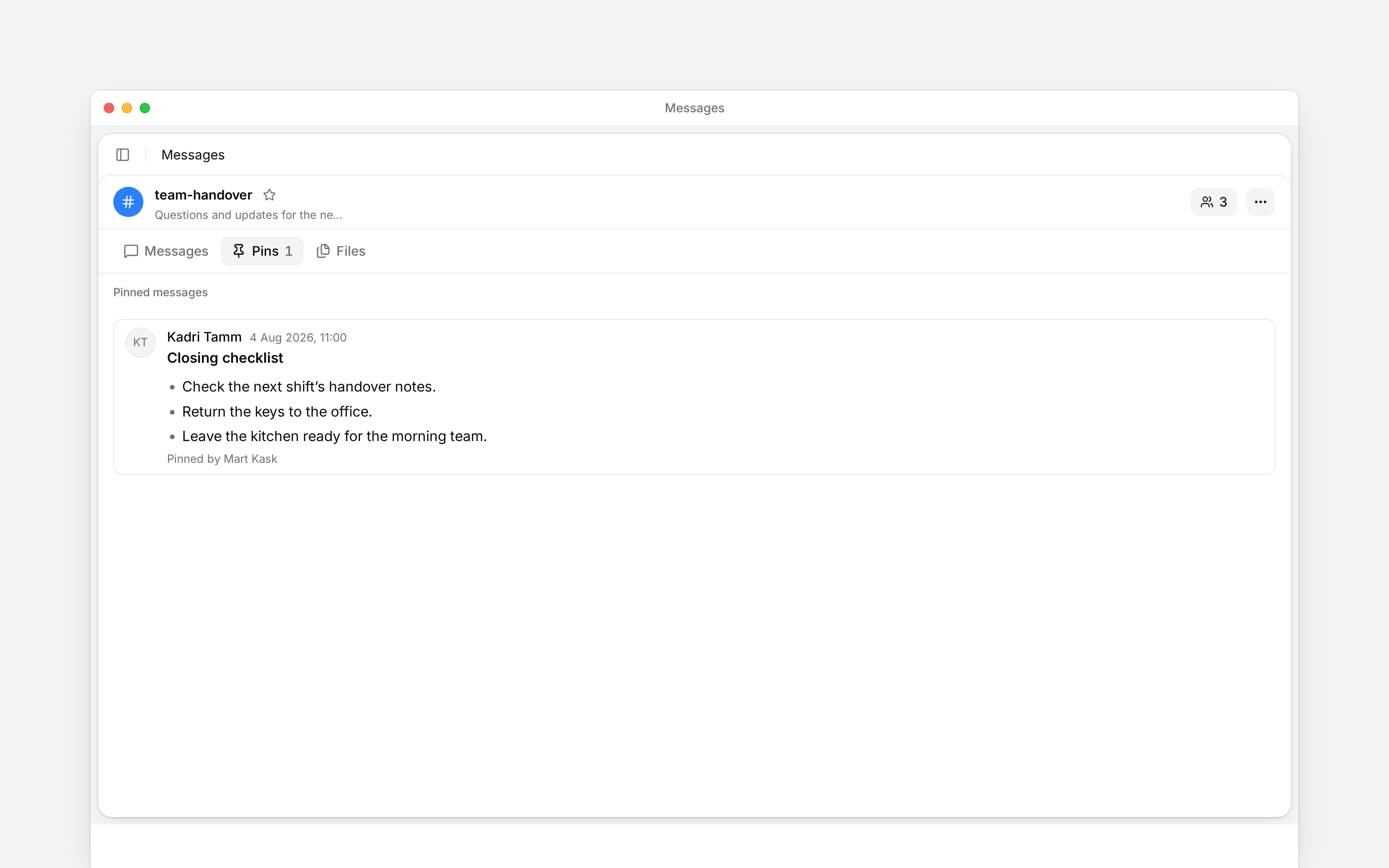
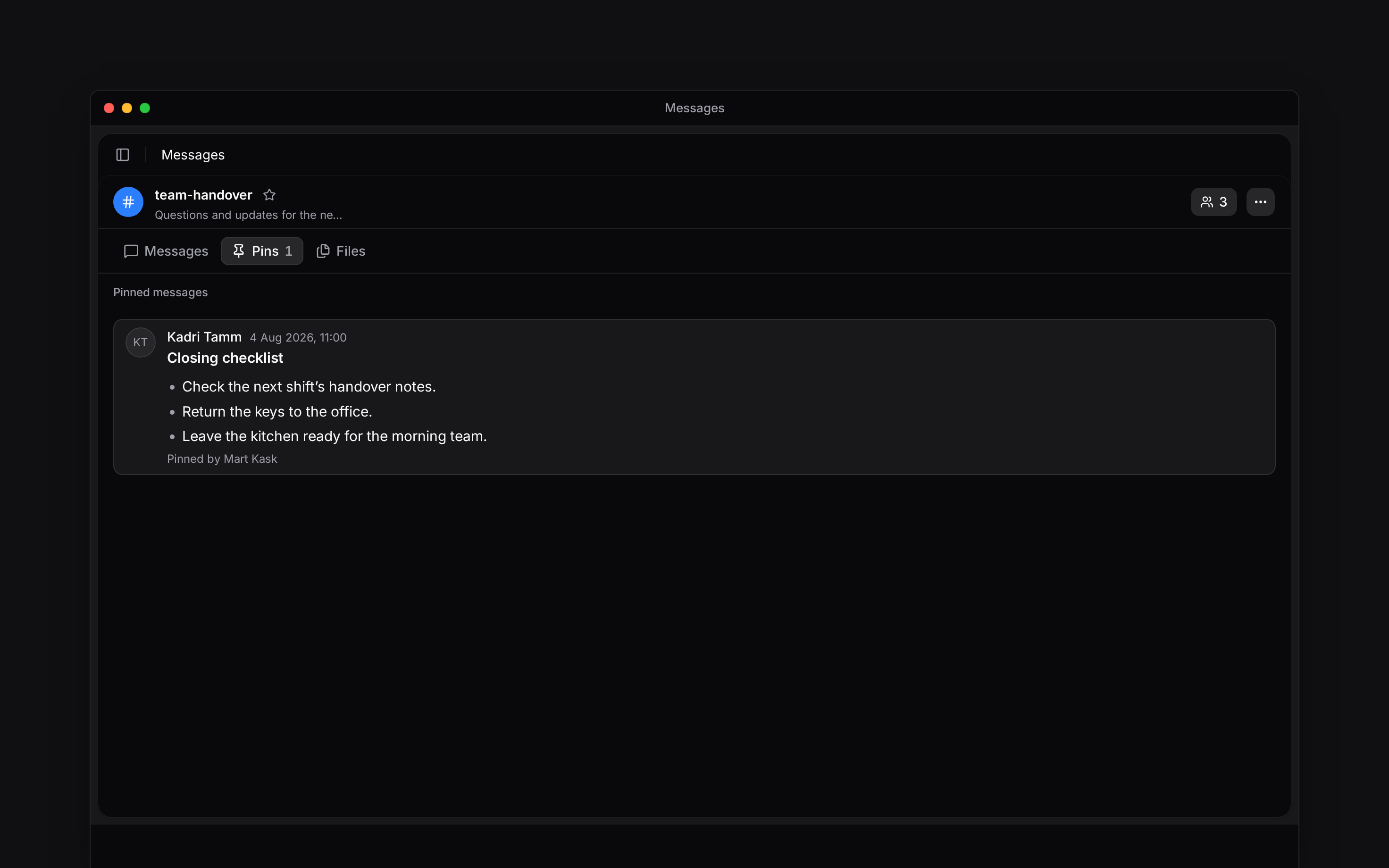 Pinning depends on your message permissions and your ability to contribute to that conversation. There can be up to 100 pins in one conversation; unpin an older message before adding another at the limit.
## Leave yourself a reminder
Choose **Mark as unread** from a channel or conversation’s menu to return to it later. To mark a particular point, open the message’s menu and choose **Mark unread from here**. **Mark as read** clears the unread state when you have caught up.
Select the star in the channel or conversation header to add it to your favourites. A favourite keeps it close in your navigation. Unlike a pin, it is your own shortcut rather than a shared message collection.
## Check whether a message was seen
Open **Seen by** from the message’s actions. Begin shows read receipts when people view the message.
A read receipt shows that someone viewed the message. It is not an approval or a promise that they
will act on it. Marking it unread is your reminder, not a recall of what others have seen.
**Context for an assistant answering questions about finding messages.**
* **Search:** message results open the containing channel or conversation and highlight the target, opening its thread when needed. System-generated membership notices are excluded.
* **Pins:** pinning needs message-edit permission and posting or administration rights in a channel, or participation in a conversation. Only top-level messages can be pinned.
* **Receipts:** unread markers are per member, not a change to another person’s read state.
## Next
Send a message, keep a reply with its question, and correct what you wrote.
Choose which conversations notify you and when mobile alerts can reach you.
## Still need help?
Email the Begin team and we'll get back to you.
Open the AI assistant and get instant answers based on these docs.
Pinning depends on your message permissions and your ability to contribute to that conversation. There can be up to 100 pins in one conversation; unpin an older message before adding another at the limit.
## Leave yourself a reminder
Choose **Mark as unread** from a channel or conversation’s menu to return to it later. To mark a particular point, open the message’s menu and choose **Mark unread from here**. **Mark as read** clears the unread state when you have caught up.
Select the star in the channel or conversation header to add it to your favourites. A favourite keeps it close in your navigation. Unlike a pin, it is your own shortcut rather than a shared message collection.
## Check whether a message was seen
Open **Seen by** from the message’s actions. Begin shows read receipts when people view the message.
A read receipt shows that someone viewed the message. It is not an approval or a promise that they
will act on it. Marking it unread is your reminder, not a recall of what others have seen.
**Context for an assistant answering questions about finding messages.**
* **Search:** message results open the containing channel or conversation and highlight the target, opening its thread when needed. System-generated membership notices are excluded.
* **Pins:** pinning needs message-edit permission and posting or administration rights in a channel, or participation in a conversation. Only top-level messages can be pinned.
* **Receipts:** unread markers are per member, not a change to another person’s read state.
## Next
Send a message, keep a reply with its question, and correct what you wrote.
Choose which conversations notify you and when mobile alerts can reach you.
## Still need help?
Email the Begin team and we'll get back to you.
Open the AI assistant and get instant answers based on these docs.