> ## Documentation Index
> Fetch the complete documentation index at: https://docs.begin.eu/llms.txt
> Use this file to discover all available pages before exploring further.
# Completing acknowledgements
> Read requested documents, confirm each one and check what remains outstanding.
export const BetaCallout = ({children}) => ;

 An acknowledgement asks you to confirm that you have read and understood a document. Open **My profile → Acknowledgements**, or follow the notification sent to you. On your phone, find **My profile** under **More**.
Acknowledgements are rolling out gradually. If you are expecting a request and the tab is missing,
ask your manager to check that the feature is available for your workspace.
## Read and confirm
Check its due date, then select its name. A pack can contain several documents, each needing
confirmation.
Read the whole document, scrolling inside its preview when needed. The confirmation control asks
you to read to the end before continuing.
For a typed-name request, enter your full name and choose **I have read and understood this
document**. If the request needs an e-signature, follow the signing prompts instead.
The document shows your confirmation and date. Return to **Acknowledgements** to find anything
still pending, or use the next-document link when offered.
An acknowledgement asks you to confirm that you have read and understood a document. Open **My profile → Acknowledgements**, or follow the notification sent to you. On your phone, find **My profile** under **More**.
Acknowledgements are rolling out gradually. If you are expecting a request and the tab is missing,
ask your manager to check that the feature is available for your workspace.
## Read and confirm
Check its due date, then select its name. A pack can contain several documents, each needing
confirmation.
Read the whole document, scrolling inside its preview when needed. The confirmation control asks
you to read to the end before continuing.
For a typed-name request, enter your full name and choose **I have read and understood this
document**. If the request needs an e-signature, follow the signing prompts instead.
The document shows your confirmation and date. Return to **Acknowledgements** to find anything
still pending, or use the next-document link when offered.
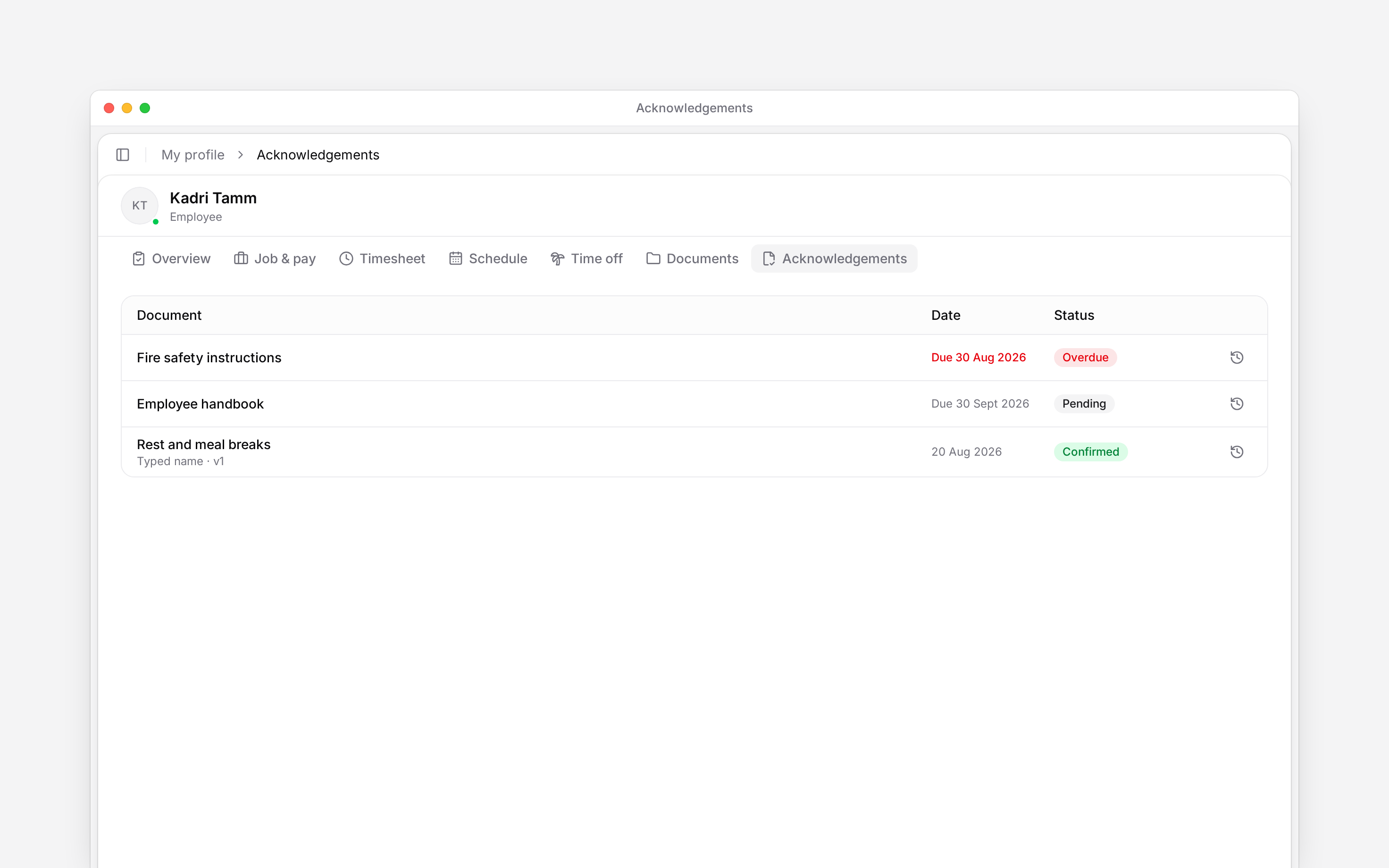
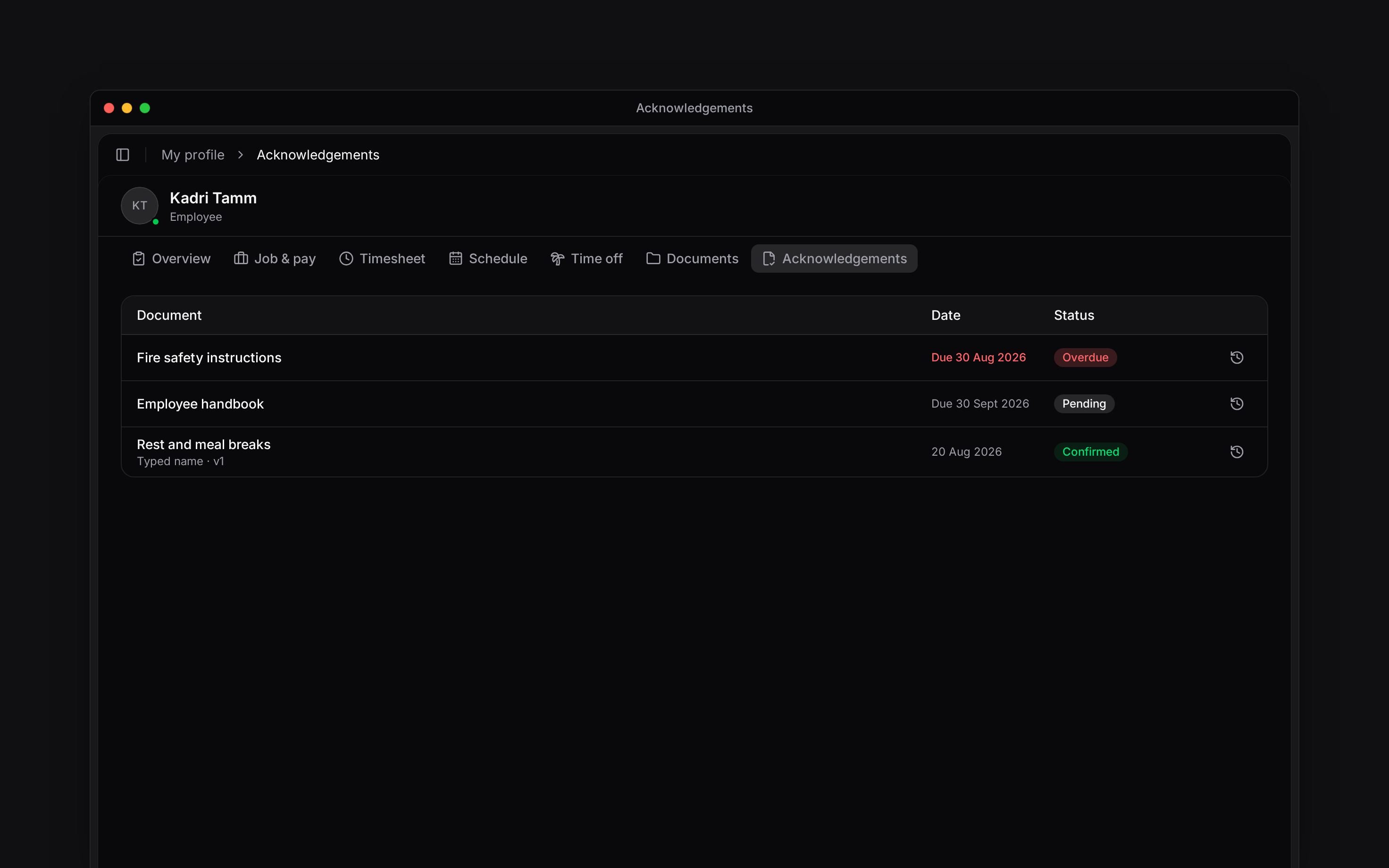 An overdue item still needs your attention. Opening it, marking its notification read or reacting to a message does not record the acknowledgement. Ask your manager if you cannot open the document or do not understand what it asks you to confirm.
## Check earlier confirmations
Your list includes confirmed items and their history. A confirmation made by e-signature can also provide a signed file to download.
You may be asked again after a document changes or a renewal becomes due. Read the current document before confirming again. A notice that the document changed can mean a new confirmation is still being prepared.
## When several requests name the same document
One confirmation can cover multiple pending requests for that document. The confirmation area tells you when this applies. Different documents in a pack still need separate confirmations.
An acknowledgement, including one made by e-signature, is separate from an employment-contract signing request.
The personal list reads the signed-in member’s pending and resolved assignments, not the manager dashboard. Current duplicate assignments for one document are consolidated for confirmation. Document changes and renewals preserve earlier confirmation history. A stale assignment cannot be confirmed until refreshed by the request lifecycle. The full-name entry is required but the typed-name UI does not claim to verify legal identity.
## Next
Find personal files and shared records.
Follow a separate document-signing request.
## Still need help?
Email the Begin team and we'll get back to you.
Open the AI assistant and get instant answers based on these docs.
An overdue item still needs your attention. Opening it, marking its notification read or reacting to a message does not record the acknowledgement. Ask your manager if you cannot open the document or do not understand what it asks you to confirm.
## Check earlier confirmations
Your list includes confirmed items and their history. A confirmation made by e-signature can also provide a signed file to download.
You may be asked again after a document changes or a renewal becomes due. Read the current document before confirming again. A notice that the document changed can mean a new confirmation is still being prepared.
## When several requests name the same document
One confirmation can cover multiple pending requests for that document. The confirmation area tells you when this applies. Different documents in a pack still need separate confirmations.
An acknowledgement, including one made by e-signature, is separate from an employment-contract signing request.
The personal list reads the signed-in member’s pending and resolved assignments, not the manager dashboard. Current duplicate assignments for one document are consolidated for confirmation. Document changes and renewals preserve earlier confirmation history. A stale assignment cannot be confirmed until refreshed by the request lifecycle. The full-name entry is required but the typed-name UI does not claim to verify legal identity.
## Next
Find personal files and shared records.
Follow a separate document-signing request.
## Still need help?
Email the Begin team and we'll get back to you.
Open the AI assistant and get instant answers based on these docs.