> ## Documentation Index
> Fetch the complete documentation index at: https://docs.begin.eu/llms.txt
> Use this file to discover all available pages before exploring further.

# Your time off

> Check your balance, request leave and keep your plans up to date.

export const IntentList = ({title = "I want to…", children}) => <nav className="kb-intent not-prose" aria-label={title}>
    <div className="kb-intent-header">{title}</div>
    <ul className="kb-intent-rows">{children}</ul>
  </nav>;

export const Intent = ({icon, href, to, beta, children}) => {
  const stroke = {
    fill: "none",
    stroke: "currentColor",
    strokeWidth: 1.6,
    strokeLinecap: "round",
    strokeLinejoin: "round"
  };
  const paths = {
    calendar: "M8 2v4M16 2v4M3 10h18M5 4h14a2 2 0 0 1 2 2v14a2 2 0 0 1-2 2H5a2 2 0 0 1-2-2V6a2 2 0 0 1 2-2z",
    filter: "M22 3H2l8 9.46V19l4 2v-8.54L22 3z",
    plus: "M8 2v4M16 2v4M3 10h18M21 13V6a2 2 0 0 0-2-2H5a2 2 0 0 0-2 2v14a2 2 0 0 0 2 2h8M16 19h6M19 16v6",
    repeat: "m17 2 4 4-4 4M3 11v-1a4 4 0 0 1 4-4h14M7 22l-4-4 4-4M21 13v1a4 4 0 0 1-4 4H3",
    open: "M12 8v4l2 2M5 4h14a2 2 0 0 1 2 2v14a2 2 0 0 1-2 2H5a2 2 0 0 1-2-2V6a2 2 0 0 1 2-2z",
    warning: "M10.29 3.86 1.82 18a2 2 0 0 0 1.71 3h16.94a2 2 0 0 0 1.71-3L13.71 3.86a2 2 0 0 0-3.42 0zM12 9v4M12 17h.01",
    eye: "M2 12s3.64-7 10-7 10 7 10 7-3.64 7-10 7-10-7-10-7zM12 15a3 3 0 1 0 0-6 3 3 0 0 0 0 6z",
    layers: "m12.83 2.18 8.34 4.17a1 1 0 0 1 0 1.79l-8.34 4.17a2 2 0 0 1-1.66 0L2.83 8.14a1 1 0 0 1 0-1.79l8.34-4.17a2 2 0 0 1 1.66 0zM2 17l9.17 4.59a2 2 0 0 0 1.66 0L22 17M2 12l9.17 4.59a2 2 0 0 0 1.66 0L22 12",
    away: "M8 2v4M16 2v4M3 10h18M5 4h14a2 2 0 0 1 2 2v14a2 2 0 0 1-2 2H5a2 2 0 0 1-2-2V6a2 2 0 0 1 2-2zM9 16l6-6M15 16l-6-6",
    swap: "M8 3 4 7l4 4M4 7h16M16 21l4-4-4-4M20 17H4",
    building: "M6 22V4a2 2 0 0 1 2-2h8a2 2 0 0 1 2 2v18M6 12H4a2 2 0 0 0-2 2v6a2 2 0 0 0 2 2h2M18 9h2a2 2 0 0 1 2 2v9a2 2 0 0 1-2 2h-2M10 6h4M10 10h4M10 14h4M10 18h4",
    users: "M16 21v-2a4 4 0 0 0-4-4H6a4 4 0 0 0-4 4v2M9 3a4 4 0 1 0 0 8 4 4 0 0 0 0-8zM22 21v-2a4 4 0 0 0-3-3.87M16 3.13a4 4 0 0 1 0 7.75",
    help: "M12 2a10 10 0 1 0 0 20 10 10 0 0 0 0-20zM9.09 9a3 3 0 0 1 5.83 1c0 2-3 3-3 3M12 17h.01",
    chart: "M3 3v16a2 2 0 0 0 2 2h16M18 17V9M13 17V5M8 17v-3",
    clock: "M12 2a10 10 0 1 0 0 20 10 10 0 0 0 0-20zM12 6v6l4 2",
    check: "M12 2a10 10 0 1 0 0 20 10 10 0 0 0 0-20zM9 12l2 2 4-4",
    message: "M21 11.5a8.38 8.38 0 0 1-.9 3.8 8.5 8.5 0 0 1-7.6 4.7 8.38 8.38 0 0 1-3.8-.9L3 21l1.9-5.7a8.38 8.38 0 0 1-.9-3.8 8.5 8.5 0 0 1 4.7-7.6 8.38 8.38 0 0 1 3.8-.9h.5a8.48 8.48 0 0 1 8 8v.5z",
    reply: "m9 10-5 5 5 5M4 15h11a6 6 0 0 0 0-12h-1",
    attachment: "m21.44 11.05-9.19 9.19a6 6 0 0 1-8.49-8.49l10-10a4 4 0 0 1 5.66 5.66l-10 10a2 2 0 0 1-2.83-2.83l9.19-9.19",
    search: "m21 21-4.34-4.34M11 3a8 8 0 1 0 0 16 8 8 0 0 0 0-16z",
    bell: "M18 8a6 6 0 0 0-12 0c0 7-3 7-3 9h18c0-2-3-2-3-9M10 21h4",
    settings: "M21 4h-7M10 4H3M21 12h-9M8 12H3M21 20h-5M12 20H3M14 2v4M8 10v4M16 18v4",
    zap: "M13 2 4.09 12.91a1 1 0 0 0 .77 1.64h6.14l-1 7.45 8.9-10.91a1 1 0 0 0-.77-1.64h-6.14z"
  };
  return <li className="kb-intent-item">
      <a className="kb-intent-row" href={href}>
        <span className="kb-intent-tile">
          <svg className="kb-intent-glyph" viewBox="0 0 24 24" aria-hidden="true" {...stroke}>
            <path d={paths[icon] ?? paths.calendar} />
          </svg>
        </span>
        <span className="kb-intent-text">
          <span className="kb-intent-goal">
            {children}
            {beta ? <span className="kb-beta">Beta</span> : null}
          </span>
          <span className="kb-intent-to">{to}</span>
        </span>
        <svg className="kb-intent-chevron" viewBox="0 0 24 24" aria-hidden="true" {...stroke}>
          <path d="m9 18 6-6-6-6" />
        </svg>
      </a>
    </li>;
};

<img src="https://mintcdn.com/beginltd/gi9HQ_zqikuVMdiN/images/cover/employee-time-off-overview-light.png?fit=max&auto=format&n=gi9HQ_zqikuVMdiN&q=85&s=6f16732aa51da221af10fcd4b96da98d" alt="A Time off card showing 18 days remaining and Request time off" className="block dark:hidden" noZoom width="1152" height="616" data-path="images/cover/employee-time-off-overview-light.png" />

<img src="https://mintcdn.com/beginltd/gi9HQ_zqikuVMdiN/images/cover/employee-time-off-overview-dark.png?fit=max&auto=format&n=gi9HQ_zqikuVMdiN&q=85&s=45f31a57722b62a2e135fe9c00e43c47" alt="A Time off card showing 18 days remaining and Request time off" className="hidden dark:block" noZoom width="1152" height="616" data-path="images/cover/employee-time-off-overview-dark.png" />

Open **My profile → Time off** to see your balances and requests. Start here whether you are planning leave, checking a decision or returning earlier than expected.

## Find your next step

<IntentList title="I want to…">
  <Intent icon="calendar" to="Checking your balance" href="/for-employees/time-off/checking-your-balance">
    See how much leave I have
  </Intent>

  <Intent icon="away" to="Requesting time off" href="/for-employees/schedule/requesting-time-off">
    Ask for leave
  </Intent>

  <Intent icon="calendar" to="Changing or cancelling" href="/for-employees/time-off/changing-or-cancelling">
    Change dates or withdraw a request
  </Intent>

  <Intent icon="people" to="Arranging cover" href="/for-employees/time-off/arranging-cover" beta>
    Ask a colleague to cover while I am away
  </Intent>
</IntentList>

## Check before you make plans

A request can be approved automatically or wait for a decision. Read its status before treating leave as approved. If your workplace asks for a substitute, their agreement can be a separate step before approval.

For a preference about when to work, use [availability](/for-employees/schedule/setting-availability). For holiday or another absence covered by a policy, use a time-off request.

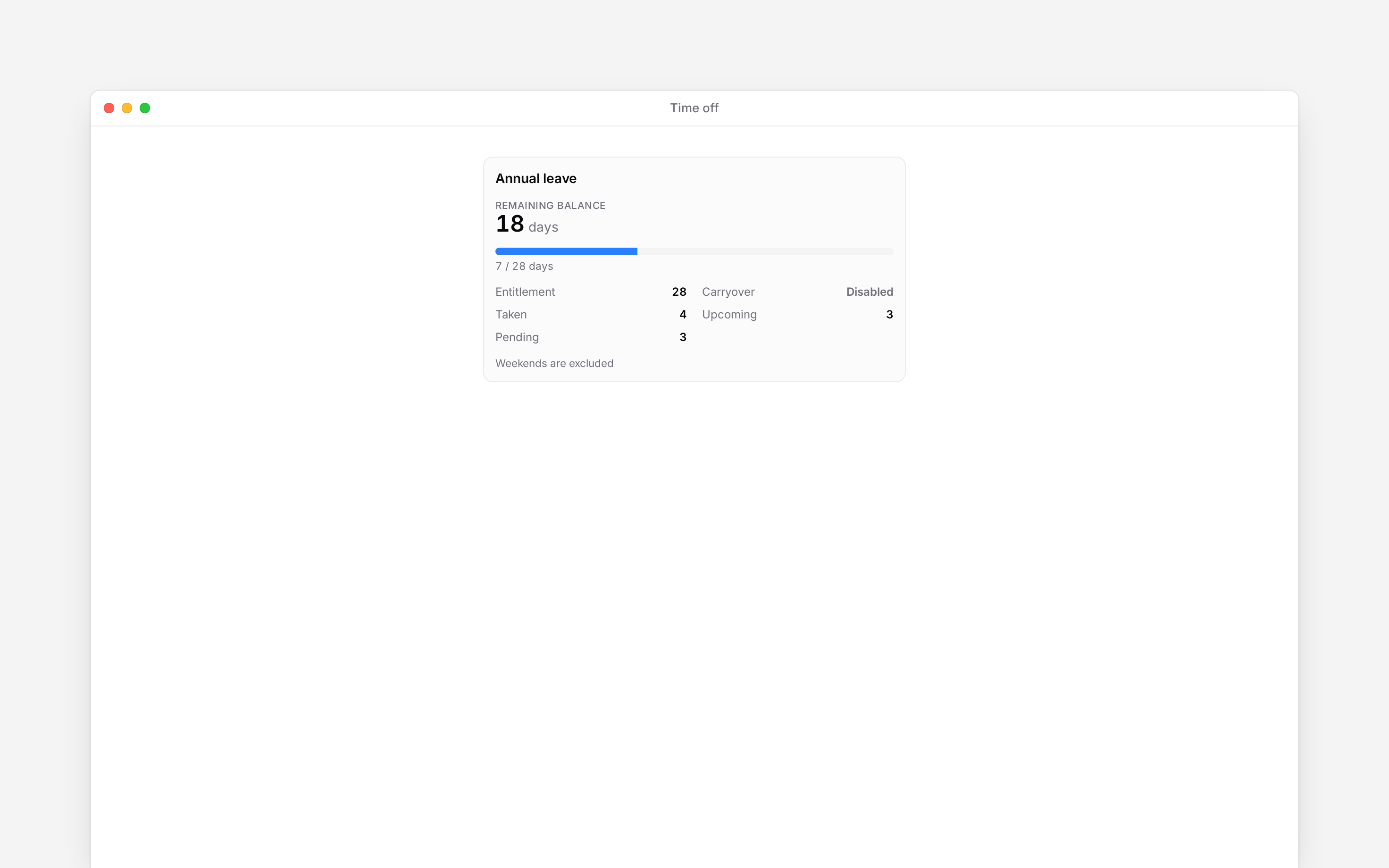
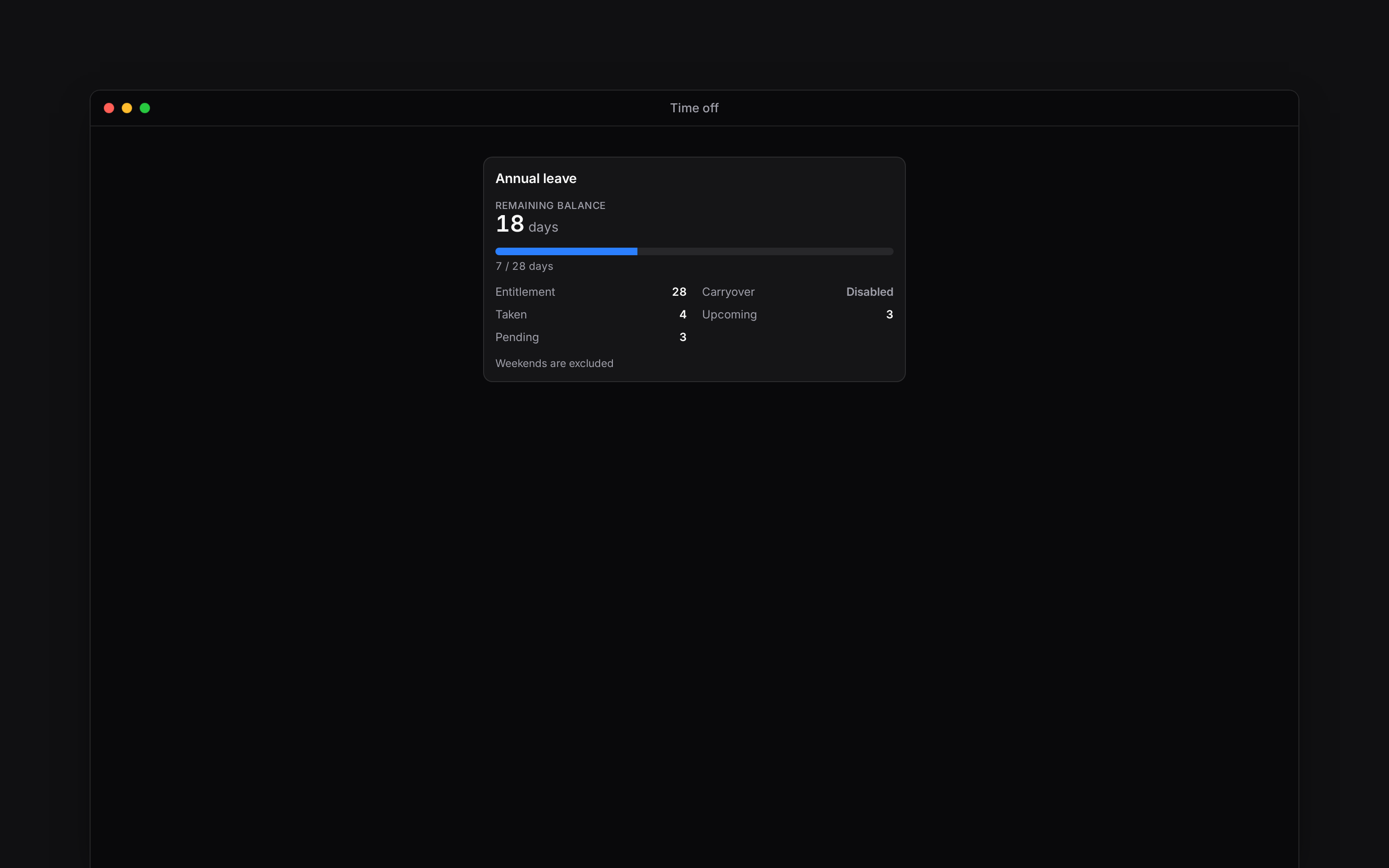
<img src="https://mintcdn.com/beginltd/eTnxmebqR92iwCjw/images/articles/employees-workday/employee-time-off-balance-screen-light.png?fit=max&auto=format&n=eTnxmebqR92iwCjw&q=85&s=350f703d4f187faf8e9472b5c0635567" alt="Your annual leave balance broken down into entitlement, taken, upcoming and pending days" className="block dark:hidden" width="2944" height="1840" data-path="images/articles/employees-workday/employee-time-off-balance-screen-light.png" />

<img src="https://mintcdn.com/beginltd/eTnxmebqR92iwCjw/images/articles/employees-workday/employee-time-off-balance-screen-dark.png?fit=max&auto=format&n=eTnxmebqR92iwCjw&q=85&s=3c96416871da0e1faa4c4591c8599025" alt="Your annual leave balance broken down into entitlement, taken, upcoming and pending days" className="hidden dark:block" width="2944" height="1840" data-path="images/articles/employees-workday/employee-time-off-balance-screen-dark.png" />

**Context for an assistant answering questions about your time off.**

* **Scope:** this section describes employees' own requests and balances. Employers control policies, entitlements and approval routing.
* **Navigation:** My profile is the self-service destination even when management pages are unavailable.
* **Privacy:** seeing a colleague's absence on a schedule does not grant access to their balance or private notes.

## Next

<Columns cols={2}>
  <Card title="Your time-off balance" icon="arrow-right" href="/for-employees/time-off/checking-your-balance">
    See what is available before choosing dates.
  </Card>

  <Card title="Request time off" icon="arrow-right" href="/for-employees/schedule/requesting-time-off">
    Choose the dates and send your request.
  </Card>
</Columns>

## Still need help?

<Columns cols={2}>
  <Card title="Contact support" icon="envelope" href="mailto:support@heybegin.eu">
    Email the Begin team and we'll get back to you.
  </Card>

  <Card title="Ask Begin AI" icon="comment-dots" href="?assistant=open">
    Open the AI assistant and get instant answers based on these docs.
  </Card>
</Columns>