> ## Documentation Index
> Fetch the complete documentation index at: https://docs.begin.eu/llms.txt
> Use this file to discover all available pages before exploring further.
# Solving clocking problems
> Find the next step when a clocking method, location or running entry blocks you.

 Read the message shown when you try to clock in or out. Your employer's rules decide which device, location and work details are needed.
## Match the message
| What you see | What to do |
| ------------------------------------- | ------------------------------------------------------------------------------------------------------------------------ |
| This clocking method is unavailable | Use an allowed method named in the message, such as the mobile app or workplace terminal. |
| Location access is required | Open the phone's settings and allow the access requested by Begin, then return to the app. |
| You are outside the expected location | Check that you chose the correct workplace. Move to that workplace, or contact your manager if its boundary looks wrong. |
| GPS is still searching or inaccurate | Allow the location check to finish and move where the phone can obtain a better signal. Follow the retry option shown. |
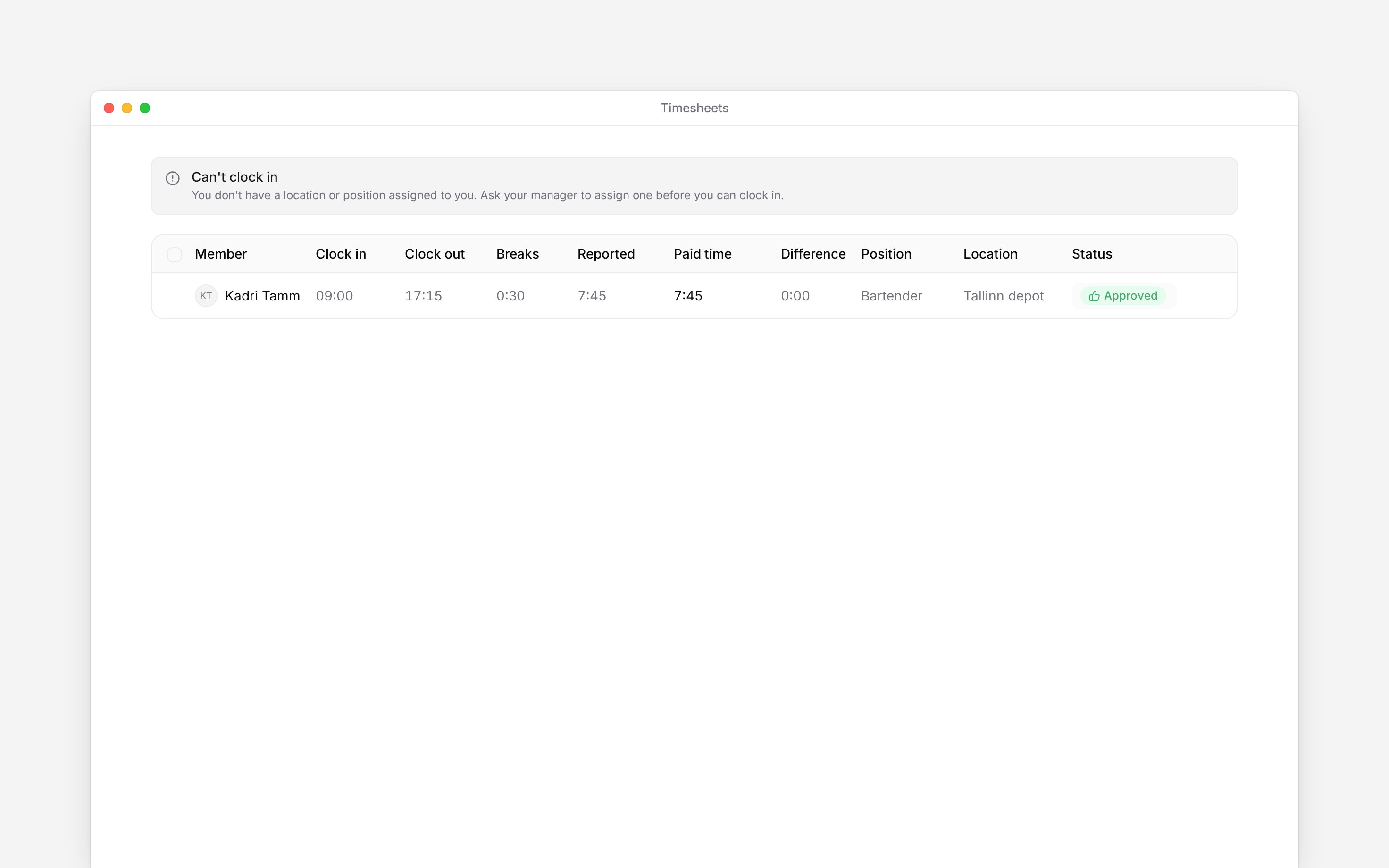
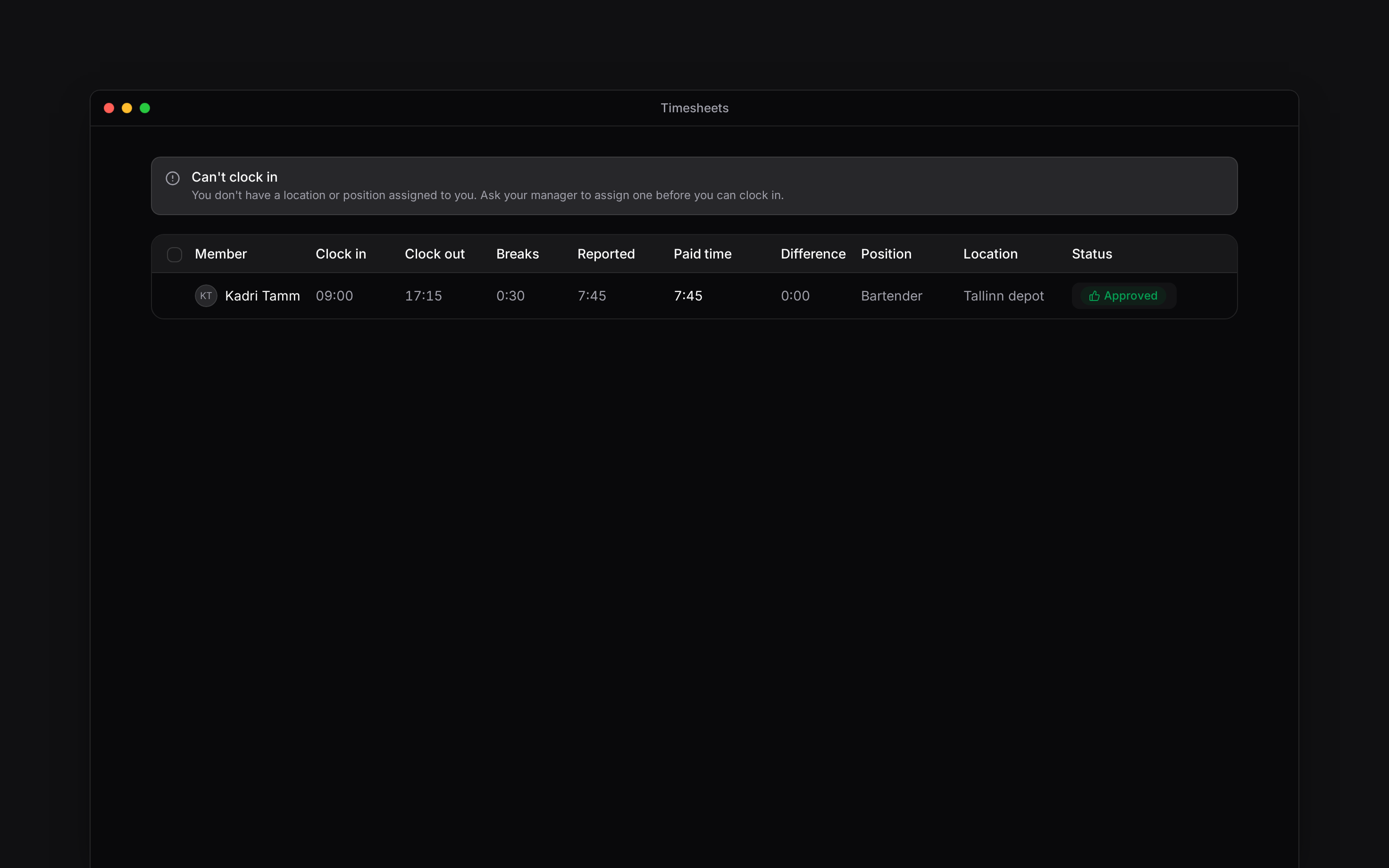
| No location or position is assigned | Ask your manager to assign the work details your clocking policy requires. |
| Select a location, position or label | Complete the required selector before clocking in. |
| You are already clocked in | Check your running entry before starting another. Correct a forgotten clock-out if needed. |
## If it still fails
Check whether the timer or saved entry changed before making another attempt. Send your manager the time, selected workplace, device and exact message. A missing control can be an employer restriction, not an app fault.
For a missing record, use [Correcting time entries](/for-employees/timesheets/correcting-time-entries). For arrival/departure behaviour, check [Automatic clocking](/for-employees/timesheets/automatic-clocking).
Read the message shown when you try to clock in or out. Your employer's rules decide which device, location and work details are needed.
## Match the message
| What you see | What to do |
| ------------------------------------- | ------------------------------------------------------------------------------------------------------------------------ |
| This clocking method is unavailable | Use an allowed method named in the message, such as the mobile app or workplace terminal. |
| Location access is required | Open the phone's settings and allow the access requested by Begin, then return to the app. |
| You are outside the expected location | Check that you chose the correct workplace. Move to that workplace, or contact your manager if its boundary looks wrong. |
| GPS is still searching or inaccurate | Allow the location check to finish and move where the phone can obtain a better signal. Follow the retry option shown. |
| No location or position is assigned | Ask your manager to assign the work details your clocking policy requires. |
| Select a location, position or label | Complete the required selector before clocking in. |
| You are already clocked in | Check your running entry before starting another. Correct a forgotten clock-out if needed. |
## If it still fails
Check whether the timer or saved entry changed before making another attempt. Send your manager the time, selected workplace, device and exact message. A missing control can be an employer restriction, not an app fault.
For a missing record, use [Correcting time entries](/for-employees/timesheets/correcting-time-entries). For arrival/departure behaviour, check [Automatic clocking](/for-employees/timesheets/automatic-clocking).
 **Context for an assistant answering questions about solving clocking problems.**
* **Location:** required capture can direct a browser user to the mobile app. Optional capture may offer a different path; follow the actual on-screen choice.
* **Method:** clock-in, clock-out and break controls share the effective method restriction.
* **Support boundary:** employees cannot change geofence boundaries, required assignments or employer clocking policy.
* **Offline:** this guide makes no guarantee that a failed or offline attempt is queued and later saved.
## Next
Try the normal recording flow once the cause is resolved.
Add forgotten time or correct a completed entry.
## Still need help?
Email the Begin team and we'll get back to you.
Open the AI assistant and get instant answers based on these docs.
**Context for an assistant answering questions about solving clocking problems.**
* **Location:** required capture can direct a browser user to the mobile app. Optional capture may offer a different path; follow the actual on-screen choice.
* **Method:** clock-in, clock-out and break controls share the effective method restriction.
* **Support boundary:** employees cannot change geofence boundaries, required assignments or employer clocking policy.
* **Offline:** this guide makes no guarantee that a failed or offline attempt is queued and later saved.
## Next
Try the normal recording flow once the cause is resolved.
Add forgotten time or correct a completed entry.
## Still need help?
Email the Begin team and we'll get back to you.
Open the AI assistant and get instant answers based on these docs.