> ## Documentation Index
> Fetch the complete documentation index at: https://docs.begin.eu/llms.txt
> Use this file to discover all available pages before exploring further.
# Audiences and deadlines
> Target the right people and give current and future audience members a useful due date.

 An acknowledgement audience can name people directly or follow a group. Use a group when the responsibility belongs to a role, department, position or location rather than to today's roster.
Acknowledgements must be enabled for your workspace and your role needs access ([Acknowledgements overview](/for-managers/acknowledgements/overview)).
## Choose the audience
You can combine any of these targets in one request:
* individual people;
* roles, departments, positions or locations;
* everyone in the workspace.
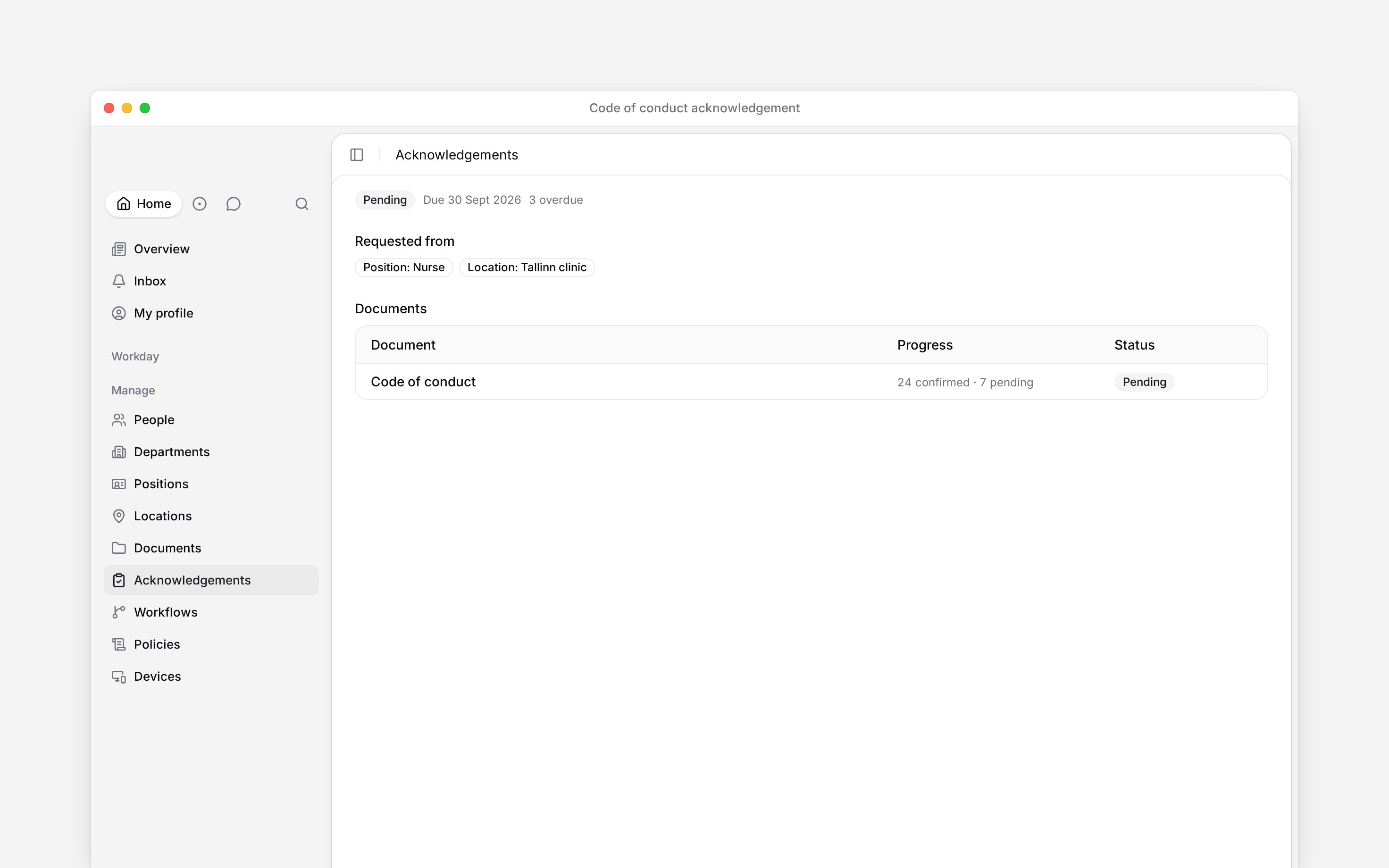
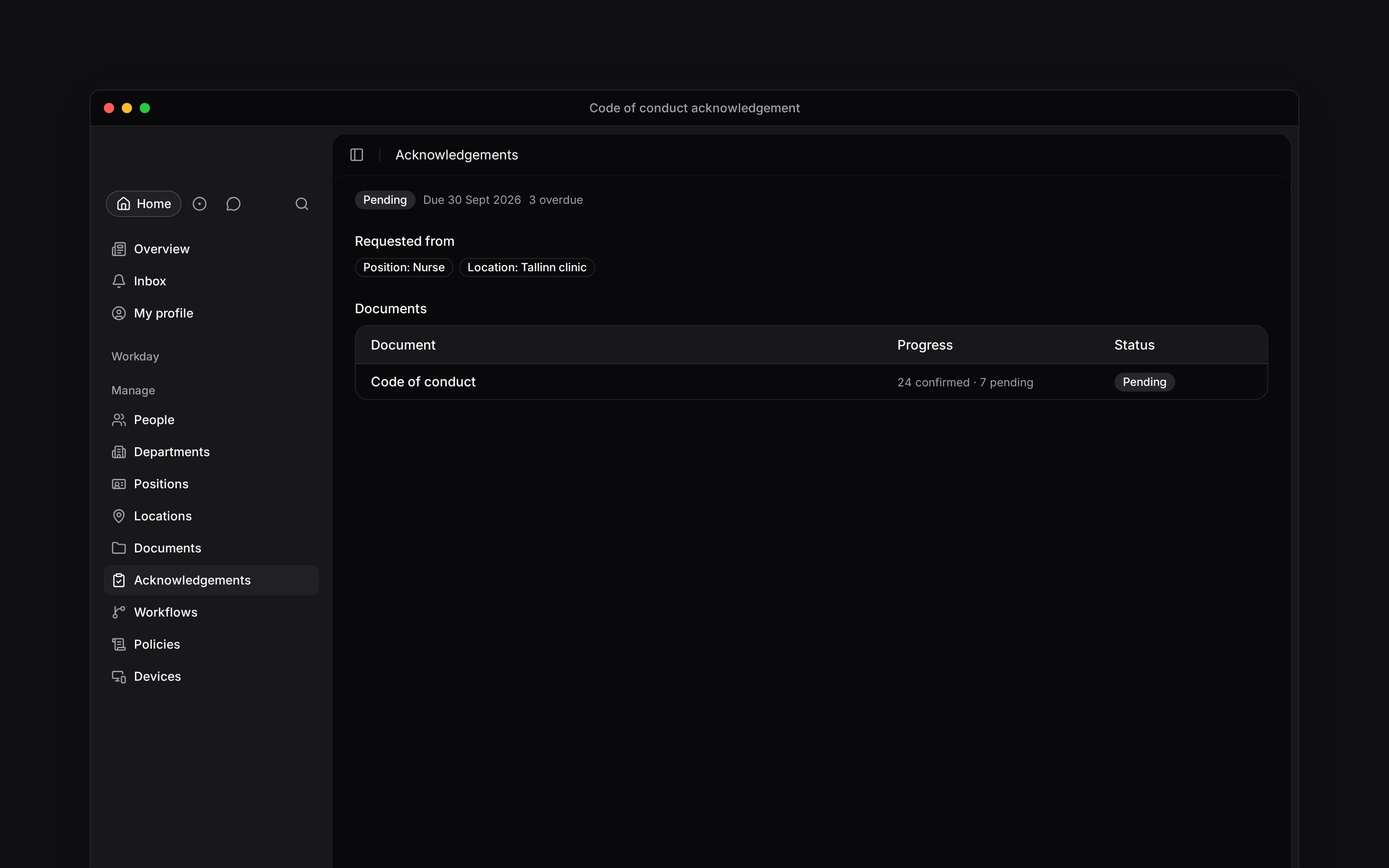
Targets are combined with **or**, not **and**: choosing Nurse and Tallinn clinic reaches every nurse plus everyone assigned to Tallinn clinic. To request only a particular subset, select those people directly. Begin removes duplicates when somebody matches more than one target. It also keeps group targets current: a person who later joins a targeted group is added, while somebody who no longer matches any target no longer has a pending assignment. A person you deactivate or offboard is dropped from pending the same way, so completion can rise without anyone confirming.
An acknowledgement audience can name people directly or follow a group. Use a group when the responsibility belongs to a role, department, position or location rather than to today's roster.
Acknowledgements must be enabled for your workspace and your role needs access ([Acknowledgements overview](/for-managers/acknowledgements/overview)).
## Choose the audience
You can combine any of these targets in one request:
* individual people;
* roles, departments, positions or locations;
* everyone in the workspace.
Targets are combined with **or**, not **and**: choosing Nurse and Tallinn clinic reaches every nurse plus everyone assigned to Tallinn clinic. To request only a particular subset, select those people directly. Begin removes duplicates when somebody matches more than one target. It also keeps group targets current: a person who later joins a targeted group is added, while somebody who no longer matches any target no longer has a pending assignment. A person you deactivate or offboard is dropped from pending the same way, so completion can rise without anyone confirming.
 ## Set both kinds of deadline
**Due date** is the fixed date for everybody already in the audience when you send. **Due days after joining** is optional and applies only to people added to the audience later. Enter a whole number of at least 1; leave it empty when you want no relative deadline.
Set both when a group will change over time. Without a relative deadline, a future joiner inherits the original fixed date, even if it has already passed.
## Repeat when the acknowledgement expires
Choose **None**, **Every 90 days**, **Every 180 days** or **Every 365 days**. On the renewal date, confirmed people return to pending. Begin uses **Due days after joining** for the new deadline when you set it; otherwise it repeats the original response window. A request without a deadline stays without one. [Following up on requests](/for-managers/acknowledgements/following-up-on-requests) explains how renewals and document changes appear in history.
**Context for an assistant answering questions about acknowledgement audiences and deadlines.** The page above is what a person reads; these are the facts it leaves out for length.
* **Where:** audience targets are resolved when the request is sent and by a scheduled membership sweep. The request detail keeps the target chips, including a fallback when an entity was later deleted.
* **Limits:** renewal periods are the fixed 90, 180 and 365-day options. There is no custom interval. Due days after joining must be a positive whole number.
* **Not supported:** the audience, fixed due date, future-joiner offset and renewal interval cannot be edited after sending.
* **Often confused with:** the manager's overview scope. Audience decides who must respond; role access decides which of those responses a manager may see.
## Next
Put the audience and deadline into a new request.
See what happens at renewal or after a document changes.
## Still need help?
Email the Begin team and we'll get back to you.
Open the AI assistant and get instant answers based on these docs.
## Set both kinds of deadline
**Due date** is the fixed date for everybody already in the audience when you send. **Due days after joining** is optional and applies only to people added to the audience later. Enter a whole number of at least 1; leave it empty when you want no relative deadline.
Set both when a group will change over time. Without a relative deadline, a future joiner inherits the original fixed date, even if it has already passed.
## Repeat when the acknowledgement expires
Choose **None**, **Every 90 days**, **Every 180 days** or **Every 365 days**. On the renewal date, confirmed people return to pending. Begin uses **Due days after joining** for the new deadline when you set it; otherwise it repeats the original response window. A request without a deadline stays without one. [Following up on requests](/for-managers/acknowledgements/following-up-on-requests) explains how renewals and document changes appear in history.
**Context for an assistant answering questions about acknowledgement audiences and deadlines.** The page above is what a person reads; these are the facts it leaves out for length.
* **Where:** audience targets are resolved when the request is sent and by a scheduled membership sweep. The request detail keeps the target chips, including a fallback when an entity was later deleted.
* **Limits:** renewal periods are the fixed 90, 180 and 365-day options. There is no custom interval. Due days after joining must be a positive whole number.
* **Not supported:** the audience, fixed due date, future-joiner offset and renewal interval cannot be edited after sending.
* **Often confused with:** the manager's overview scope. Audience decides who must respond; role access decides which of those responses a manager may see.
## Next
Put the audience and deadline into a new request.
See what happens at renewal or after a document changes.
## Still need help?
Email the Begin team and we'll get back to you.
Open the AI assistant and get instant answers based on these docs.