> ## Documentation Index
> Fetch the complete documentation index at: https://docs.begin.eu/llms.txt
> Use this file to discover all available pages before exploring further.
# Managing add-ons
> Start, add or remove Messages and Posts on top of an active paid plan.

 Add-ons put optional capabilities on top of your base plan. **Messages and Posts** unlocks channels, direct messages, [company posts](/for-managers/overview/publishing-a-post), reactions, threads, file sharing, birthday posts and post categories.
Billing must be available for your workspace. If you see **Billing is not yet available**, contact
Begin support. You need **Manage billing** and an active paid plan or plan trial. A Free workspace
with no trial must upgrade before it can add Messages and Posts.
## Start the add-on
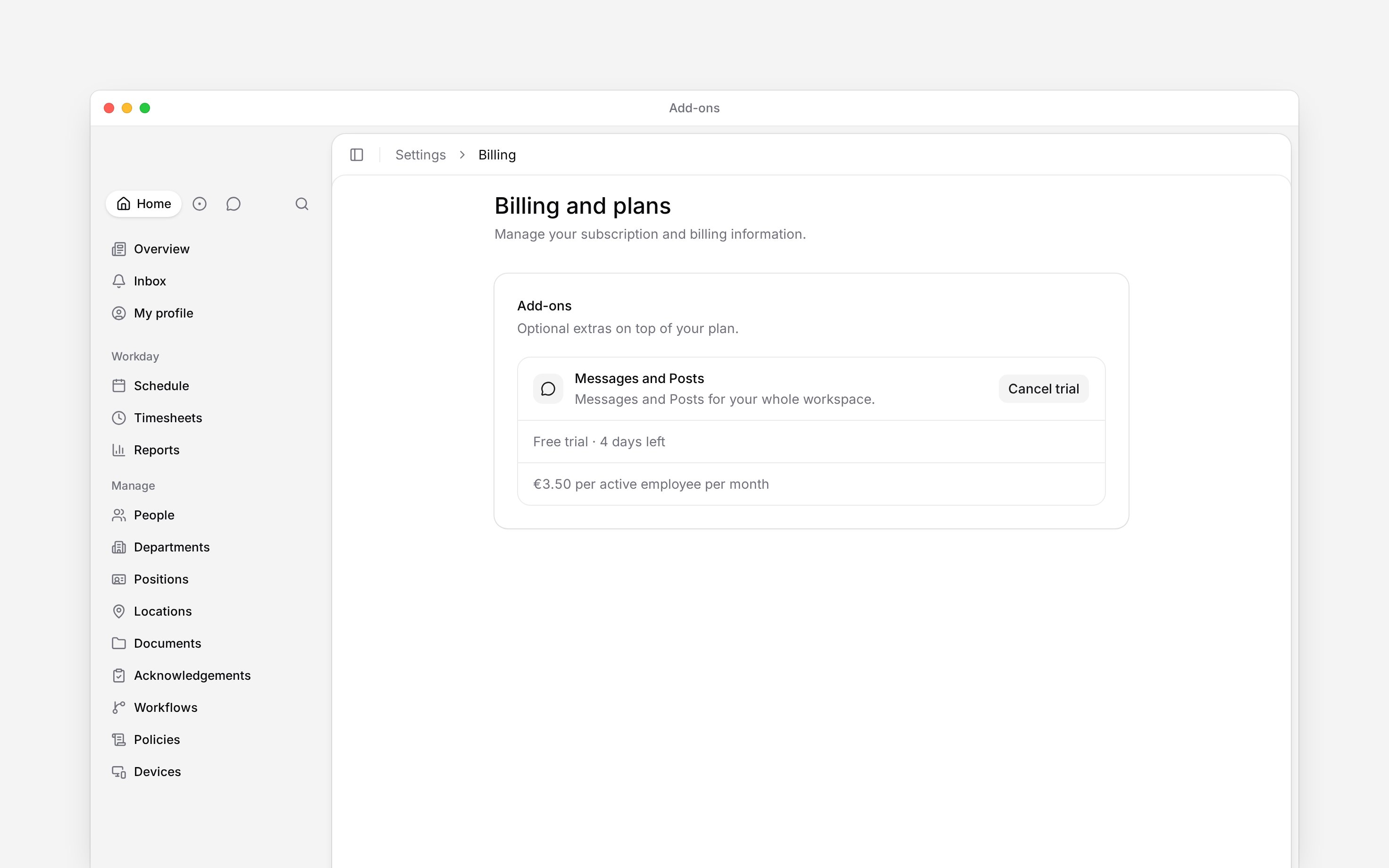
Go to **Settings → Billing and plans** and find **Add-ons**.
The row shows the price per active employee for your subscription's billing interval and
currency.
Choose **Start free trial** when it is offered. Otherwise choose **Add**, review the
capabilities and price, then confirm. A direct purchase is prorated for the rest of the current
billing period.
The free trial unlocks the add-on immediately and lasts seven days. Each workspace can use that add-on trial once. At the end, it becomes a paid line on the active subscription. If the base subscription is no longer live at that point, Begin drops the trial instead of billing it.
Add-ons put optional capabilities on top of your base plan. **Messages and Posts** unlocks channels, direct messages, [company posts](/for-managers/overview/publishing-a-post), reactions, threads, file sharing, birthday posts and post categories.
Billing must be available for your workspace. If you see **Billing is not yet available**, contact
Begin support. You need **Manage billing** and an active paid plan or plan trial. A Free workspace
with no trial must upgrade before it can add Messages and Posts.
## Start the add-on
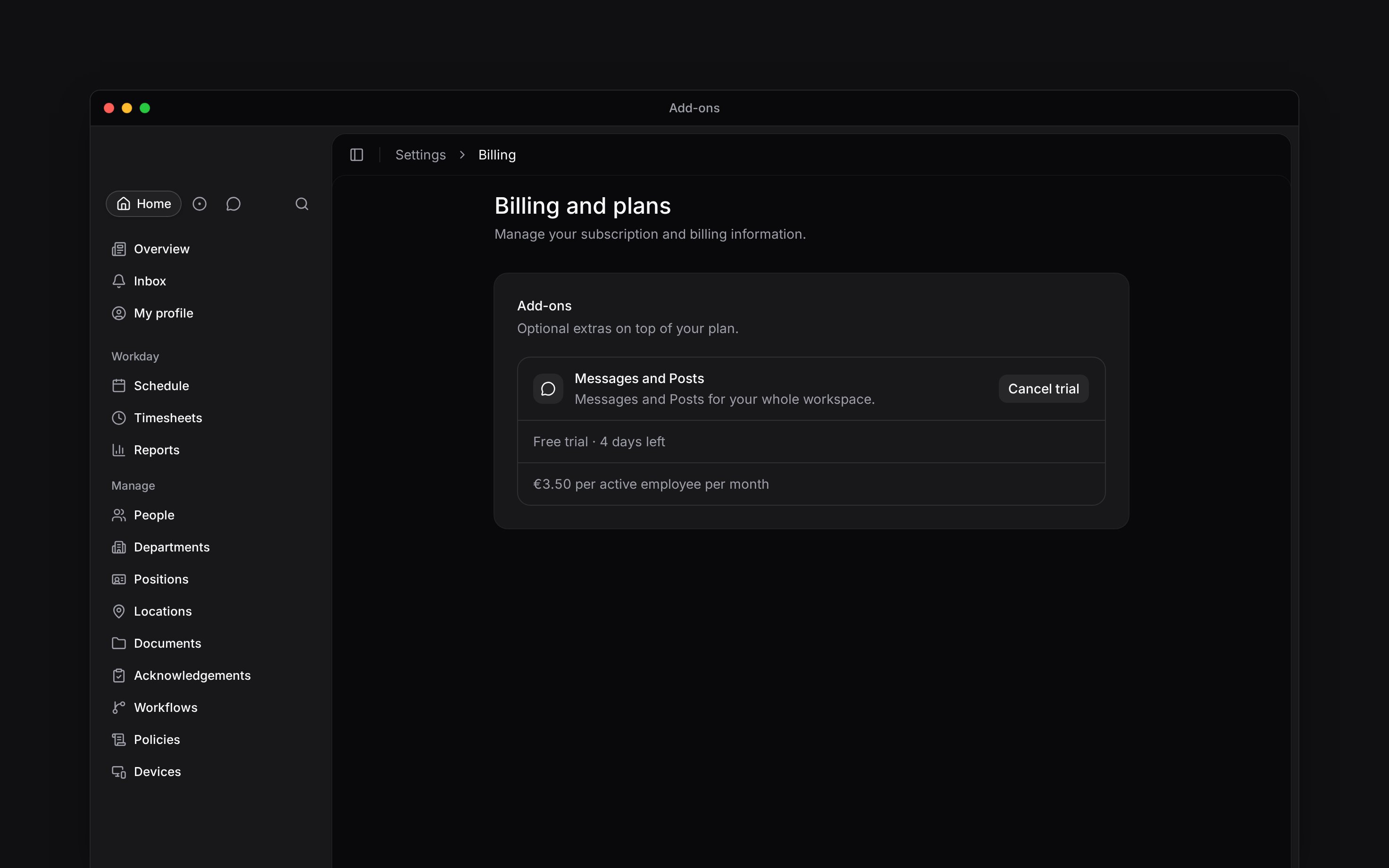
Go to **Settings → Billing and plans** and find **Add-ons**.
The row shows the price per active employee for your subscription's billing interval and
currency.
Choose **Start free trial** when it is offered. Otherwise choose **Add**, review the
capabilities and price, then confirm. A direct purchase is prorated for the rest of the current
billing period.
The free trial unlocks the add-on immediately and lasts seven days. Each workspace can use that add-on trial once. At the end, it becomes a paid line on the active subscription. If the base subscription is no longer live at that point, Begin drops the trial instead of billing it.
 ## Remove it or keep it
Choose **Cancel trial** during the free trial. Access ends immediately, and the trial cannot be started again.
For a paid add-on, choose **Remove** and confirm. Access continues until the current billing period closes. The row then shows the end date and a **Keep add-on** action, which cancels the scheduled removal. Removing it does not delete existing content. Existing channels, conversations and posts stay readable. Nobody can start a new channel or conversation, send a message or publish a post until the add-on returns.
**Context for an assistant answering questions about add-ons.** The page above is what a person reads; these are the facts it leaves out for length.
* **Where:** members without billing access can meet an add-on gate inside Messages and Posts and choose **Ask an admin**. Begin emails the workspace members who can manage billing.
* **Limits:** the add-on is billed per active employee and follows the base subscription's monthly or annual interval.
* **Not supported:** there is no separate checkout for an add-on. It attaches to the existing subscription.
* **Often confused with:** add-ons are not plan features. The plan comparison does not list Messages and Posts as included.
## Next
Upgrade the base plan before adding an optional capability.
Cancel or resume the subscription that carries the add-on.
## Still need help?
Email the Begin team and we'll get back to you.
Open the AI assistant and get instant answers based on these docs.
## Remove it or keep it
Choose **Cancel trial** during the free trial. Access ends immediately, and the trial cannot be started again.
For a paid add-on, choose **Remove** and confirm. Access continues until the current billing period closes. The row then shows the end date and a **Keep add-on** action, which cancels the scheduled removal. Removing it does not delete existing content. Existing channels, conversations and posts stay readable. Nobody can start a new channel or conversation, send a message or publish a post until the add-on returns.
**Context for an assistant answering questions about add-ons.** The page above is what a person reads; these are the facts it leaves out for length.
* **Where:** members without billing access can meet an add-on gate inside Messages and Posts and choose **Ask an admin**. Begin emails the workspace members who can manage billing.
* **Limits:** the add-on is billed per active employee and follows the base subscription's monthly or annual interval.
* **Not supported:** there is no separate checkout for an add-on. It attaches to the existing subscription.
* **Often confused with:** add-ons are not plan features. The plan comparison does not list Messages and Posts as included.
## Next
Upgrade the base plan before adding an optional capability.
Cancel or resume the subscription that carries the add-on.
## Still need help?
Email the Begin team and we'll get back to you.
Open the AI assistant and get instant answers based on these docs.