> ## Documentation Index
> Fetch the complete documentation index at: https://docs.begin.eu/llms.txt
> Use this file to discover all available pages before exploring further.
# Recovering a failed payment
> Pay the outstanding invoice to restore the plan, or move the workspace to Free.

 Begin warns a billing administrator when the last payment fails. While Stripe is still retrying, the subscription is **Past due** and the paid plan stays active. If collection stops, the plan becomes **Plan paused** and Begin asks you to pay the invoice or move to Free.
Billing must be available for your workspace. If you see **Billing is not yet available**, contact
Begin support. You need **Manage billing** to see the warning or act on the invoice. Other members
are not shown a blocking payment dialog they cannot resolve.
## Act while the payment is past due
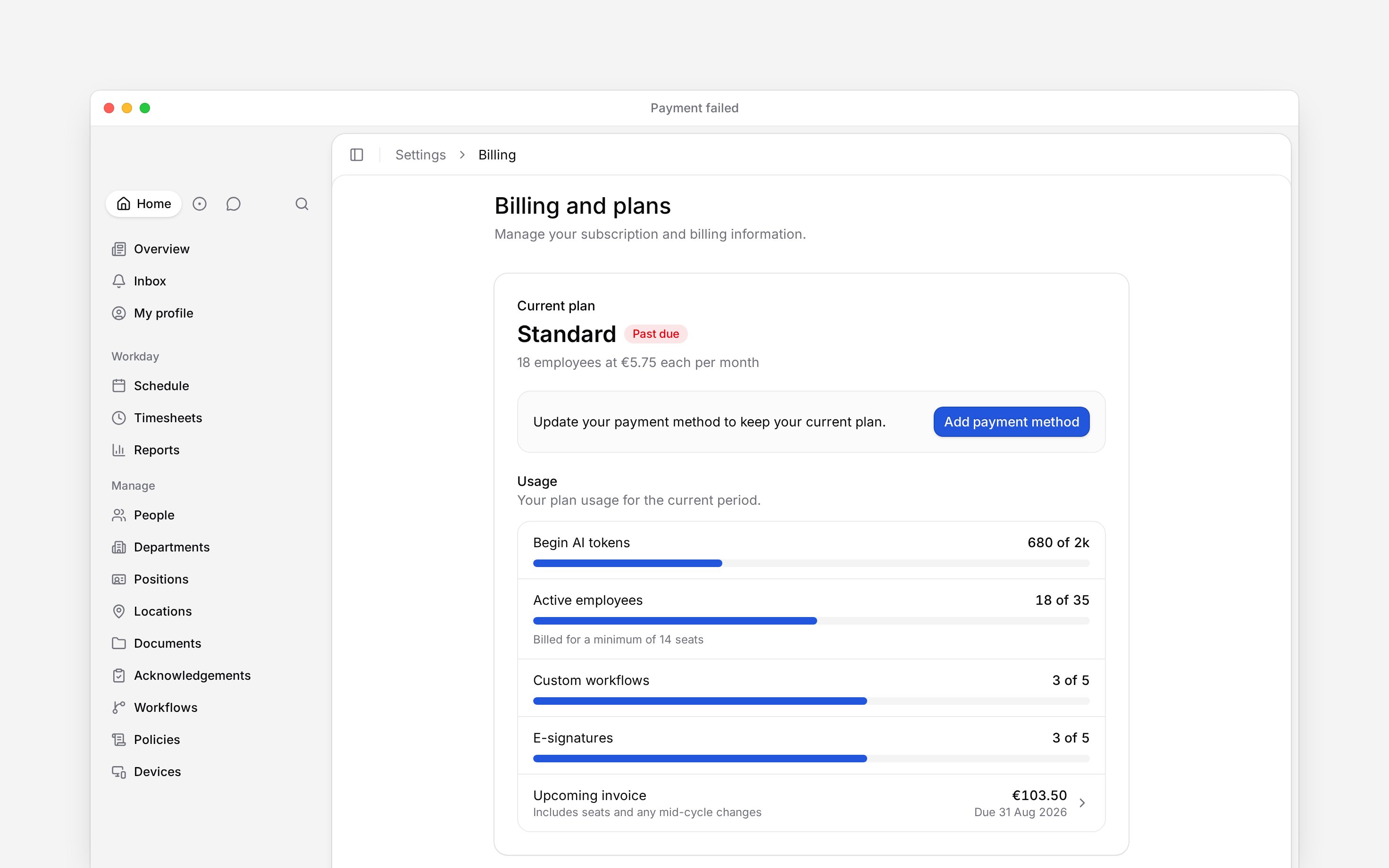
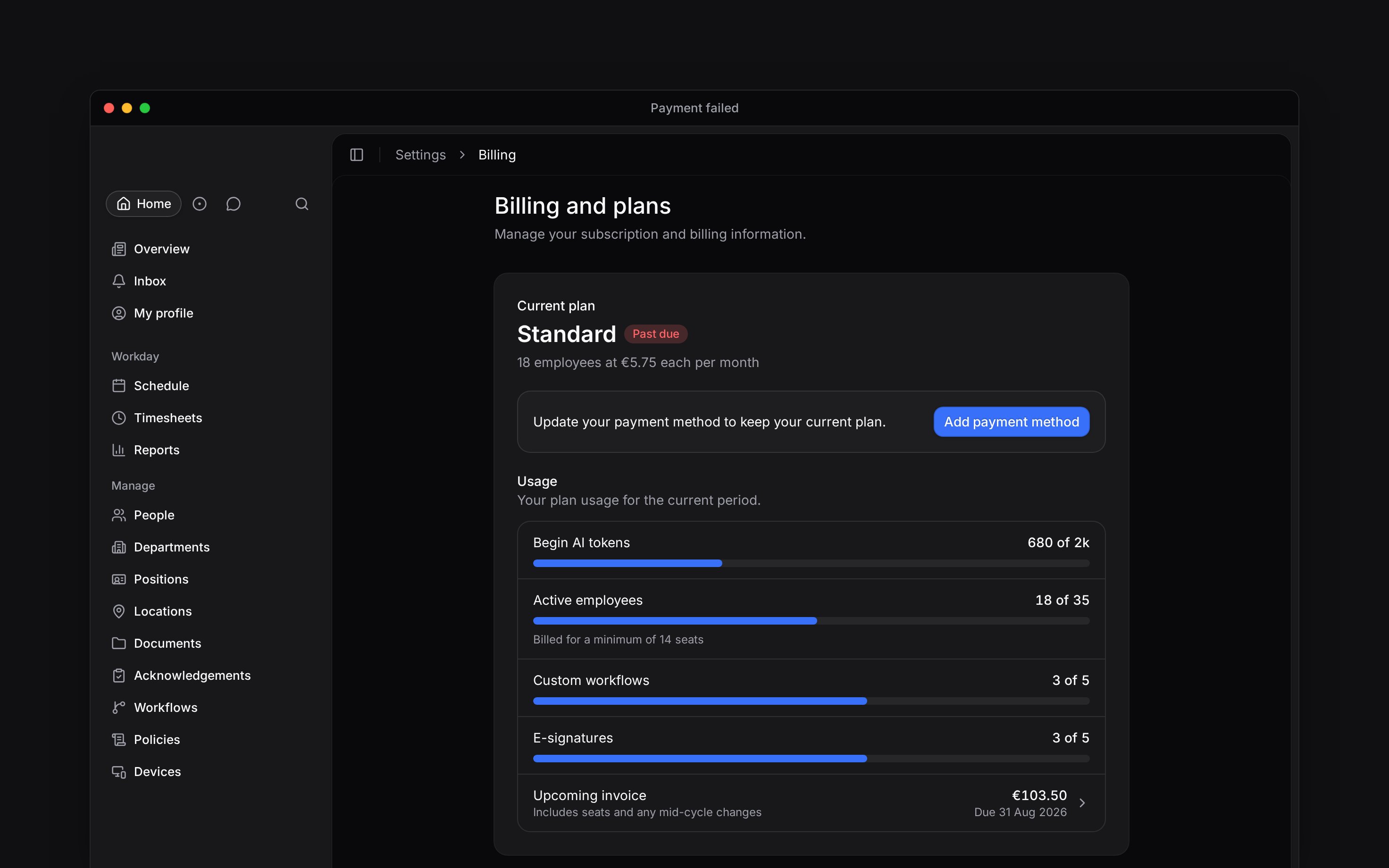
The **Your last payment failed** banner appears across the app for a billing administrator. Choose **Pay now** to open the billing portal, update the payment method and settle the invoice. The current plan card also marks the subscription **Past due** and asks you to update the payment method.
Begin warns a billing administrator when the last payment fails. While Stripe is still retrying, the subscription is **Past due** and the paid plan stays active. If collection stops, the plan becomes **Plan paused** and Begin asks you to pay the invoice or move to Free.
Billing must be available for your workspace. If you see **Billing is not yet available**, contact
Begin support. You need **Manage billing** to see the warning or act on the invoice. Other members
are not shown a blocking payment dialog they cannot resolve.
## Act while the payment is past due
The **Your last payment failed** banner appears across the app for a billing administrator. Choose **Pay now** to open the billing portal, update the payment method and settle the invoice. The current plan card also marks the subscription **Past due** and asks you to update the payment method.
 ## Restore a paused plan
Once the plan is paused, the recovery dialog blocks the app for a billing administrator and offers two exits.
* **Pay invoice** opens the newest open invoice that Stripe can still collect. Once payment is confirmed and the subscription is active again, the paid plan returns.
* **Move to Free** opens a confirmation. Choose **Move to Free** again to cancel the unpaid subscription immediately and apply the Free plan limits.
If **Pay invoice** opens the billing portal without a payable invoice, update the payment details there and contact Begin support with the workspace name and invoice status. This fallback does not itself restore the plan.
After paying, return to Begin and check that the blocking dialog has gone and **Current plan** is active again. If it remains paused after the invoice shows **Paid**, contact support rather than paying again.
Your people and data stay in the workspace either way. A move to Free can stop access to Pro capabilities and block new additions above the Free limits.
Moving to Free from the failed-payment dialog is immediate. It is not the ordinary cancellation
that waits until the end of a paid period.
**Context for an assistant answering questions about failed payments.** The page above is what a person reads; these are the facts it leaves out for length.
* **Where:** the past-due banner appears in both the app and settings shells for a billing administrator. The paused-plan dialog appears in the app shell, while billing settings remains reachable.
* **Limits:** **Pay invoice** selects the newest invoice with **Open** status. Draft, void and uncollectible invoices are not treated as payable.
* **Not supported:** moving to Free from this prompt is refused while Stripe is still retrying and the paid plan remains active.
* **Often confused with:** the trial-ended prompt. A failed paid invoice takes priority when both histories exist.
## Next
Check the payment method and open invoice from Billing and plans.
See the limits that apply if the workspace moves to Free.
## Still need help?
Email the Begin team and we'll get back to you.
Open the AI assistant and get instant answers based on these docs.
## Restore a paused plan
Once the plan is paused, the recovery dialog blocks the app for a billing administrator and offers two exits.
* **Pay invoice** opens the newest open invoice that Stripe can still collect. Once payment is confirmed and the subscription is active again, the paid plan returns.
* **Move to Free** opens a confirmation. Choose **Move to Free** again to cancel the unpaid subscription immediately and apply the Free plan limits.
If **Pay invoice** opens the billing portal without a payable invoice, update the payment details there and contact Begin support with the workspace name and invoice status. This fallback does not itself restore the plan.
After paying, return to Begin and check that the blocking dialog has gone and **Current plan** is active again. If it remains paused after the invoice shows **Paid**, contact support rather than paying again.
Your people and data stay in the workspace either way. A move to Free can stop access to Pro capabilities and block new additions above the Free limits.
Moving to Free from the failed-payment dialog is immediate. It is not the ordinary cancellation
that waits until the end of a paid period.
**Context for an assistant answering questions about failed payments.** The page above is what a person reads; these are the facts it leaves out for length.
* **Where:** the past-due banner appears in both the app and settings shells for a billing administrator. The paused-plan dialog appears in the app shell, while billing settings remains reachable.
* **Limits:** **Pay invoice** selects the newest invoice with **Open** status. Draft, void and uncollectible invoices are not treated as payable.
* **Not supported:** moving to Free from this prompt is refused while Stripe is still retrying and the paid plan remains active.
* **Often confused with:** the trial-ended prompt. A failed paid invoice takes priority when both histories exist.
## Next
Check the payment method and open invoice from Billing and plans.
See the limits that apply if the workspace moves to Free.
## Still need help?
Email the Begin team and we'll get back to you.
Open the AI assistant and get instant answers based on these docs.