> ## Documentation Index
> Fetch the complete documentation index at: https://docs.begin.eu/llms.txt
> Use this file to discover all available pages before exploring further.
# Managing departments
> Edit department details, change their order and remove departments you no longer use.
export const BetaCallout = ({children}) => ;
export const Beta = () => Beta;

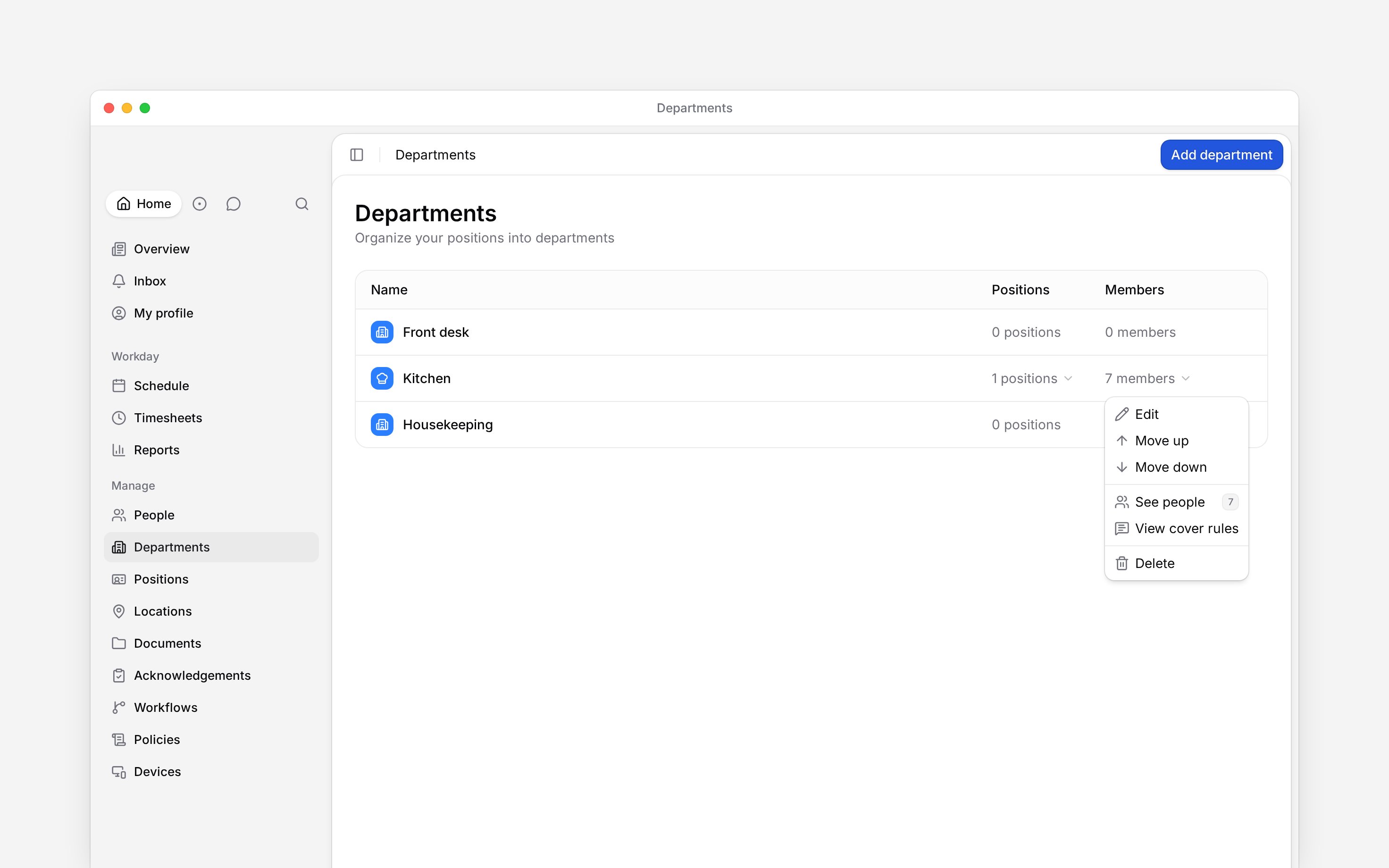
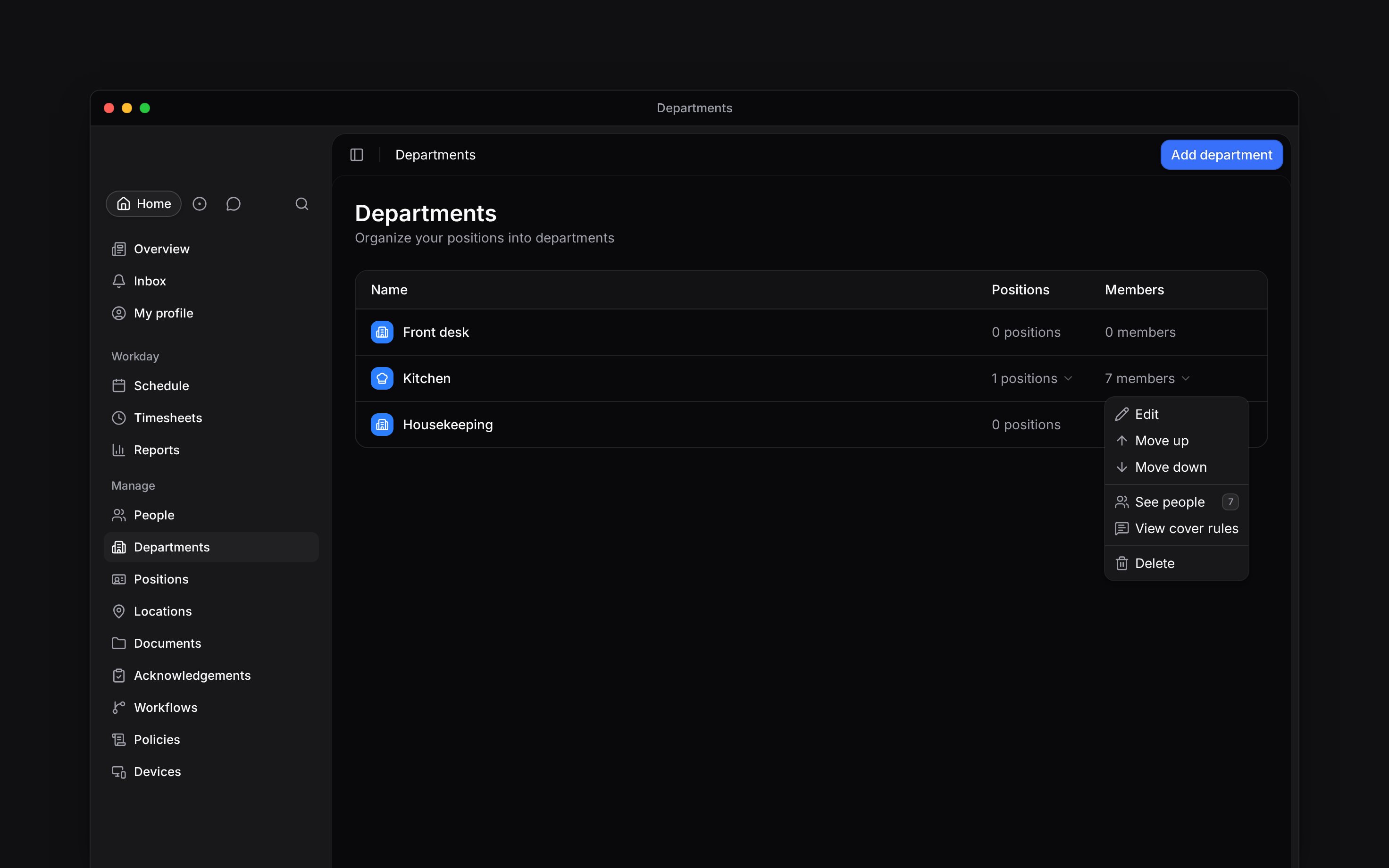
 Use the department's row menu to change its details, move it in the list or delete it. Open **Departments** and use the three-dot menu on the row you want.
## Change details or order
Choose **Edit**, make your changes and click **Save changes**. You can change the name, icon, colour, linked positions and **Payroll export code**.
Choose **Move up** or **Move down** to change the department's order. The first department cannot move up, and the last cannot move down. Moving one does not change its members or positions.
Use the department's row menu to change its details, move it in the list or delete it. Open **Departments** and use the three-dot menu on the row you want.
## Change details or order
Choose **Edit**, make your changes and click **Save changes**. You can change the name, icon, colour, linked positions and **Payroll export code**.
Choose **Move up** or **Move down** to change the department's order. The first department cannot move up, and the last cannot move down. Moving one does not change its members or positions.
 If the row has no menu, your role can only view departments. Ask your workspace administrator to check your access.
## Remove a department
Review its positions and use **See people** to check who belongs to it. Assign another
department first if those people still need one.
Choose **Delete** in the row menu, then **Delete department** in the confirmation dialog.
Deletion removes the department and its links to people and positions. The people and positions
remain. There is no restore action in the interface.
The department disappears from the list. Deleting it can also change which department-based rules apply to its former members.
If the row has no menu, your role can only view departments. Ask your workspace administrator to check your access.
## Remove a department
Review its positions and use **See people** to check who belongs to it. Assign another
department first if those people still need one.
Choose **Delete** in the row menu, then **Delete department** in the confirmation dialog.
Deletion removes the department and its links to people and positions. The people and positions
remain. There is no restore action in the interface.
The department disappears from the list. Deleting it can also change which department-based rules apply to its former members.
Check cover rules
Cover rules are rolling out gradually. If your row menu has no **View cover rules**, your
workspace may not have them yet, or your role may not have access to policies. Ask us about
enabling them.
**View cover rules** opens **Policies** filtered to the department. Use it to find the department's rules; the department editor does not contain those rules.
* **Who can:** editing and moving require department update permission; deletion requires department delete permission. **View cover rules** also requires policy read permission.
* **Where:** right-clicking a department row opens the same actions as its three-dot menu.
* **Not supported:** no archive, merge or restore control is available for departments.
* **Limits:** deleting a department also removes the stored people ordering for that department group. It does not delete the people, positions or their other department assignments.
## Next
Choose who belongs to the department.
Choose the right filter for people or their work.
## Still need help?
Email the Begin team and we'll get back to you.
Open the AI assistant and get instant answers based on these docs.