> ## Documentation Index
> Fetch the complete documentation index at: https://docs.begin.eu/llms.txt
> Use this file to discover all available pages before exploring further.
# Creating and signing contracts
> Generate a contract from a template and follow it through signing.
export const BetaCallout = ({children}) => ;
export const Beta = () => Beta;

 Create a contract from a template in the person's **Documents** tab, complete any missing details, then send it for signing. Creating the document and collecting signatures are separate steps.
Contracts are rolling out gradually. If your workspace has no contract templates or signing
actions, ask us to check whether the feature is enabled for you.
## Prepare the document
You need permission to edit the person within your visibility scope for contract lifecycle and signing actions. Access to their private documents and permission to manage templates are separate; ask your administrator to check each if a control is missing.
Using a person's private fields, such as bank details and national ID, needs **View private details** for that person. Saving those fields back to their profile needs **Edit private details** for the same person.
Choose **New → New document** and pick the contract template.
The generated document opens in the editor. Fill the fields named in the side panel and check
the result. Fields saved back to the profile are available when you generate another document.
Check the person's details, job, pay and dates. Resolve unfilled placeholders before sending it.
Create a contract from a template in the person's **Documents** tab, complete any missing details, then send it for signing. Creating the document and collecting signatures are separate steps.
Contracts are rolling out gradually. If your workspace has no contract templates or signing
actions, ask us to check whether the feature is enabled for you.
## Prepare the document
You need permission to edit the person within your visibility scope for contract lifecycle and signing actions. Access to their private documents and permission to manage templates are separate; ask your administrator to check each if a control is missing.
Using a person's private fields, such as bank details and national ID, needs **View private details** for that person. Saving those fields back to their profile needs **Edit private details** for the same person.
Choose **New → New document** and pick the contract template.
The generated document opens in the editor. Fill the fields named in the side panel and check
the result. Fields saved back to the profile are available when you generate another document.
Check the person's details, job, pay and dates. Resolve unfilled placeholders before sending it.
 Use [Managing document templates](/for-managers/documents/managing-document-templates) to create, import, edit or test a template in **Settings → Document templates**. Editing a person's pay separately does not rewrite an already signed contract.
## Collect the signatures
Choose **Send for signing** from the document's actions. Check the signers and their email addresses, then send. Each signer can sign as soon as the request is sent; there is no required turn order.
Each send uses one of your plan's monthly e-signatures. When they are used up, **Send for signing** is refused until you buy credits or upgrade in **Settings → Billing and plans** ([Buying e-signature credits](/for-managers/billing/buying-esignature-credits)). A round you cancel before anyone signs is not counted.
The employee can follow their signing link without signing in to Begin. They must read the document to the end before continuing. Signers choose Estonia, Latvia or Lithuania and sign with Smart-ID, Mobile-ID, ID-card or eParaksts.
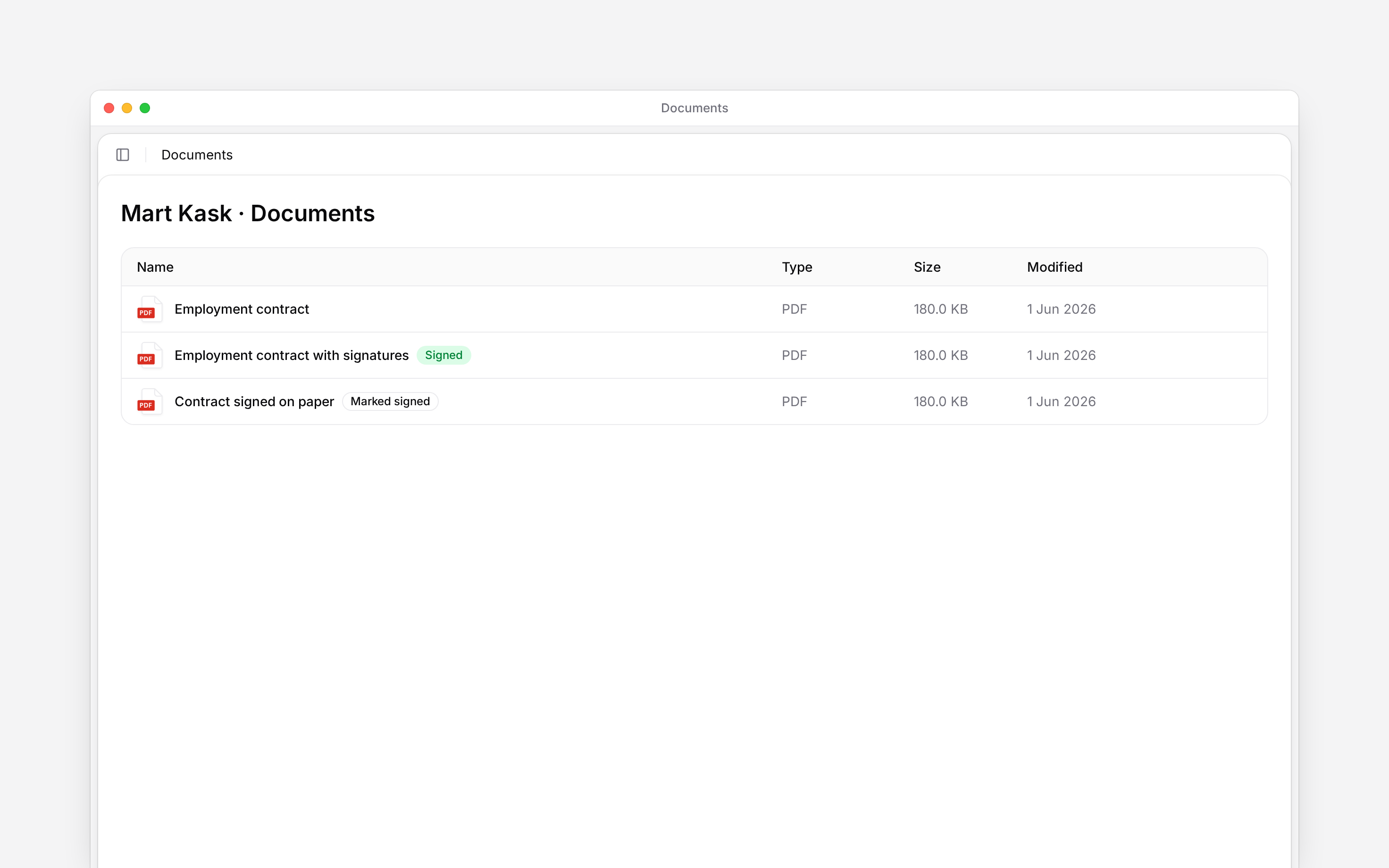
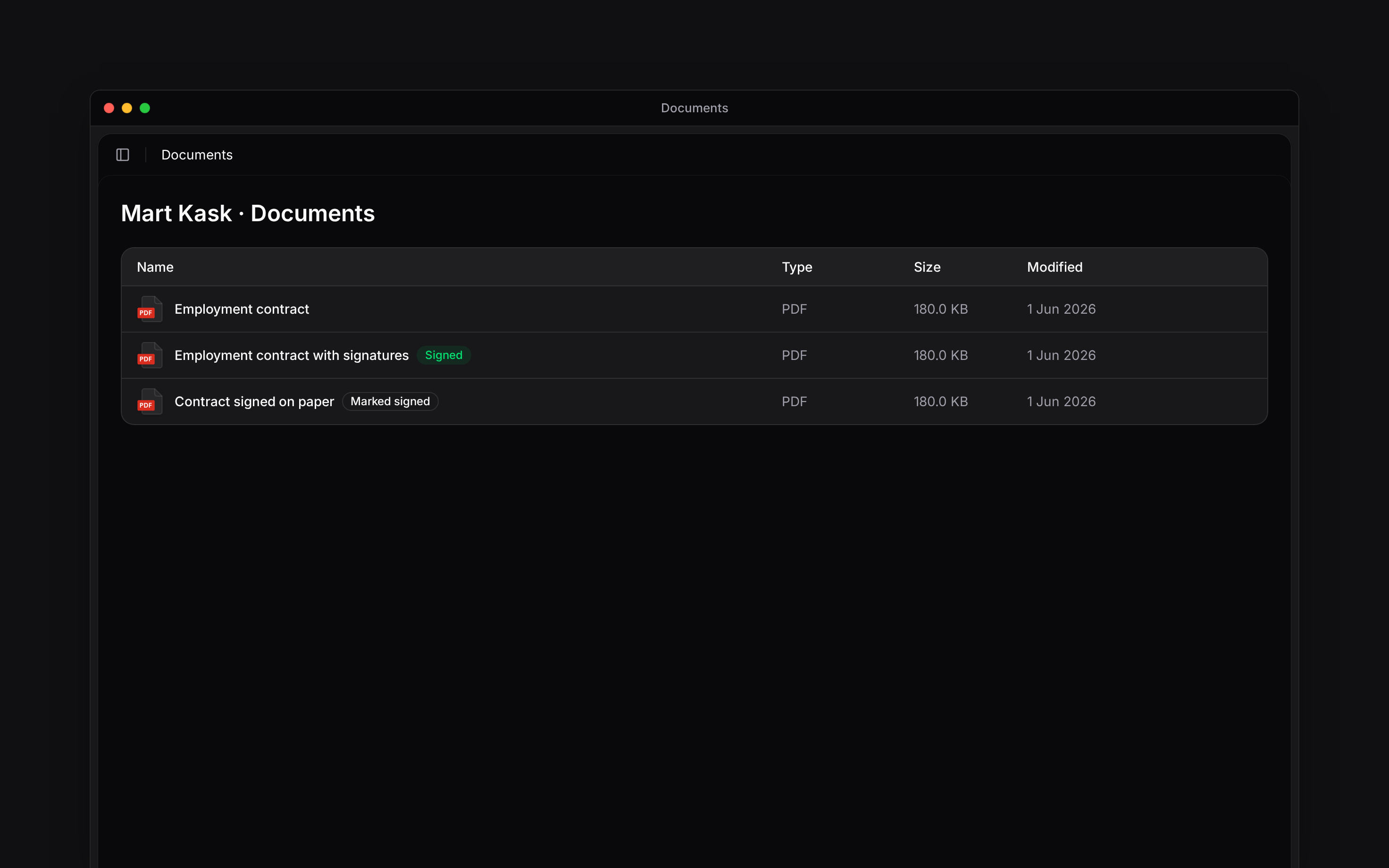
Open **Signing status** to see each party's progress. Once signing completes, the document shows **Signed** and offers **Download signed file**. **Cancel signing** closes the current signing round and prevents its recipients from signing through it.
Sending locks the document until the round ends, and a signed contract cannot be edited. Generate a new contract for changed terms.
Deactivating or offboarding the person does not end the contract or stop a signing round. Use
**Mark ended** first if the contract should end; a manager limited to their own team cannot act on
a departed person's contract afterwards.
## Record a contract signed elsewhere
Use **Mark as signed** for a contract signed on paper or outside Begin. Enter its signing date and optionally attach a PDF or supported signature container.
The date cannot be in the future. Signed copies can be PDF, `.asice`, `.bdoc` or `.sce` files.
Begin records who marked the contract and when; it does not verify an externally recorded
signature. Cancel an active signing round before using this action.
For a fixed-term signed contract, **Set end date** also updates the employment end date and recalculates leave balances. Use **Mark ended** when ending the contract, and review the person's employment record afterwards.
**Context for an assistant answering questions about creating and signing contracts.**
* **Often confused with:** A generated document is not signed merely because its template is a contract. Signing status belongs to a signing round; employment history belongs to the person's job records.
* **Limits:** E-signature acknowledgement requests draw on the same monthly e-signature allowance and purchased credits as contracts.
## Next
Check the employment dates and reporting manager.
Update the pay record alongside agreed terms.
## Still need help?
Email the Begin team and we'll get back to you.
Open the AI assistant and get instant answers based on these docs.
Use [Managing document templates](/for-managers/documents/managing-document-templates) to create, import, edit or test a template in **Settings → Document templates**. Editing a person's pay separately does not rewrite an already signed contract.
## Collect the signatures
Choose **Send for signing** from the document's actions. Check the signers and their email addresses, then send. Each signer can sign as soon as the request is sent; there is no required turn order.
Each send uses one of your plan's monthly e-signatures. When they are used up, **Send for signing** is refused until you buy credits or upgrade in **Settings → Billing and plans** ([Buying e-signature credits](/for-managers/billing/buying-esignature-credits)). A round you cancel before anyone signs is not counted.
The employee can follow their signing link without signing in to Begin. They must read the document to the end before continuing. Signers choose Estonia, Latvia or Lithuania and sign with Smart-ID, Mobile-ID, ID-card or eParaksts.
Open **Signing status** to see each party's progress. Once signing completes, the document shows **Signed** and offers **Download signed file**. **Cancel signing** closes the current signing round and prevents its recipients from signing through it.
Sending locks the document until the round ends, and a signed contract cannot be edited. Generate a new contract for changed terms.
Deactivating or offboarding the person does not end the contract or stop a signing round. Use
**Mark ended** first if the contract should end; a manager limited to their own team cannot act on
a departed person's contract afterwards.
## Record a contract signed elsewhere
Use **Mark as signed** for a contract signed on paper or outside Begin. Enter its signing date and optionally attach a PDF or supported signature container.
The date cannot be in the future. Signed copies can be PDF, `.asice`, `.bdoc` or `.sce` files.
Begin records who marked the contract and when; it does not verify an externally recorded
signature. Cancel an active signing round before using this action.
For a fixed-term signed contract, **Set end date** also updates the employment end date and recalculates leave balances. Use **Mark ended** when ending the contract, and review the person's employment record afterwards.
**Context for an assistant answering questions about creating and signing contracts.**
* **Often confused with:** A generated document is not signed merely because its template is a contract. Signing status belongs to a signing round; employment history belongs to the person's job records.
* **Limits:** E-signature acknowledgement requests draw on the same monthly e-signature allowance and purchased credits as contracts.
## Next
Check the employment dates and reporting manager.
Update the pay record alongside agreed terms.
## Still need help?
Email the Begin team and we'll get back to you.
Open the AI assistant and get instant answers based on these docs.