> ## Documentation Index
> Fetch the complete documentation index at: https://docs.begin.eu/llms.txt
> Use this file to discover all available pages before exploring further.
# Merit Palk
> Connect Merit Palk and choose which payroll and employee data to exchange.
export const BetaCallout = ({children}) => ;

 Connect Merit Palk to send hours and approved absences, update existing people, and exchange supported contract data. Choose the data you want before the first run.
Payroll integrations are rolling out gradually. If **Settings → Integrations** is missing, ask us
about enabling it for your workspace. Your role also needs permission to manage integrations.
## Connect and choose the data
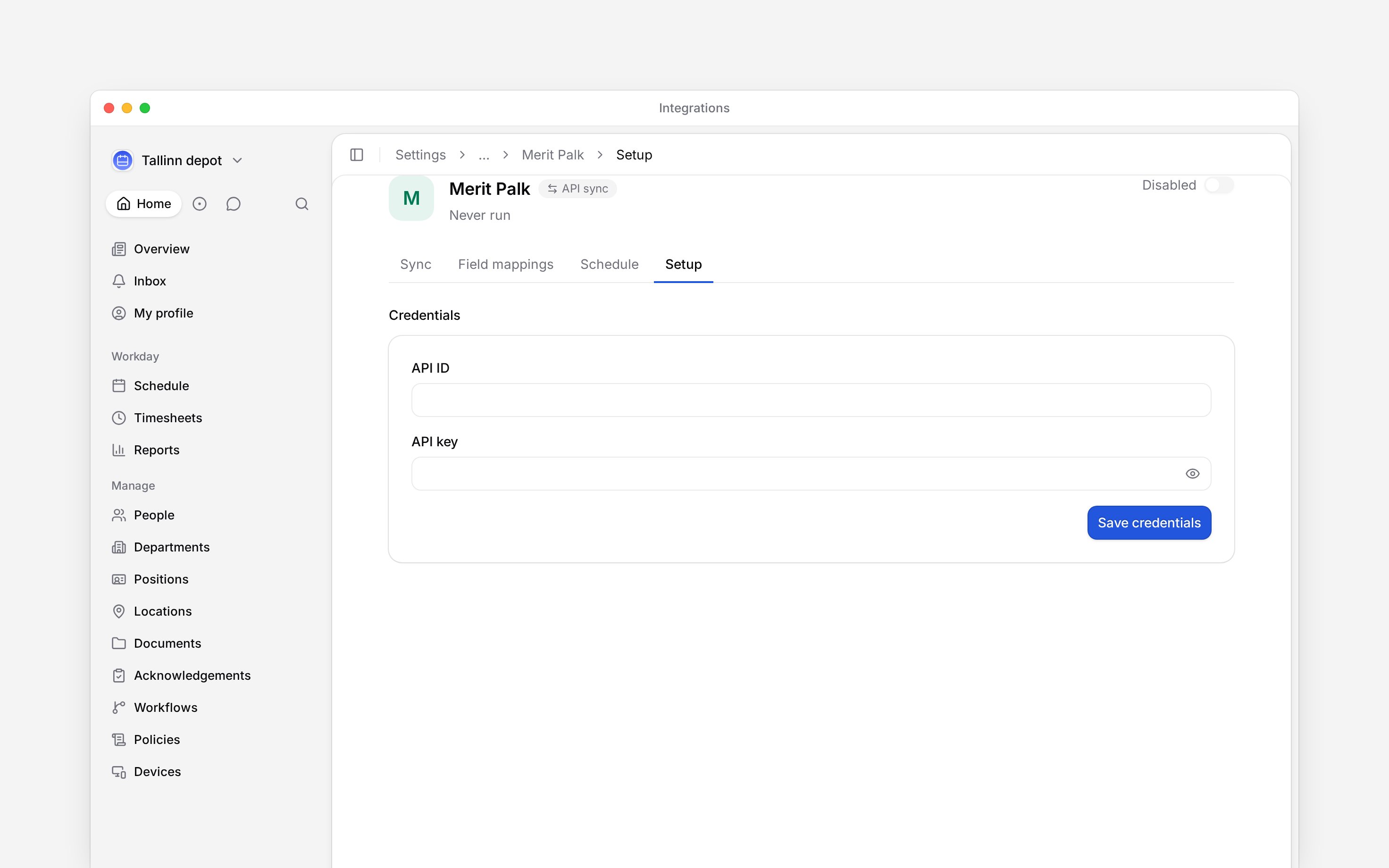
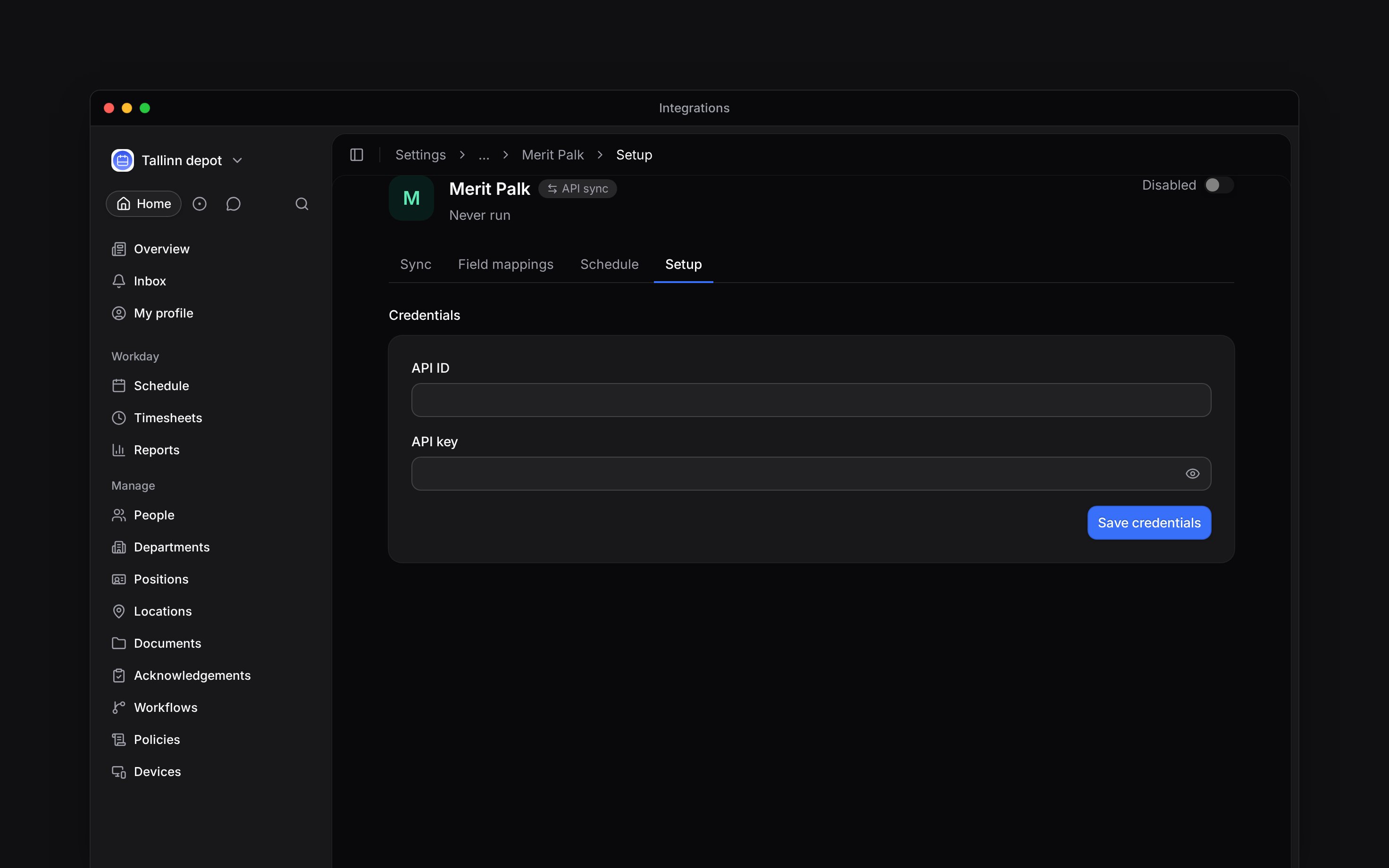
Open **Settings → Integrations → Merit Palk** and turn on the header switch. This creates the
setup and opens **Setup**; the switch stays off until credentials are saved.
Enter the **API ID** and **API key** for your Merit Palk company, choose **Save credentials**,
then turn the header switch on.
Enable **Hours and pay**, **Absences**, or **Employee details** as needed. For employee details,
select the fields Merit Palk should update in Begin.
In **Field mappings**, give each value the **Export code** Merit Palk expects and enable
**Include in export**. Map each absence policy you export to its Merit Palk type code.
Leave **Include unconfirmed hours** off to send only approved hours. Rejected and cancelled hours are always excluded, even when this setting is on. Merit Palk matches each person by the personal code under **Identification number** on their [profile](/for-managers/people/member-profiles).
Connect Merit Palk to send hours and approved absences, update existing people, and exchange supported contract data. Choose the data you want before the first run.
Payroll integrations are rolling out gradually. If **Settings → Integrations** is missing, ask us
about enabling it for your workspace. Your role also needs permission to manage integrations.
## Connect and choose the data
Open **Settings → Integrations → Merit Palk** and turn on the header switch. This creates the
setup and opens **Setup**; the switch stays off until credentials are saved.
Enter the **API ID** and **API key** for your Merit Palk company, choose **Save credentials**,
then turn the header switch on.
Enable **Hours and pay**, **Absences**, or **Employee details** as needed. For employee details,
select the fields Merit Palk should update in Begin.
In **Field mappings**, give each value the **Export code** Merit Palk expects and enable
**Include in export**. Map each absence policy you export to its Merit Palk type code.
Leave **Include unconfirmed hours** off to send only approved hours. Rejected and cancelled hours are always excluded, even when this setting is on. Merit Palk matches each person by the personal code under **Identification number** on their [profile](/for-managers/people/member-profiles).
 ## Add people or update them
**Employee details** updates people already in Begin. It never creates a person.
To add missing people, choose **Review people** beside **Add people** in Setup. Review the list, tick the people to add, select their **Role**, and confirm **Add … people**. The list groups people by contract type: **Employees**, **Board members**, **Contractors** and **Other contracts**. Nobody is ticked when it opens; a group's box ticks everyone it shows, and the search finds a person by name or personal code. A person who shares an email address with somebody already in Begin is not added.
Each added person takes a seat on your plan. This does not invite them or send an email. With **Contracts** on, each added person arrives with their Merit Palk contract; with it off, they arrive without one. A person whose contract Merit Palk does not hold for this month gets it on a later sync run.
## Exchange contract terms
**Contracts** imports selected contract fields onto the person’s job. It preserves job and pay rows created or edited by hand. **Employment and pay terms** sends supported employment and pay changes to Merit Palk. Set the Base salary type **Import ID** for hourly and monthly pay in Setup before exporting terms.
Merit Palk cannot undo what it receives through this export. Correct a backdated agreement or a
change blocked by an existing agreement in Merit Palk itself. Review the first run before enabling
automatic sync.
A run sends only contracts that start in the chosen month and pay changes dated in it. It skips whatever Merit Palk already holds, so running a month again sends nothing and reports nothing new. The run names each change it could not place, such as a contract number that differs from Merit Palk’s, a pay change for a person with no contract there yet, or a personal code two people share.
Keep each job’s **Contract number** the same as the contract’s document number in Merit Palk. If a person has several contracts there, also give the intended contract an Import ID in Merit Palk and enter it as **Payroll contract ID** on the job. Both must match, or the run reports the person instead of choosing a contract.
A person Merit Palk already holds under a different contract is reported too. Add that new contract in Merit Palk by hand.
**Merit Palk: access and limits**
* **Who can:** the default Administrator role manages integrations; Manager and Employee do not. A custom role can carry that permission.
* **Where:** integration access is controlled per role in **Settings → Permissions**.
* **Limits:** contract export supports monthly salary or hourly pay in euros.
* **Not supported:** employee-detail sync does not create people; the reviewed import is specific to Merit Palk.
## Next
Choose a month, run it and check the result.
Compare providers and connection methods.
## Still need help?
Email the Begin team and we'll get back to you.
Open the AI assistant and get instant answers based on these docs.
## Add people or update them
**Employee details** updates people already in Begin. It never creates a person.
To add missing people, choose **Review people** beside **Add people** in Setup. Review the list, tick the people to add, select their **Role**, and confirm **Add … people**. The list groups people by contract type: **Employees**, **Board members**, **Contractors** and **Other contracts**. Nobody is ticked when it opens; a group's box ticks everyone it shows, and the search finds a person by name or personal code. A person who shares an email address with somebody already in Begin is not added.
Each added person takes a seat on your plan. This does not invite them or send an email. With **Contracts** on, each added person arrives with their Merit Palk contract; with it off, they arrive without one. A person whose contract Merit Palk does not hold for this month gets it on a later sync run.
## Exchange contract terms
**Contracts** imports selected contract fields onto the person’s job. It preserves job and pay rows created or edited by hand. **Employment and pay terms** sends supported employment and pay changes to Merit Palk. Set the Base salary type **Import ID** for hourly and monthly pay in Setup before exporting terms.
Merit Palk cannot undo what it receives through this export. Correct a backdated agreement or a
change blocked by an existing agreement in Merit Palk itself. Review the first run before enabling
automatic sync.
A run sends only contracts that start in the chosen month and pay changes dated in it. It skips whatever Merit Palk already holds, so running a month again sends nothing and reports nothing new. The run names each change it could not place, such as a contract number that differs from Merit Palk’s, a pay change for a person with no contract there yet, or a personal code two people share.
Keep each job’s **Contract number** the same as the contract’s document number in Merit Palk. If a person has several contracts there, also give the intended contract an Import ID in Merit Palk and enter it as **Payroll contract ID** on the job. Both must match, or the run reports the person instead of choosing a contract.
A person Merit Palk already holds under a different contract is reported too. Add that new contract in Merit Palk by hand.
**Merit Palk: access and limits**
* **Who can:** the default Administrator role manages integrations; Manager and Employee do not. A custom role can carry that permission.
* **Where:** integration access is controlled per role in **Settings → Permissions**.
* **Limits:** contract export supports monthly salary or hourly pay in euros.
* **Not supported:** employee-detail sync does not create people; the reviewed import is specific to Merit Palk.
## Next
Choose a month, run it and check the result.
Compare providers and connection methods.
## Still need help?
Email the Begin team and we'll get back to you.
Open the AI assistant and get instant answers based on these docs.