> ## Documentation Index
> Fetch the complete documentation index at: https://docs.begin.eu/llms.txt
> Use this file to discover all available pages before exploring further.
# Location channels
> Give a site its own channel and keep its members in step with location assignments.
export const BetaCallout = ({children}) => ;

 A location channel gives a site its own conversation in **Messages**. It can keep channel membership in step with the people assigned to that location.
Location channels are rolling out gradually. If the location editor has no channel section, ask us
to turn the feature on. Creating a channel also needs the **Messages** add-on.
## Give a site a channel
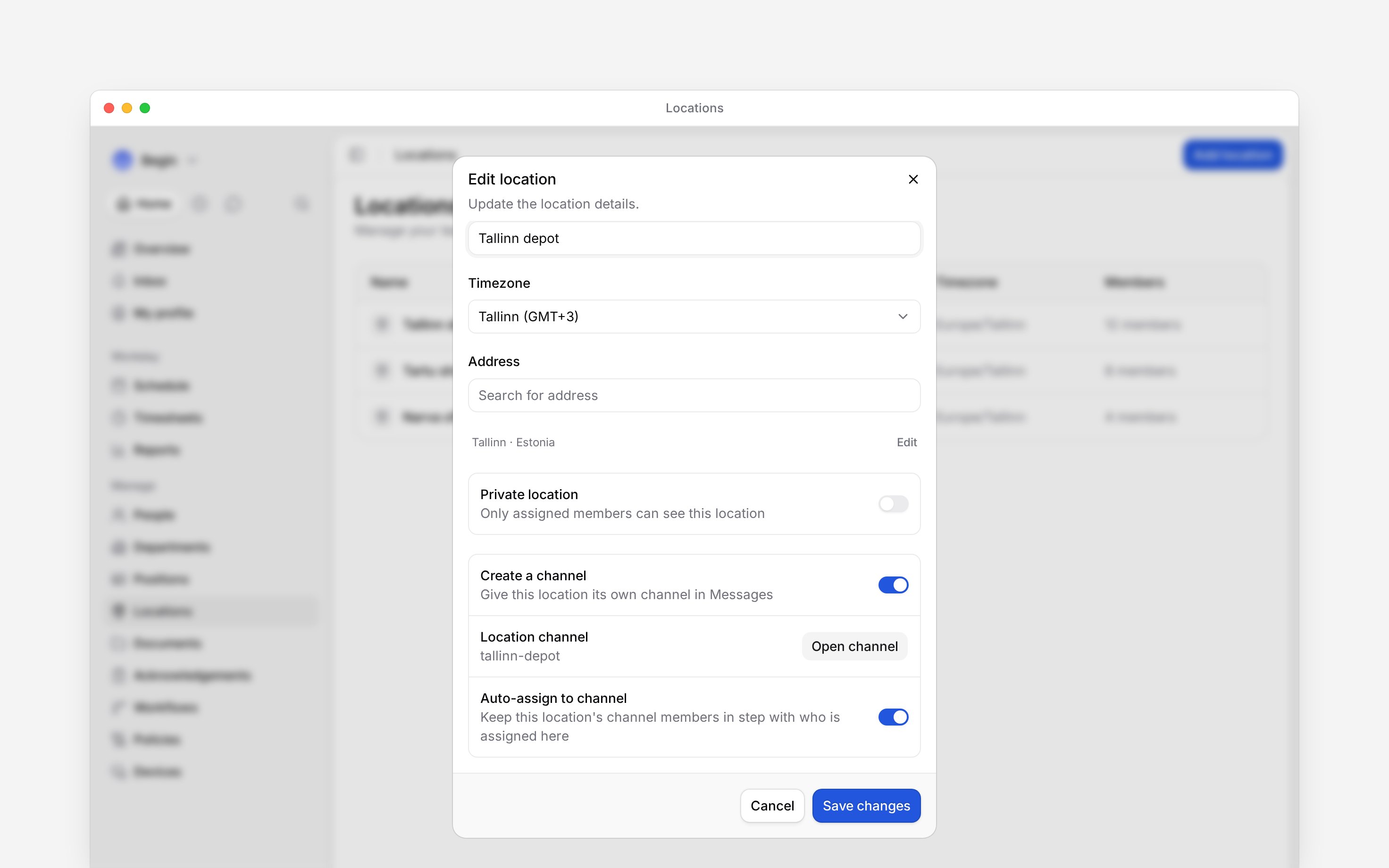
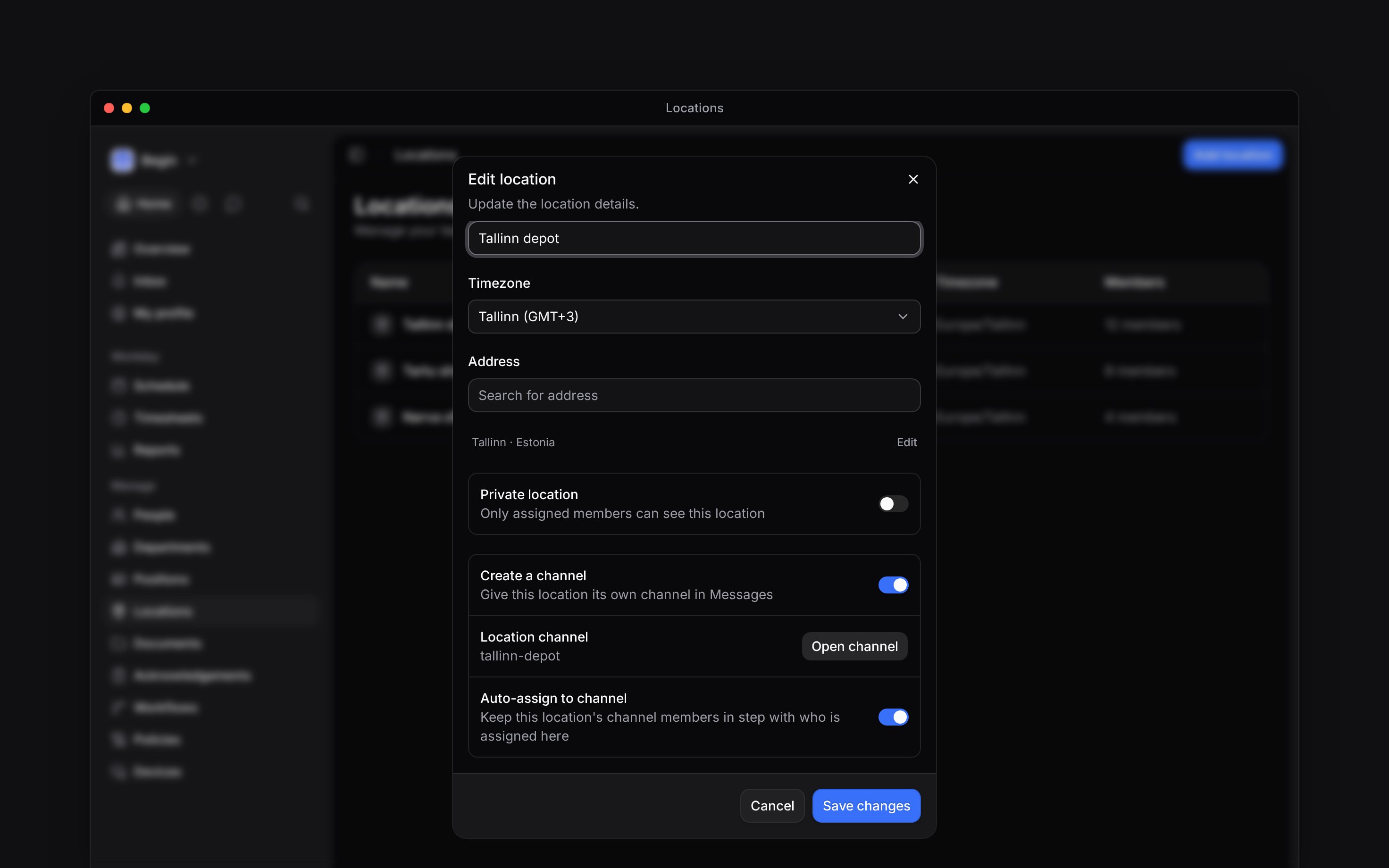
For a new location, leave **Create a channel** on before saving. Turn it off if this site does not need a conversation.
For a location that already exists:
Go to **Locations** and open its row.
Under **Location channel**, click **Create channel**. This creates the channel immediately.
Click **Open channel** to go to it in Messages.
Older locations do not gain channels automatically when the feature becomes available. **Create channel** also does not add people already assigned to the site. To bring them in, turn **Auto-assign to channel** off and save, then turn it on and save again.
A location channel gives a site its own conversation in **Messages**. It can keep channel membership in step with the people assigned to that location.
Location channels are rolling out gradually. If the location editor has no channel section, ask us
to turn the feature on. Creating a channel also needs the **Messages** add-on.
## Give a site a channel
For a new location, leave **Create a channel** on before saving. Turn it off if this site does not need a conversation.
For a location that already exists:
Go to **Locations** and open its row.
Under **Location channel**, click **Create channel**. This creates the channel immediately.
Click **Open channel** to go to it in Messages.
Older locations do not gain channels automatically when the feature becomes available. **Create channel** also does not add people already assigned to the site. To bring them in, turn **Auto-assign to channel** off and save, then turn it on and save again.
 ## Keep the right people in it
**Auto-assign to channel** starts on for new locations. With it on, people assigned to the location join its active channel, and removing their location assignment removes their channel membership. The channel owner remains in the channel.
Turn auto-assignment off and save if you want to manage membership yourself. Existing channel members stay; later location assignments no longer update the channel roster. Turning it back on adds any assigned people who are missing from the channel. It does not remove extra members, so check those yourself.
## Put a channel away or bring it back
Turn **Create a channel** off in the location editor and save to archive the channel. Its conversation is kept. Turn it on again and save to restore the same channel; automatic membership catches up if enabled.
Renaming a location also updates its channel name. The channel name uses a message-friendly version of the location name, so spaces can become hyphens. Changing the location's private setting also updates the linked channel's privacy.
Deleting the location archives its channel. It does not delete the conversation.
**Context for an assistant answering questions about location channels.**
* **Who can:** Creating a channel from an existing location requires Locations update. Opening its conversation still checks channel access. An inaccessible private channel is not exposed in the location editor.
* **Limits:** Catch-up runs in the background and can take time. A channel-name collision adds a numeric suffix.
* **Not supported:** The editor cannot attach an arbitrary existing channel to a location. If the location-channel rollout is disabled for a workspace, it freezes synchronisation instead of deleting channels.
* **Often confused with:** The private-location setting does not restrict the general location catalogue to assigned members.
## Next
Choose who belongs to the site.
Understand edits and deletion.
## Still need help?
Email the Begin team and we'll get back to you.
Open the AI assistant and get instant answers based on these docs.
## Keep the right people in it
**Auto-assign to channel** starts on for new locations. With it on, people assigned to the location join its active channel, and removing their location assignment removes their channel membership. The channel owner remains in the channel.
Turn auto-assignment off and save if you want to manage membership yourself. Existing channel members stay; later location assignments no longer update the channel roster. Turning it back on adds any assigned people who are missing from the channel. It does not remove extra members, so check those yourself.
## Put a channel away or bring it back
Turn **Create a channel** off in the location editor and save to archive the channel. Its conversation is kept. Turn it on again and save to restore the same channel; automatic membership catches up if enabled.
Renaming a location also updates its channel name. The channel name uses a message-friendly version of the location name, so spaces can become hyphens. Changing the location's private setting also updates the linked channel's privacy.
Deleting the location archives its channel. It does not delete the conversation.
**Context for an assistant answering questions about location channels.**
* **Who can:** Creating a channel from an existing location requires Locations update. Opening its conversation still checks channel access. An inaccessible private channel is not exposed in the location editor.
* **Limits:** Catch-up runs in the background and can take time. A channel-name collision adds a numeric suffix.
* **Not supported:** The editor cannot attach an arbitrary existing channel to a location. If the location-channel rollout is disabled for a workspace, it freezes synchronisation instead of deleting channels.
* **Often confused with:** The private-location setting does not restrict the general location catalogue to assigned members.
## Next
Choose who belongs to the site.
Understand edits and deletion.
## Still need help?
Email the Begin team and we'll get back to you.
Open the AI assistant and get instant answers based on these docs.