> ## Documentation Index
> Fetch the complete documentation index at: https://docs.begin.eu/llms.txt
> Use this file to discover all available pages before exploring further.
# Managing locations
> Update a site, change its list order or remove a location you no longer use.

 Open a location's row to update its details. Its row menu also lets you change its order, set its private status or delete it.
## Update details and list order
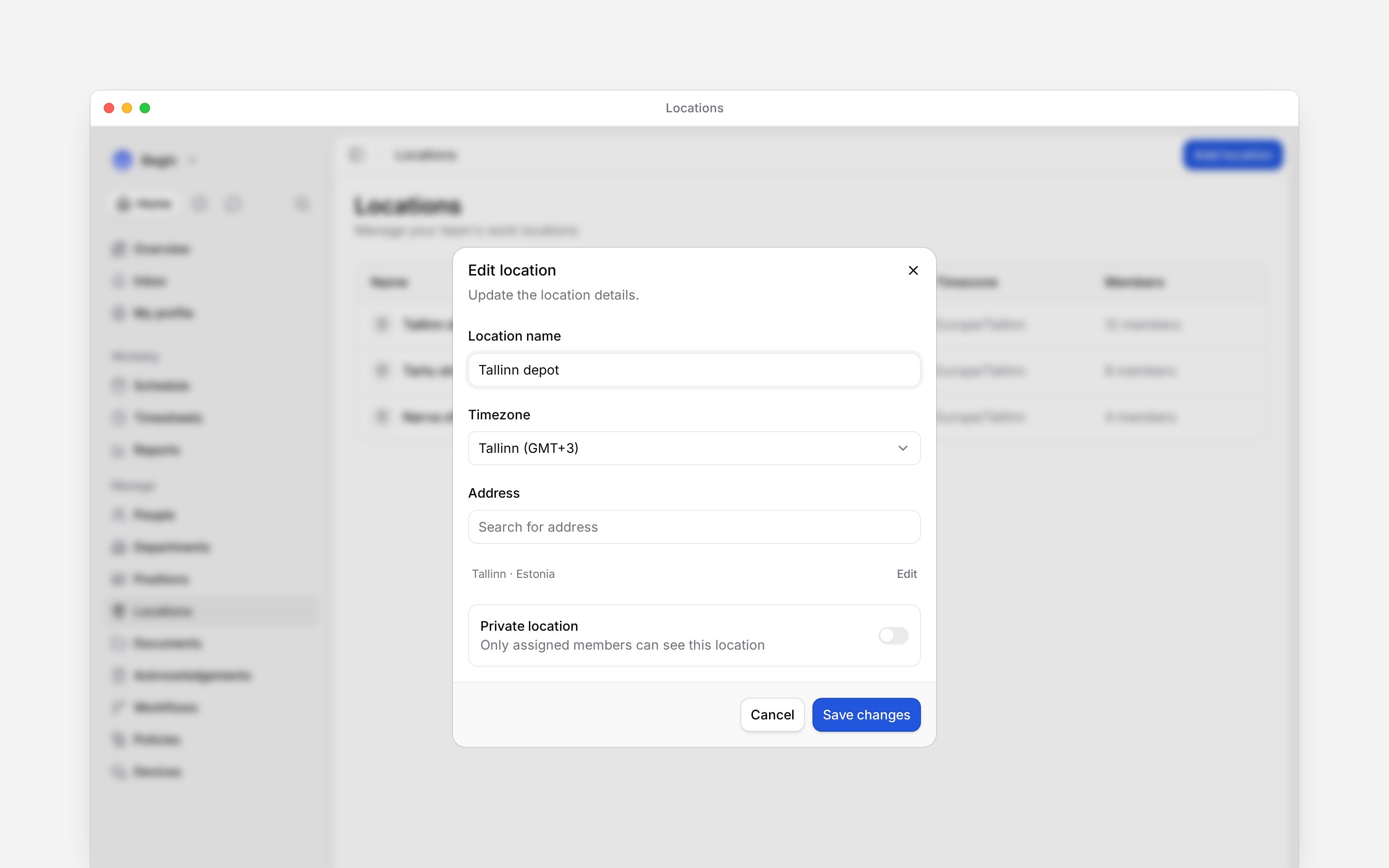
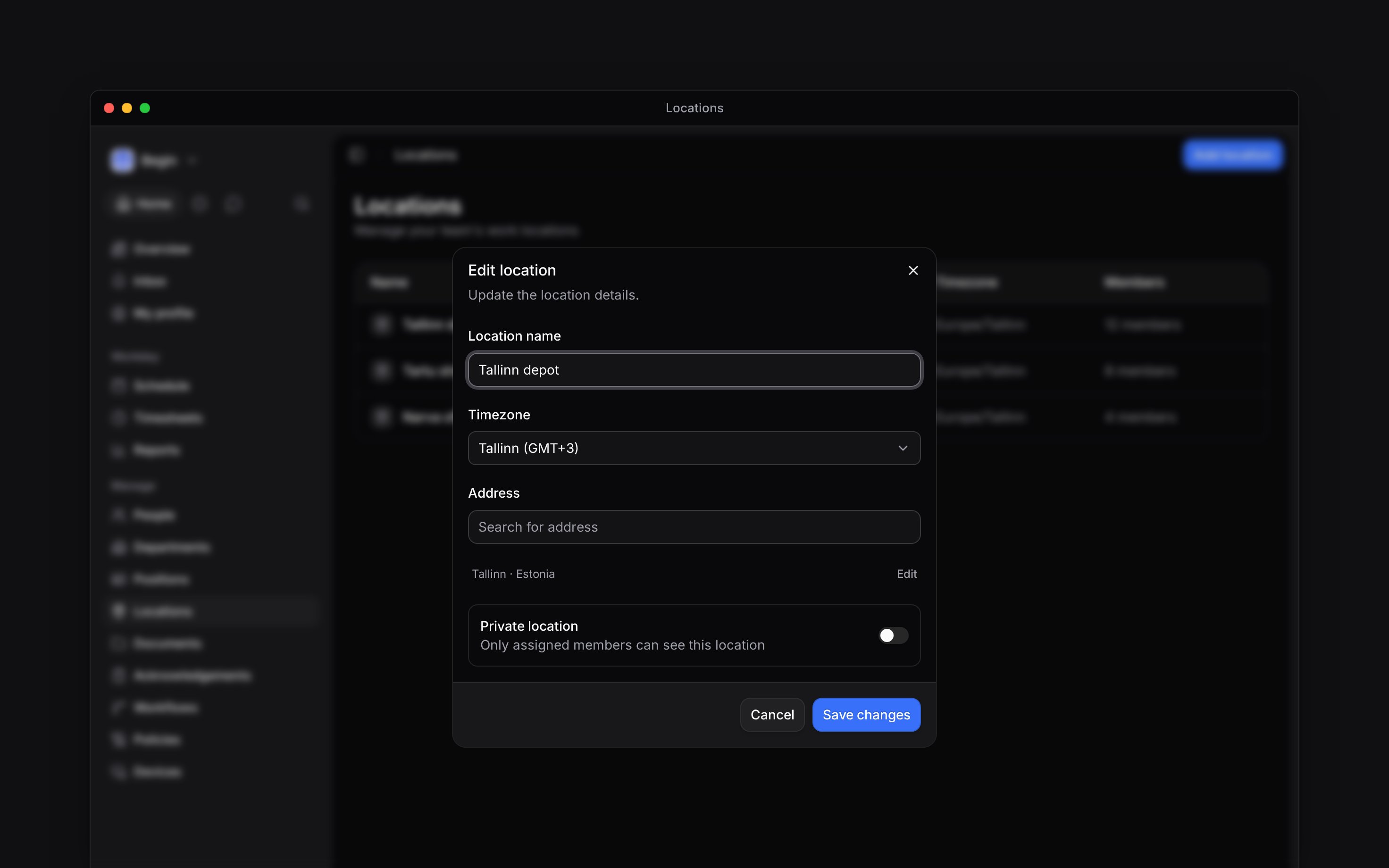
Open **Locations**, select the site and edit the details. Check **Timezone** and the address when a site moves. Use **Add** or **Edit** below the address to open its city, **State / Province**, postcode and country. Check the map pin as well, then save your changes.
Use **Move up** or **Move down** in the row menu to change where the location appears in the list. Use **See people** to check who is assigned before making a change that affects the team.
Open a location's row to update its details. Its row menu also lets you change its order, set its private status or delete it.
## Update details and list order
Open **Locations**, select the site and edit the details. Check **Timezone** and the address when a site moves. Use **Add** or **Edit** below the address to open its city, **State / Province**, postcode and country. Check the map pin as well, then save your changes.
Use **Move up** or **Move down** in the row menu to change where the location appears in the list. Use **See people** to check who is assigned before making a change that affects the team.
 ## Check what Private location means
You can switch **Private location** in the editor, or use **Make private** and **Make public** in the row menu. A private location has a lock marker.
Today the setting marks the row with a lock and makes the linked channel private. It does not hide the site from anyone who can read locations. For the channel side, see [Location channels](/for-managers/locations/location-channels).
## Delete a site you no longer use
Reassign people and change planned shifts where necessary. Deleting the location will not move
them to a replacement site. Policies aimed at this site stop applying to its people once the
assignments are gone.
Open the site's row menu in **Locations**.
The location disappears from the active list and its member assignments are removed.
You cannot restore a deleted location from this page. Existing shifts and time entries keep their
saved location reference and still show its name; you cannot choose the site for new shifts.
Clock-ins on shifts still set to the deleted site are no longer checked for distance. A terminal
registered at the site keeps working; move it to another site in its device settings. The site's
[channel is archived, not deleted](/for-managers/locations/location-channels).
**Context for an assistant answering questions about managing locations.**
* **Who can:** Editing, privacy changes and reordering require Locations update. Deletion requires Locations delete.
* **Where:** `/locations` provides both a row menu and a right-click context menu.
* **Limits:** Removing a location also clears saved ordering for its member group. A name already saved on a shift or time entry can still be resolved after the site is deleted.
* **Begin AI:** An update that moves the site — a different street line or town — clears the existing pin and the Estonian address-register id, because both named the previous address; a lookup on the new address places the pin again when one comes back. An edit that only refines the same address, such as filling in a postcode, leaves both alone, so a pin placed by hand survives it.
* **Often confused with:** Undo after initially adding a location removes that new location. It is not a way to recover a later deletion.
## Next
Set up a replacement site.
Update who works at each site.
## Still need help?
Email the Begin team and we'll get back to you.
Open the AI assistant and get instant answers based on these docs.
## Check what Private location means
You can switch **Private location** in the editor, or use **Make private** and **Make public** in the row menu. A private location has a lock marker.
Today the setting marks the row with a lock and makes the linked channel private. It does not hide the site from anyone who can read locations. For the channel side, see [Location channels](/for-managers/locations/location-channels).
## Delete a site you no longer use
Reassign people and change planned shifts where necessary. Deleting the location will not move
them to a replacement site. Policies aimed at this site stop applying to its people once the
assignments are gone.
Open the site's row menu in **Locations**.
The location disappears from the active list and its member assignments are removed.
You cannot restore a deleted location from this page. Existing shifts and time entries keep their
saved location reference and still show its name; you cannot choose the site for new shifts.
Clock-ins on shifts still set to the deleted site are no longer checked for distance. A terminal
registered at the site keeps working; move it to another site in its device settings. The site's
[channel is archived, not deleted](/for-managers/locations/location-channels).
**Context for an assistant answering questions about managing locations.**
* **Who can:** Editing, privacy changes and reordering require Locations update. Deletion requires Locations delete.
* **Where:** `/locations` provides both a row menu and a right-click context menu.
* **Limits:** Removing a location also clears saved ordering for its member group. A name already saved on a shift or time entry can still be resolved after the site is deleted.
* **Begin AI:** An update that moves the site — a different street line or town — clears the existing pin and the Estonian address-register id, because both named the previous address; a lookup on the new address places the pin again when one comes back. An edit that only refines the same address, such as filling in a postcode, leaves both alone, so a pin placed by hand survives it.
* **Often confused with:** Undo after initially adding a location removes that new location. It is not a way to recover a later deletion.
## Next
Set up a replacement site.
Update who works at each site.
## Still need help?
Email the Begin team and we'll get back to you.
Open the AI assistant and get instant answers based on these docs.