> ## Documentation Index
> Fetch the complete documentation index at: https://docs.begin.eu/llms.txt
> Use this file to discover all available pages before exploring further.
# Polls and events
> Add a poll, collect attendance and link a post to the day it belongs on the schedule.

 A post can carry a poll, an **Attending** question or both. Add an event date when the update belongs to a particular day and should be reachable from the schedule.
These controls use the post composer. Your workspace needs **Messages and Posts**, and your role
needs **Create posts**.
## Ask a poll question
Open **Overview** and start a post in **Share an update with your team…**. In the composer, open the extra actions and choose **Poll**. Write the question and at least two options. Turn on **Allow multiple answers** only when more than one answer may be correct for each person.
You can add a closing date. Begin closes the poll at the end of that date in the workspace timezone. When the deadline is more than a day away and you chose a **Notify** audience, Begin reminds people who have not answered 24 hours before it.
## Link an event and collect attendance
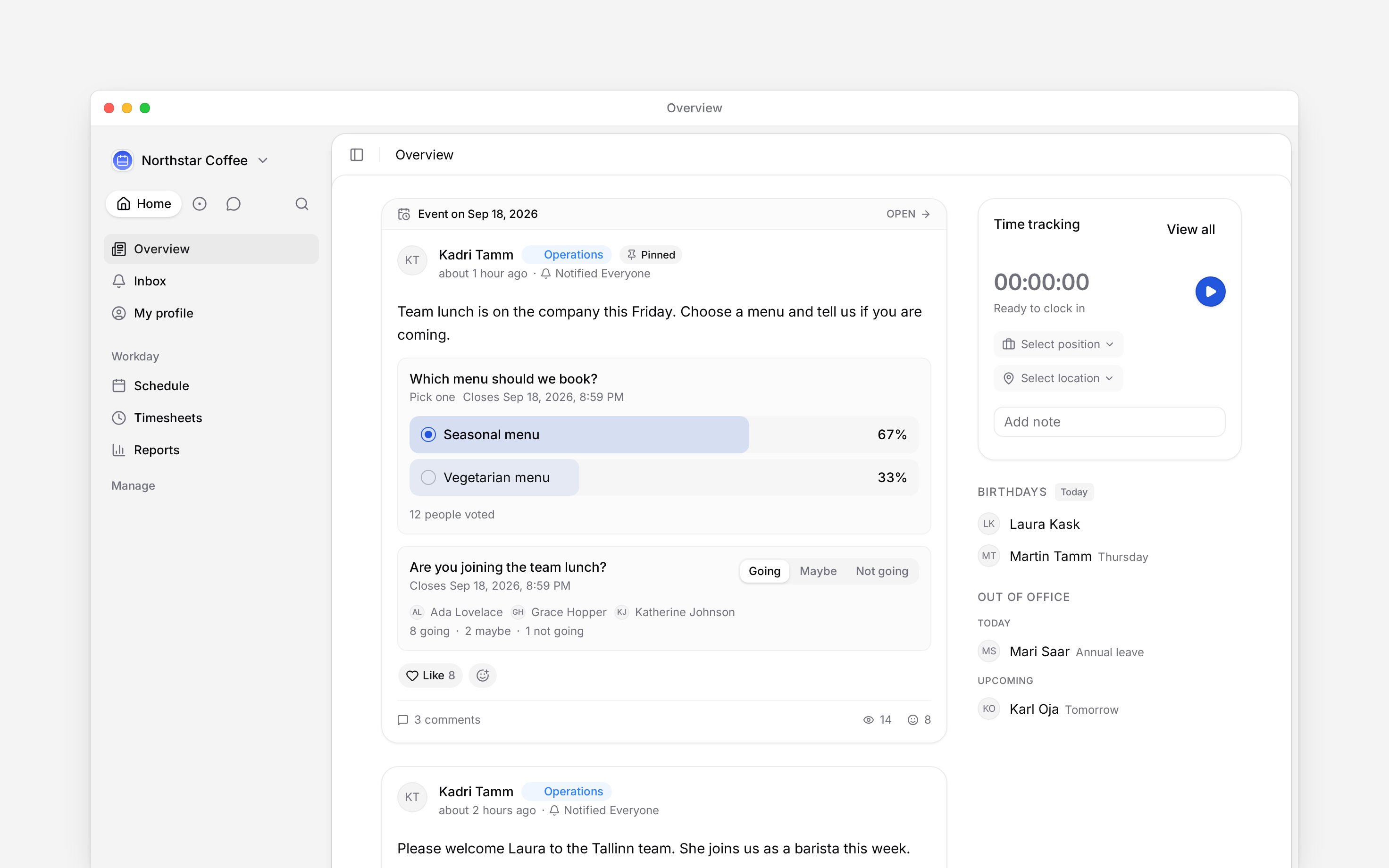
Choose **Link to schedule date**, then select the event day. The post appears against that date on the schedule as well as in Overview.
Choose **Attending** to add **Going**, **Maybe** and **Not going**. The default question is **Are you coming?**, or you can write your own. With an event date, attendance closes at the end of that day. Removing the event date removes that automatic attendance deadline.
A post can carry a poll, an **Attending** question or both. Add an event date when the update belongs to a particular day and should be reachable from the schedule.
These controls use the post composer. Your workspace needs **Messages and Posts**, and your role
needs **Create posts**.
## Ask a poll question
Open **Overview** and start a post in **Share an update with your team…**. In the composer, open the extra actions and choose **Poll**. Write the question and at least two options. Turn on **Allow multiple answers** only when more than one answer may be correct for each person.
You can add a closing date. Begin closes the poll at the end of that date in the workspace timezone. When the deadline is more than a day away and you chose a **Notify** audience, Begin reminds people who have not answered 24 hours before it.
## Link an event and collect attendance
Choose **Link to schedule date**, then select the event day. The post appears against that date on the schedule as well as in Overview.
Choose **Attending** to add **Going**, **Maybe** and **Not going**. The default question is **Are you coming?**, or you can write your own. With an event date, attendance closes at the end of that day. Removing the event date removes that automatic attendance deadline.
 Before choosing **Post**, check [Visibility and Notify](/for-managers/overview/publishing-a-post). A date or poll does not send an alert by itself.
## Read the result
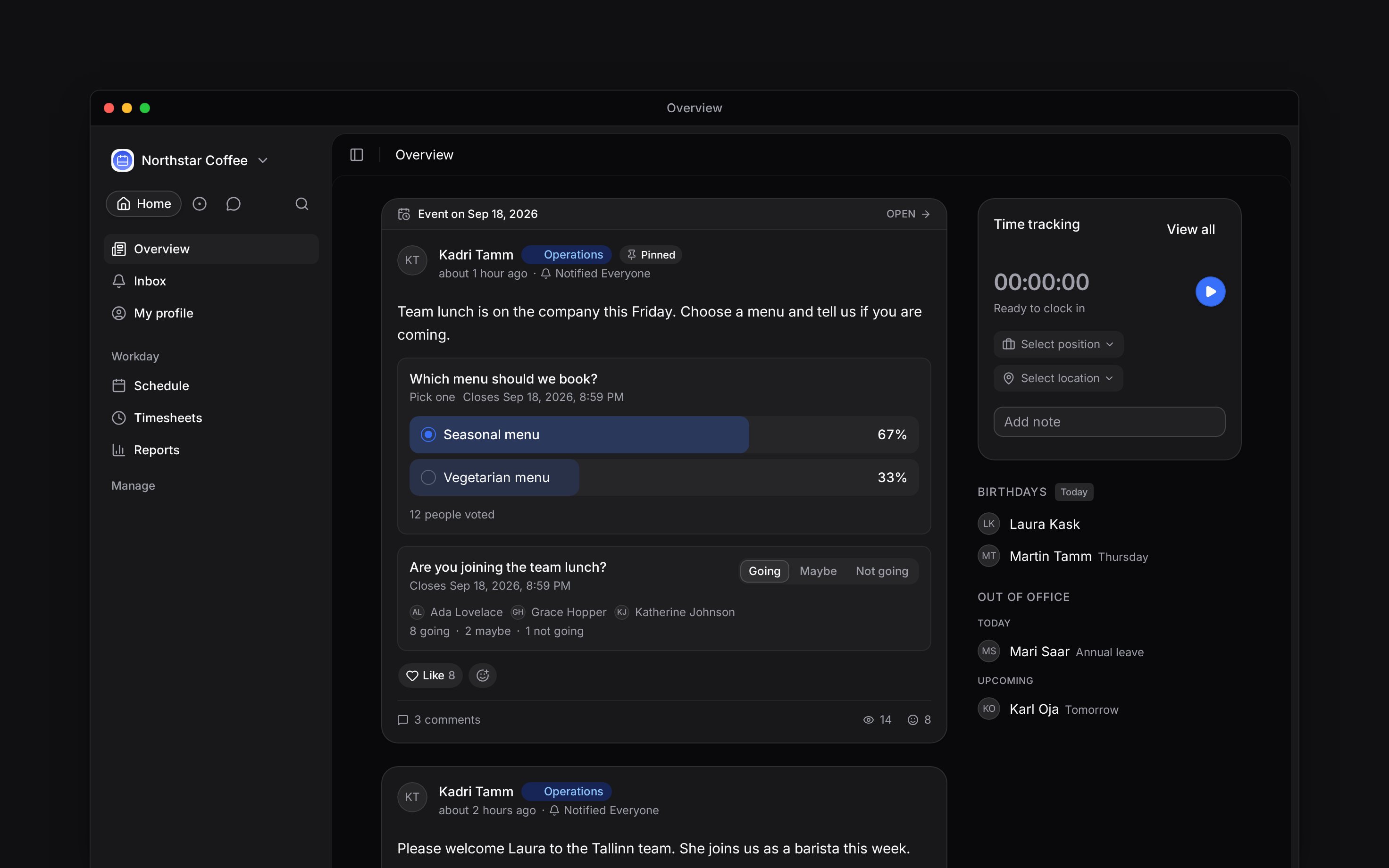
Poll results appear after you vote or after the poll closes. The response count opens the people behind each option. Attendance names a few people and counts each answer; open that line for the full lists.
Once somebody has responded, the author cannot remove that poll or attendance block. A poll with responses also keeps its original single-choice or multiple-choice rule.
**Context for an assistant answering questions about polls and events.** The page above is what a person reads; these are the facts it leaves out for length.
* **Poll limits:** a question is at most 200 characters. A poll has 2 to 10 options, each at most 100 characters. A deadline may be up to two years ahead in the composer.
* **Attendance:** its optional title is at most 200 characters. Its choices are stored as Going, Maybe and Not going. An event date supplies its end-of-day deadline.
* **Reminder:** the non-responder nudge is scheduled 24 hours before a deadline only when publish carried a Notify audience. It is skipped when the deadline is already less than 24 hours away.
* **Who can answer:** the person must be allowed to read the post and belong to its Visibility scope. Results and responder lists stay behind the same post access check.
* **Availability:** polls, attendance and event dates have no Beta gate. Their availability still depends on the post add-on and permissions.
## Next
Set Visibility and Notify before the question goes live.
Open the respondent lists and follow outstanding answers.
## Still need help?
Email the Begin team and we'll get back to you.
Open the AI assistant and get instant answers based on these docs.
Before choosing **Post**, check [Visibility and Notify](/for-managers/overview/publishing-a-post). A date or poll does not send an alert by itself.
## Read the result
Poll results appear after you vote or after the poll closes. The response count opens the people behind each option. Attendance names a few people and counts each answer; open that line for the full lists.
Once somebody has responded, the author cannot remove that poll or attendance block. A poll with responses also keeps its original single-choice or multiple-choice rule.
**Context for an assistant answering questions about polls and events.** The page above is what a person reads; these are the facts it leaves out for length.
* **Poll limits:** a question is at most 200 characters. A poll has 2 to 10 options, each at most 100 characters. A deadline may be up to two years ahead in the composer.
* **Attendance:** its optional title is at most 200 characters. Its choices are stored as Going, Maybe and Not going. An event date supplies its end-of-day deadline.
* **Reminder:** the non-responder nudge is scheduled 24 hours before a deadline only when publish carried a Notify audience. It is skipped when the deadline is already less than 24 hours away.
* **Who can answer:** the person must be allowed to read the post and belong to its Visibility scope. Results and responder lists stay behind the same post access check.
* **Availability:** polls, attendance and event dates have no Beta gate. Their availability still depends on the post add-on and permissions.
## Next
Set Visibility and Notify before the question goes live.
Open the respondent lists and follow outstanding answers.
## Still need help?
Email the Begin team and we'll get back to you.
Open the AI assistant and get instant answers based on these docs.