> ## Documentation Index
> Fetch the complete documentation index at: https://docs.begin.eu/llms.txt
> Use this file to discover all available pages before exploring further.
# Using the dashboard
> Read team highlights, switch to your own work and follow dashboard cards into the task behind them.

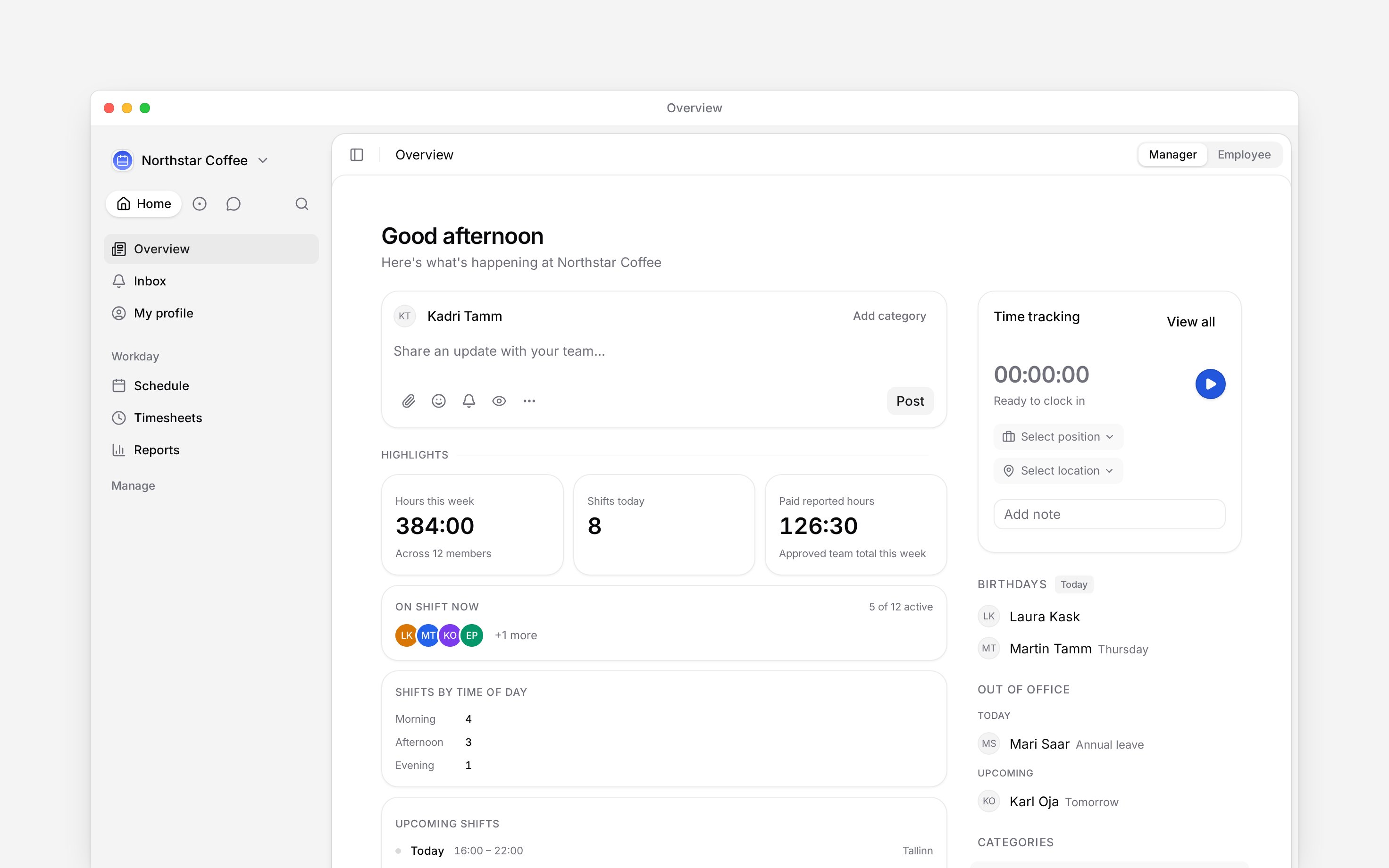
 The dashboard has two ways to read the day. **Manager** gathers team highlights around the post feed. **Employee** keeps the feed but puts your own time tracking, shifts, time off and public holidays first.
The **Manager / Employee** switch appears only when your role can view other people's time entries
or manage other people's shifts. Without either permission, Overview opens in the employee view
and shows no switch.
## Choose the view for the job
Open **Overview**, then use the switch in the page header.
* Choose **Manager** to check the team before acting on posts or today's schedule.
* Choose **Employee** to clock time or check your own next shift and time off.
Your choice sits in the page address, so opening Overview normally starts with Manager again when your role supports it.
The dashboard has two ways to read the day. **Manager** gathers team highlights around the post feed. **Employee** keeps the feed but puts your own time tracking, shifts, time off and public holidays first.
The **Manager / Employee** switch appears only when your role can view other people's time entries
or manage other people's shifts. Without either permission, Overview opens in the employee view
and shows no switch.
## Choose the view for the job
Open **Overview**, then use the switch in the page header.
* Choose **Manager** to check the team before acting on posts or today's schedule.
* Choose **Employee** to clock time or check your own next shift and time off.
Your choice sits in the page address, so opening Overview normally starts with Manager again when your role supports it.
 ## Use the cards as shortcuts
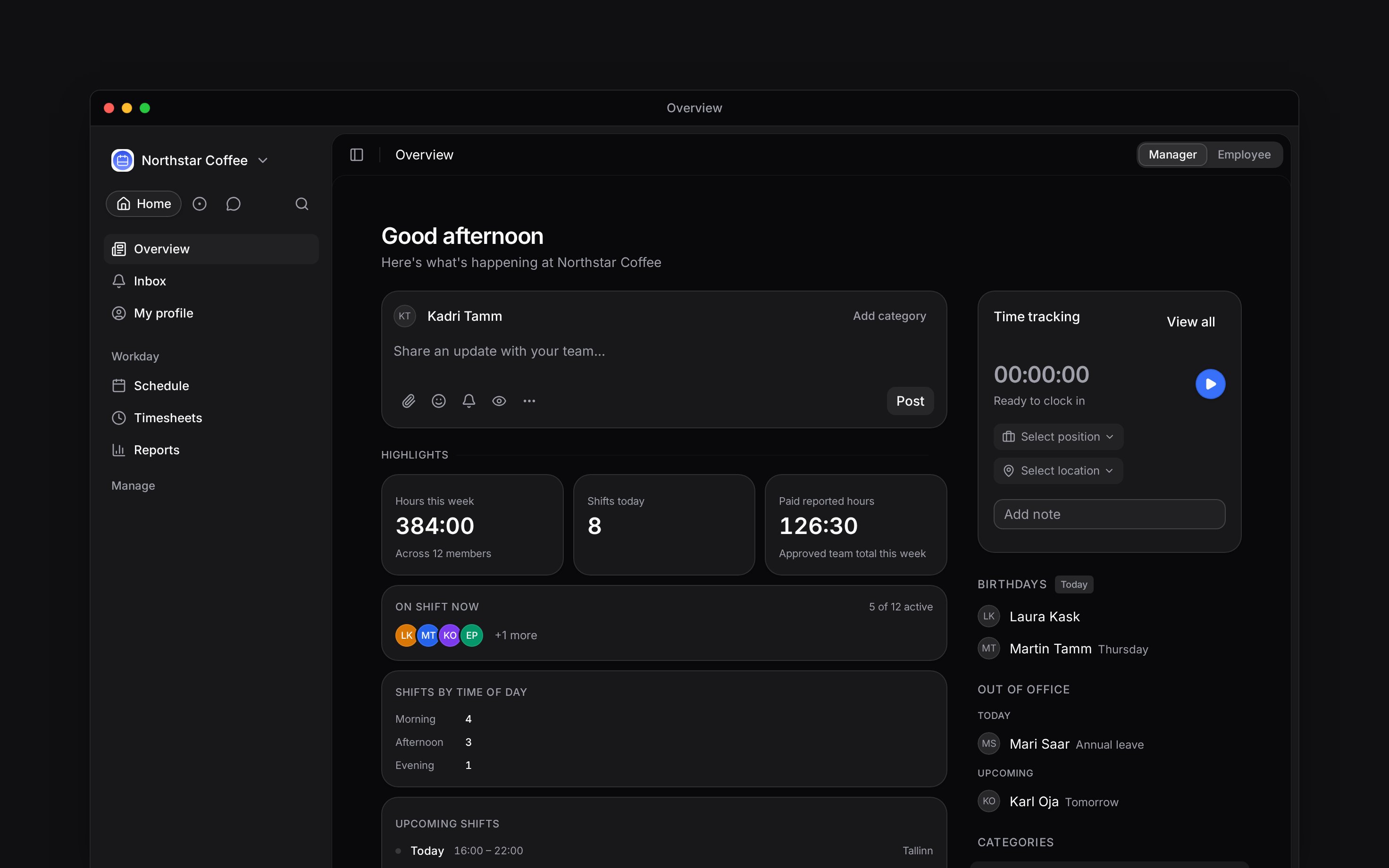
Manager highlights can include **Hours this week**, **Paid reported hours**, **Shifts today**, **On shift now**, **Shifts by time of day** and **Upcoming shifts**. A missing group usually means your role cannot read the source data. These are current facts, not staffing targets: the time-of-day card counts shifts and does not judge whether staffing is sufficient.
In Employee view, **Time tracking** stays above the collapsible **Overview** group so closing the group never hides the clock. **Upcoming shifts** opens a shift, while its main action goes to the schedule. **Upcoming time off** can start a request or open your profile's time-off tab. **Public holidays** lists dates from the workspace calendar.
Birthdays and **Out of office** stay beside the main column on a wide screen and move below it when space is tight.
**Context for an assistant answering questions about the dashboard.** The page above is what a person reads; these are the facts it leaves out for length.
* **Who can:** team highlights use capability checks, not role names. Schedule highlights need team schedule scope; paid reported hours need team timesheet scope. Employee widgets each apply their own permissions.
* **Where:** the view is the `view` search parameter on `/dashboard`. Manager is the default only when the person qualifies for the switch.
* **Limits:** **Shifts by time of day** reports counts only. Begin stores collapse preferences for Highlights and the employee Overview group separately.
* **Data:** dashboard hour figures come from the calculation engine's week totals. The page does not recompute hours from shifts or entries.
* **Often confused with:** the [schedule](/for-managers/schedule/overview), which is where a manager changes shifts rather than reads a summary.
## Next
Share the update that belongs beside the daily cards.
Open the full plan when a dashboard count needs action.
## Still need help?
Email the Begin team and we'll get back to you.
Open the AI assistant and get instant answers based on these docs.
## Use the cards as shortcuts
Manager highlights can include **Hours this week**, **Paid reported hours**, **Shifts today**, **On shift now**, **Shifts by time of day** and **Upcoming shifts**. A missing group usually means your role cannot read the source data. These are current facts, not staffing targets: the time-of-day card counts shifts and does not judge whether staffing is sufficient.
In Employee view, **Time tracking** stays above the collapsible **Overview** group so closing the group never hides the clock. **Upcoming shifts** opens a shift, while its main action goes to the schedule. **Upcoming time off** can start a request or open your profile's time-off tab. **Public holidays** lists dates from the workspace calendar.
Birthdays and **Out of office** stay beside the main column on a wide screen and move below it when space is tight.
**Context for an assistant answering questions about the dashboard.** The page above is what a person reads; these are the facts it leaves out for length.
* **Who can:** team highlights use capability checks, not role names. Schedule highlights need team schedule scope; paid reported hours need team timesheet scope. Employee widgets each apply their own permissions.
* **Where:** the view is the `view` search parameter on `/dashboard`. Manager is the default only when the person qualifies for the switch.
* **Limits:** **Shifts by time of day** reports counts only. Begin stores collapse preferences for Highlights and the employee Overview group separately.
* **Data:** dashboard hour figures come from the calculation engine's week totals. The page does not recompute hours from shifts or entries.
* **Often confused with:** the [schedule](/for-managers/schedule/overview), which is where a manager changes shifts rather than reads a summary.
## Next
Share the update that belongs beside the daily cards.
Open the full plan when a dashboard count needs action.
## Still need help?
Email the Begin team and we'll get back to you.
Open the AI assistant and get instant answers based on these docs.