> ## Documentation Index
> Fetch the complete documentation index at: https://docs.begin.eu/llms.txt
> Use this file to discover all available pages before exploring further.
# Clocking restrictions
> Choose clocking methods, location checks and the shift details people must supply.

 A clocking policy controls how a person may clock, what the clock-in must contain and whether their device location is checked. It does not round the time they submit.
## Choose the restrictions
* **Clocking methods:** restrict clocking to selected terminal, web or app methods. A **Don't restrict** rule can allow a method that a broader rule restricts.
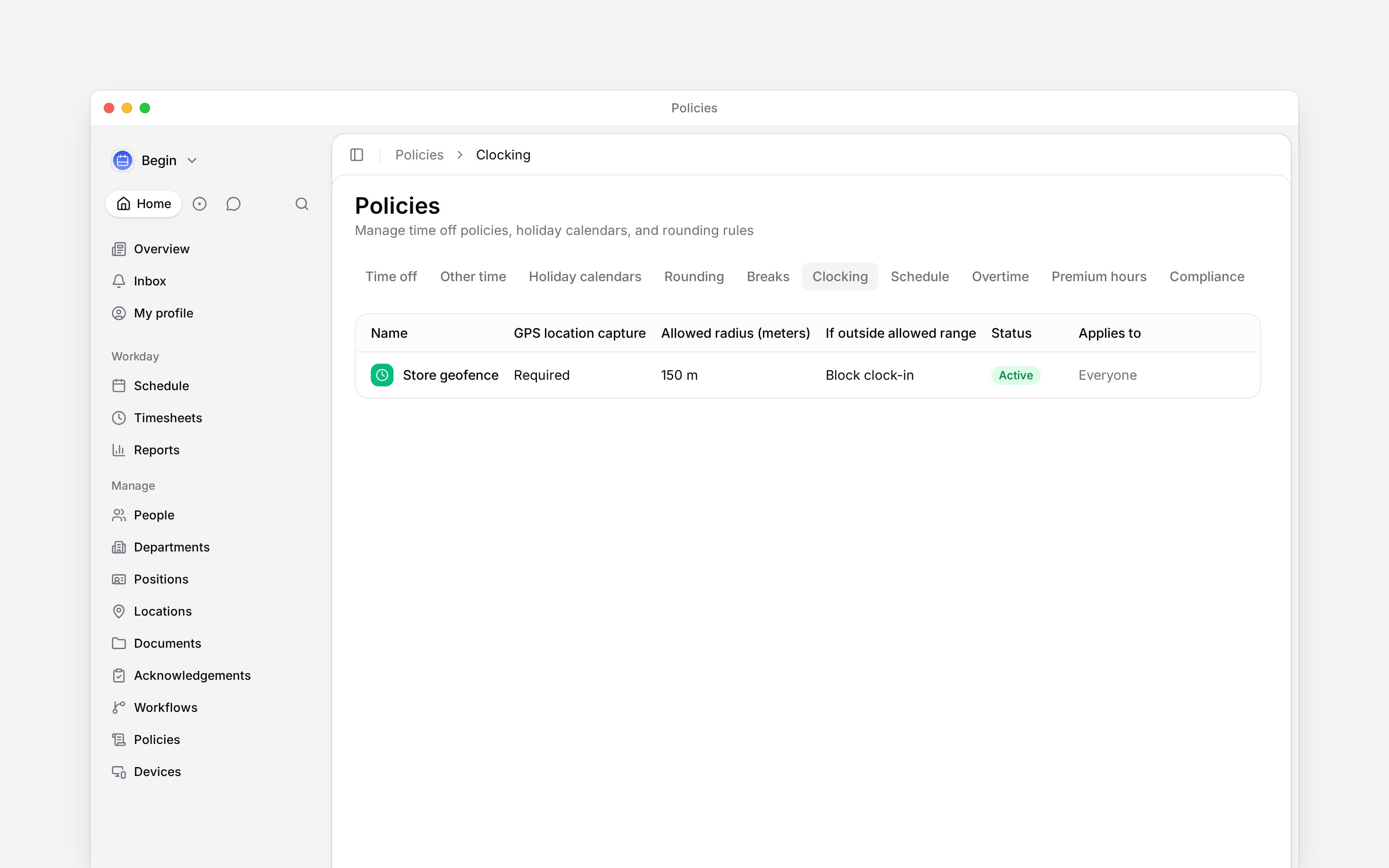
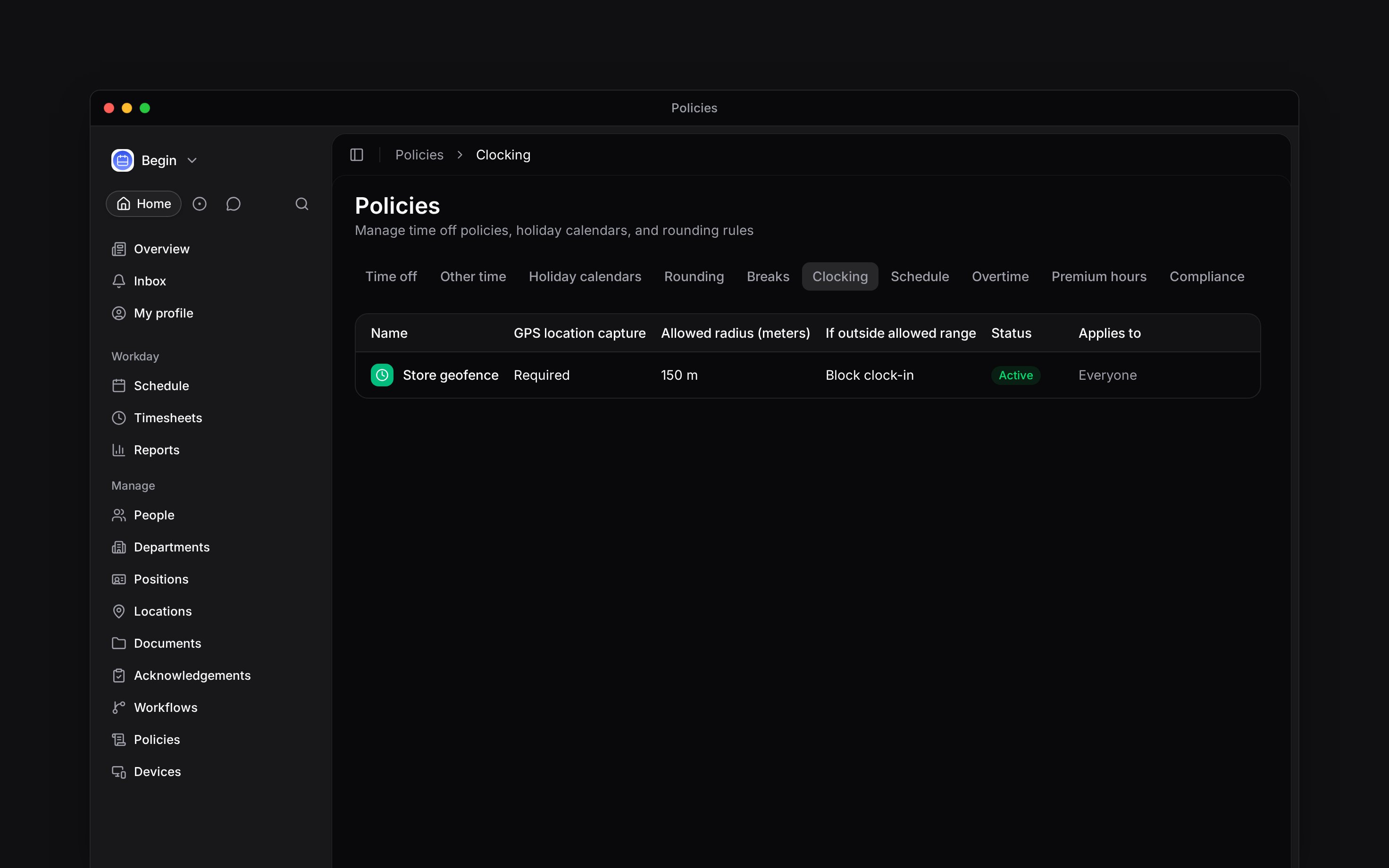
* **App and web location capture:** keep it off, make it optional, or require it. For required capture, set an **Allowed radius (meters)** around the location (workplace). Under **If outside allowed range**, a new policy starts on **Record position only**: the punch goes through and the position is kept. On the Pro plan you can choose **Block clock-in** or **Allow and flag for review**.
* **App and web details:** require a position or location, and restrict each choice to the person's assignments.
* **PIN clock-in:** **Allowed**, **Blocked**, or **Inherit** the decision from another matching policy.
* **Automatic clocking** (Pro plan): let the phone clock people in and out at a location, or ask them first. See [Automatic clocking](/for-managers/timesheets/automatic-clocking).
Without a matching clocking policy, all clocking methods and PIN clocking are allowed. A GPS check needs a targeted location with a map pin; a location without a pin is never checked.
## Create the policy
Go to **Policies → Clocking**, open **Add**, then choose **Clocking policy**.
Choose whether location capture is off, optional or required. For required capture, set
**Allowed radius (meters)** and **If outside allowed range**.
Set the allowed clocking methods, **PIN clock-in** rule and any required position or location.
Choose [**Applies to**](/for-managers/policies/applying-policies), set **Status** to **Active**,
then save.
A clocking policy controls how a person may clock, what the clock-in must contain and whether their device location is checked. It does not round the time they submit.
## Choose the restrictions
* **Clocking methods:** restrict clocking to selected terminal, web or app methods. A **Don't restrict** rule can allow a method that a broader rule restricts.
* **App and web location capture:** keep it off, make it optional, or require it. For required capture, set an **Allowed radius (meters)** around the location (workplace). Under **If outside allowed range**, a new policy starts on **Record position only**: the punch goes through and the position is kept. On the Pro plan you can choose **Block clock-in** or **Allow and flag for review**.
* **App and web details:** require a position or location, and restrict each choice to the person's assignments.
* **PIN clock-in:** **Allowed**, **Blocked**, or **Inherit** the decision from another matching policy.
* **Automatic clocking** (Pro plan): let the phone clock people in and out at a location, or ask them first. See [Automatic clocking](/for-managers/timesheets/automatic-clocking).
Without a matching clocking policy, all clocking methods and PIN clocking are allowed. A GPS check needs a targeted location with a map pin; a location without a pin is never checked.
## Create the policy
Go to **Policies → Clocking**, open **Add**, then choose **Clocking policy**.
Choose whether location capture is off, optional or required. For required capture, set
**Allowed radius (meters)** and **If outside allowed range**.
Set the allowed clocking methods, **PIN clock-in** rule and any required position or location.
Choose [**Applies to**](/for-managers/policies/applying-policies), set **Status** to **Active**,
then save.
 ## Check before your team clocks
For a radius rule, confirm the location has a map pin first: a typed address without a map pick sets no pin, so the check never runs. Choose **Block clock-in** when an outside-radius clock-in must be refused, or **Allow and flag for review** when it should be accepted with a flag for review. Both need the Pro plan: below it, a saved block or flag rule acts as **Record position only** until the workspace upgrades. Requiring a **Location** field and capturing device location are separate decisions: choosing a location name is not a GPS check.
After saving, use [Policy tester](/for-managers/policies/applying-policies) for a real person and the intended location. Review the effective methods and field requirements. Then verify the intended clock-in flow at that location. App and web clocking need device permission when location capture is required.
Terminals enforce the allowed terminal method and PIN rule. They use the terminal’s registered location and do not enforce GPS checks or required position/location selections. Test a normal terminal punch separately; the policy tester also displays settings for app and web clocking.
## Combine matching rules
Matching clocking policies can contribute different settings. A narrower rule can override one restriction while the rest still come from broader policies. Use **Policy tester** when you need to see the composed result for a person.
**Context for an assistant answering questions about clocking restrictions.** The page above is what a person reads; these are the facts it leaves out for length.
* **Who can:** creating or changing a clocking policy uses the matching grant on **Policies**.
* **Where:** app and web clocking use the clocking gateway. Terminal punches enforce the terminal-method and PIN rules through their own flow.
* **Limits:** **Block clock-in** refuses an outside-radius app/web clock-in; **Allow and flag for review** accepts it and records a flag; **Record position only** never blocks or flags. The check needs a location with a map pin (coordinates); a location with only a typed address is never checked. Terminal punches bypass geofence, selection and clock-back restrictions.
* **Not supported:** clocking restrictions do not round punches.
* **Often confused with:** automatic clocking is a section of the clocking policy and needs the Pro plan; the phone-side switch is described on its own page.
## Next
Set up the phone-side switch for automatic clocking.
Adjust accepted punches without changing who may clock.
## Still need help?
Email the Begin team and we'll get back to you.
Open the AI assistant and get instant answers based on these docs.
## Check before your team clocks
For a radius rule, confirm the location has a map pin first: a typed address without a map pick sets no pin, so the check never runs. Choose **Block clock-in** when an outside-radius clock-in must be refused, or **Allow and flag for review** when it should be accepted with a flag for review. Both need the Pro plan: below it, a saved block or flag rule acts as **Record position only** until the workspace upgrades. Requiring a **Location** field and capturing device location are separate decisions: choosing a location name is not a GPS check.
After saving, use [Policy tester](/for-managers/policies/applying-policies) for a real person and the intended location. Review the effective methods and field requirements. Then verify the intended clock-in flow at that location. App and web clocking need device permission when location capture is required.
Terminals enforce the allowed terminal method and PIN rule. They use the terminal’s registered location and do not enforce GPS checks or required position/location selections. Test a normal terminal punch separately; the policy tester also displays settings for app and web clocking.
## Combine matching rules
Matching clocking policies can contribute different settings. A narrower rule can override one restriction while the rest still come from broader policies. Use **Policy tester** when you need to see the composed result for a person.
**Context for an assistant answering questions about clocking restrictions.** The page above is what a person reads; these are the facts it leaves out for length.
* **Who can:** creating or changing a clocking policy uses the matching grant on **Policies**.
* **Where:** app and web clocking use the clocking gateway. Terminal punches enforce the terminal-method and PIN rules through their own flow.
* **Limits:** **Block clock-in** refuses an outside-radius app/web clock-in; **Allow and flag for review** accepts it and records a flag; **Record position only** never blocks or flags. The check needs a location with a map pin (coordinates); a location with only a typed address is never checked. Terminal punches bypass geofence, selection and clock-back restrictions.
* **Not supported:** clocking restrictions do not round punches.
* **Often confused with:** automatic clocking is a section of the clocking policy and needs the Pro plan; the phone-side switch is described on its own page.
## Next
Set up the phone-side switch for automatic clocking.
Adjust accepted punches without changing who may clock.
## Still need help?
Email the Begin team and we'll get back to you.
Open the AI assistant and get instant answers based on these docs.