> ## Documentation Index
> Fetch the complete documentation index at: https://docs.begin.eu/llms.txt
> Use this file to discover all available pages before exploring further.
# Holidays and calendars
> Create a calendar, load public holidays and add company holidays or shortened days.

 A holiday calendar groups the public holidays, company days off and shortened days for one country and year. Time-off policies and hour calculations use it when holidays should change the result.
## Create a calendar
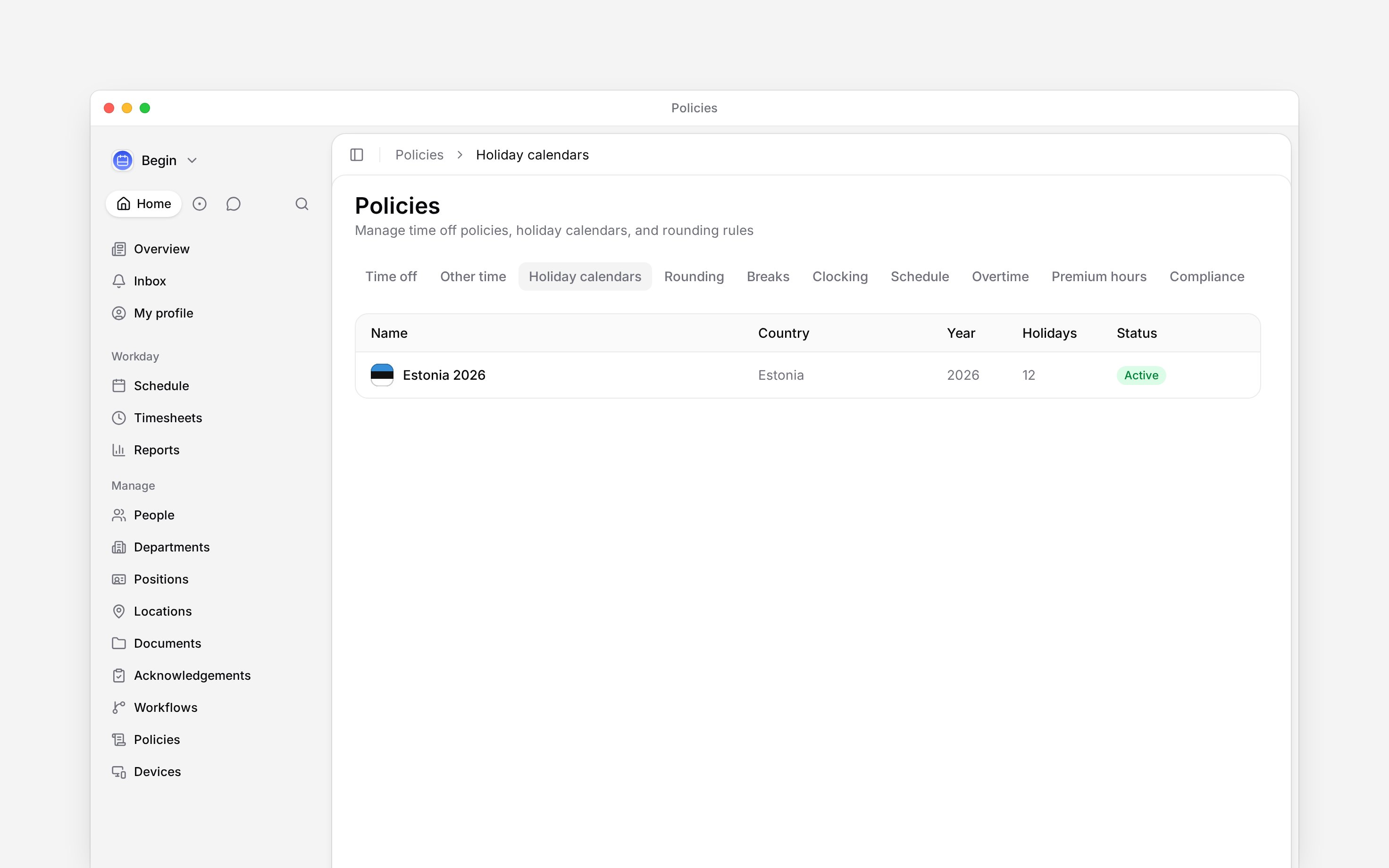
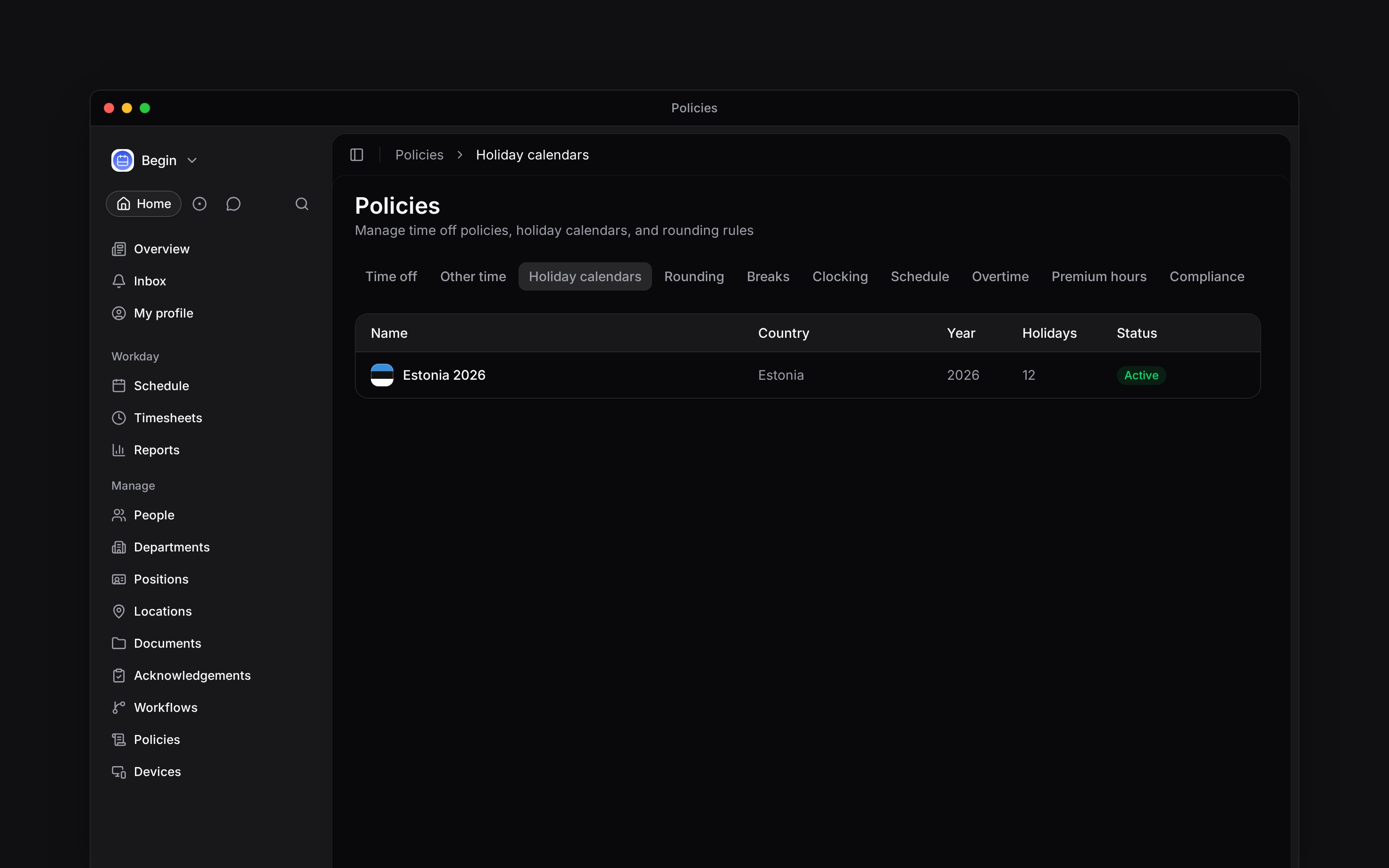
Go to **Policies → Holiday calendars**, open **Add**, then choose **Holiday calendar**.
Name the calendar, choose its country and year, then set **Status** to **Active**.
Turn on **Auto-populate public holidays** when creating it, or open the saved calendar and
choose **Auto-populate**.
Add, edit or delete individual dates so the calendar matches the days your organisation
observes. Deleting a calendar removes all its holidays and cannot be undone.
A holiday calendar groups the public holidays, company days off and shortened days for one country and year. Time-off policies and hour calculations use it when holidays should change the result.
## Create a calendar
Go to **Policies → Holiday calendars**, open **Add**, then choose **Holiday calendar**.
Name the calendar, choose its country and year, then set **Status** to **Active**.
Turn on **Auto-populate public holidays** when creating it, or open the saved calendar and
choose **Auto-populate**.
Add, edit or delete individual dates so the calendar matches the days your organisation
observes. Deleting a calendar removes all its holidays and cannot be undone.
 ## Check which holidays are used
Check the calendar's country, year and **Active** status before adding dates. A calendar for this year does not supply next year's dates; several active calendars for one country and year are combined. Review the next year separately before people book leave across it. A holiday's **Paid holiday** switch decides whether that date is excluded from leave balances.
For time off, turn on **Exclude public holidays** in the leave policy and check the person's work country. The current leave-policy form resolves holidays by country and does not offer a calendar picker. [Review a person's balance](/for-managers/policies/time-off-and-entitlements) and a request covering a known holiday to check the result.
## Add a shortened day
Open a calendar, choose **Add → Shortened day**, set the date and link it to the public holiday it comes before. The calendar's **Shortened day reduction** decides how many hours are cut from that workday; leaving it blank uses the country default.
A shortened day is not a paid or unpaid holiday. It changes the expected workday before the linked holiday.
**Context for an assistant answering questions about holiday calendars.** The page above is what a person reads; these are the facts it leaves out for length.
* **Who can:** calendar and holiday changes use the create, edit and delete grants on **Policies**.
* **Where:** the current time-off editor has no calendar selector. Holiday resolution uses the person's work-country context; legacy stored policies may still hold calendar references.
* **Limits:** a calendar represents one country and one year. Auto-populate only adds holidays not already present.
* **Not supported:** a shortened day cannot carry the paid switch used by a public holiday; it links to a public holiday instead.
## Next
Exclude public holidays from a leave balance.
Define the evening and night buckets shown beside holiday hours.
## Still need help?
Email the Begin team and we'll get back to you.
Open the AI assistant and get instant answers based on these docs.
## Check which holidays are used
Check the calendar's country, year and **Active** status before adding dates. A calendar for this year does not supply next year's dates; several active calendars for one country and year are combined. Review the next year separately before people book leave across it. A holiday's **Paid holiday** switch decides whether that date is excluded from leave balances.
For time off, turn on **Exclude public holidays** in the leave policy and check the person's work country. The current leave-policy form resolves holidays by country and does not offer a calendar picker. [Review a person's balance](/for-managers/policies/time-off-and-entitlements) and a request covering a known holiday to check the result.
## Add a shortened day
Open a calendar, choose **Add → Shortened day**, set the date and link it to the public holiday it comes before. The calendar's **Shortened day reduction** decides how many hours are cut from that workday; leaving it blank uses the country default.
A shortened day is not a paid or unpaid holiday. It changes the expected workday before the linked holiday.
**Context for an assistant answering questions about holiday calendars.** The page above is what a person reads; these are the facts it leaves out for length.
* **Who can:** calendar and holiday changes use the create, edit and delete grants on **Policies**.
* **Where:** the current time-off editor has no calendar selector. Holiday resolution uses the person's work-country context; legacy stored policies may still hold calendar references.
* **Limits:** a calendar represents one country and one year. Auto-populate only adds holidays not already present.
* **Not supported:** a shortened day cannot carry the paid switch used by a public holiday; it links to a public holiday instead.
## Next
Exclude public holidays from a leave balance.
Define the evening and night buckets shown beside holiday hours.
## Still need help?
Email the Begin team and we'll get back to you.
Open the AI assistant and get instant answers based on these docs.