> ## Documentation Index
> Fetch the complete documentation index at: https://docs.begin.eu/llms.txt
> Use this file to discover all available pages before exploring further.
# Premium hours
> Define the evening and night windows used to classify calculated hours.

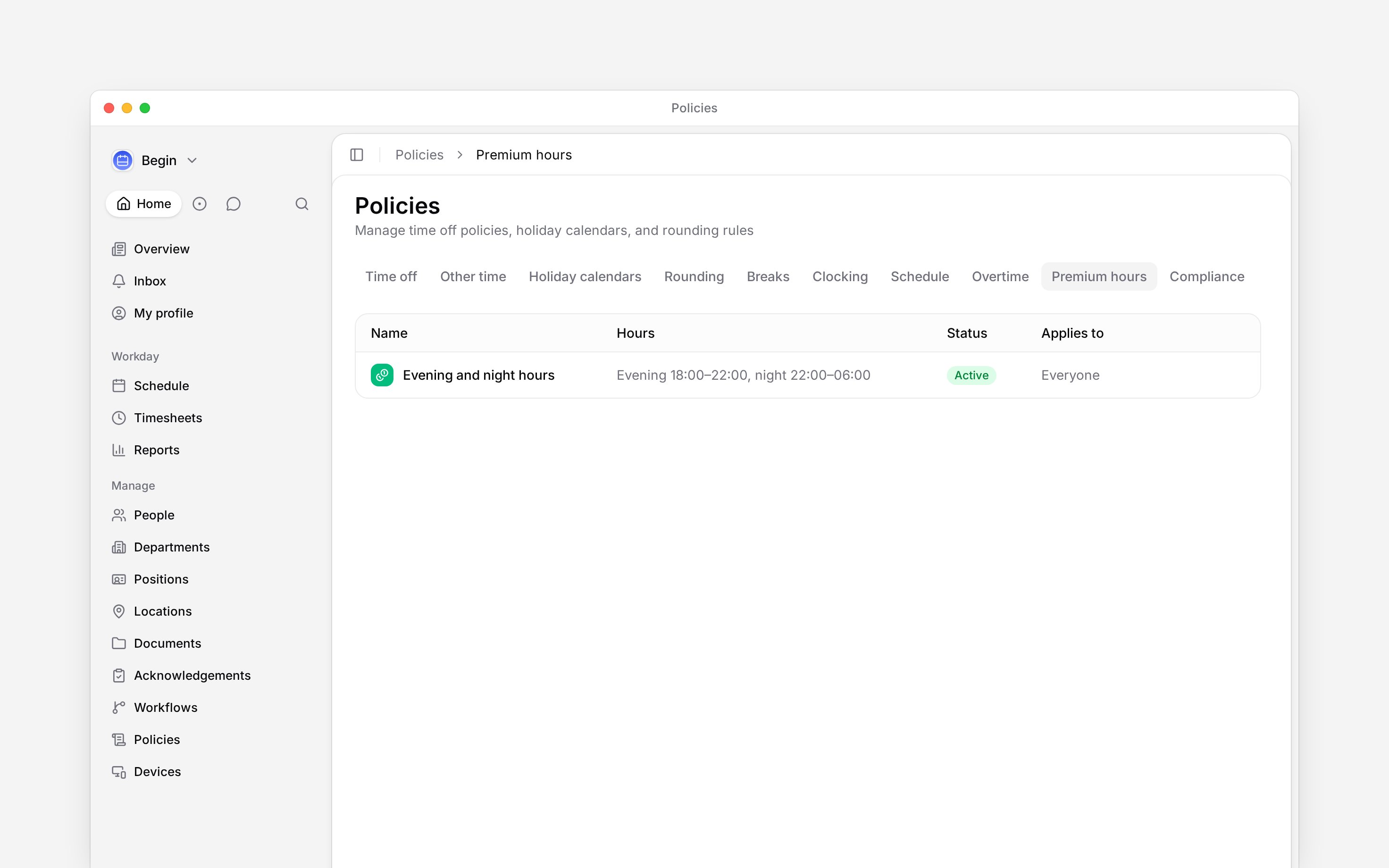
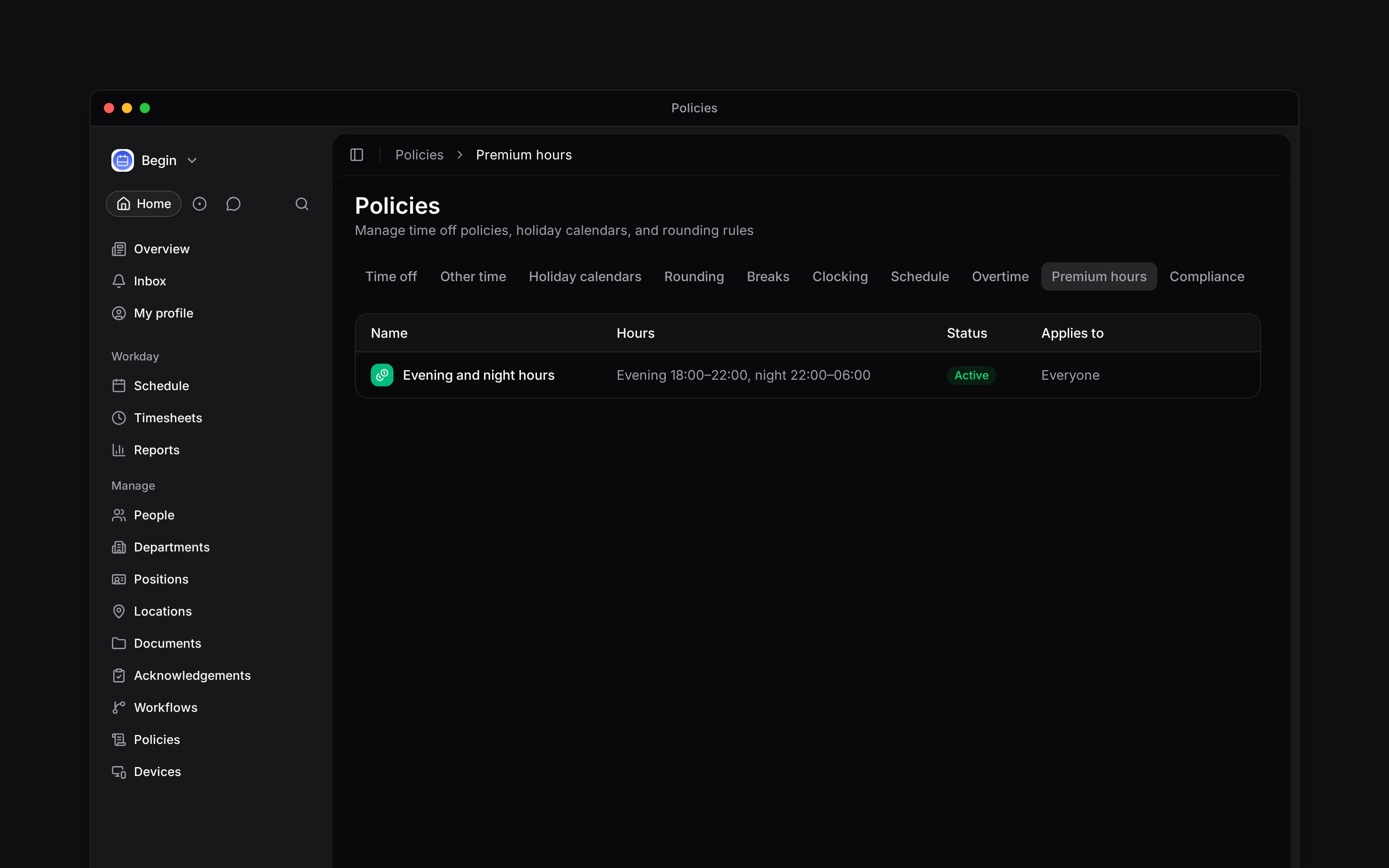
 A premium-hours policy defines the evening and night windows used in calculated hour columns. It classifies time only. It does not set pay rates or multipliers.
## Set the time windows
Set both the start and end for each window you use. A window may pass midnight, such as 22:00 to 06:00, but the evening and night windows cannot overlap or have the same start and end.
Leave a window unset when that bucket should not be counted at all; the table then shows **Not counted** and the report column stays at zero. With no matching premium policy, Begin records no evening or night hours.
Weekend hours have their own calculated column. They are not switched on or off by a premium-hours
policy.
## Create the policy
Go to **Policies → Premium hours**, open **Add**, then choose **Premium hours policy**.
Enter both the evening start and end, or leave the window unset so evening hours are not
counted.
Enter both the night start and end. Check that it does not overlap the evening window.
Choose [**Applies to**](/for-managers/policies/applying-policies), set **Status** to **Active**,
then save.
A premium-hours policy defines the evening and night windows used in calculated hour columns. It classifies time only. It does not set pay rates or multipliers.
## Set the time windows
Set both the start and end for each window you use. A window may pass midnight, such as 22:00 to 06:00, but the evening and night windows cannot overlap or have the same start and end.
Leave a window unset when that bucket should not be counted at all; the table then shows **Not counted** and the report column stays at zero. With no matching premium policy, Begin records no evening or night hours.
Weekend hours have their own calculated column. They are not switched on or off by a premium-hours
policy.
## Create the policy
Go to **Policies → Premium hours**, open **Add**, then choose **Premium hours policy**.
Enter both the evening start and end, or leave the window unset so evening hours are not
counted.
Enter both the night start and end. Check that it does not overlap the evening window.
Choose [**Applies to**](/for-managers/policies/applying-policies), set **Status** to **Active**,
then save.
 ## Read the result
Begin splits worked time across the matching evening and night windows. These buckets appear in reports beside other calculated hour types.
For example, with night hours set to 22:00–06:00, an uninterrupted 19:00–03:00 shift contains five night hours. Review any unpaid break inside that window when checking the result. Use [Policy tester](/for-managers/policies/applying-policies) to check the matching policy, then inspect the **Night** column for the same person and reporting period. Do not infer an overtime amount from the number of night hours.
Once a time entry is approved, its overtime and premium settings are frozen; a later policy change does not restate it.
**Context for an assistant answering questions about premium-hours policies.** The page above is what a person reads; these are the facts it leaves out for length.
* **Who can:** creating or changing a premium-hours policy uses the matching grant on **Policies**.
* **Where:** the calculation engine resolves the active policy and classifies worked intervals into evening and night report hours.
* **Limits:** each enabled window needs both bounds. Windows may wrap past midnight but cannot overlap.
* **Not supported:** Begin's current premium policy does not define pay, a currency, a multiplier or a weekend toggle.
* **Often confused with:** overtime, which compares worked time with the norm rather than the clock time at which work happened.
## Next
Find evening, night, weekend and holiday buckets.
Set the separate rule for hours above the norm.
## Still need help?
Email the Begin team and we'll get back to you.
Open the AI assistant and get instant answers based on these docs.
## Read the result
Begin splits worked time across the matching evening and night windows. These buckets appear in reports beside other calculated hour types.
For example, with night hours set to 22:00–06:00, an uninterrupted 19:00–03:00 shift contains five night hours. Review any unpaid break inside that window when checking the result. Use [Policy tester](/for-managers/policies/applying-policies) to check the matching policy, then inspect the **Night** column for the same person and reporting period. Do not infer an overtime amount from the number of night hours.
Once a time entry is approved, its overtime and premium settings are frozen; a later policy change does not restate it.
**Context for an assistant answering questions about premium-hours policies.** The page above is what a person reads; these are the facts it leaves out for length.
* **Who can:** creating or changing a premium-hours policy uses the matching grant on **Policies**.
* **Where:** the calculation engine resolves the active policy and classifies worked intervals into evening and night report hours.
* **Limits:** each enabled window needs both bounds. Windows may wrap past midnight but cannot overlap.
* **Not supported:** Begin's current premium policy does not define pay, a currency, a multiplier or a weekend toggle.
* **Often confused with:** overtime, which compares worked time with the norm rather than the clock time at which work happened.
## Next
Find evening, night, weekend and holiday buckets.
Set the separate rule for hours above the norm.
## Still need help?
Email the Begin team and we'll get back to you.
Open the AI assistant and get instant answers based on these docs.