> ## Documentation Index
> Fetch the complete documentation index at: https://docs.begin.eu/llms.txt
> Use this file to discover all available pages before exploring further.
# Schedule requirements
> Require a location, position or colour before a shift can be saved.

 A schedule policy makes selected shift fields compulsory. Use it when a shift must have a location, position or colour before Begin may save it.
## Create a requirement
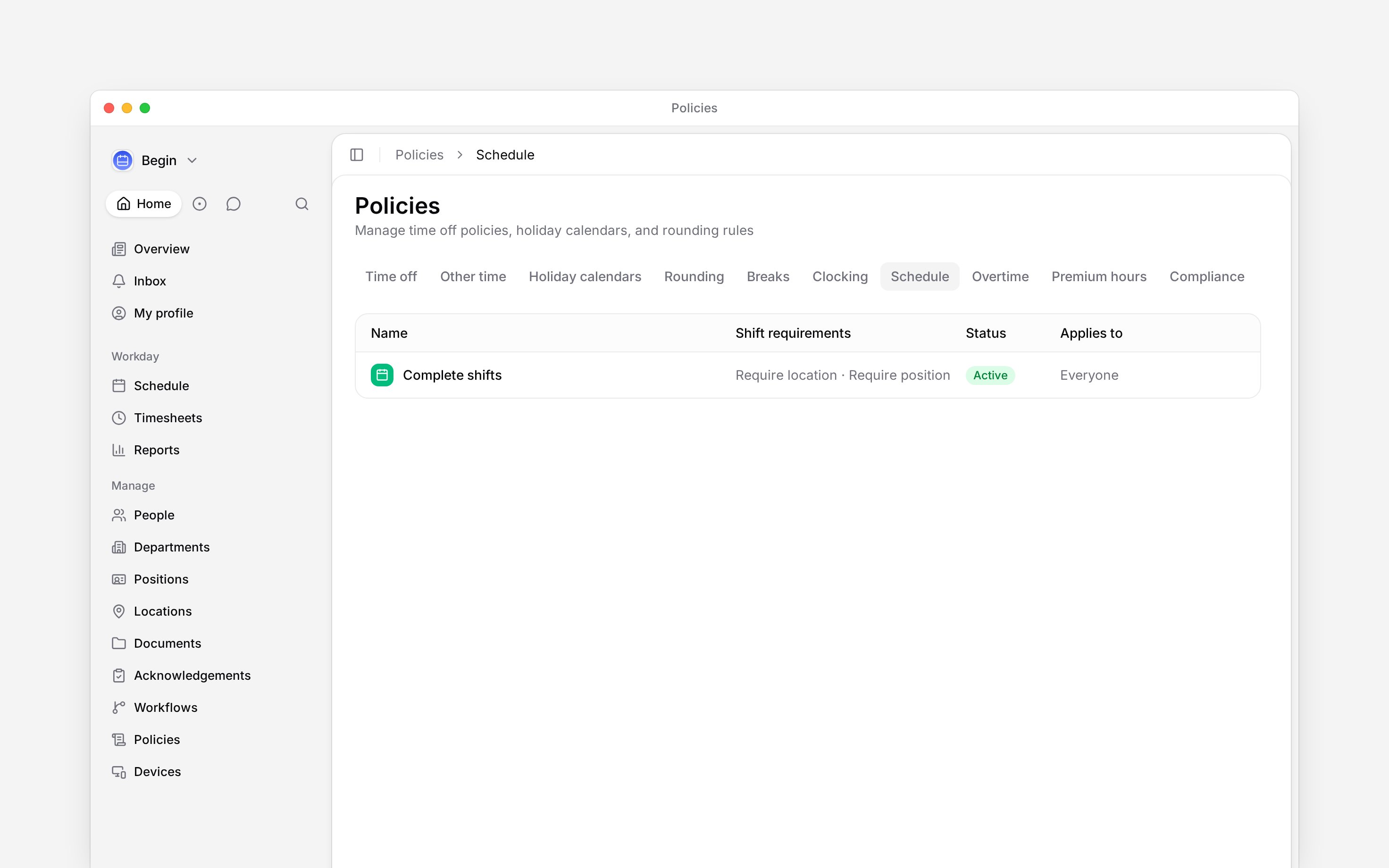
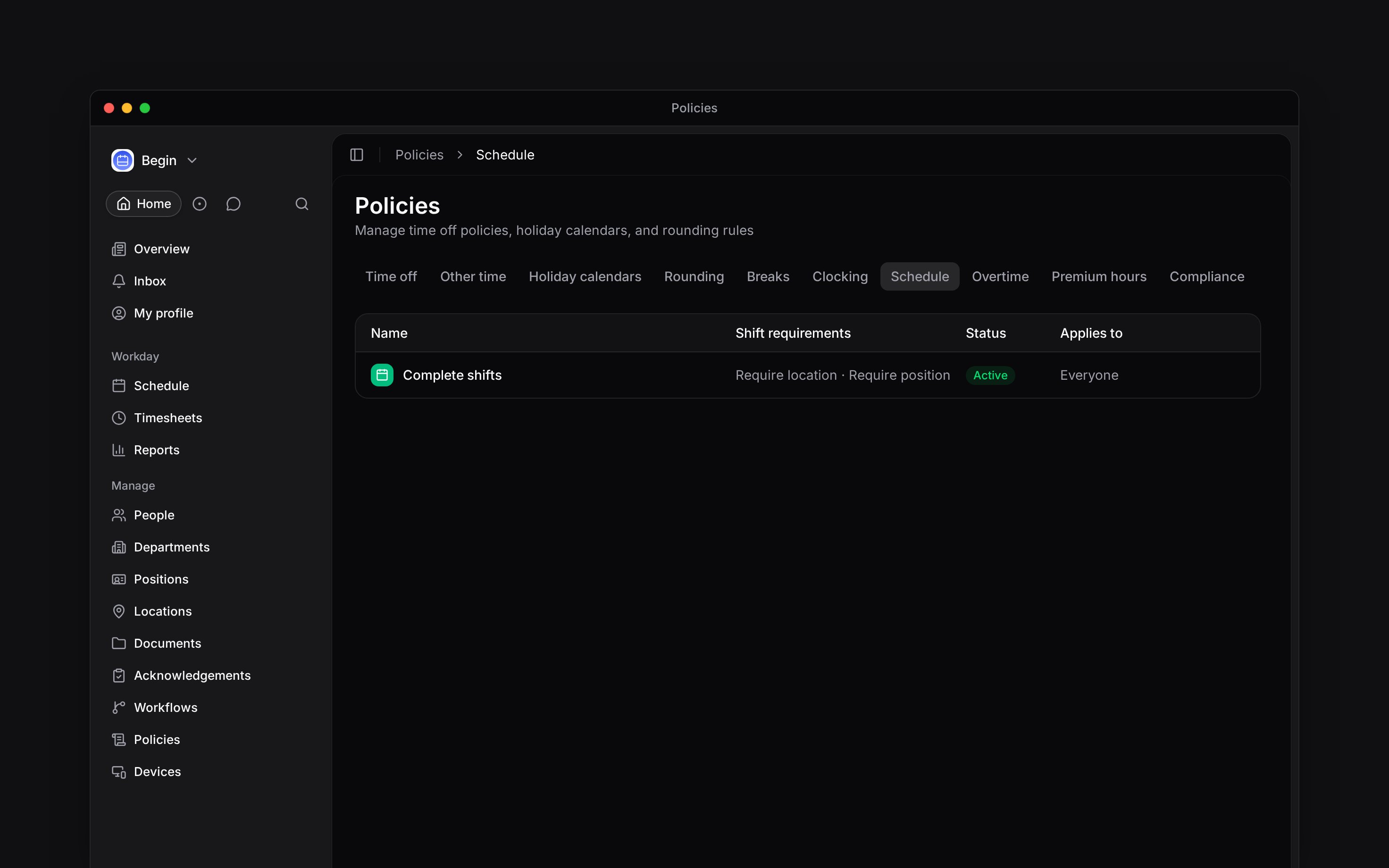
Go to **Policies → Schedule**, open **Add**, then choose **Add schedule policy**.
Turn on **Location**, **Position** or **Colour**. You may require more than one.
Use [**Applies to**](/for-managers/policies/applying-policies) to choose everyone or selected
people, positions, departments or locations.
Set **Status** to **Active**, then save.
A schedule policy makes selected shift fields compulsory. Use it when a shift must have a location, position or colour before Begin may save it.
## Create a requirement
Go to **Policies → Schedule**, open **Add**, then choose **Add schedule policy**.
Turn on **Location**, **Position** or **Colour**. You may require more than one.
Use [**Applies to**](/for-managers/policies/applying-policies) to choose everyone or selected
people, positions, departments or locations.
Set **Status** to **Active**, then save.
 ## Fix a shift that will not save
Begin refuses the save with a message such as **Select a location for this shift.** Add the location, position or colour, then save again. The requirement is evaluated for that shift and person, so another team may have a different set of required fields. Shifts saved before the policy are not re-checked until someone edits them.
For example, require **Position** for a department whose shifts must always identify a job. Check one of its members in **Policy tester**, then open a shift for that person without a position. Begin should refuse the save and name the missing position; choose it and save. Check someone outside the department too, so you do not accidentally apply the rule to everyone.
If several matching policies require different fields, Begin combines those requirements. Use **Policy tester** to see which policies supply them.
**Context for an assistant answering questions about schedule requirements.** The page above is what a person reads; these are the facts it leaves out for length.
* **Who can:** creating or changing a schedule policy uses the matching grant on **Policies**. A person also needs permission to edit the schedule to fix a shift.
* **Where:** enforcement runs when a shift is created or updated, including schedule write paths outside the form.
* **Limits:** matching policies compose, so location, position and colour may come from different policies.
* **Not supported:** a schedule policy does not check rest time, worked-hour limits or other legal rules. Compliance policies handle those checks.
* **Often confused with:** a compliance warning, which evaluates the pattern of work rather than whether a shift field is present.
## Next
Read the message shown while editing a shift.
Check hours, days, shifts and rest against configured limits.
## Still need help?
Email the Begin team and we'll get back to you.
Open the AI assistant and get instant answers based on these docs.
## Fix a shift that will not save
Begin refuses the save with a message such as **Select a location for this shift.** Add the location, position or colour, then save again. The requirement is evaluated for that shift and person, so another team may have a different set of required fields. Shifts saved before the policy are not re-checked until someone edits them.
For example, require **Position** for a department whose shifts must always identify a job. Check one of its members in **Policy tester**, then open a shift for that person without a position. Begin should refuse the save and name the missing position; choose it and save. Check someone outside the department too, so you do not accidentally apply the rule to everyone.
If several matching policies require different fields, Begin combines those requirements. Use **Policy tester** to see which policies supply them.
**Context for an assistant answering questions about schedule requirements.** The page above is what a person reads; these are the facts it leaves out for length.
* **Who can:** creating or changing a schedule policy uses the matching grant on **Policies**. A person also needs permission to edit the schedule to fix a shift.
* **Where:** enforcement runs when a shift is created or updated, including schedule write paths outside the form.
* **Limits:** matching policies compose, so location, position and colour may come from different policies.
* **Not supported:** a schedule policy does not check rest time, worked-hour limits or other legal rules. Compliance policies handle those checks.
* **Often confused with:** a compliance warning, which evaluates the pattern of work rather than whether a shift field is present.
## Next
Read the message shown while editing a shift.
Check hours, days, shifts and rest against configured limits.
## Still need help?
Email the Begin team and we'll get back to you.
Open the AI assistant and get instant answers based on these docs.