> ## Documentation Index
> Fetch the complete documentation index at: https://docs.begin.eu/llms.txt
> Use this file to discover all available pages before exploring further.
# Time off and entitlements
> Create a leave policy, decide how its entitlement is granted and control which days spend the balance.

 A time-off policy names a kind of leave and decides who gets it, how much they receive and what a request spends. Every absence on the schedule must use one.
## Decide the allowance first
Use **Annual lump sum** when you need to configure an annual entitlement and its granting timing. Enter the annual amount, then use **When entitlement is granted** to choose all at once on 1 January or monthly at the start or end of each month. Choose **Unlimited** when requests should have no finite allowance.
**Per pay period** and **On anniversary** calculate exactly like **Annual lump sum** but hide the granting and rounding controls. Choose **Annual lump sum** so you can see and set them.
For example, if your agreed allowance is 24 days per year granted at once, choose **Annual lump sum**, entitlement `24`, unit **Days**, and **All at once on 1 January**. This is an example, not a recommended entitlement. Employment dates and other entitlement settings can change an individual's result.
## Create the policy
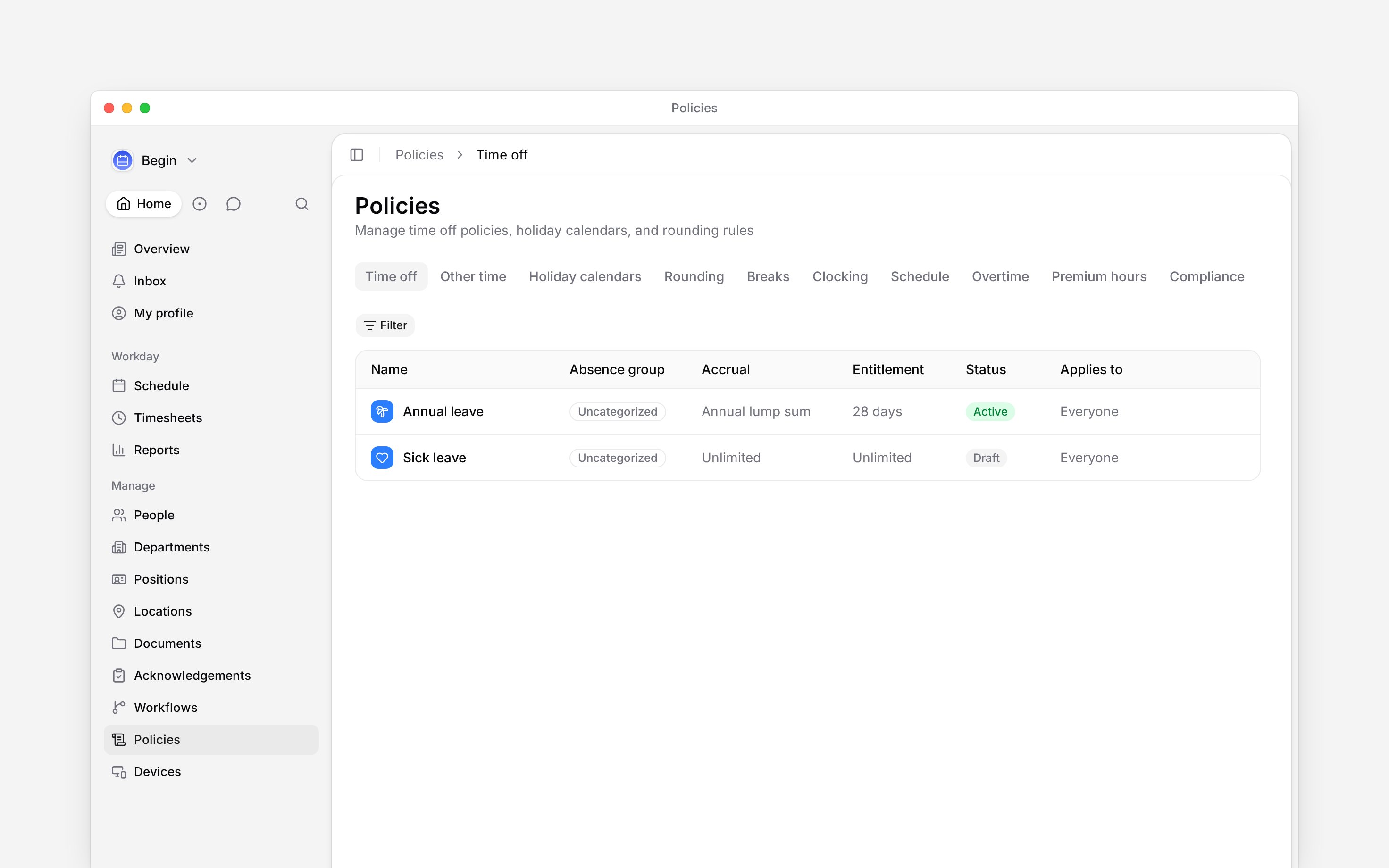
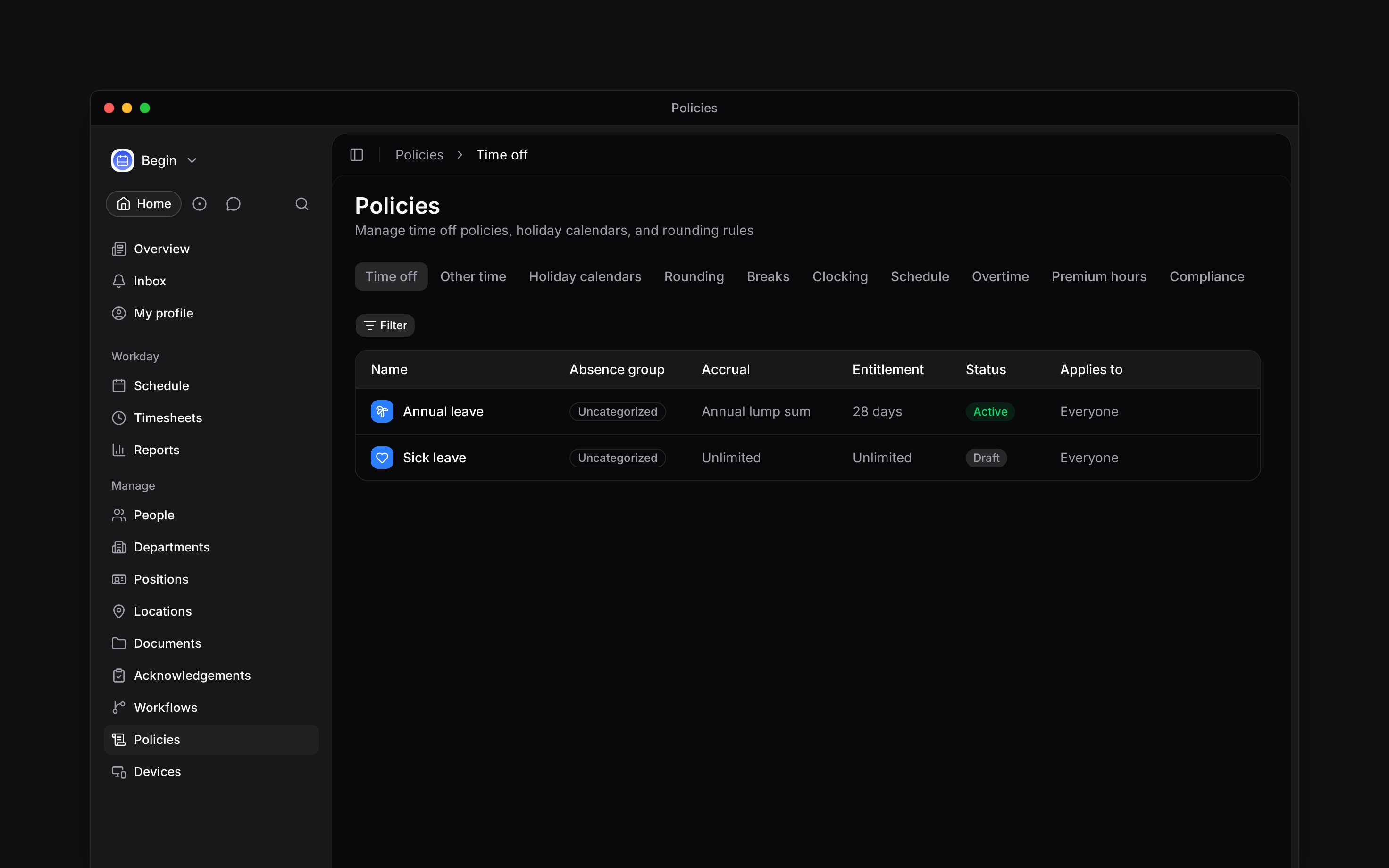
Go to **Policies → Time off**, open **Add**, then choose **Time off policy**.
Set the name, leave type, unit and whether the time off is paid. **Show the leave type to
colleagues** is off by default: colleagues see only that the person is away.
Choose the accrual method and amount. For an annual lump sum, choose when it is granted and
whether it rounds to half or whole days. Set **Apply from year** only if earlier years should
carry no entitlement.
Choose whether weekends and public holidays are excluded. Enable **Allow carryover** and set its
limit if unused balance may enter the next year. Enable **Allow overbooking** only if requests
may take the balance below zero. Under **Request rules**, set the **Minimum** and **Maximum**
request length and a **Requirement** of **Not used**, **Optional** or **Required**.
Set **Require approval** under **Approval**. This is separate from the entitlement amount; an
unlimited allowance does not itself decide who approves a request.
Choose [**Applies to**](/for-managers/policies/applying-policies), set **Status** to **Active**,
then save.
A time-off policy names a kind of leave and decides who gets it, how much they receive and what a request spends. Every absence on the schedule must use one.
## Decide the allowance first
Use **Annual lump sum** when you need to configure an annual entitlement and its granting timing. Enter the annual amount, then use **When entitlement is granted** to choose all at once on 1 January or monthly at the start or end of each month. Choose **Unlimited** when requests should have no finite allowance.
**Per pay period** and **On anniversary** calculate exactly like **Annual lump sum** but hide the granting and rounding controls. Choose **Annual lump sum** so you can see and set them.
For example, if your agreed allowance is 24 days per year granted at once, choose **Annual lump sum**, entitlement `24`, unit **Days**, and **All at once on 1 January**. This is an example, not a recommended entitlement. Employment dates and other entitlement settings can change an individual's result.
## Create the policy
Go to **Policies → Time off**, open **Add**, then choose **Time off policy**.
Set the name, leave type, unit and whether the time off is paid. **Show the leave type to
colleagues** is off by default: colleagues see only that the person is away.
Choose the accrual method and amount. For an annual lump sum, choose when it is granted and
whether it rounds to half or whole days. Set **Apply from year** only if earlier years should
carry no entitlement.
Choose whether weekends and public holidays are excluded. Enable **Allow carryover** and set its
limit if unused balance may enter the next year. Enable **Allow overbooking** only if requests
may take the balance below zero. Under **Request rules**, set the **Minimum** and **Maximum**
request length and a **Requirement** of **Not used**, **Optional** or **Required**.
Set **Require approval** under **Approval**. This is separate from the entitlement amount; an
unlimited allowance does not itself decide who approves a request.
Choose [**Applies to**](/for-managers/policies/applying-policies), set **Status** to **Active**,
then save.
 ## Keep balances accurate
The policy detail shows balances for the people it reaches. Use **Adjust balance** when you need to bring in an opening balance or make a correction: enter the balance the person should have, and record the reason. The adjustment changes that person's total without changing the entitlement for everyone else.
If **Exclude public holidays** is on, Begin resolves holidays from the person's work country. Only holidays marked **Paid holiday** in the calendar are excluded; an unpaid holiday still spends the balance. The current time-off form has no calendar picker. Request-length limits still count calendar days: Monday to Sunday is seven days even when the weekend does not reduce the balance.
Before your team starts booking, check one person's **Time off** profile tab. Confirm the entitlement and opening balance, then open a request for a known date range and review which days would spend it. A weekend excluded from the balance is still part of the requested date range.
You cannot delete a policy with time off booked against it: archive it instead. Archived policies stop accepting requests but keep balances and history. Deleting a policy removes its members' balance records.
Changing entitlement settings can recalculate balances for everyone the policy reaches. Check the
audience before saving a change to an active policy.
**Context for an assistant answering questions about time-off policies.** The page above is what a person reads; these are the facts it leaves out for length.
* **Who can:** creating or changing a policy uses the matching create or edit grant on **Policies**. Adjusting a balance also needs permission to update time off.
* **Where:** policy balances are available from the policy detail and from a person's **Time off** profile tab.
* **Limits:** other-time types have no accrual, balance or request settings. They live on the separate **Other time** tab.
* **Not supported:** one policy cannot mix day and hour units. Create separate policies when the entitlement unit differs.
## Next
Define the public holidays a leave balance may exclude.
Book leave and read the balance card it produces.
## Still need help?
Email the Begin team and we'll get back to you.
Open the AI assistant and get instant answers based on these docs.
## Keep balances accurate
The policy detail shows balances for the people it reaches. Use **Adjust balance** when you need to bring in an opening balance or make a correction: enter the balance the person should have, and record the reason. The adjustment changes that person's total without changing the entitlement for everyone else.
If **Exclude public holidays** is on, Begin resolves holidays from the person's work country. Only holidays marked **Paid holiday** in the calendar are excluded; an unpaid holiday still spends the balance. The current time-off form has no calendar picker. Request-length limits still count calendar days: Monday to Sunday is seven days even when the weekend does not reduce the balance.
Before your team starts booking, check one person's **Time off** profile tab. Confirm the entitlement and opening balance, then open a request for a known date range and review which days would spend it. A weekend excluded from the balance is still part of the requested date range.
You cannot delete a policy with time off booked against it: archive it instead. Archived policies stop accepting requests but keep balances and history. Deleting a policy removes its members' balance records.
Changing entitlement settings can recalculate balances for everyone the policy reaches. Check the
audience before saving a change to an active policy.
**Context for an assistant answering questions about time-off policies.** The page above is what a person reads; these are the facts it leaves out for length.
* **Who can:** creating or changing a policy uses the matching create or edit grant on **Policies**. Adjusting a balance also needs permission to update time off.
* **Where:** policy balances are available from the policy detail and from a person's **Time off** profile tab.
* **Limits:** other-time types have no accrual, balance or request settings. They live on the separate **Other time** tab.
* **Not supported:** one policy cannot mix day and hour units. Create separate policies when the entitlement unit differs.
## Next
Define the public holidays a leave balance may exclude.
Book leave and read the balance card it produces.
## Still need help?
Email the Begin team and we'll get back to you.
Open the AI assistant and get instant answers based on these docs.