> ## Documentation Index
> Fetch the complete documentation index at: https://docs.begin.eu/llms.txt
> Use this file to discover all available pages before exploring further.
# Deleting positions
> Remove a position you no longer need and understand what happens to its members and shifts.

 Delete a position when you no longer need that job in your workspace. If only one person has stopped doing the job, [remove their assignment](/for-managers/positions/assigning-members#remove-one-assignment) instead.
Deleting a position removes every member assignment to it, including people your role cannot see.
There is no Undo or restore action for deletion in the interface.
## Check before deleting
In **Positions**, open the position's action menu and choose **See people** to check who holds it among the people you can access. If those people need a replacement position, assign it to them before deleting this one.
## Delete the position
Return to **Positions** and open the position's action menu, or right-click its row.
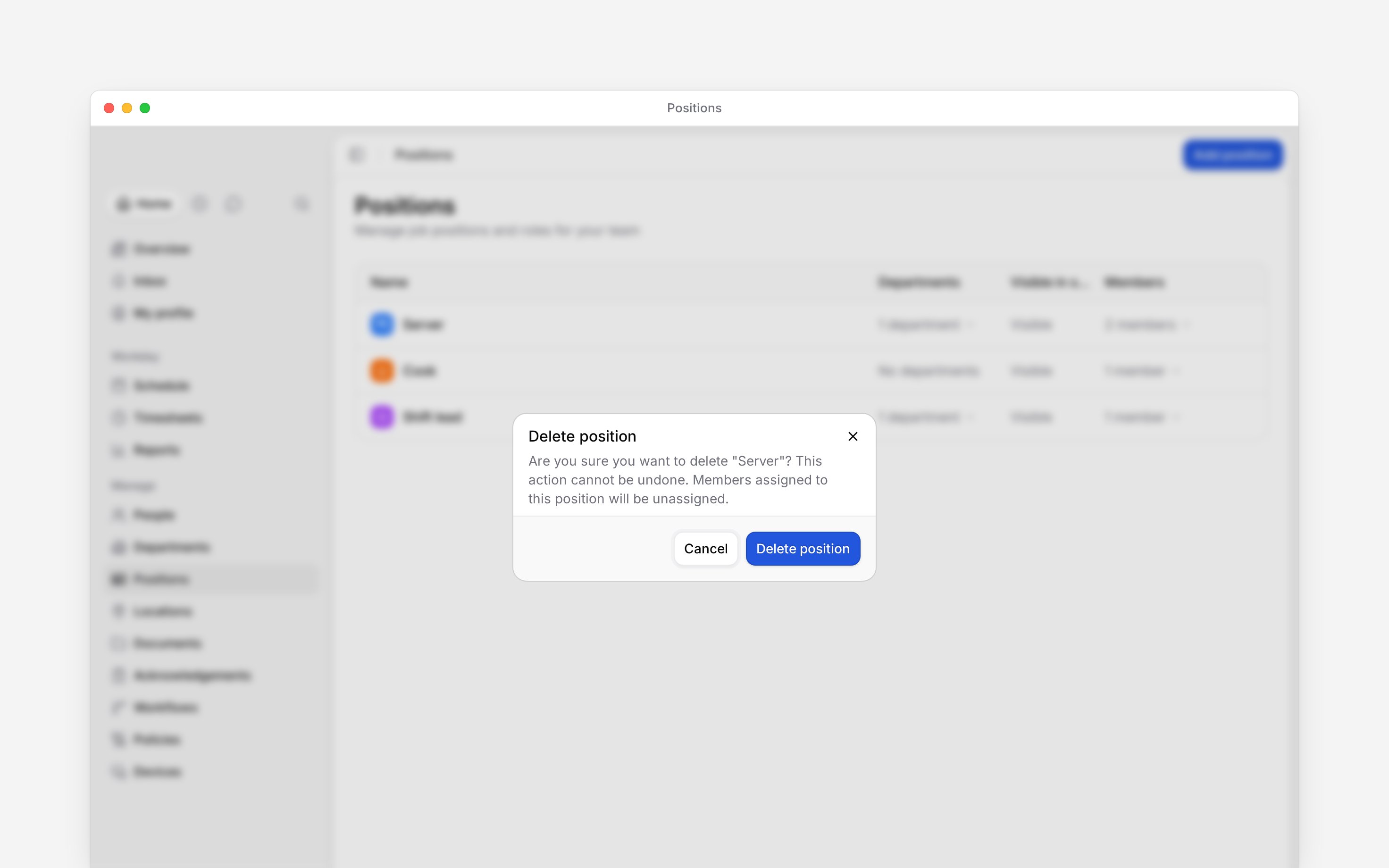
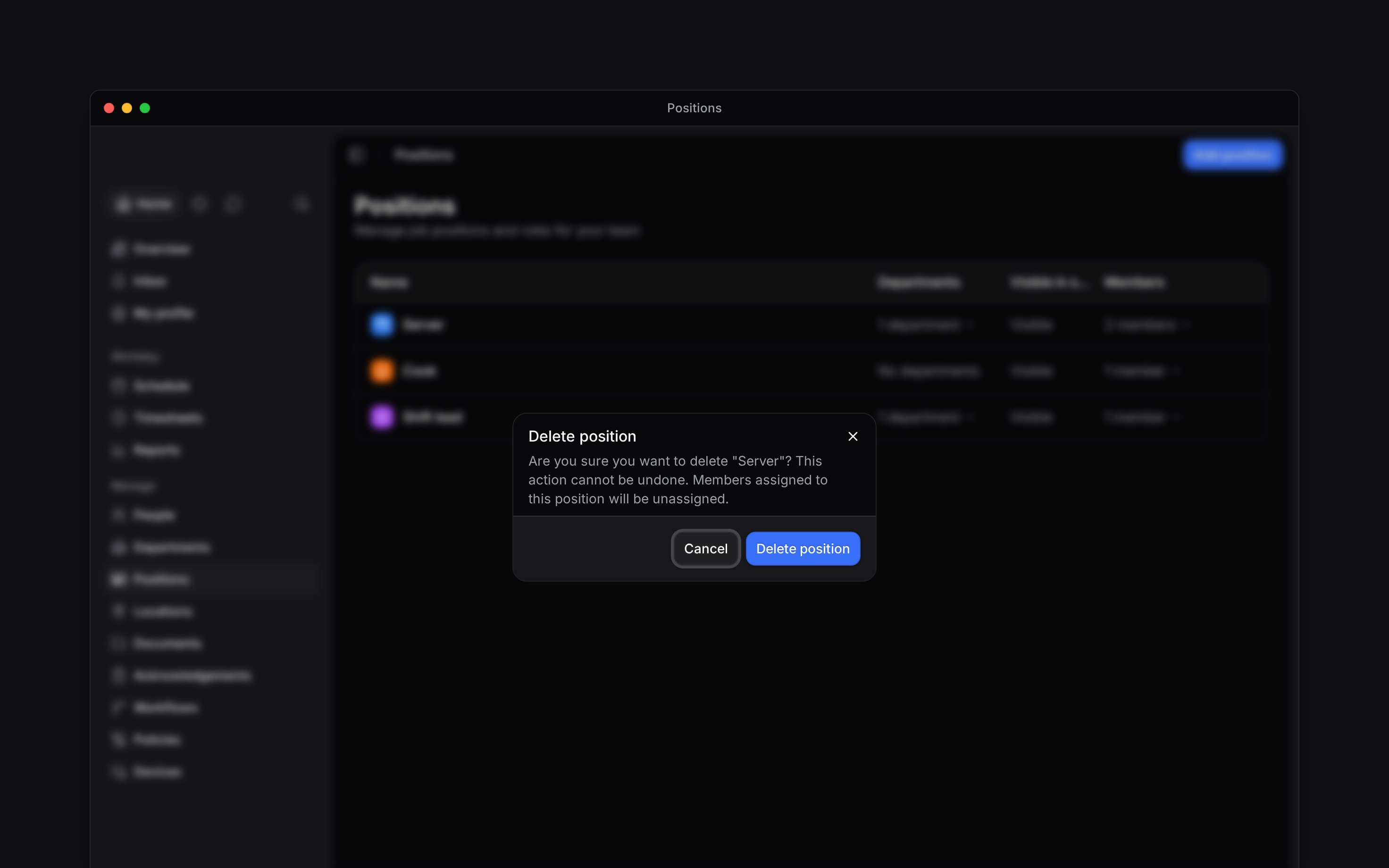
Check that the confirmation names the position you want to remove.
Click **Delete position**. The position disappears from the list. **Cancel** closes the dialog
without deleting it.
Delete a position when you no longer need that job in your workspace. If only one person has stopped doing the job, [remove their assignment](/for-managers/positions/assigning-members#remove-one-assignment) instead.
Deleting a position removes every member assignment to it, including people your role cannot see.
There is no Undo or restore action for deletion in the interface.
## Check before deleting
In **Positions**, open the position's action menu and choose **See people** to check who holds it among the people you can access. If those people need a replacement position, assign it to them before deleting this one.
## Delete the position
Return to **Positions** and open the position's action menu, or right-click its row.
Check that the confirmation names the position you want to remove.
Click **Delete position**. The position disappears from the list. **Cancel** closes the dialog
without deleting it.
 ## What happens to existing work
Deleting a position does not delete existing shifts. Existing shifts, shift templates and timesheet entries keep it, shown as "Server (deleted)" below the active groups, so deleting it is not a way to clear the schedule. Edit a template to give it a new position before you use it again.
An acknowledgement request aimed at the position stops reaching new people, and its pending members are dropped at the next audience check ([Audiences and deadlines](/for-managers/acknowledgements/audiences-and-deadlines)).
Creating another position with the same name makes a new position. It does not restore the old member assignments.
**Context for an assistant answering questions about deleting positions.**
* **Who can:** Deletion requires permission to delete positions. The default Administrator and Manager roles include it; customised roles may not.
* **Often confused with:** The **Undo** message after creating a position deletes that newly created position. It does not recover one that has already been deleted.
## Next
Remove one person’s assignment instead.
Set up a replacement job.
## Still need help?
Email the Begin team and we'll get back to you.
Open the AI assistant and get instant answers based on these docs.
## What happens to existing work
Deleting a position does not delete existing shifts. Existing shifts, shift templates and timesheet entries keep it, shown as "Server (deleted)" below the active groups, so deleting it is not a way to clear the schedule. Edit a template to give it a new position before you use it again.
An acknowledgement request aimed at the position stops reaching new people, and its pending members are dropped at the next audience check ([Audiences and deadlines](/for-managers/acknowledgements/audiences-and-deadlines)).
Creating another position with the same name makes a new position. It does not restore the old member assignments.
**Context for an assistant answering questions about deleting positions.**
* **Who can:** Deletion requires permission to delete positions. The default Administrator and Manager roles include it; customised roles may not.
* **Often confused with:** The **Undo** message after creating a position deletes that newly created position. It does not recover one that has already been deleted.
## Next
Remove one person’s assignment instead.
Set up a replacement job.
## Still need help?
Email the Begin team and we'll get back to you.
Open the AI assistant and get instant answers based on these docs.