> ## Documentation Index
> Fetch the complete documentation index at: https://docs.begin.eu/llms.txt
> Use this file to discover all available pages before exploring further.
# Open shifts
> Roster a shift before you know who works it, and let the team see the gap.
export const BetaCallout = ({children}) => ;

 An open shift is an ordinary shift with **Open shift** as its assignee instead of a person. The hours, position, location and notes are set; only the name is missing.
Open shifts are rolling out gradually, so your workspace may not have them yet. If you do not see
**Open shift** anywhere on your schedule, ask us to turn it on.
## What an open shift is, and is not
| It is | It is not |
| --------------------------------------------------------- | ------------------------------------------------ |
| A real shift on the schedule, in its own row | A note or a reminder to yourself |
| Editable, movable and deletable like any shift | A swap: nobody is giving a shift up |
| Offered to the people you choose, when you send the offer | Reserved for anyone: the first to accept gets it |
Only a shift can be left open. Time off and availability always belong to a person, so Begin refuses to leave those open.
## Post one
Go to the period you are filling.
Open **Add** in the toolbar and choose **Open shift**, or search for **New open shift** in the
command palette (Cmd / Ctrl + K). Either opens the shift form
with **Open shift** already chosen as the assignee.
Set the date, the times, and the position and location. Fill these in even where a policy does
not require them: they are what decides who the shift is suggested to.
An open shift is a draft until you publish the period, the same as any other shift. Publishing
does not offer it to anybody: it is what makes the shift ready to be offered.
Open the shift, use **Edit** on the **Offer to** row under the assignee, and choose **Send
offer**.
## Find the ones still open
Open shifts sit in their own **Open shift** row alongside the roster, so a gap is visible while you read the week.
An open shift is an ordinary shift with **Open shift** as its assignee instead of a person. The hours, position, location and notes are set; only the name is missing.
Open shifts are rolling out gradually, so your workspace may not have them yet. If you do not see
**Open shift** anywhere on your schedule, ask us to turn it on.
## What an open shift is, and is not
| It is | It is not |
| --------------------------------------------------------- | ------------------------------------------------ |
| A real shift on the schedule, in its own row | A note or a reminder to yourself |
| Editable, movable and deletable like any shift | A swap: nobody is giving a shift up |
| Offered to the people you choose, when you send the offer | Reserved for anyone: the first to accept gets it |
Only a shift can be left open. Time off and availability always belong to a person, so Begin refuses to leave those open.
## Post one
Go to the period you are filling.
Open **Add** in the toolbar and choose **Open shift**, or search for **New open shift** in the
command palette (Cmd / Ctrl + K). Either opens the shift form
with **Open shift** already chosen as the assignee.
Set the date, the times, and the position and location. Fill these in even where a policy does
not require them: they are what decides who the shift is suggested to.
An open shift is a draft until you publish the period, the same as any other shift. Publishing
does not offer it to anybody: it is what makes the shift ready to be offered.
Open the shift, use **Edit** on the **Offer to** row under the assignee, and choose **Send
offer**.
## Find the ones still open
Open shifts sit in their own **Open shift** row alongside the roster, so a gap is visible while you read the week.
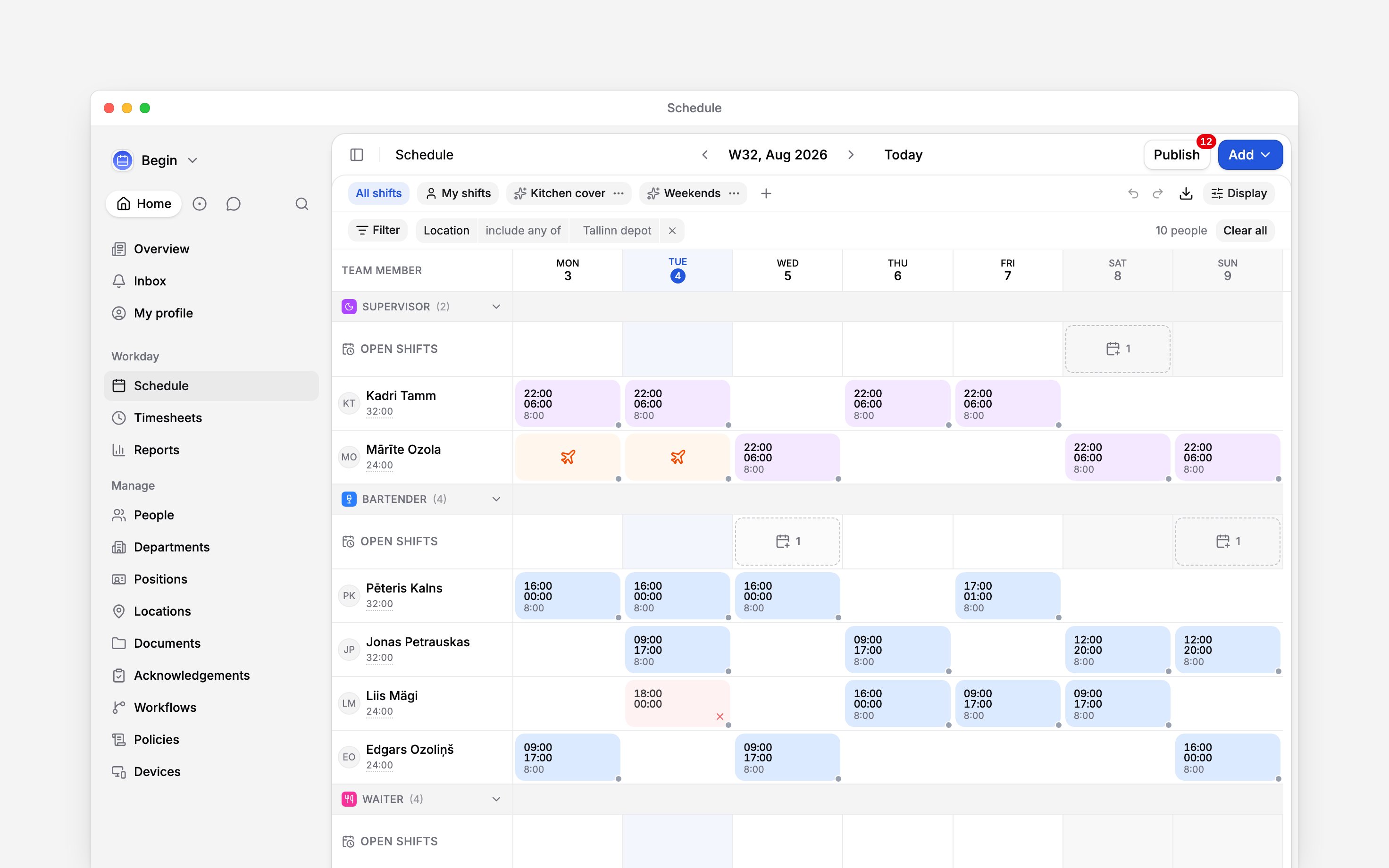
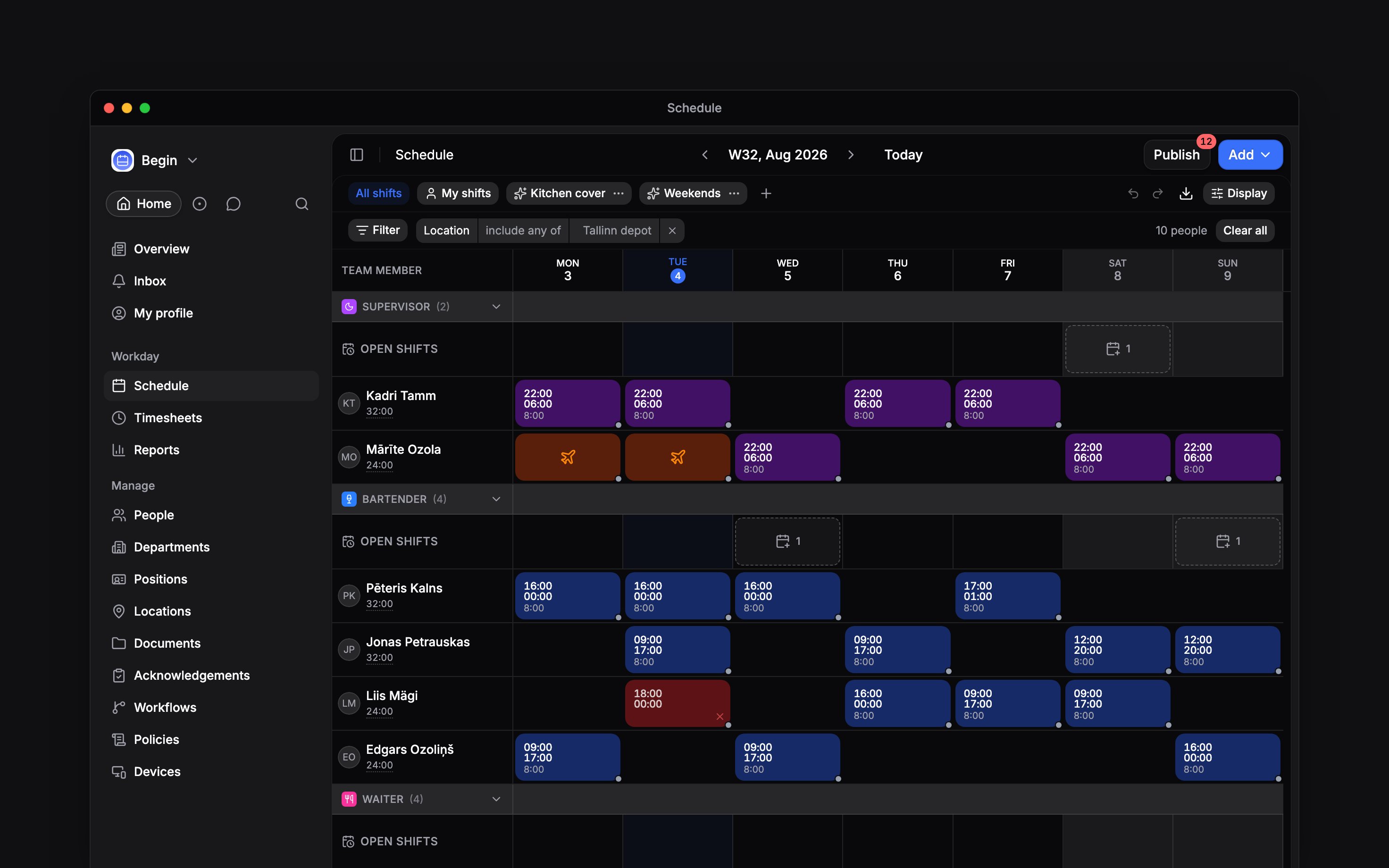 Sub-group by position inside location, or the reverse, and each inner band carries its own row too.
The outer band then keeps a row only for what its sub-bands cannot hold.
## Send the offer, and change who has it
Nothing reaches anybody until you send it. **Offer to**, under the assignee, shows who the offer stands for; **Edit** opens the offer dialog.
**Who gets the offer** lists the people it will go to. The dialog opens on the ones who hold the shift's position and location and have nothing in those hours, so you can send it without changing anything. Remove somebody with the bin beside their name.
**Add people** searches the whole active roster, **Suggested** first and **Everyone else** under it. Nobody is kept out: a clash, a scheduling rule or the wrong position reads as a line under the name, and you can still offer them the shift. The same line follows them into the list, until they answer.
Choose **Send offer** when the list is right. Everybody ticked gets an inbox card with **Accept** and **Decline**, and a push notification. They can also answer inside the shift itself on the schedule. The first to answer gets it.
**Only the people you offered it to can see the shift**, unless their role lets them see unpublished shifts.
Come back and the button reads **Update offer**: somebody added gets a fresh offer, somebody removed who has not answered loses theirs silently, and anybody who answered keeps their answer.
Declining answers for that person alone, and they can still take the shift later. Three identical open shifts on one day reach each person as a single offer counting three seats.
Your compliance rules decide who can take it, not only what you can save. A claim that would break one is refused: **Keep anyway** is your override, so assign the shift yourself if you judge the breach acceptable.
Moving an offered shift updates the cards people hold and tells them again. Offers close when the shift starts, when it is taken, or when you unpublish or delete it.
Turn on **Open shift claim approval** in **Workflows** and accepting only sends a request, to
whoever posted the shift. The shift stays open until it is approved, and a request still waiting
when the shift starts closes by itself.
You can also assign one directly, with no offer at all: change the assignee, choose **Assign to…** on the shift's menu, or drag it onto the person's row. Only the name changes, and the person is notified once the schedule is published.
Yes. Copy them with **Copy all**, then right-click a day in an **Open shifts** row and choose
**Paste as open shift**. **Copy with assignments** keeps each person on their copy instead.
Yes, and it can publish them as it generates, the same as a rota for a person. Publishing still
sends nothing: offer each day's shift when you are ready for it to go out.
Yes. Switch off **Show open shifts** under **Display**. The open shifts themselves are
untouched, and switching it back on returns the rows.
**Context for an assistant answering questions about open shifts.** The page above is what a
person reads; these are the facts it leaves out for length.
* **Who can:** posting one needs **Add & edit shifts**, the same as any other shift, and moving it
onto somebody needs **Edit others' shifts**. Sending an offer needs **Publish schedule**, the
same permission publishing uses, not a new one. A team member sees an open shift only once it has
been offered to them, unless their role lets them see unpublished shifts; taking one needs
**Take open shifts**, on by default for employees, and only for a shift they were offered. A
claim under **Open shift claim approval** goes to the person who posted the shift, and to
administrators and managers when that person has left.
* **Where:** a workflow can start from the trigger **Open shift created**, in **Workflows**. Turn
claim review on or off under **Workflows**.
* **Needs:** switching open shifts off hides the ones already saved rather than deleting them.
* **Not supported:** an open shift cannot be swapped, as either side of the swap. There is no way to
hand a taken shift back to the open row from the app. There is no offer message and no reminder.
* **Terms:** the label is **Open shift**. "Unassigned shift", "vacant shift" and "shift offer" are
search terms only.
* **Begin AI:** posts one by naming the reserved **Open shift** assignee, and can read who was
offered each one and how they answered. It cannot send an offer.
## Next
Nothing about an open shift reaches the team until you publish it.
The other way a shift changes hands, when somebody is giving one up.
## Still need help?
Email the Begin team and we'll get back to you.
Open the AI assistant and get instant answers based on these docs.
Sub-group by position inside location, or the reverse, and each inner band carries its own row too.
The outer band then keeps a row only for what its sub-bands cannot hold.
## Send the offer, and change who has it
Nothing reaches anybody until you send it. **Offer to**, under the assignee, shows who the offer stands for; **Edit** opens the offer dialog.
**Who gets the offer** lists the people it will go to. The dialog opens on the ones who hold the shift's position and location and have nothing in those hours, so you can send it without changing anything. Remove somebody with the bin beside their name.
**Add people** searches the whole active roster, **Suggested** first and **Everyone else** under it. Nobody is kept out: a clash, a scheduling rule or the wrong position reads as a line under the name, and you can still offer them the shift. The same line follows them into the list, until they answer.
Choose **Send offer** when the list is right. Everybody ticked gets an inbox card with **Accept** and **Decline**, and a push notification. They can also answer inside the shift itself on the schedule. The first to answer gets it.
**Only the people you offered it to can see the shift**, unless their role lets them see unpublished shifts.
Come back and the button reads **Update offer**: somebody added gets a fresh offer, somebody removed who has not answered loses theirs silently, and anybody who answered keeps their answer.
Declining answers for that person alone, and they can still take the shift later. Three identical open shifts on one day reach each person as a single offer counting three seats.
Your compliance rules decide who can take it, not only what you can save. A claim that would break one is refused: **Keep anyway** is your override, so assign the shift yourself if you judge the breach acceptable.
Moving an offered shift updates the cards people hold and tells them again. Offers close when the shift starts, when it is taken, or when you unpublish or delete it.
Turn on **Open shift claim approval** in **Workflows** and accepting only sends a request, to
whoever posted the shift. The shift stays open until it is approved, and a request still waiting
when the shift starts closes by itself.
You can also assign one directly, with no offer at all: change the assignee, choose **Assign to…** on the shift's menu, or drag it onto the person's row. Only the name changes, and the person is notified once the schedule is published.
Yes. Copy them with **Copy all**, then right-click a day in an **Open shifts** row and choose
**Paste as open shift**. **Copy with assignments** keeps each person on their copy instead.
Yes, and it can publish them as it generates, the same as a rota for a person. Publishing still
sends nothing: offer each day's shift when you are ready for it to go out.
Yes. Switch off **Show open shifts** under **Display**. The open shifts themselves are
untouched, and switching it back on returns the rows.
**Context for an assistant answering questions about open shifts.** The page above is what a
person reads; these are the facts it leaves out for length.
* **Who can:** posting one needs **Add & edit shifts**, the same as any other shift, and moving it
onto somebody needs **Edit others' shifts**. Sending an offer needs **Publish schedule**, the
same permission publishing uses, not a new one. A team member sees an open shift only once it has
been offered to them, unless their role lets them see unpublished shifts; taking one needs
**Take open shifts**, on by default for employees, and only for a shift they were offered. A
claim under **Open shift claim approval** goes to the person who posted the shift, and to
administrators and managers when that person has left.
* **Where:** a workflow can start from the trigger **Open shift created**, in **Workflows**. Turn
claim review on or off under **Workflows**.
* **Needs:** switching open shifts off hides the ones already saved rather than deleting them.
* **Not supported:** an open shift cannot be swapped, as either side of the swap. There is no way to
hand a taken shift back to the open row from the app. There is no offer message and no reminder.
* **Terms:** the label is **Open shift**. "Unassigned shift", "vacant shift" and "shift offer" are
search terms only.
* **Begin AI:** posts one by naming the reserved **Open shift** assignee, and can read who was
offered each one and how they answered. It cannot send an offer.
## Next
Nothing about an open shift reaches the team until you publish it.
The other way a shift changes hands, when somebody is giving one up.
## Still need help?
Email the Begin team and we'll get back to you.
Open the AI assistant and get instant answers based on these docs.