> ## Documentation Index
> Fetch the complete documentation index at: https://docs.begin.eu/llms.txt
> Use this file to discover all available pages before exploring further.
# Workflows
> Have Begin watch time entries for you: flag a late clock-in, chase a missing one, or approve the routine ones.
export const BetaCallout = ({children}) => ;

 A workflow watches for something happening to a time entry and acts on it, with nobody looking at the page. It is how you find out that a shift started twenty minutes ago and nobody clocked in, rather than noticing at the end of the month.
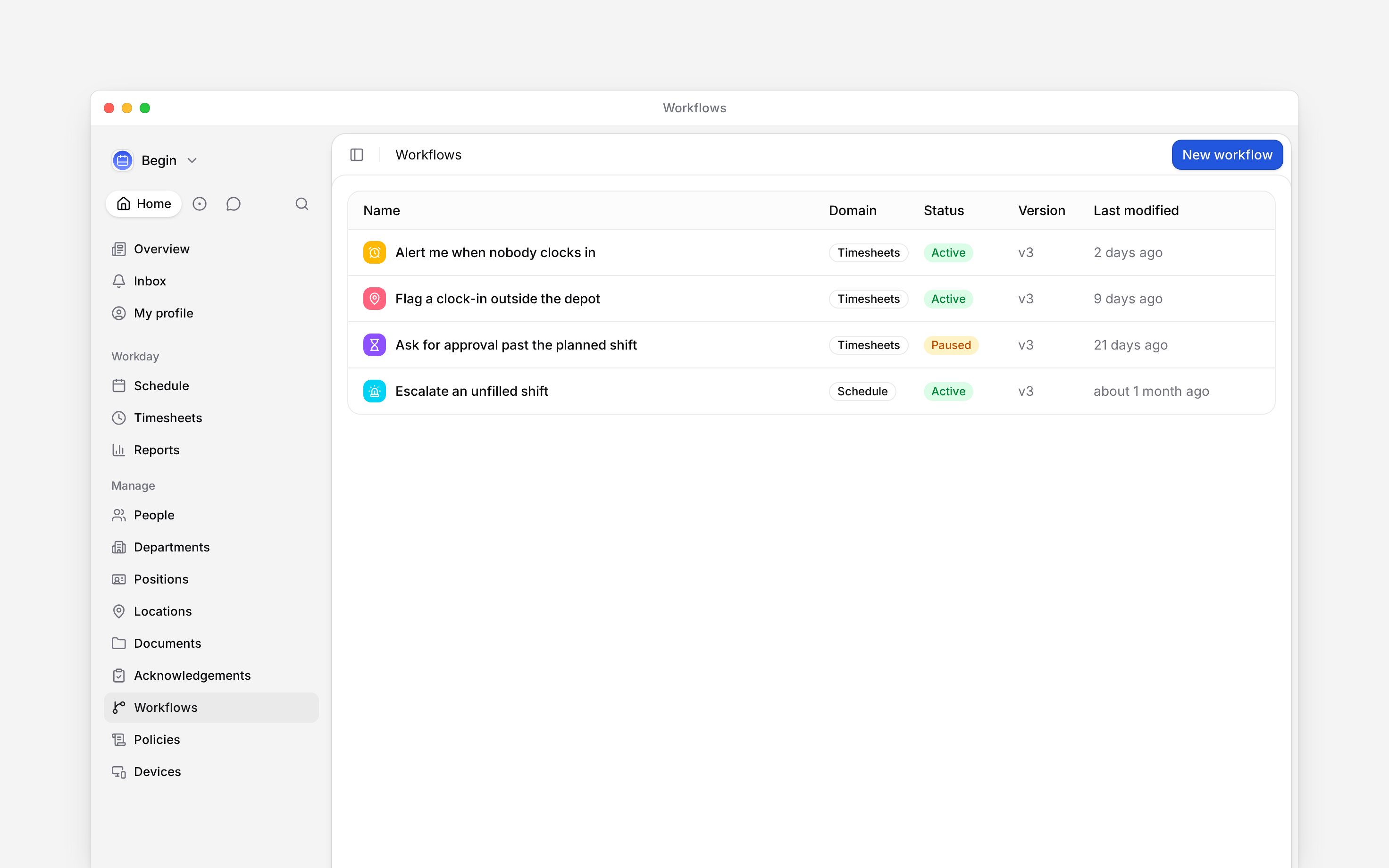
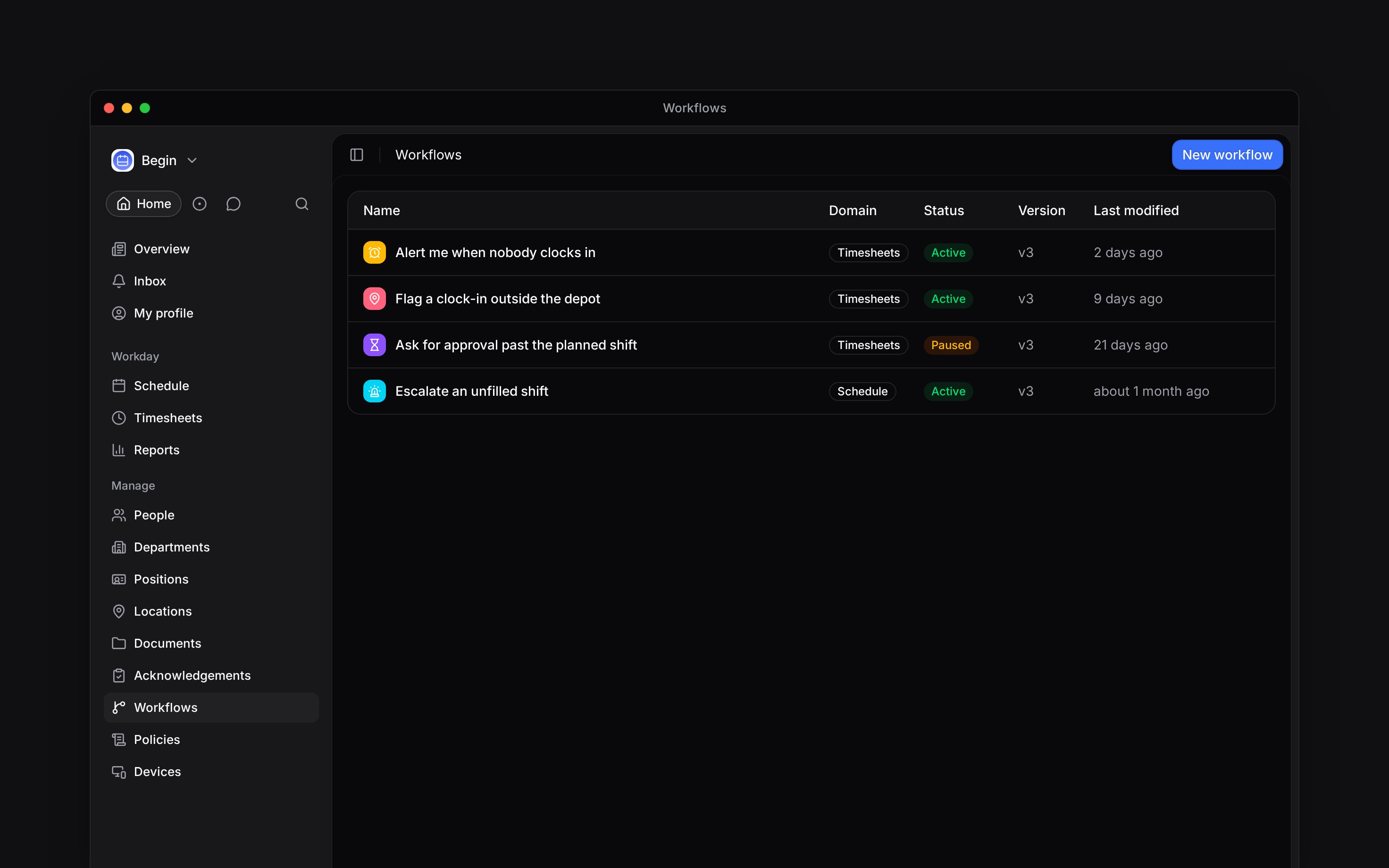
**Workflows** sits under **Manage** in the sidebar and carries its own permission. If it is not
there, your role does not have it: ask an administrator rather than looking under **Settings**.
Building, publishing and activating are the same for every domain: [Build and activate a workflow](/for-managers/workflows/building-and-activating) has the steps. Set **Domain** to **Timesheets** when you create it, and narrow the trigger where you need to: it can include or exclude by position, location, department, role or named people.
## What can start one
The **Time entry** triggers cover the life of an entry: **created**, **started**, **stopped**, **updated**, **deleted**, **approved**, **rejected**, and **Time entry status changed** for any move between **Pending**, **Needs review**, **Approved**, **Rejected** and **Cancelled**.
Two more are the ones most workspaces actually want:
* **Clock-in location outside expected area** fires on a clock-in or a clock-out landing outside the allowed location, whatever its name suggests. It is the alerting half of the geofence a clocking policy enforces.
* **Shift had no clock-in** fires when a rostered shift has started and nobody clocked in. Its **Grace period** is how long to wait first, and leaving it blank means fifteen minutes.
## What it can check, and what it can do
Conditions narrow a trigger that fires too often. Besides the entry's own **status** and **duration**, three are this domain's own: **Location distance check** measures how far a punch was from the allowed location, **Missing linked shift** catches an entry nobody matched to a rostered shift, and **Schedule vs actual** compares the entry against the shift it is linked to. That last one takes an aspect (**Clock-in time**, **Clock-out time** or **Paid duration**), a comparison (**Late**, **Early**, **Over** or **Under**) and a tolerance in minutes, so "clocked out more than fifteen minutes over the planned shift" is one block.
The actions are **Send notification**, **Request approval**, **Approve time entry**, **Reject time entry**, **Change time entry status**, **Add label** and **Remove label**. Entry status conditions and **Change time entry status** include **Cancelled**. Most useful workflows end in the first two: tell somebody, or put the entry in front of a person who can decide.
**Add label** is how a group of hours becomes its own number in a report, because the report's label filter finds what the workflow marked. A shift workflow that labels the shift arrives at the same place, since clocking in copies the shift's labels onto the entry.
Labels are rolling out gradually, so your workspace may not have them yet. If neither **Add
label** nor **Remove label** is offered, ask us to turn them on.
Build this one first: trigger on **Shift had no clock-in** with a grace period of ten minutes, filter it to the locations you are responsible for, and end it in **Send notification** to **Reports to**, with a fallback for people who have no manager set. Nobody has to watch the schedule to catch a no-show.
A workflow watches for something happening to a time entry and acts on it, with nobody looking at the page. It is how you find out that a shift started twenty minutes ago and nobody clocked in, rather than noticing at the end of the month.
**Workflows** sits under **Manage** in the sidebar and carries its own permission. If it is not
there, your role does not have it: ask an administrator rather than looking under **Settings**.
Building, publishing and activating are the same for every domain: [Build and activate a workflow](/for-managers/workflows/building-and-activating) has the steps. Set **Domain** to **Timesheets** when you create it, and narrow the trigger where you need to: it can include or exclude by position, location, department, role or named people.
## What can start one
The **Time entry** triggers cover the life of an entry: **created**, **started**, **stopped**, **updated**, **deleted**, **approved**, **rejected**, and **Time entry status changed** for any move between **Pending**, **Needs review**, **Approved**, **Rejected** and **Cancelled**.
Two more are the ones most workspaces actually want:
* **Clock-in location outside expected area** fires on a clock-in or a clock-out landing outside the allowed location, whatever its name suggests. It is the alerting half of the geofence a clocking policy enforces.
* **Shift had no clock-in** fires when a rostered shift has started and nobody clocked in. Its **Grace period** is how long to wait first, and leaving it blank means fifteen minutes.
## What it can check, and what it can do
Conditions narrow a trigger that fires too often. Besides the entry's own **status** and **duration**, three are this domain's own: **Location distance check** measures how far a punch was from the allowed location, **Missing linked shift** catches an entry nobody matched to a rostered shift, and **Schedule vs actual** compares the entry against the shift it is linked to. That last one takes an aspect (**Clock-in time**, **Clock-out time** or **Paid duration**), a comparison (**Late**, **Early**, **Over** or **Under**) and a tolerance in minutes, so "clocked out more than fifteen minutes over the planned shift" is one block.
The actions are **Send notification**, **Request approval**, **Approve time entry**, **Reject time entry**, **Change time entry status**, **Add label** and **Remove label**. Entry status conditions and **Change time entry status** include **Cancelled**. Most useful workflows end in the first two: tell somebody, or put the entry in front of a person who can decide.
**Add label** is how a group of hours becomes its own number in a report, because the report's label filter finds what the workflow marked. A shift workflow that labels the shift arrives at the same place, since clocking in copies the shift's labels onto the entry.
Labels are rolling out gradually, so your workspace may not have them yet. If neither **Add
label** nor **Remove label** is offered, ask us to turn them on.
Build this one first: trigger on **Shift had no clock-in** with a grace period of ten minutes, filter it to the locations you are responsible for, and end it in **Send notification** to **Reports to**, with a fallback for people who have no manager set. Nobody has to watch the schedule to catch a no-show.
 A clocking policy set to ask for approval writes its own workflow, and that one's trigger is
locked to the policy. Edit the rest of it freely; change which entries it fires for on the policy,
not here.
**Context for an assistant answering questions about timesheet workflows.** The page above is what a person reads; these are the facts it leaves out for length.
* **Who can:** **Workflows** is its own permission, described in the role editor as automations and reusable workflows in the workspace. It is separate from every timesheet permission, so a role can build a workflow that approves entries without itself holding **Change timesheet status**.
* **Where:** the domains are **Schedule**, **Timesheets**, **Time off**, **People** and **Begin AI**, set when the workflow is created. Blocks come in five categories: trigger, condition, logic, action and AI. A logic gate combines conditions.
* **Limits:** a workflow's trigger belongs to its domain, so a timesheets workflow cannot start from a shift being created. The grace period on a missing clock-in defaults to fifteen minutes.
* **Not supported:** there is no trigger for a period ending or for a date passing, and none for an entry that merely stays pending.
* **Terms:** a workflow is **Draft**, **Active**, **Paused** or **Archived**, and publishing creates a numbered version.
* **Often confused with:** a clocking policy, which blocks or flags the punch itself at the moment it happens. A workflow reacts afterwards and can tell somebody about it.
## Next
What to do with the entries a workflow puts in front of you.
Check which version ran and why an action failed.
## Still need help?
Email the Begin team and we'll get back to you.
Open the AI assistant and get instant answers based on these docs.
A clocking policy set to ask for approval writes its own workflow, and that one's trigger is
locked to the policy. Edit the rest of it freely; change which entries it fires for on the policy,
not here.
**Context for an assistant answering questions about timesheet workflows.** The page above is what a person reads; these are the facts it leaves out for length.
* **Who can:** **Workflows** is its own permission, described in the role editor as automations and reusable workflows in the workspace. It is separate from every timesheet permission, so a role can build a workflow that approves entries without itself holding **Change timesheet status**.
* **Where:** the domains are **Schedule**, **Timesheets**, **Time off**, **People** and **Begin AI**, set when the workflow is created. Blocks come in five categories: trigger, condition, logic, action and AI. A logic gate combines conditions.
* **Limits:** a workflow's trigger belongs to its domain, so a timesheets workflow cannot start from a shift being created. The grace period on a missing clock-in defaults to fifteen minutes.
* **Not supported:** there is no trigger for a period ending or for a date passing, and none for an entry that merely stays pending.
* **Terms:** a workflow is **Draft**, **Active**, **Paused** or **Archived**, and publishing creates a numbered version.
* **Often confused with:** a clocking policy, which blocks or flags the punch itself at the moment it happens. A workflow reacts afterwards and can tell somebody about it.
## Next
What to do with the entries a workflow puts in front of you.
Check which version ran and why an action failed.
## Still need help?
Email the Begin team and we'll get back to you.
Open the AI assistant and get instant answers based on these docs.