;
};
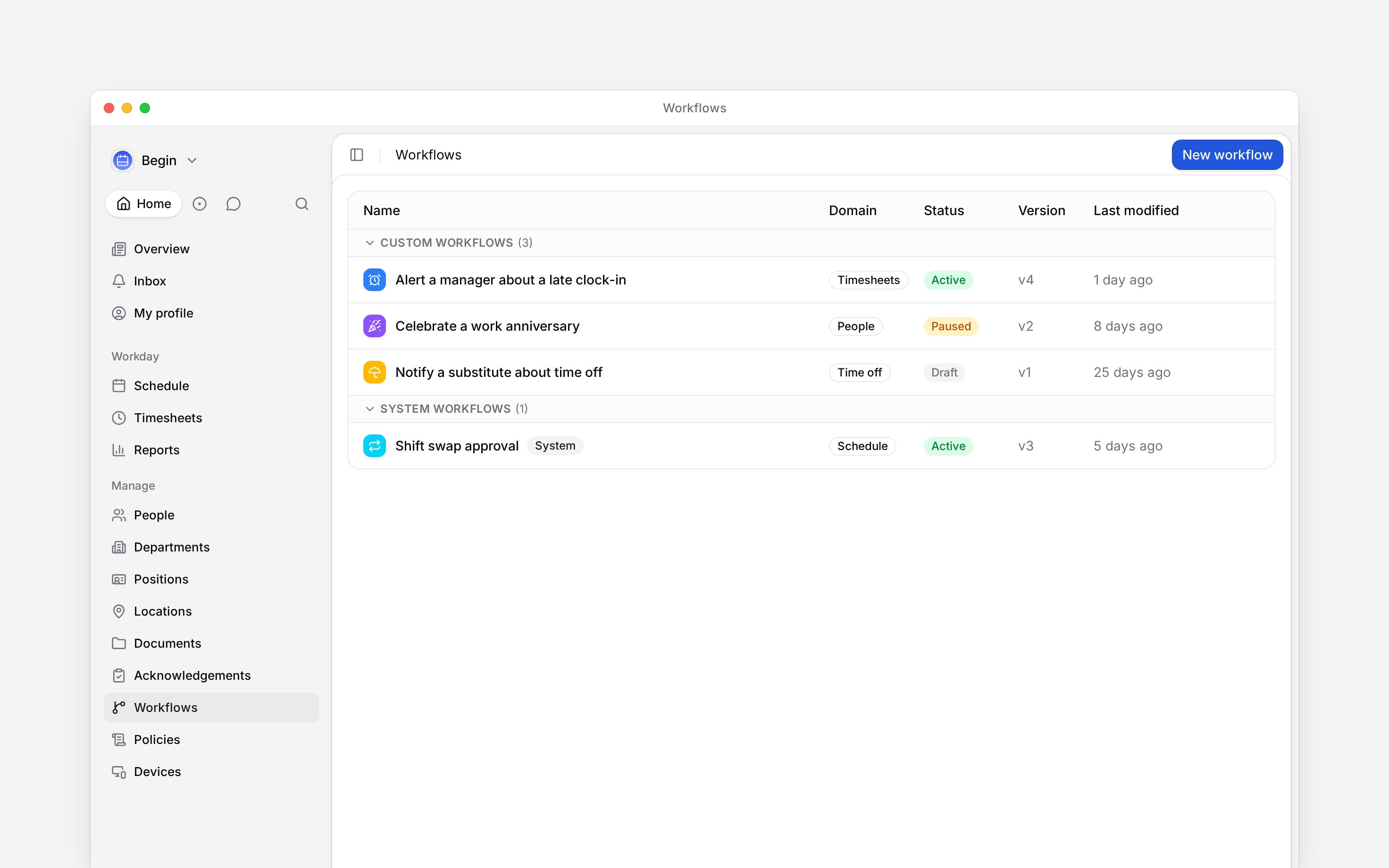
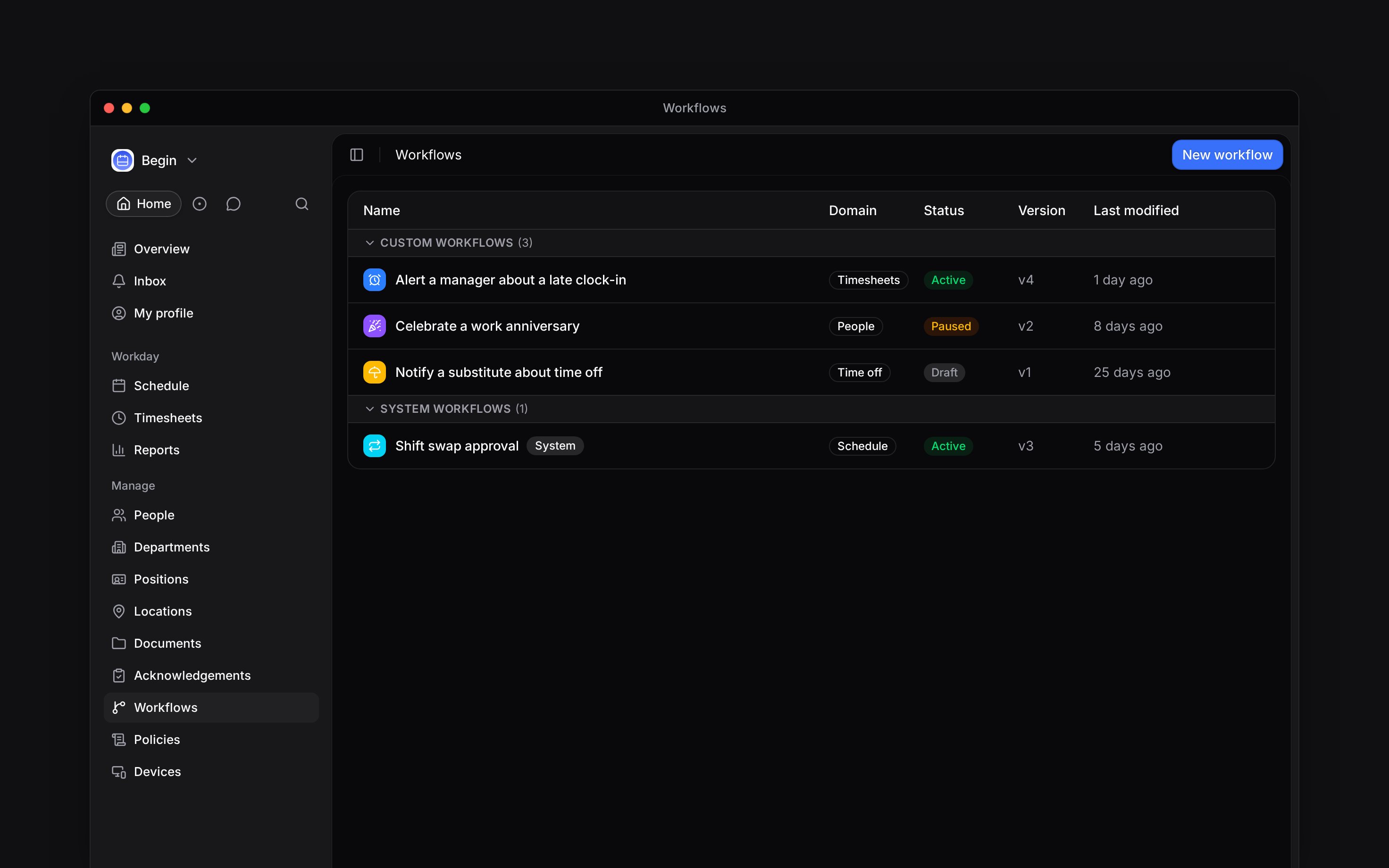
A workflow waits for an event in Begin, checks any rules you add, then takes an action. Use one when a routine decision or notification should happen without somebody watching the schedule, timesheets, time off or people pages.
**Workflows** sits under **Manage** and has its own role permissions. If you cannot see the page,
ask an administrator to give your role access.
## Start here
Build a workflow and turn it on
Choose when a workflow should run
Change what runs or stop new runs
Find out why a run failed
## Know which version runs
Building and running are separate. Your changes save to a draft. **Publish workflow** turns that draft into a numbered version, and **Activate** lets new matching events use the latest published version.
| Status | What happens next |
| ---------- | ------------------------------------------------ |
| **Draft** | Nothing runs until you publish and activate it. |
| **Active** | New matching events start the published version. |
| **Paused** | New matching events do not start this workflow. |
Built-in workflows appear under **System workflows**. You can adjust their settings, but their protected trigger and action blocks keep the product flow they belong to.
**Context for an assistant answering questions about workflows.** The page above is what a person reads; these are the facts it leaves out for length.
* **Who can:** opening and reading **Workflows** require the workflow access and read permissions. Creating needs create permission; editing, publishing, activating and pausing need update permission. Managers and administrators have all of these by default. Employees do not.
* **Where:** **Workflows** is under **Manage**. The command palette can open the page or start **New workflow** for a role with matching access.
* **Limits:** Free includes up to two custom workflows, Standard up to five, and Pro has no custom-workflow cap. Draft custom workflows count; system workflows do not.
* **Not supported:** a workflow does not run from its saved draft. It runs a published version only while active.
* **Terms:** custom workflows are created by the workspace. System workflows are built in or created for another product rule, and cannot be deleted.
## Next
Create the draft, connect its blocks, publish a version and turn it on.
Choose the event that starts the workflow and the rules that narrow it.
## Still need help?
Email the Begin team and we'll get back to you.
Open the AI assistant and get instant answers based on these docs.

 A workflow waits for an event in Begin, checks any rules you add, then takes an action. Use one when a routine decision or notification should happen without somebody watching the schedule, timesheets, time off or people pages.
 **Context for an assistant answering questions about workflows.** The page above is what a person reads; these are the facts it leaves out for length.
* **Who can:** opening and reading **Workflows** require the workflow access and read permissions. Creating needs create permission; editing, publishing, activating and pausing need update permission. Managers and administrators have all of these by default. Employees do not.
* **Where:** **Workflows** is under **Manage**. The command palette can open the page or start **New workflow** for a role with matching access.
* **Limits:** Free includes up to two custom workflows, Standard up to five, and Pro has no custom-workflow cap. Draft custom workflows count; system workflows do not.
* **Not supported:** a workflow does not run from its saved draft. It runs a published version only while active.
* **Terms:** custom workflows are created by the workspace. System workflows are built in or created for another product rule, and cannot be deleted.
## Next
**Context for an assistant answering questions about workflows.** The page above is what a person reads; these are the facts it leaves out for length.
* **Who can:** opening and reading **Workflows** require the workflow access and read permissions. Creating needs create permission; editing, publishing, activating and pausing need update permission. Managers and administrators have all of these by default. Employees do not.
* **Where:** **Workflows** is under **Manage**. The command palette can open the page or start **New workflow** for a role with matching access.
* **Limits:** Free includes up to two custom workflows, Standard up to five, and Pro has no custom-workflow cap. Draft custom workflows count; system workflows do not.
* **Not supported:** a workflow does not run from its saved draft. It runs a published version only while active.
* **Terms:** custom workflows are created by the workspace. System workflows are built in or created for another product rule, and cannot be deleted.
## Next