> ## Documentation Index
> Fetch the complete documentation index at: https://docs.begin.eu/llms.txt
> Use this file to discover all available pages before exploring further.
# Control AI and early access
> Choose whether members can use Begin AI and try early features in this workspace.

 Use the workspace controls to decide whether your team can use Begin AI and receive early features. Both choices apply to the current workspace, including other members.
 You need **Manage workspace settings** to change these controls.
## Choose whether your team can use AI
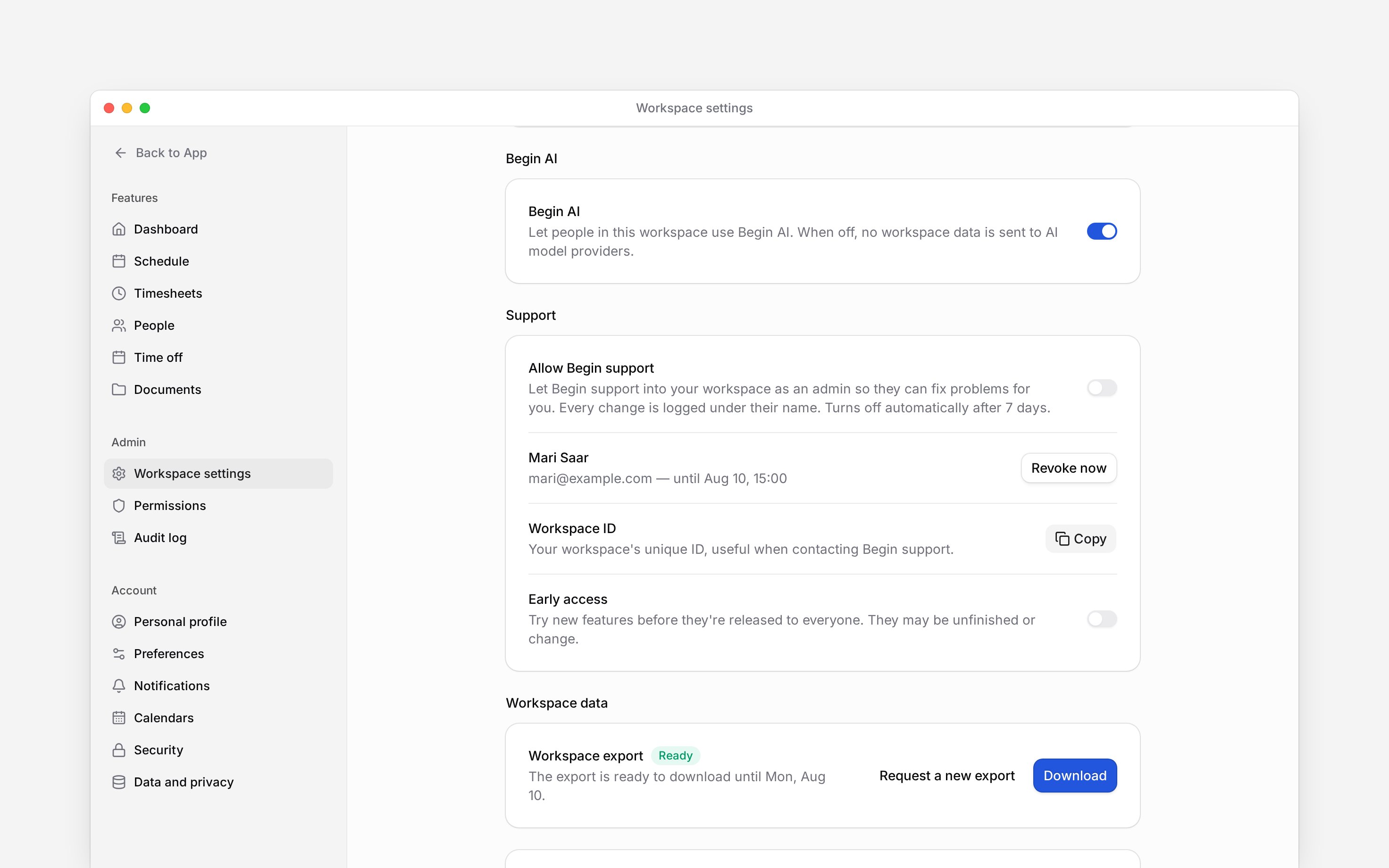
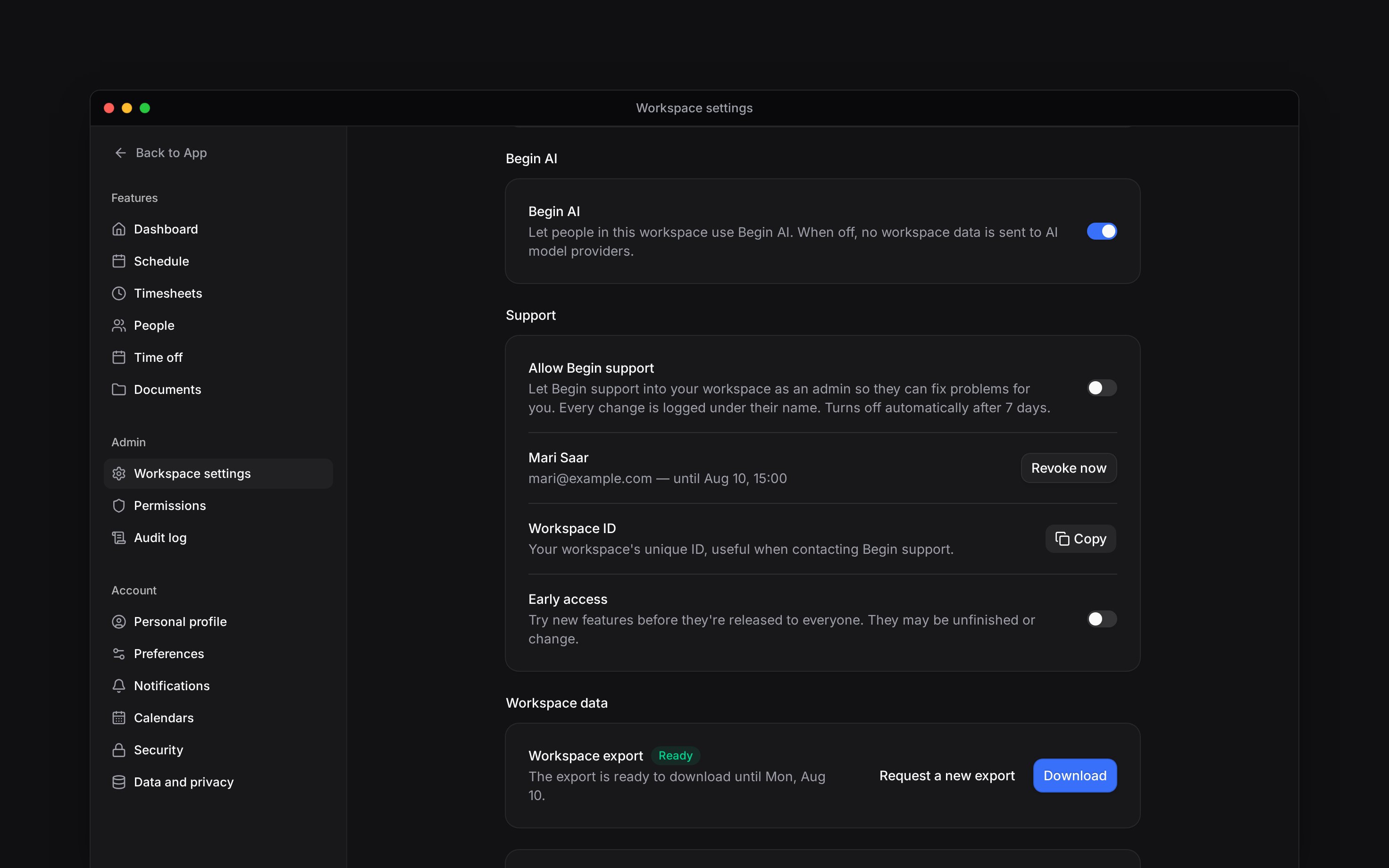
Go to **Settings → Workspace settings** and find **Begin AI** below **Time & region**.
Turn the switch on to allow people in this workspace to use Begin AI, or off to stop workspace
AI access.
Wait for **Begin AI turned on** or **Begin AI turned off**. The change applies to everyone in
this workspace.
When Begin AI is off, no workspace data is sent to AI model providers through Begin AI. This is a shared access control. Hiding Begin AI from your own sidebar in **Preferences** does not turn it off for anyone.
Turning the switch on does not grant extra permissions or increase your plan's AI allowance. Members still work within their own access and the workspace's available allowance.
## Choose whether to try early features
In the **Support** group on the same page, use **Early access**. Turn it on if your team wants to try features before they are released to everyone. Turn it off to stop opting into early access.
Early features may be unfinished or change. Tell colleagues before changing this shared preference so that new or changed controls do not surprise them.
Early access is a preference, not a guarantee that every unreleased feature appears. Individual
features can still depend on availability, permissions and your plan. Check the feature's own
guide when a control is missing.
* Begin AI and Early access save independently through workspace settings; neither is an account preference.
* A workspace without a saved AI choice defaults to enabled. A workspace without an early-access preference defaults to off.
* Backend AI entry points enforce the workspace AI switch; this is not only a navigation visibility choice.
* The early-access preference participates in feature targeting. It is not a substitute for per-feature availability and permission checks.
* Turning off the workspace switch does not remove an external AI client's saved authorisation. Connected-client revocation is a separate account security action.
## Next
Adjust your own interface.
Check workspace allowances.
## Still need help?
Email the Begin team and we'll get back to you.
Open the AI assistant and get instant answers based on these docs.
You need **Manage workspace settings** to change these controls.
## Choose whether your team can use AI
Go to **Settings → Workspace settings** and find **Begin AI** below **Time & region**.
Turn the switch on to allow people in this workspace to use Begin AI, or off to stop workspace
AI access.
Wait for **Begin AI turned on** or **Begin AI turned off**. The change applies to everyone in
this workspace.
When Begin AI is off, no workspace data is sent to AI model providers through Begin AI. This is a shared access control. Hiding Begin AI from your own sidebar in **Preferences** does not turn it off for anyone.
Turning the switch on does not grant extra permissions or increase your plan's AI allowance. Members still work within their own access and the workspace's available allowance.
## Choose whether to try early features
In the **Support** group on the same page, use **Early access**. Turn it on if your team wants to try features before they are released to everyone. Turn it off to stop opting into early access.
Early features may be unfinished or change. Tell colleagues before changing this shared preference so that new or changed controls do not surprise them.
Early access is a preference, not a guarantee that every unreleased feature appears. Individual
features can still depend on availability, permissions and your plan. Check the feature's own
guide when a control is missing.
* Begin AI and Early access save independently through workspace settings; neither is an account preference.
* A workspace without a saved AI choice defaults to enabled. A workspace without an early-access preference defaults to off.
* Backend AI entry points enforce the workspace AI switch; this is not only a navigation visibility choice.
* The early-access preference participates in feature targeting. It is not a substitute for per-feature availability and permission checks.
* Turning off the workspace switch does not remove an external AI client's saved authorisation. Connected-client revocation is a separate account security action.
## Next
Adjust your own interface.
Check workspace allowances.
## Still need help?
Email the Begin team and we'll get back to you.
Open the AI assistant and get instant answers based on these docs.