


 Connect Claude or ChatGPT to ask about your shifts and time entries, or change your own availability and time-off requests where your role allows it. Begin MCP connects the client to your Begin account through the Model Context Protocol.
Your account’s permissions still apply. Access to a colleague’s schedule does not grant access to their timesheets or private time-off details.
Connect Claude or ChatGPT to ask about your shifts and time entries, or change your own availability and time-off requests where your role allows it. Begin MCP connects the client to your Begin account through the Model Context Protocol.
Your account’s permissions still apply. Access to a colleague’s schedule does not grant access to their timesheets or private time-off details.
Connect your client
Usehttps://api.begin.eu/mcp as the remote MCP server URL. Sign in with your Begin account when the client opens the authorisation page, then approve the connection.
Your AI client must support remote MCP connections. Follow its current setup guide for the account or organisation you use:
An organisation administrator may need to make the connection available before you can authorise it. This is separate from your employer granting permissions inside Begin.
Check the workspace and ask
The connection is pinned to whichever Begin workspace is active on its first use. Switching workspace later in the web app does not move an existing connection. Ask the client which workspace it is connected to before asking it to make changes.What shifts do I have next week?
Show my time entries waiting for approval this month.
Revoke or change the connection
Open Settings → Security → Connected MCP clients. On a phone, choose More → Profile & settings → Personal profile, then use the top-left settings navigation button and choose Security. Use Connected MCP clients to check a connection’s workspace and last activity, revoke one client, or revoke all clients.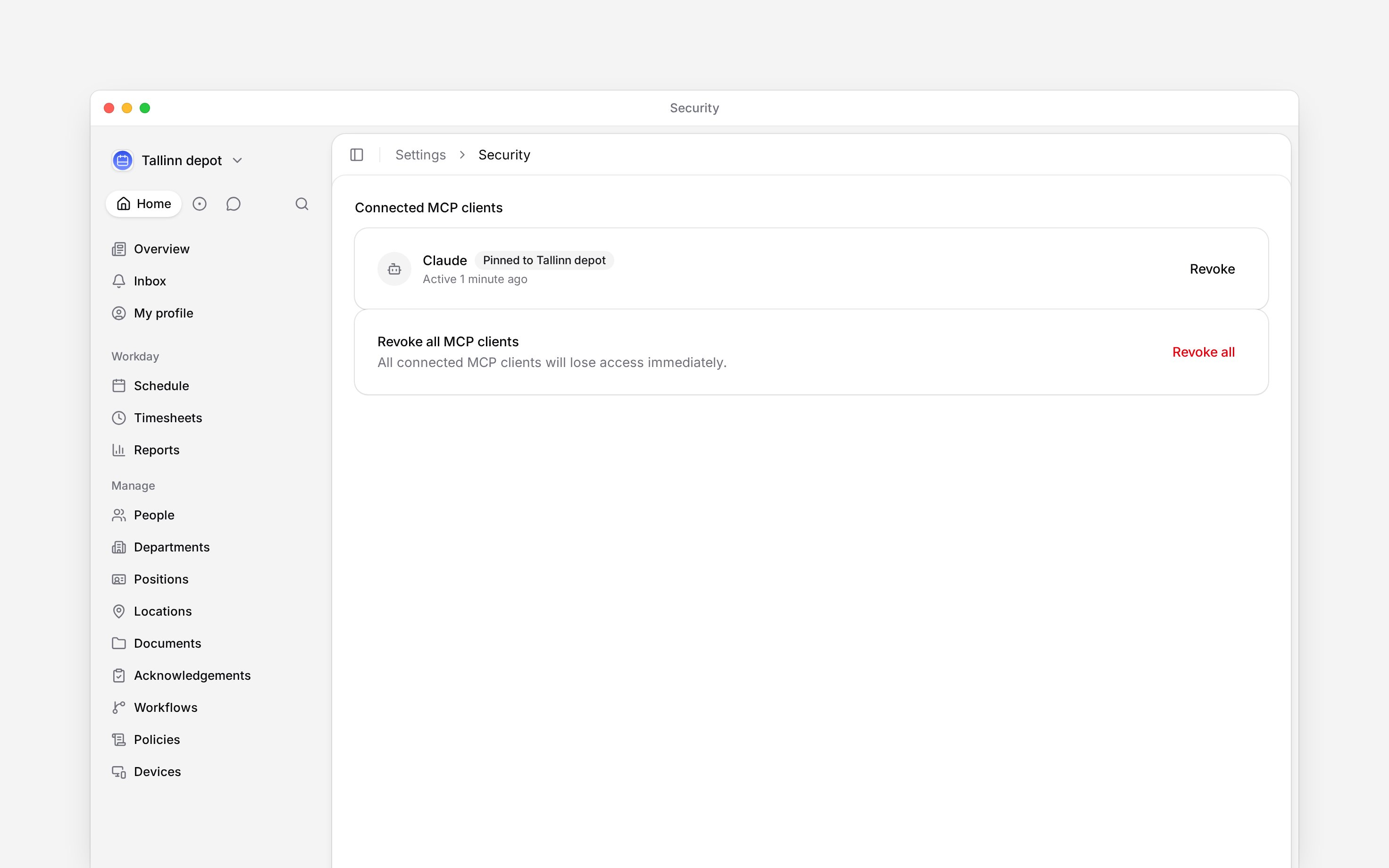
Next
Connect your calendar
Read your schedule in a calendar app.
Begin AI for your work
Ask about your work inside Begin.
Still need help?
Contact support
Email the Begin team and we’ll get back to you.
Ask Begin AI
Open the AI assistant and get instant answers based on these docs.