


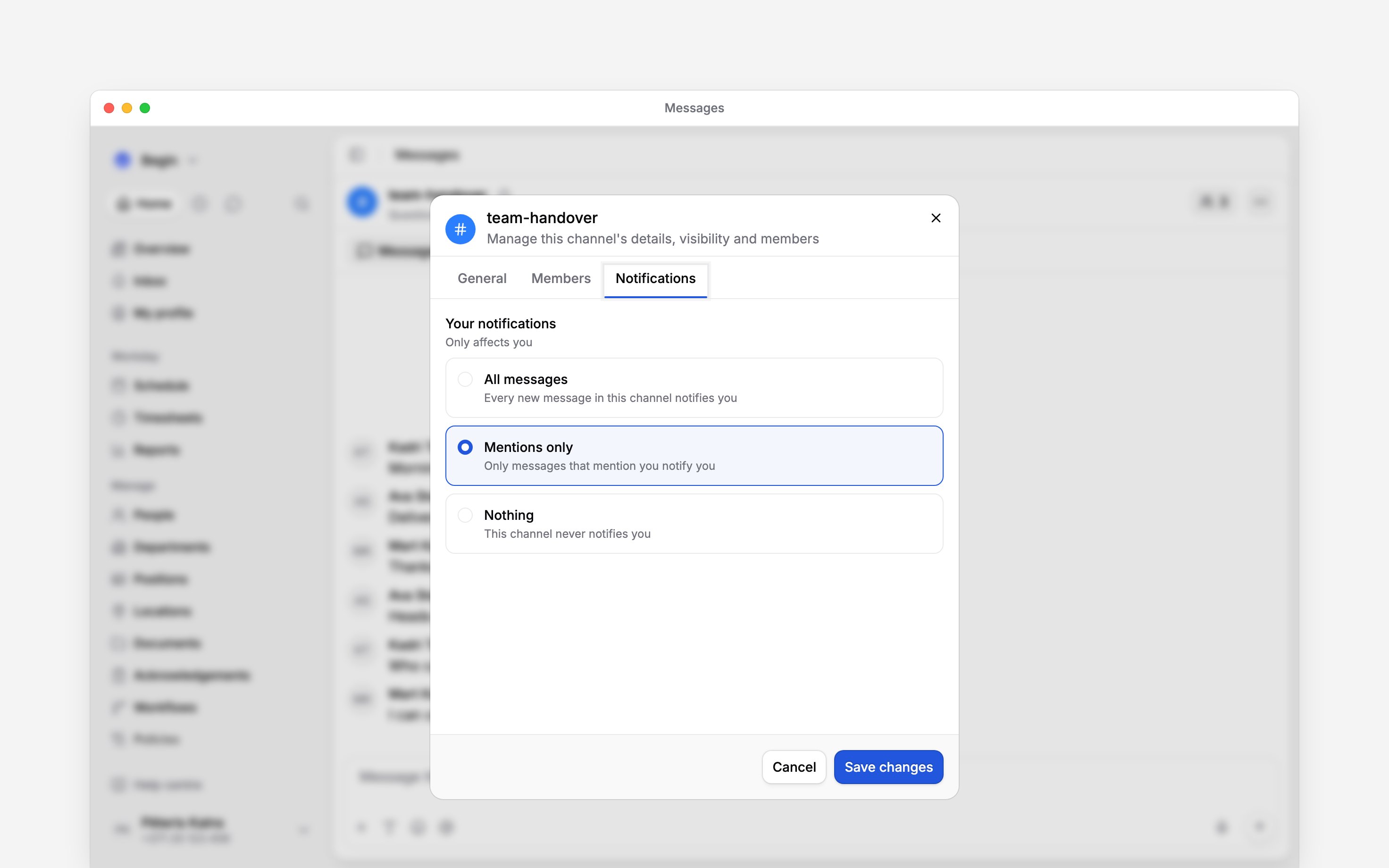
 Choose which channel messages can notify you. These preferences affect you; they do not change your colleagues’ alerts. For all work notifications, delivery hours and temporary pauses, use Notification settings.
Quiet one channel
1
Open the channel’s settings
Click the people count in the channel header, then choose the Notifications tab. On a phone,
open the channel’s three-dot menu and choose View members first. You must be a member of the
channel.
2
Choose Your notifications
Select All messages, Mentions only or Nothing.
3
Save your choice
Click Save changes. The setting applies to this channel for you.
Enable chat alerts on your phone
On a phone, open More → Profile & settings → Notifications. If this opens a submenu, choose Notifications again. Then open Mobile app. On a computer, open Settings → Notifications → Mobile app. Turn on Enable mobile app notifications and the Messages setting for new messages, mentions and thread replies.Inbox notification settings do not create copies of your conversations. Unread messages stay in
Messages.
Get an email about unread messages
If chat messages stay unread for an hour while you are away from Begin, Begin emails you the newest ones, grouped by conversation. You get at most one such email every four hours, and a message is never emailed twice. Reading the conversation or returning to Begin first cancels it. The email is on by default. To turn it off, open Settings → Notifications → Email and switch off Messages. A channel set to Nothing is never emailed, and one set to Mentions only is emailed only for mentions and replies to you.Check a missing alert
Check the channel’s preference, the Messages toggle and the mobile-app master switch first. Then check your delivery schedule, an active pause or approved leave, and the device’s notification permission for Begin. Begin avoids sending another push when you are already actively viewing that conversation. A mention only reaches eligible members of the conversation. A reply alerts the original message’s author rather than every person who has replied.Next
Finding messages
Find an earlier message, keep important information in Pins, and return to unread work.
Notification settings
Choose when work notifications reach your phone, email and Inbox.
Still need help?
Contact support
Email the Begin team and we’ll get back to you.
Ask Begin AI
Open the AI assistant and get instant answers based on these docs.