


 Open My profile → Job & pay to read the employment terms your employer has recorded for you. On your phone, open My profile from More, then choose Job & pay.
Check your current terms
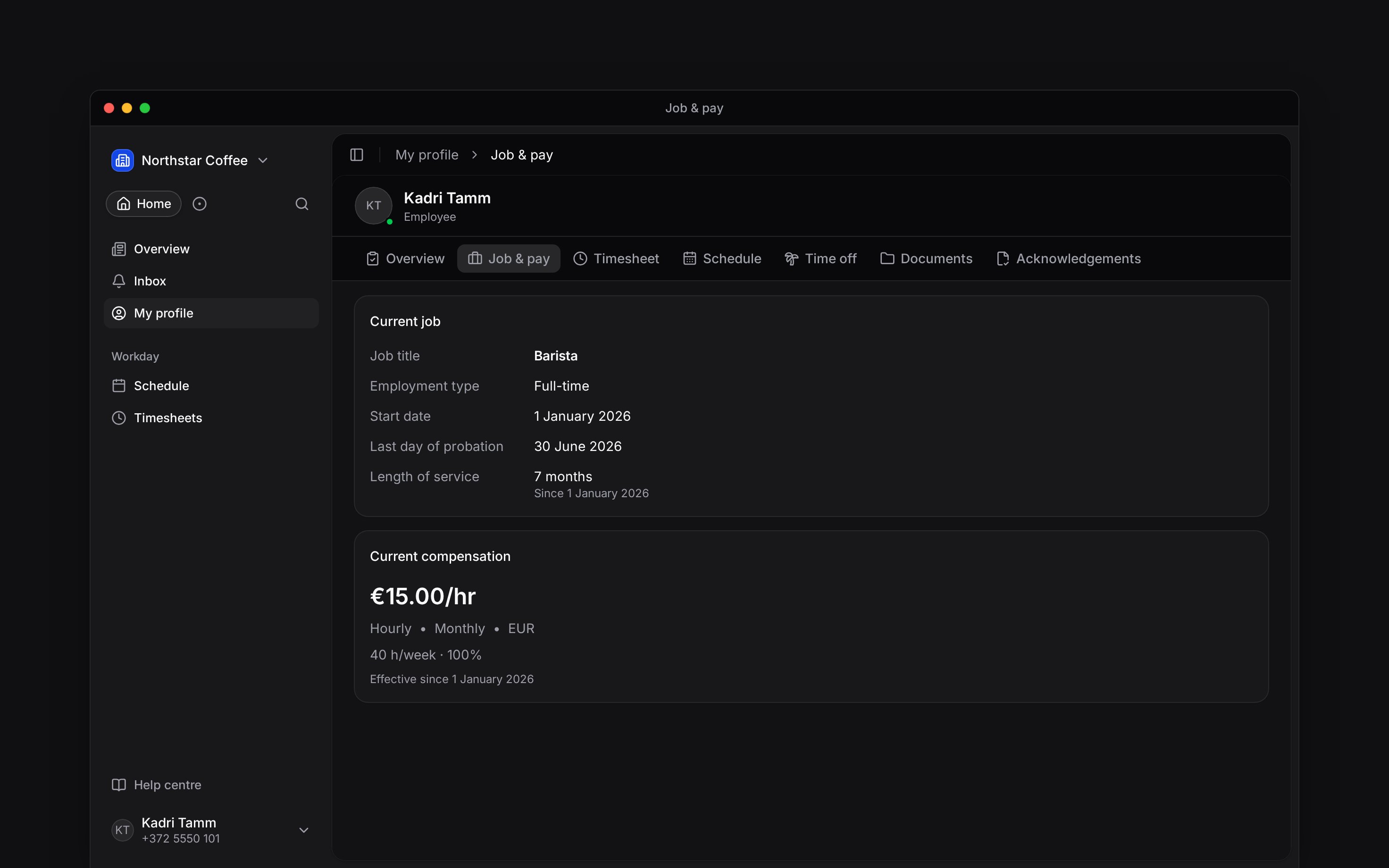
Current job shows your job title, employment type, start date and reporting manager when recorded. A fixed end date appears when your employer has entered one, and so does Last day of probation when your contract has a probation period. Approved time off inside probation moves that date later by the same number of days, unless your contract says otherwise; the calendar button beside it lists the time off that moved it. Length of service counts your continuous employment with the date it counts from, so a promotion or a back-to-back contract does not restart it. Current compensation shows your pay rate and currency, payment frequency and contracted hours when provided. Check its effective date. A future change can appear below the current rate with the date it takes effect. Pay amount not recorded means your employer has saved some terms without an amount, or cleared an amount. The saved pay settings and contracted hours still appear. Ask your employer to complete the amount; it does not mean your rate is zero.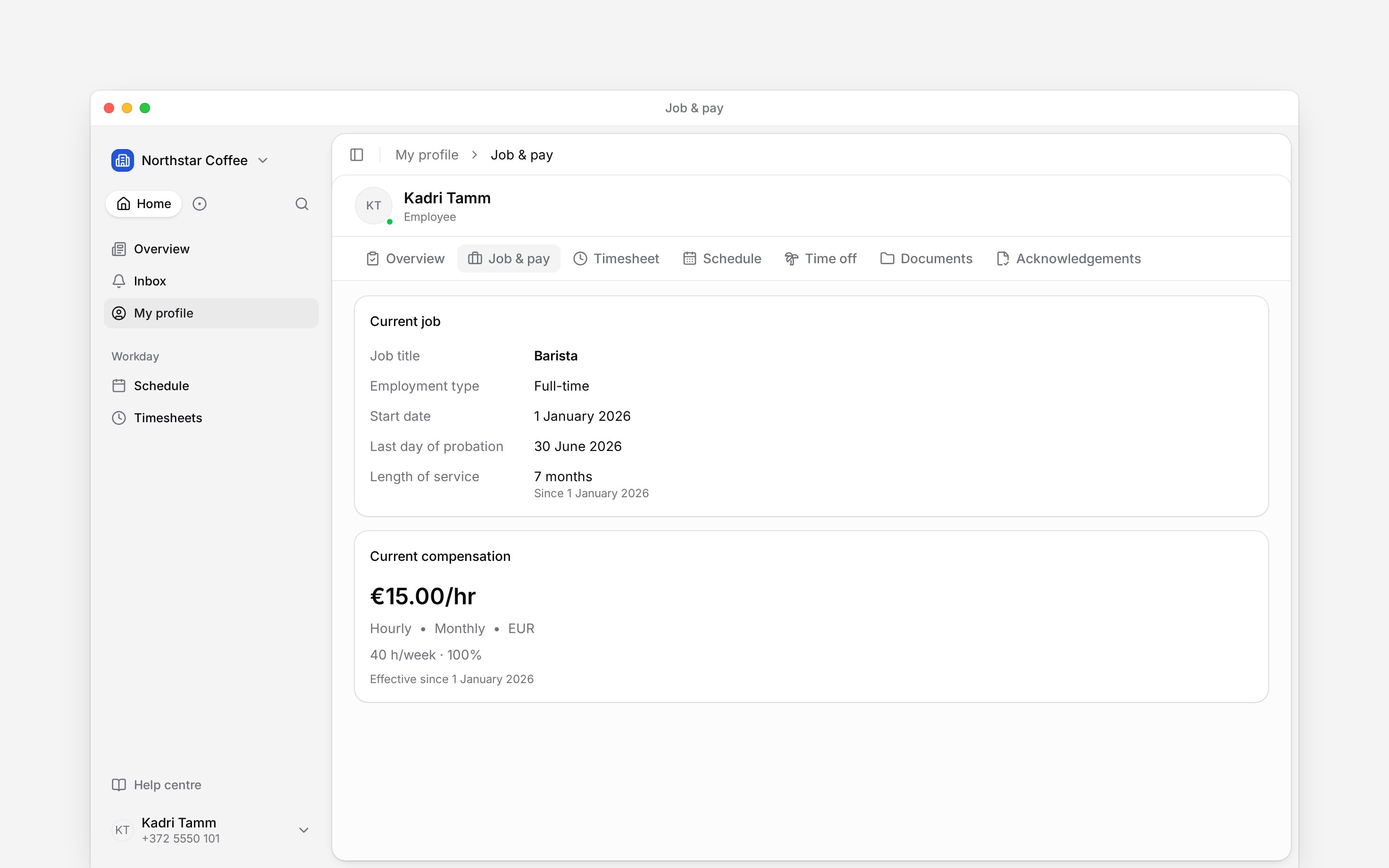
This page records agreed terms. It is not a payslip or a calculation of what will arrive in your
bank account. Use Timesheets to check recorded hours
and ask your employer about payroll.
Look back at changes
Compensation history lists recorded terms and their effective dates, including periods whose amount is unknown. Job history keeps previous employment periods. A date shown as Unknown means it was not recorded; do not read it as today’s date.Ask for a correction
You cannot edit your job or pay here. Tell your manager which record, value and date look wrong. If the page has no job or pay details yet, ask them whether those records have been entered. A job record and a signed contract are separate records. Open your documents when you need the agreement itself.Next
Finding documents
Find the agreement behind your employment terms.
Viewing your hours
Check recorded work and its approval status.
Still need help?
Contact support
Email the Begin team and we’ll get back to you.
Ask Begin AI
Open the AI assistant and get instant answers based on these docs.