


 Use the starter-details link your employer sent to complete the form in your browser. The details go to your employer’s record for you. If the page opens on an offer, answer it first.
Beta
Guided onboarding is rolling out gradually. You need a link from your employer; this form is
separate from signing in to Begin.
Complete and save each section
1
Check Your details
Enter or correct the information shown, including your email and phone. Use an email you can
receive messages at. Check any date of birth or gender filled from your personal identification
number.
2
Save the section
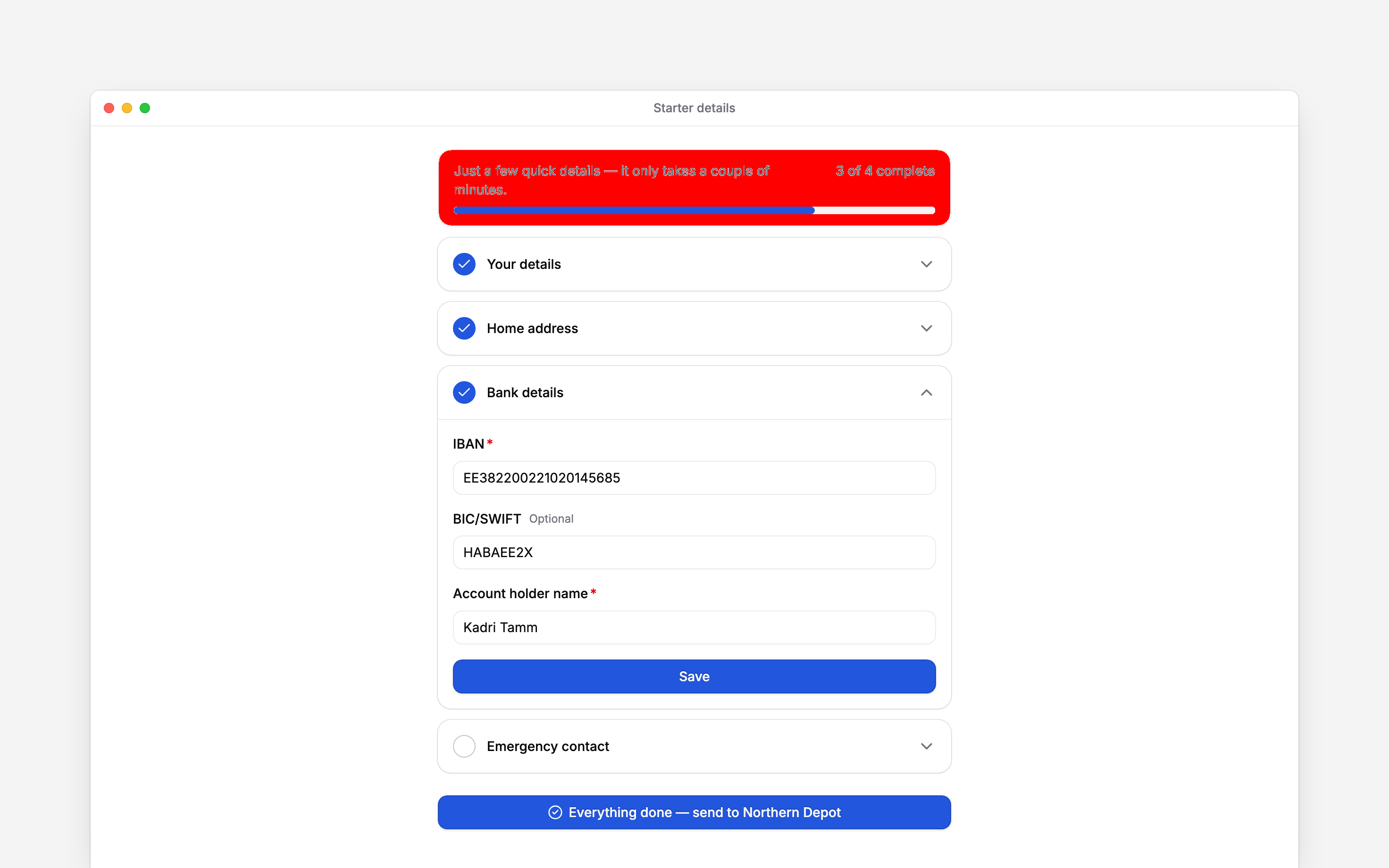
Choose Save. The section gains a completion mark and the next incomplete section opens.
3
Complete the remaining sections
Work through Home address, Bank details and Emergency contact. If A few more
details appears, complete the additional fields your employer asks for.
Send the completed form
Once every required field is complete, choose the button beginning Everything done at the bottom of the form. The thank-you page confirms that your details have been sent to your manager. A first-day date appears when your employer has provided one.Saving the sections is not the final submission. Use the button at the bottom and wait for the
thank-you page.
If something stops you
Correct the field named in an error, such as an invalid IBAN or an email already used by another person. If you do not know a required answer, ask your employer rather than inventing one. This link is no longer valid means you need to contact your manager for a new link. After submission, ask them about corrections. Your invitation to join Begin can arrive separately after your details or contract are ready.Next
Joining a workspace
Accept the separate invitation to Begin.
Signing a document
Complete a document-signing request when one arrives.
Still need help?
Contact support
Email the Begin team and we’ll get back to you.
Ask Begin AI
Open the AI assistant and get instant answers based on these docs.