


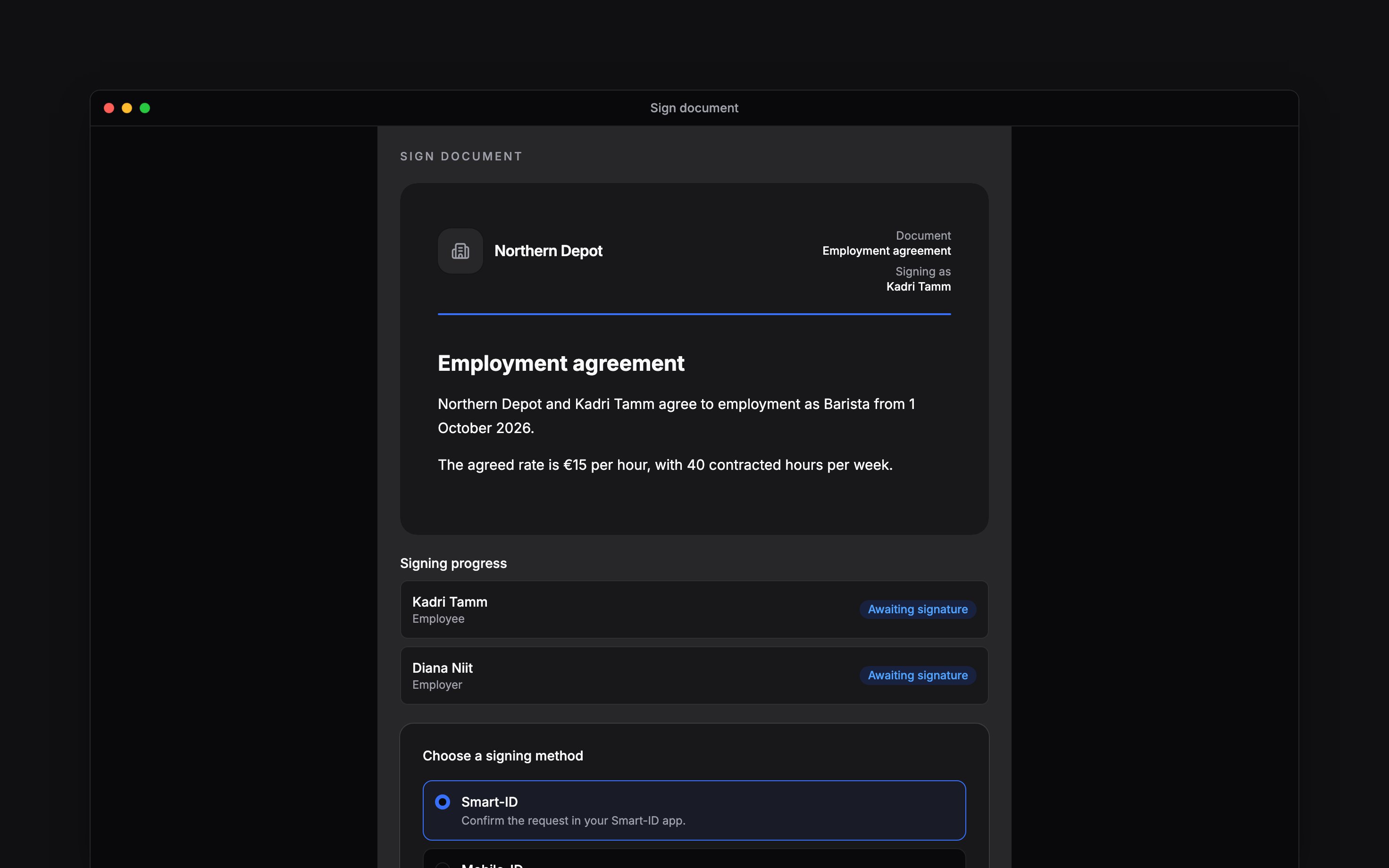
 Open the signing link your employer sends to read and sign a document. You do not need to sign in to Begin first. Check the document name, sender and Signing as name before continuing.
Beta
Document signing is rolling out gradually. This guide applies when your employer sends you a
signing request; ask the sender if you are expecting a link.
Read before signing
Read to the end of the document, scrolling inside its preview when needed. If you cannot read it, or the name or terms are wrong, contact the sender before signing. A Download PDF action appears when a PDF is available.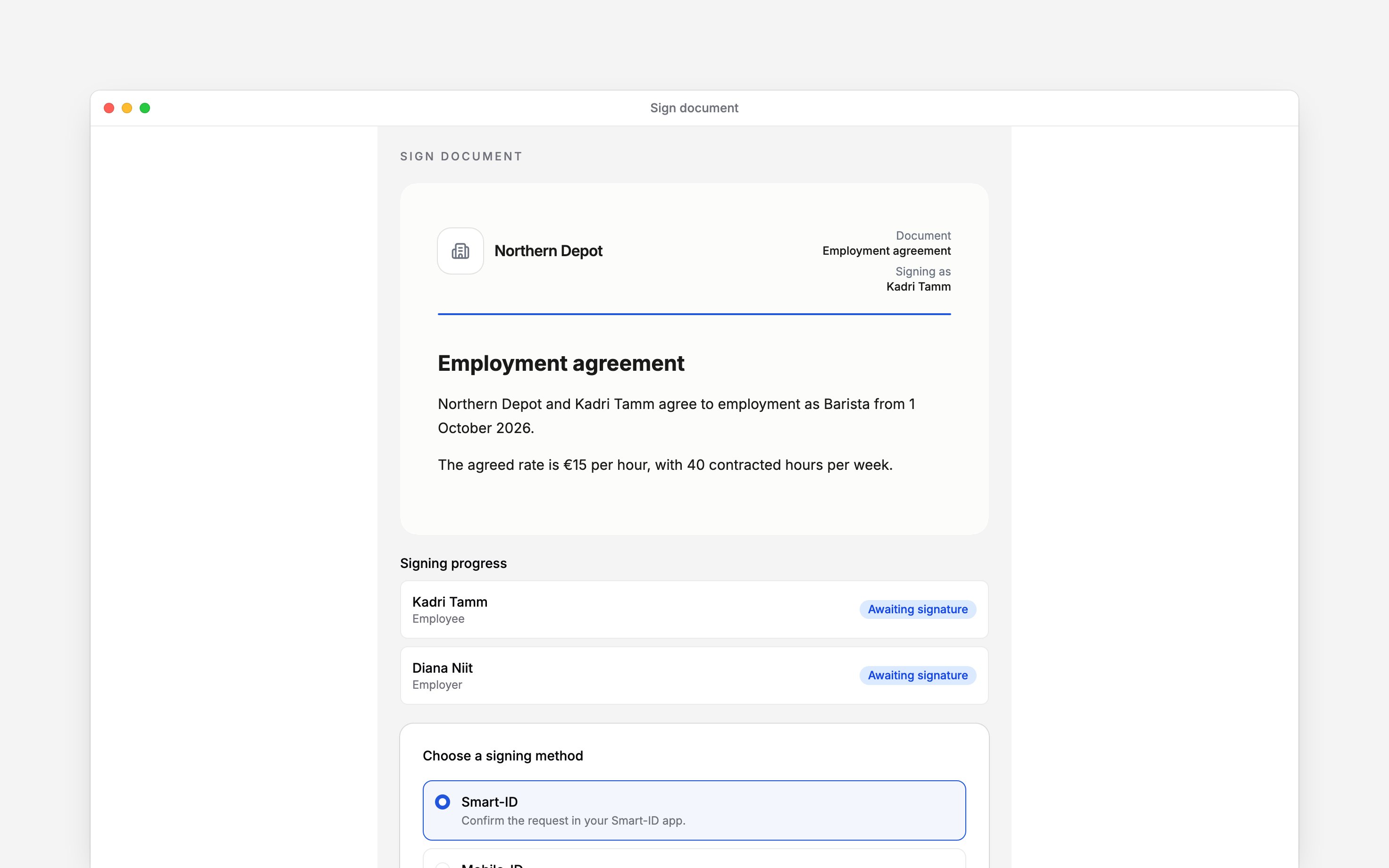
Add your signature
1
Choose a method
Choose an available signing method, then Continue. The choices can include Smart-ID,
Mobile-ID, ID-card or eParaksts, depending on the workspace’s country.
2
Provide the requested details
For Smart-ID, check the country and personal identification number. Mobile-ID also asks for your
phone number. Follow the on-screen instructions for your method.
3
Complete the identity check
Start signing and follow your identity provider’s prompt. If a verification code appears, check
it matches before confirming.
4
Check the result
Wait for Thank you for signing. Signing progress shows whether the other people have
signed too.
Sign by drawing
Some employers ask you to draw your signature instead of using an electronic ID. The page then shows a signature box in place of the method choice.1
Draw your signature
Draw in the box with your finger or mouse. Choose Clear to start again.
2
Sign
Choose Sign. If the box is empty, the page asks you to draw first.
Decline or resolve a failed link
If you do not agree, choose Decline to sign, optionally enter a reason, then choose Decline. The signing round closes as declined; contact the sender if the document needs changing. This signing link is no longer valid can mean the link expired or signing was closed. Ask the sender for a current request. A connection error offers Try again; it does not mean you have declined or signed.Next
Finding documents
Find your agreement again inside Begin.
Completing acknowledgements
Respond when your employer asks you to read and confirm.
Still need help?
Contact support
Email the Begin team and we’ll get back to you.
Ask Begin AI
Open the AI assistant and get instant answers based on these docs.