


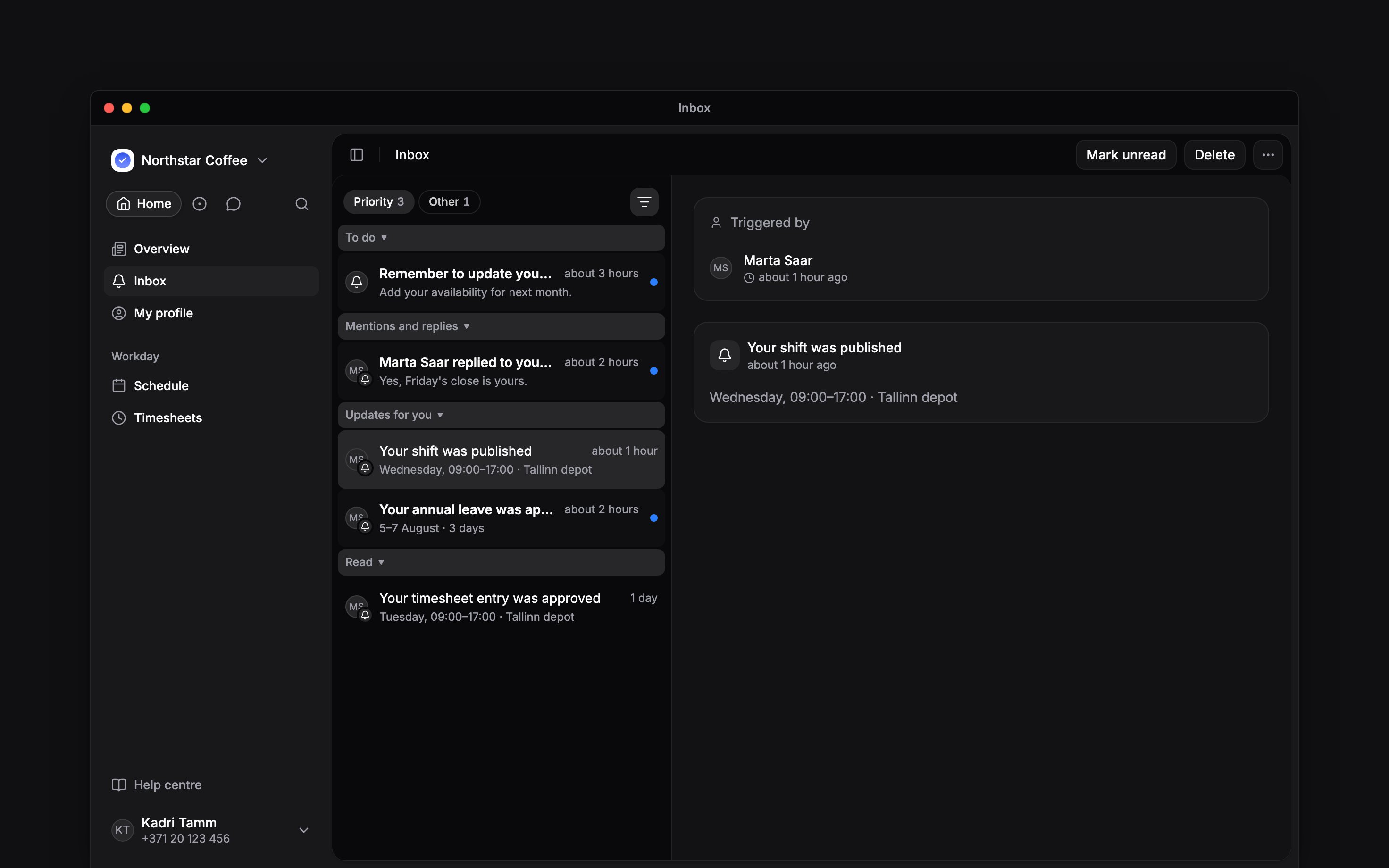
 Inbox holds updates sent to you about your work, requests and company information. Open it from your navigation; on a phone, look under More if it is not shown among your shortcuts. It opens on Priority, which holds what needs you or is about you; Other holds the rest.
Or ask Begin AI (Cmd / Ctrl + J):
Inbox holds updates sent to you about your work, requests and company information. Open it from your navigation; on a phone, look under More if it is not shown among your shortcuts. It opens on Priority, which holds what needs you or is about you; Other holds the rest.
Or ask Begin AI (Cmd / Ctrl + J):
What's in my priority inbox?
Find where an update sits
Each tab shows how many unread items it holds. Inside a tab, items sit in sections, and a section appears only while it holds something. Each tab ends with Read, which holds its read items, newest first.Read first, then respond
Opening an item marks it read. With sections on, it moves to Read once you leave Inbox, switch tab or change a filter. It does not accept an offer, confirm a document or approve a request: use the action on the item, wherever it sits, when a response is needed.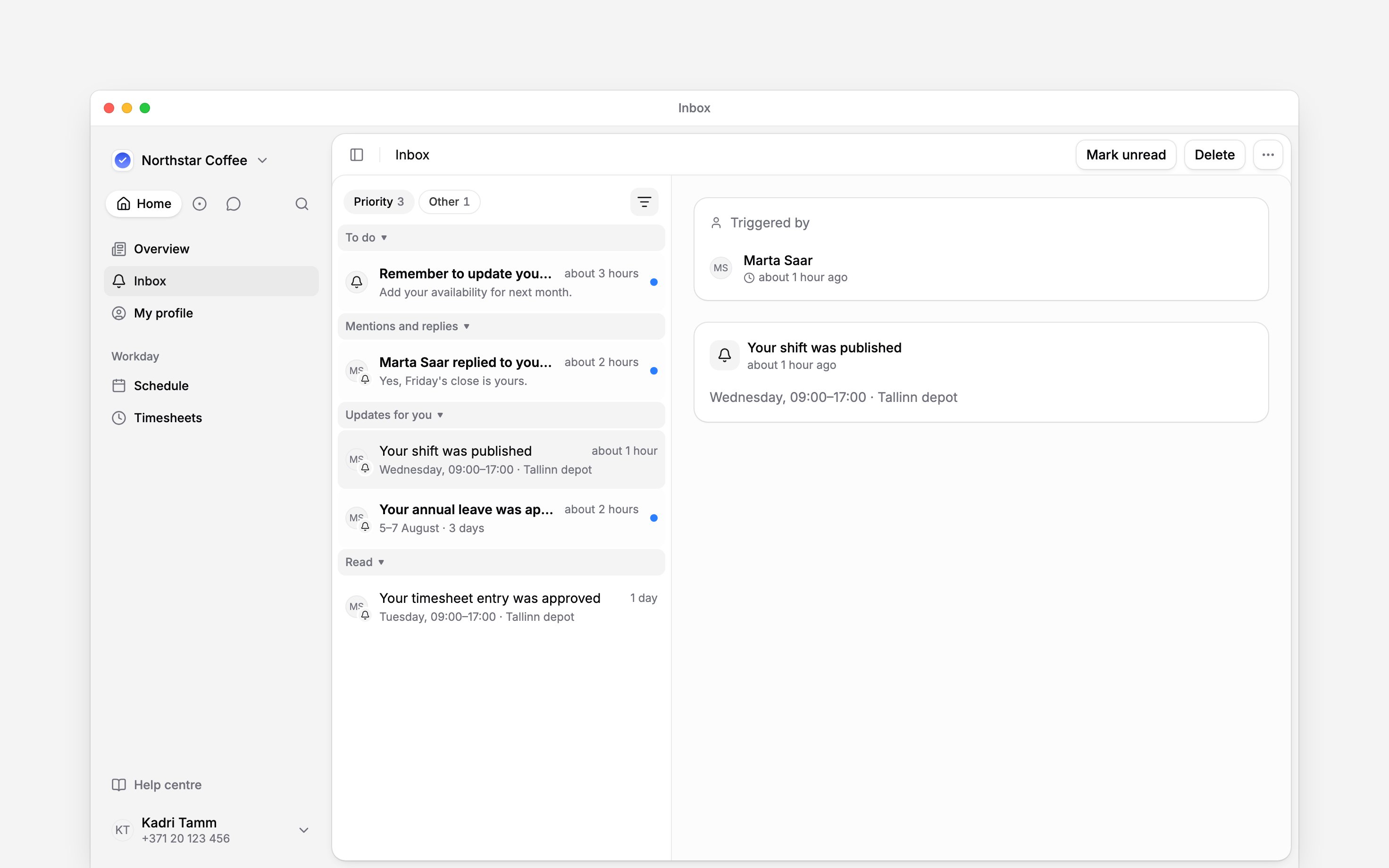
Keep messages separate
Your conversations stay in Messages. Chat alerts can reach the mobile app, but do not create matching Inbox items or email copies. Message alerts explains those controls. Inbox items belong to the selected workspace. Switch workspace before looking for an update from another employer.Next
Reading and responding
Check what changed and what to do next.
Notification settings
Choose how updates reach you.
Still need help?
Contact support
Email the Begin team and we’ll get back to you.
Ask Begin AI
Open the AI assistant and get instant answers based on these docs.