


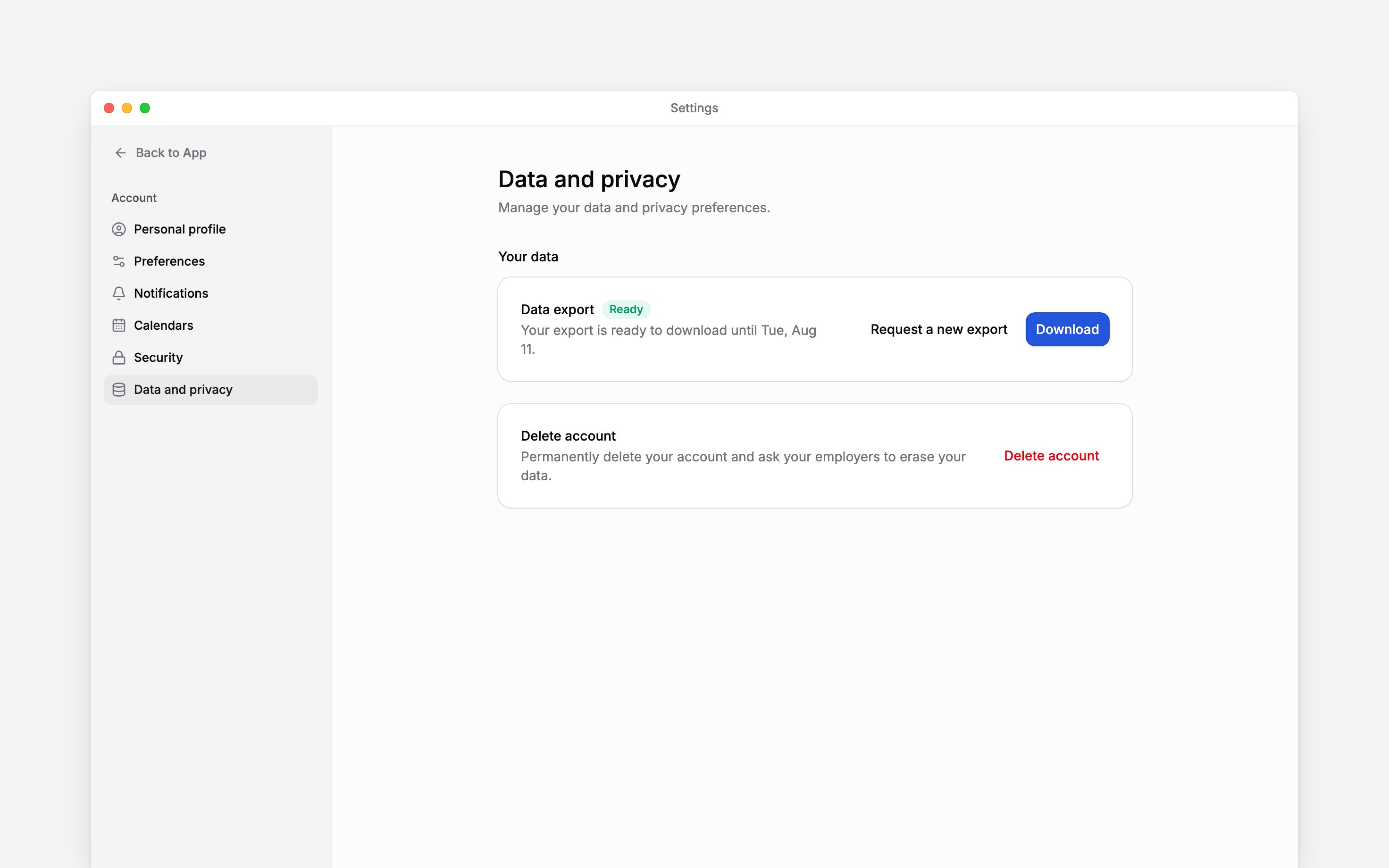
 Download a copy of what your Begin account and the current workspace hold about you from Settings → Data and privacy. On a phone, open More → Profile & settings → Personal profile, then use the top-left settings navigation button and choose Data and privacy. The export is for your own data, even if you manage other people.
Request and download the file
1
Choose the workspace
Switch to the workspace whose personal records you want to download.
2
Request the export
Open Settings → Data and privacy. Under Your data, choose Request export.
3
Wait for Ready
Begin gathers the data. You can leave the page while it says Preparing and return later.
4
Download your copy
When the export is Ready, choose Download before the expiry date shown. The ZIP contains
JSON and CSV files.
Resolve an expired or failed export
A ready export expires after seven days. If it says Expired or Failed, choose Request a new export. You can also request a fresh copy after a completed export if your records have changed. Only one export can be prepared at a time. If the request or download keeps failing, contact support and name the workspace and status you see.Understand what this exports
This is your personal bundle for the selected workspace, not a download of everyone’s records or a full history across all your employers. Repeat the request in another workspace if you need its records too. Your manager’s workspace export is a different action with different access rules. Downloading a copy does not erase or change the original records.Next
Leave a workspace
Leave one workspace after saving your records.
Delete your account
Understand permanent account deletion.
Still need help?
Contact support
Email the Begin team and we’ll get back to you.
Ask Begin AI
Open the AI assistant and get instant answers based on these docs.