


 Export a CSV for your payroll team to import into Taavi. Generating the file in Begin does not upload it to Taavi.
Your role needs permission to manage integrations to open Settings → Integrations.
Export a CSV for your payroll team to import into Taavi. Generating the file in Begin does not upload it to Taavi.
Your role needs permission to manage integrations to open Settings → Integrations.
Prepare the export
1
Enable Taavi
Open Settings → Integrations → Taavi and turn on the header switch. This file export needs
no API credentials.
2
Check employee codes
Give each person the Payroll export code Taavi uses, on their
profile. A person without an export code is left out of
the file.
3
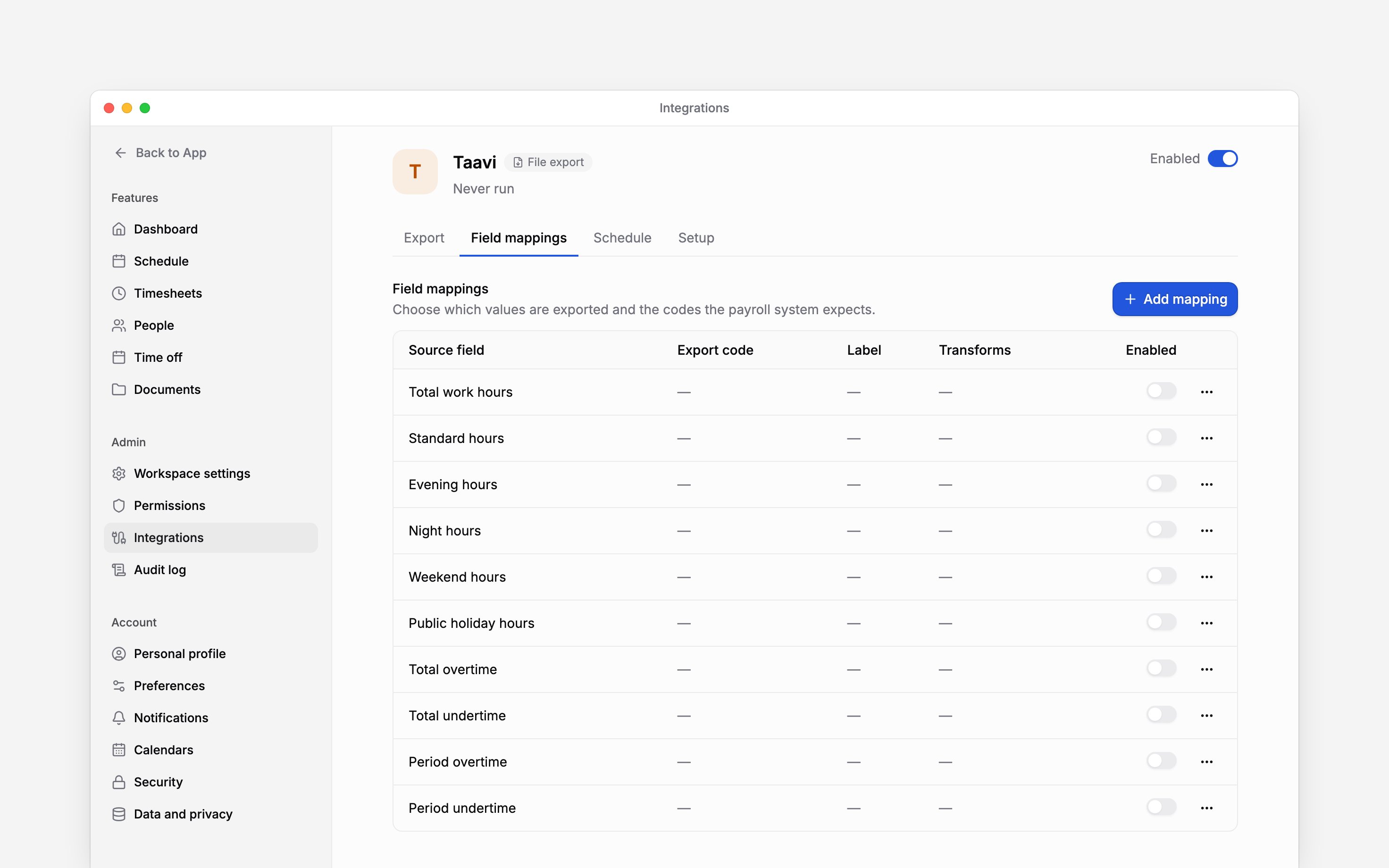
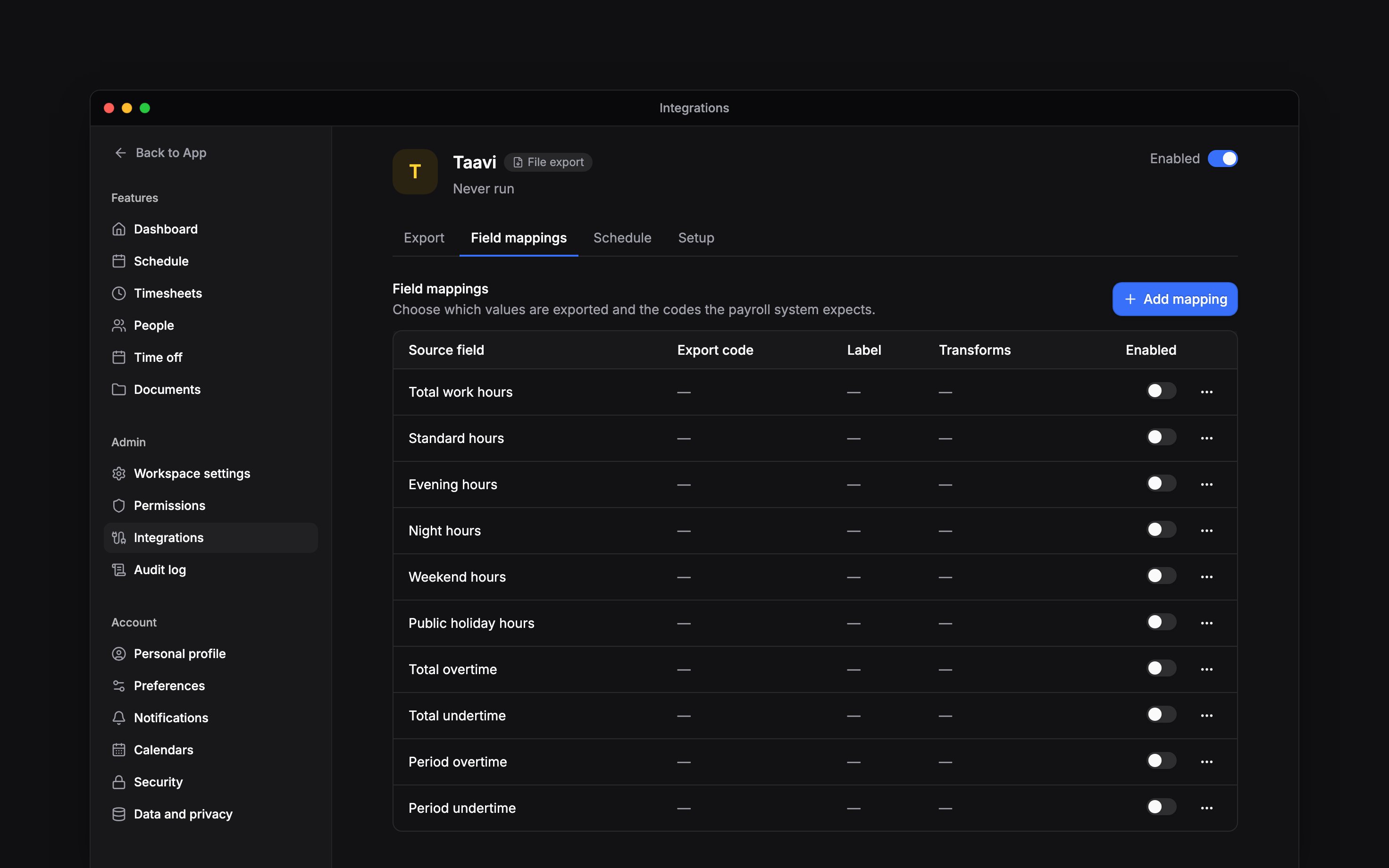
Map the hours
Open Field mappings and turn on each hour value you need. A value without an Export code
opens its edit dialog first, so you can enter the code Taavi expects. New mappings start off.
4
Include absences if needed
Enable Absences in Setup. Field mappings then lists an Absence row for each time-off
policy: turn it on and enter the code Taavi uses for that kind of leave. An absence whose policy
has no code is left out of the file.
Choose what payroll receives
Leave Include unconfirmed hours off to use approved hours only. Rejected and cancelled hours are always excluded, even when this setting is on. Add only the hour categories your Taavi import is configured to accept. A mapping can apply a Multiplier, Rounding method, Rounding precision, or Skip zero values. Use these only when your payroll import requires that transformation; they change the values exported.Send pay changes
Begin can also prepare the month’s pay changes for Taavi’s fixed-pay import, so a raise entered in Begin does not have to be typed into Taavi again.1
Turn on pay terms
In Setup, turn on Employment and pay terms. Your role needs permission to view pay for
everyone.
2
Enter Taavi's pay type codes
Enter the Taavi pay type code for monthly salary and for hourly pay. A change whose pay type has
no code is left out of the file.
Download and import
Open Export, choose the month and any people, location or department filters, then run the export. Data source picks the hours: Actual worked time reads timesheets, and Published schedule reads the published shifts instead. When the run finishes, download its file from the history and import it into Taavi. Check errors and skipped records before treating the file as a complete month. When a run produces no file, its errors say why: people without an export code, absences whose policy has no code, absences switched off in Setup, or no hours in the month from the chosen data source.Next
Run the integration
Choose a month, run it and check the result.
Choose an integration
Compare providers and connection methods.
Still need help?
Contact support
Email the Begin team and we’ll get back to you.
Ask Begin AI
Open the AI assistant and get instant answers based on these docs.