


 A post can carry a poll, an Attending question or both. Add an event date when the update belongs to a particular day and should be reachable from the schedule.
These controls use the post composer. Your workspace needs Messages and Posts, and your role
needs Create posts.
Ask a poll question
Open Overview and start a post in Share an update with your team…. In the composer, open the extra actions and choose Poll. Write the question and at least two options. Turn on Allow multiple answers only when more than one answer may be correct for each person. You can add a closing date. Begin closes the poll at the end of that date in the workspace timezone. When the deadline is more than a day away and you chose a Notify audience, Begin reminds people who have not answered 24 hours before it.Link an event and collect attendance
Choose Link to schedule date, then select the event day. The post appears against that date on the schedule as well as in Overview. You can also start a dated post from Schedule. Click an empty day in the Posts row, or right-click a post already on that day and choose New post. On a phone or tablet, press and hold the post instead. Add → New post in the toolbar starts on the date the schedule shows. You can change the date in the composer. Choose Attending to add Going, Maybe and Not going. The default question is Are you coming?, or you can write your own. With an event date, attendance closes at the end of that day. Removing the event date removes that automatic attendance deadline.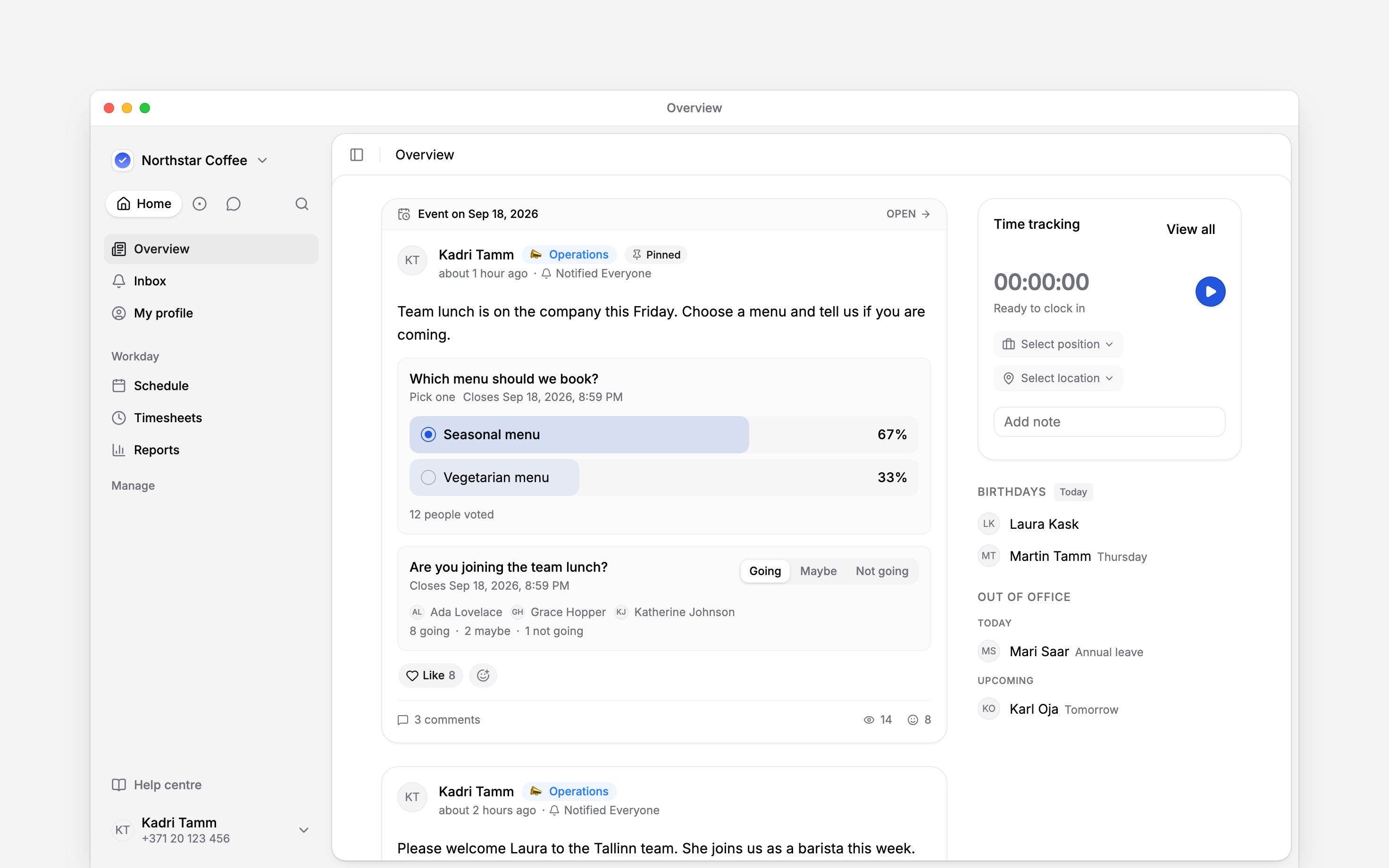
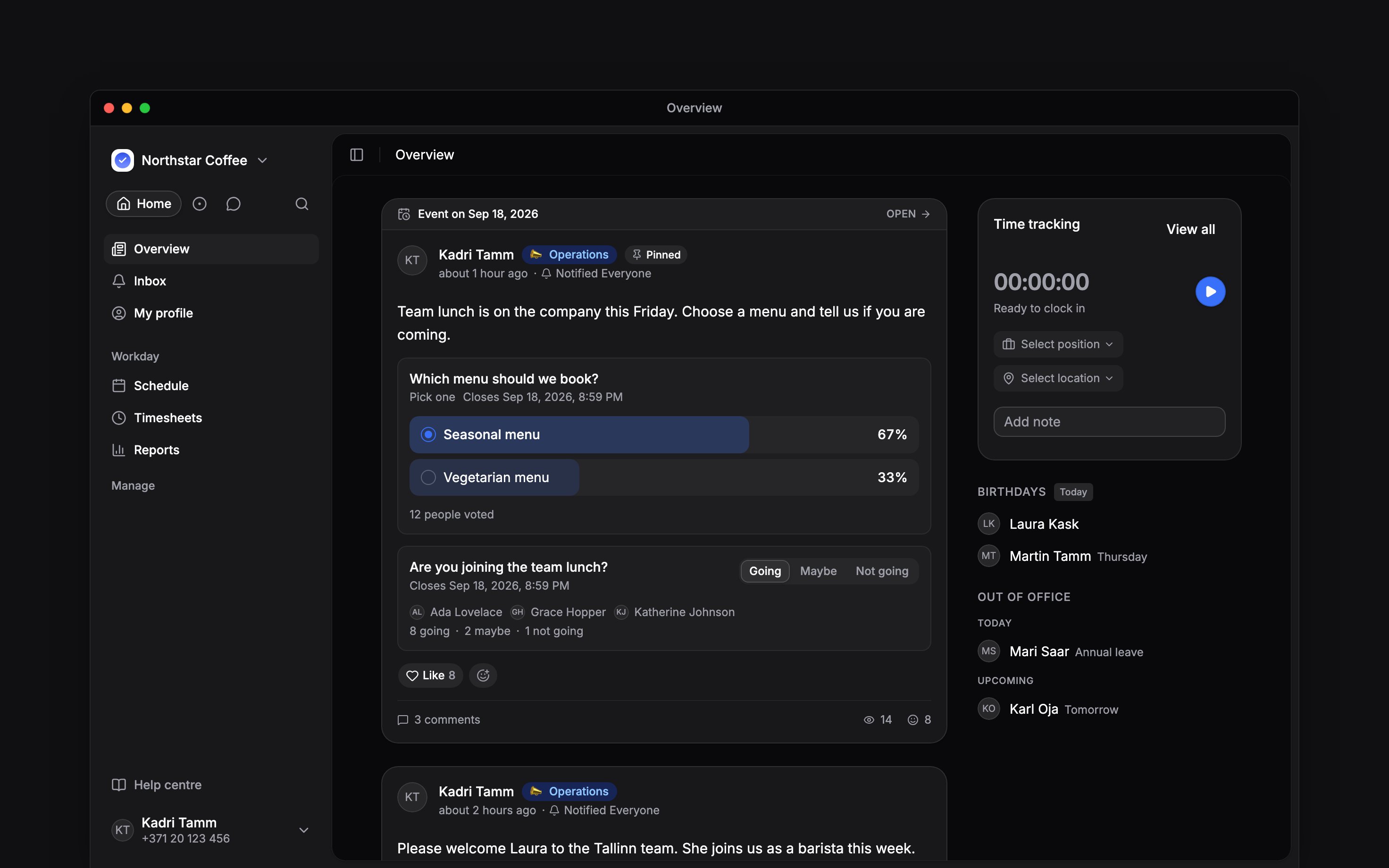
One dated post can show both poll results and attendance
Read the result
Poll results appear after you vote or after the poll closes. The response count opens the people behind each option. Attendance names a few people and counts each answer; open that line for the full lists. Once somebody has responded, the author cannot remove that poll or attendance block. A poll with responses also keeps its original single-choice or multiple-choice rule.Mention the people who answered
In a comment or reply on the post, type@ and choose from Responses: Going, Maybe, Not going or Responded for attendance, or Voted and one option per poll answer. Everyone who gave that answer gets a notification. As the author, or with permission to manage posts, you also see Not responded and Not voted, which reach the people who can see the post and have not answered yet. These choices appear where group mentions are available, which is rolling out gradually.
Next
Publishing a post
Set Visibility and Notify before the question goes live.
Checking post engagement
Open the respondent lists and follow outstanding answers.
Still need help?
Contact support
Email the Begin team and we’ll get back to you.
Ask Begin AI
Open the AI assistant and get instant answers based on these docs.