


 Begin AI reads your workspace through your permissions and uses Begin’s official help centre for product guidance. You decide whether it may also search the wider web and read other pages you link, before you send each message.
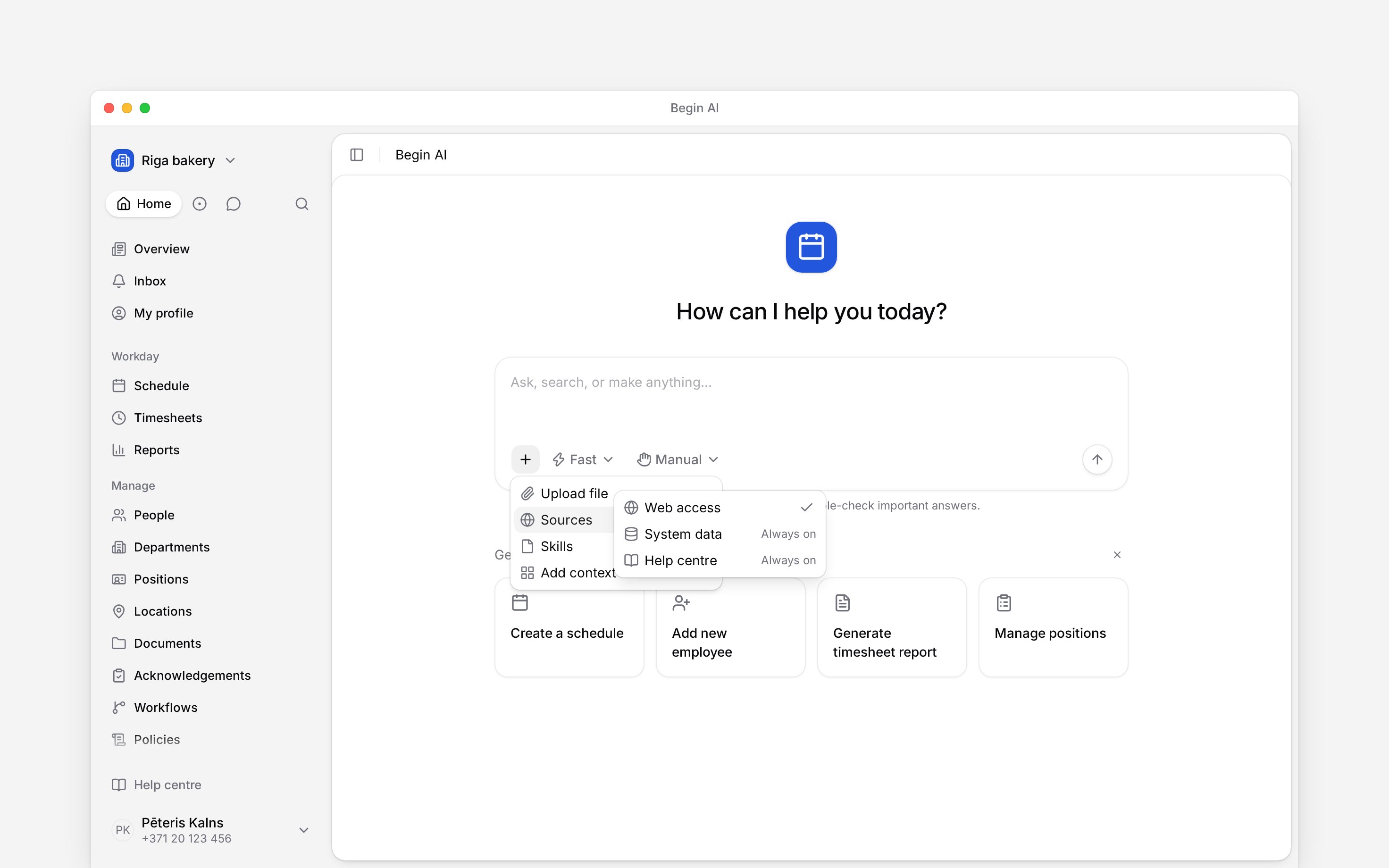
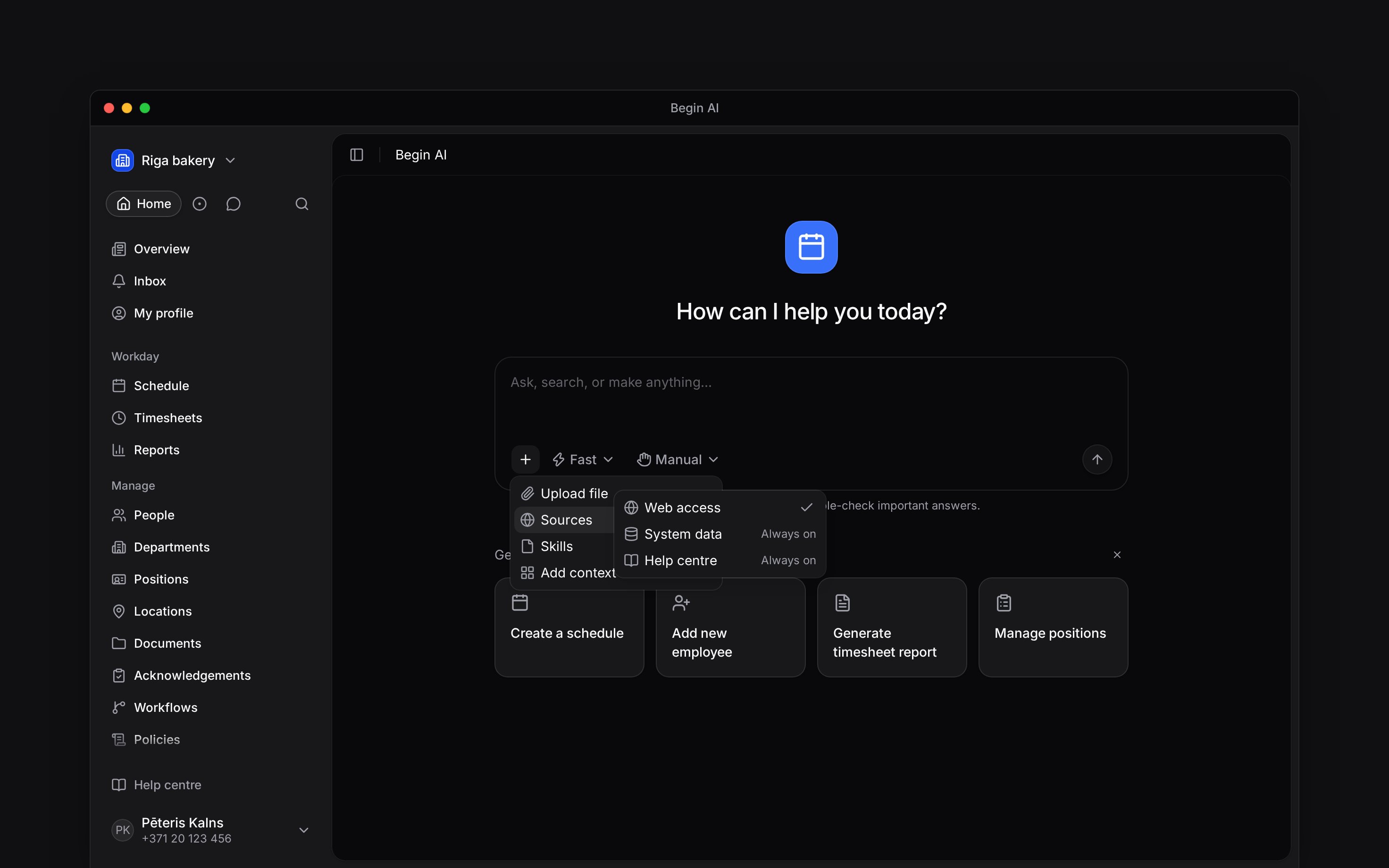
Sources separates optional Web access from Help centre and System data, which are always on.
Choose what the next message may read
In the composer, open Files, skills and sources → Sources.
The count beside Sources is 3 with web access on and 2 with it off. The choice applies to the next message and is remembered for this workspace in this browser. It does not follow you to another device, and there is no separate workspace setting for web access.
With Web access off, Begin AI can still answer from your workspace and search the official help centre. Specialists working on that message follow the same web access choice.
Expect approval after outside content
Once a help article, web page, search result, uploaded file, or text another person wrote (such as a comment, post, message or note) enters a chat, every later change in that chat shows a card for you to approve. This protection applies even when Approval mode is set to approve automatically or skip approvals, because the outside content may contain instructions you did not write. A loop’s follow-up conversation works this way from its first message, because it opens by quoting the run’s result and the loop’s title. Creating or editing a report shows a card too. Editing your post draft never shows a card, so it is refused in that chat instead: make it yourself, or ask in a new chat. Outside content also limits web searches in that chat. Begin AI then searches only with words you typed in the chat, so it cannot send workspace details it read, such as a colleague’s name or pay, to a search engine. If it needs a different search, it asks you to type the words you want it to search for. Help searches and help articles in that chat use only your words or terms from Begin’s help centre. Start a new chat to use automatic approval and unrestricted web and help searches again. Switching web access off inside the existing chat does not remove content it has already read.Add another source
The same Files, skills and sources menu offers Upload file for a document or spreadsheet, Add context for a saved report or view, and Skills for saved instructions. An uploaded file counts as outside content. Adding a saved report, view or skill from this menu does not count by itself. Reading a report another member wrote in does count, even its name in a list, because its name and block names are theirs. One message can carry up to 10 files, so a schedule split across several screenshots goes together. Pick several at once, drop or paste them, or add them one after another; each file stays until you remove it or send. Images and PDFs in one message can be up to 5 MB together, so send the rest in your next message if they are larger. Begin AI can find a channel, group chat or shared file by name, but it never reads what people said in messages.Next
Using skills in a chat
Add reusable workspace instructions without adding outside content.
Taking actions
Choose which changes need confirmation.
Still need help?
Contact support
Email the Begin team and we’ll get back to you.
Ask Begin AI
Open the AI assistant and get instant answers based on these docs.