


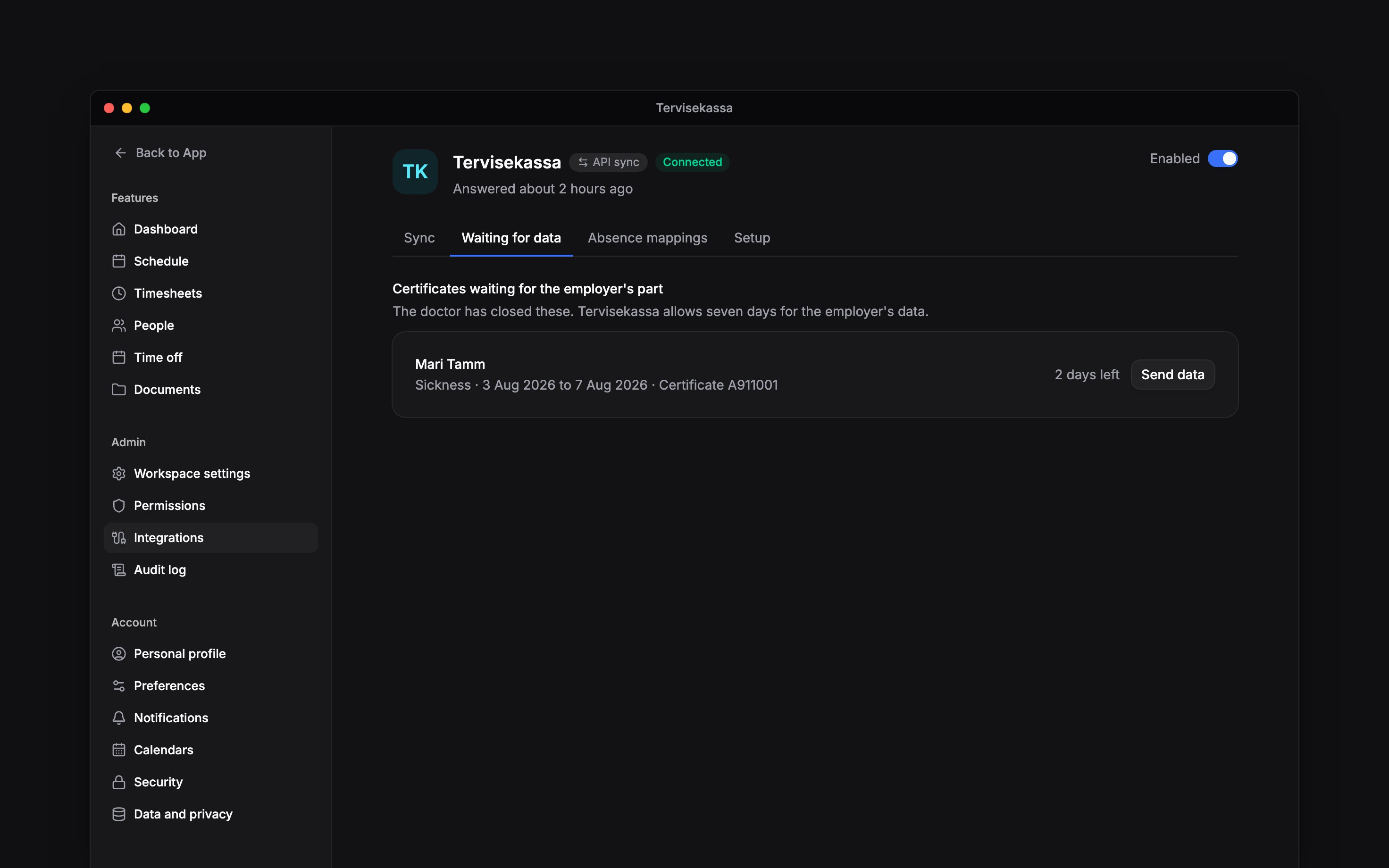
 When a doctor closes a certificate, open Settings → Integrations → Tervisekassa → Waiting for data to send the employer’s part. The list shows what still needs you and when it is due.
Beta
Tervisekassa is rolling out gradually for Estonian workspaces on Pro. Set up the connection
first; if it is missing, ask us about enabling it. Sending data needs permission to manage
integrations.
Review before sending
Check the person and certificate period. If the row says Matches nobody in Begin, check the person’s personal code rather than sending data for somebody else. Your own profile needs a valid personal identification code too: Tervisekassa uses it to identify the sender. The queue gives seven days after closure for the employer’s data, and Begin sends inbox reminders.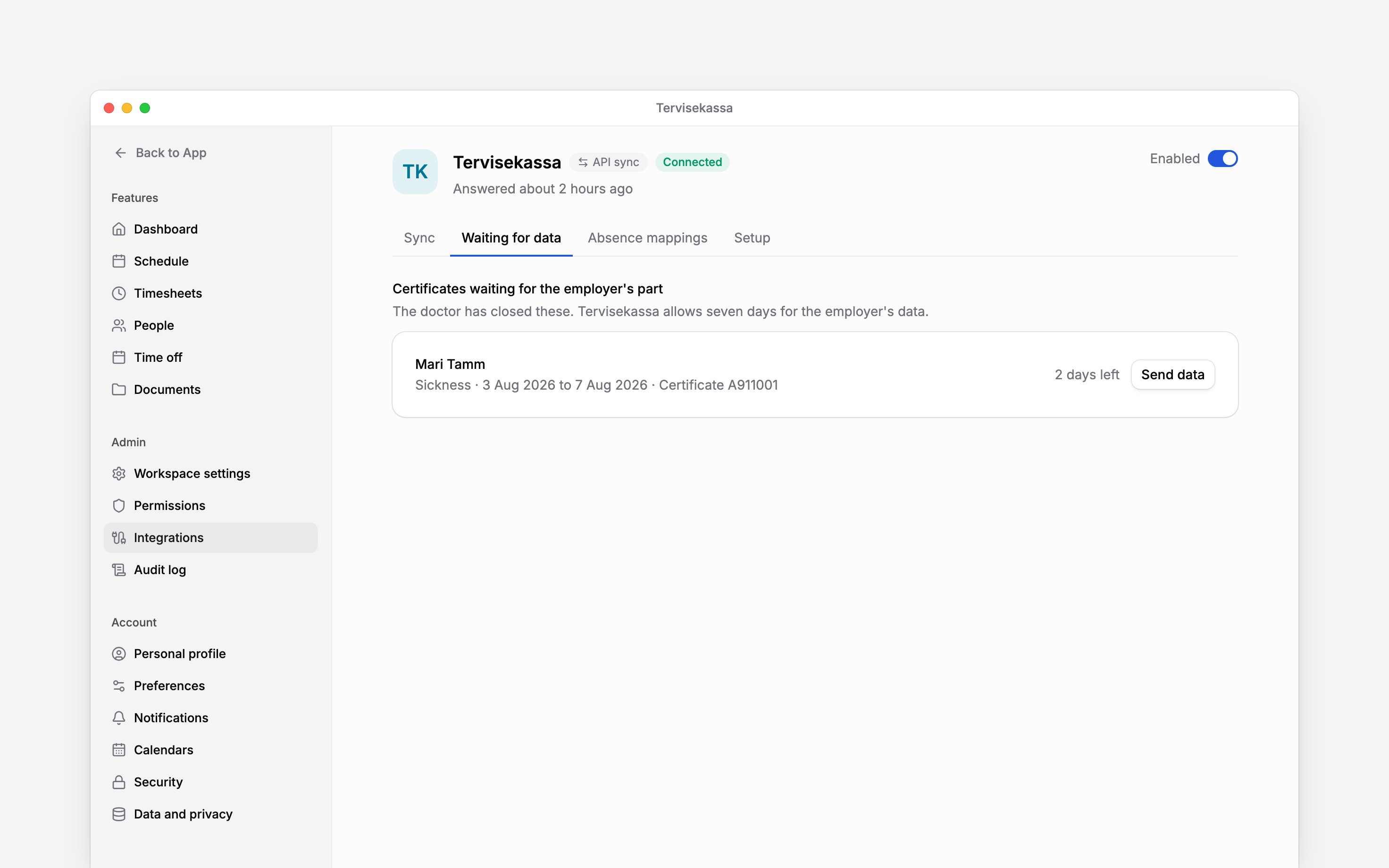
Send the employer’s part
1
Open the certificate
Choose Send data on the certificate you are completing.
2
Check the pay
Enter the pay figure the form asks for. If you can view that person’s pay, a contract salary may
be filled in for you; replace it if actual payroll differs. Where the form asks for Six-month
average pay, use that figure instead.
3
Complete the relevant details
State any period without benefit, work during the certificate, or paid lighter duty that
applies. Check the contact Tervisekassa should ask.
4
Send and check the response
Choose Send to Tervisekassa and check that Begin reports it as sent. If Tervisekassa refuses
it, read the reason and correct the missing information.
Resolve a refusal
If bank details are missing, the employee must add them with Tervisekassa before you send again. A work-accident certificate can wait for the accident report to reach the authority. Neither is fixed by changing the salary figure. If your personal code is refused, check it on your own profile. If the certificate can no longer be supplemented, follow that response rather than repeatedly submitting it. A certificate Tervisekassa no longer holds leaves the queue on its own.Next
Tervisekassa setup
Check the mandate and absence mappings.
Intermediation procedure
Read the published access and logging procedure.
Still need help?
Contact support
Email the Begin team and we’ll get back to you.
Ask Begin AI
Open the AI assistant and get instant answers based on these docs.