


 The schedule is always the same grid: team members down the left, days across the top. You choose how much of it you see at once, how the rows are stacked, and what each shift card says. All three live behind Display in the toolbar, and Begin remembers where you left them.
Choose the period first
Layout switches between day, week, month, quarter and year. 1 to 5 do the same from the keyboard. The arrows either side of the date step one period at a time, and Today brings you back. On a phone, Today floats at the bottom of the screen once you have moved away from the current period. Day spreads a single date across its hours in the workspace timezone. When the clocks change, a skipped hour is absent and a repeated hour appears twice. The other layouts lay whole days side by side. Quarter and year read a long stretch: the grid keeps its shape, you scroll sideways, and a month band above the day headers says where you are. Export PDF in the toolbar prints the period you are looking at, with the filters you have applied named at the top. A day header marks what falls on that date: a dot per post, a cake when somebody on the grid has a birthday, and a party popper when somebody reaches another year with the company. Hover the header, or tap it on a phone, to read the posts, then whose birthday it is and whose work anniversary, with their years. Day view has no header, so it lists the birthdays and work anniversaries under the Posts row. Days in Display holds Posts, Birthdays and Work anniversaries for these marks, beside Weekends and Holidays; the Posts row has its own option under Rows.Beta
Grouping by client is rolling out gradually, so your workspace may not have it yet. If
Grouping has no Client, ask us to turn it on.
Stack the rows around the question you are asking
Grouping decides what the bands in the grid are, and it changes the schedule more than anything else in the panel. Choose it from what you are checking.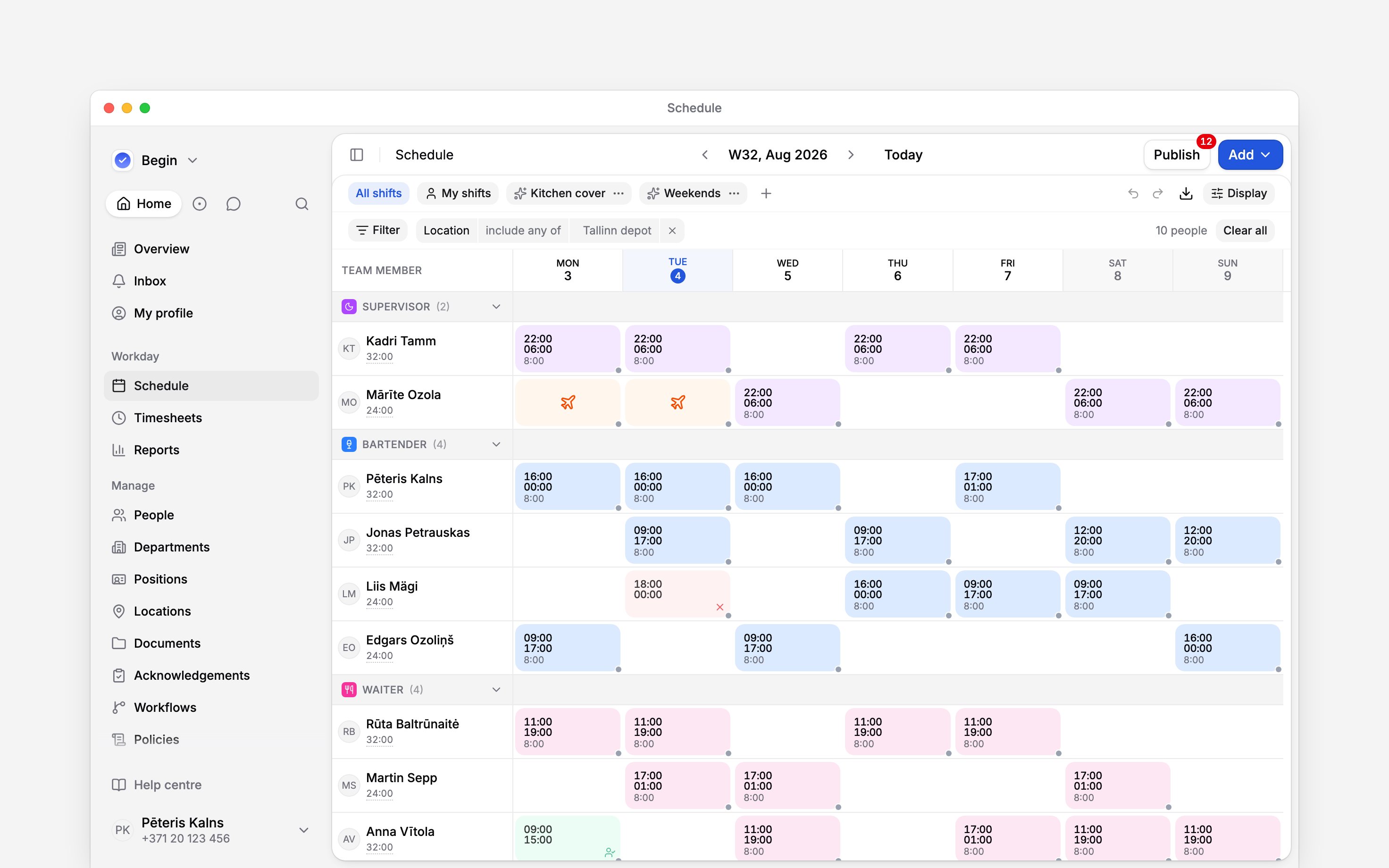
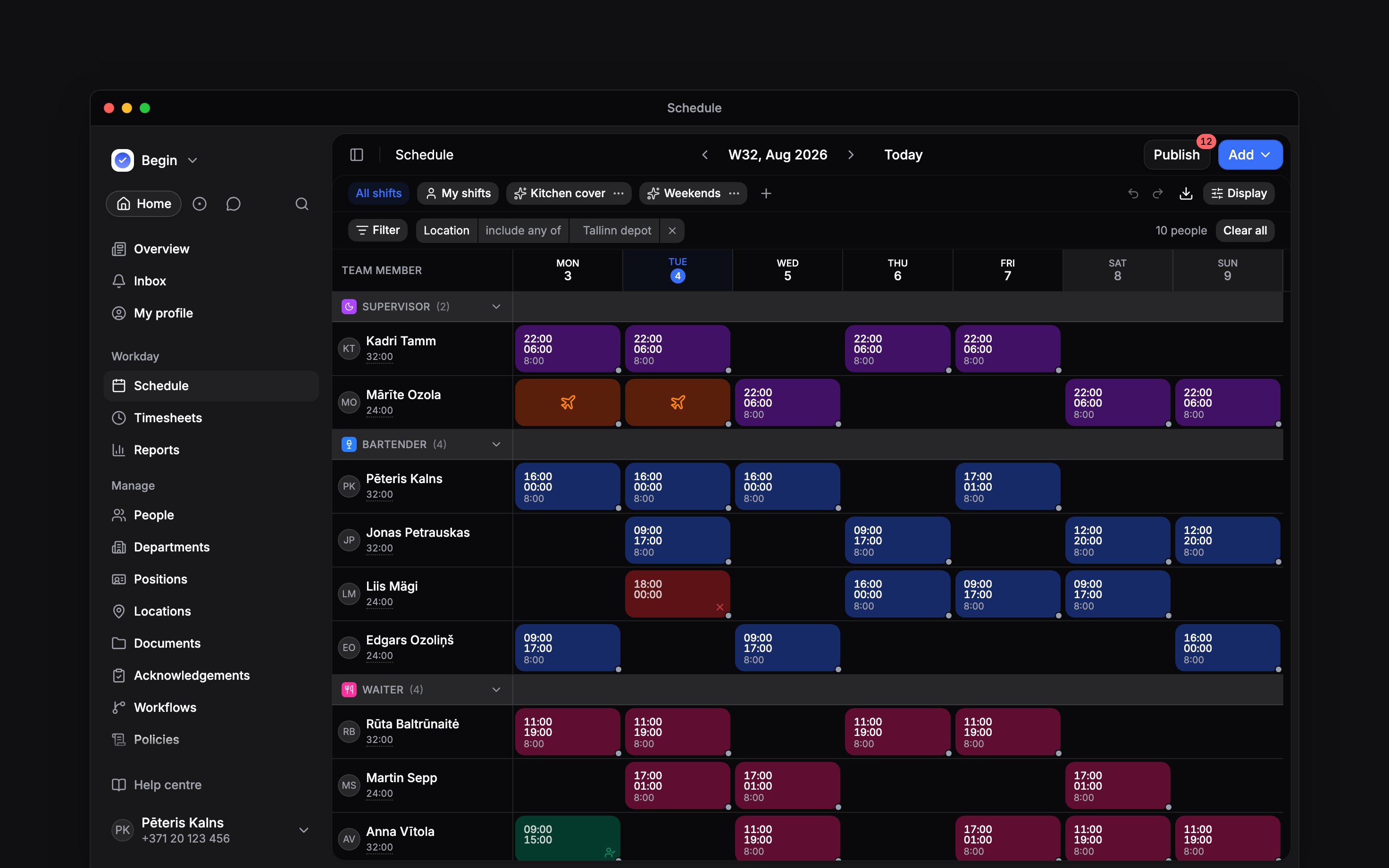
Grouped by position, a band is a job and the rows under it are the people who hold it
Who is working on Saturday?
Decide what a shift card tells you
A card carries up to two lines, and you choose what they say. Top field and Bottom field each take None, Scheduled times, Duration, Location, Shift template, Timesheet times or Timesheet duration, and start as the times on top and the duration below. Duration is the length less unpaid breaks. Shift template names the template whose type, local times and end day the shift matches, along with its position, location and colour where the template sets them; it stays blank when no template matches or two different ones match equally. It shows only for people who can read templates: those who can create or edit shifts, or manage schedule settings. On top it wraps onto a second line in a narrow cell rather than cutting the name short. The two timesheet fields show what the linked time entry recorded and stay blank until there is one; Show scheduled until clocked in fills that gap with the plan. Show hours adds a running total beside each name, and Hours picks which hours it counts: scheduled, paid, or paid against scheduled. The last is the default, and the only one that shows the plan and the outcome together. An approved time entry always counts. Where a shift has none, its planned hours stand in until it ends, including while someone is part-way through one. After that the shift counts nothing, whether nobody clocked in or the record is still waiting for approval, so the total drops rather than crediting hours no record supports. When grouping by location or position puts someone on several rows, each row shows its own share of their total, such as 38h of 115h, and the rows add up to the total. Hover the figure, or tap the name on a phone, to see the total split by location or position. Grouped by label or department, each row still shows the whole total. Show overtime adds each person’s overtime or undertime beside their hours, counted from the same hours Hours picks, so adding or removing a shift moves it when Hours is scheduled. It sits under Show hours and hides with it. For someone on a summarised period overtime policy, the month, quarter and year views also show the period’s running balance, marked Σ. Someone who joins a workspace starts with it on as their own setting, unless an administrator has set a workspace default for it. A workspace default set later does not change it, and Reset turns it off. Or ask Begin AI:How many hours is each person scheduled for this week?
Display settings are yours alone. Changing them moves nothing on anyone else’s screen and edits no
shift, and Reset puts them back. If you administer the workspace, Set default for everyone
makes your current setup the starting point for every setting people have not changed themselves.
Begin AI can change your Display, reset it or set the default for everyone the same way, and
its card names each option as the panel does before anything changes.
Why does a night shift show only on the day it starts?
Why does a night shift show only on the day it starts?
Compact overnight is ticked by default in the week and month layouts, so a shift that
crosses midnight sits on its start day. Untick it under Display, in Shift cards, to draw
it across both days. Export PDF prints night shifts the same way.
Where did Saturday and Sunday go?
Where did Saturday and Sunday go?
Weekends is unticked under Display, in Days. Tick it to return those columns.
Can durations read 9.25 instead of 9:15?
Can durations read 9.25 instead of 9:15?
Yes. Duration format under Display switches between Hours and minutes (9:15) and
Decimal (9.25).
Next
Filters and saved views
Narrow the grid to one part of it, and keep that setup.
Creating shifts
Times, assignees, breaks, and the shift form.
Still need help?
Contact support
Email the Begin team and we’ll get back to you.
Ask Begin AI
Open the AI assistant and get instant answers based on these docs.