


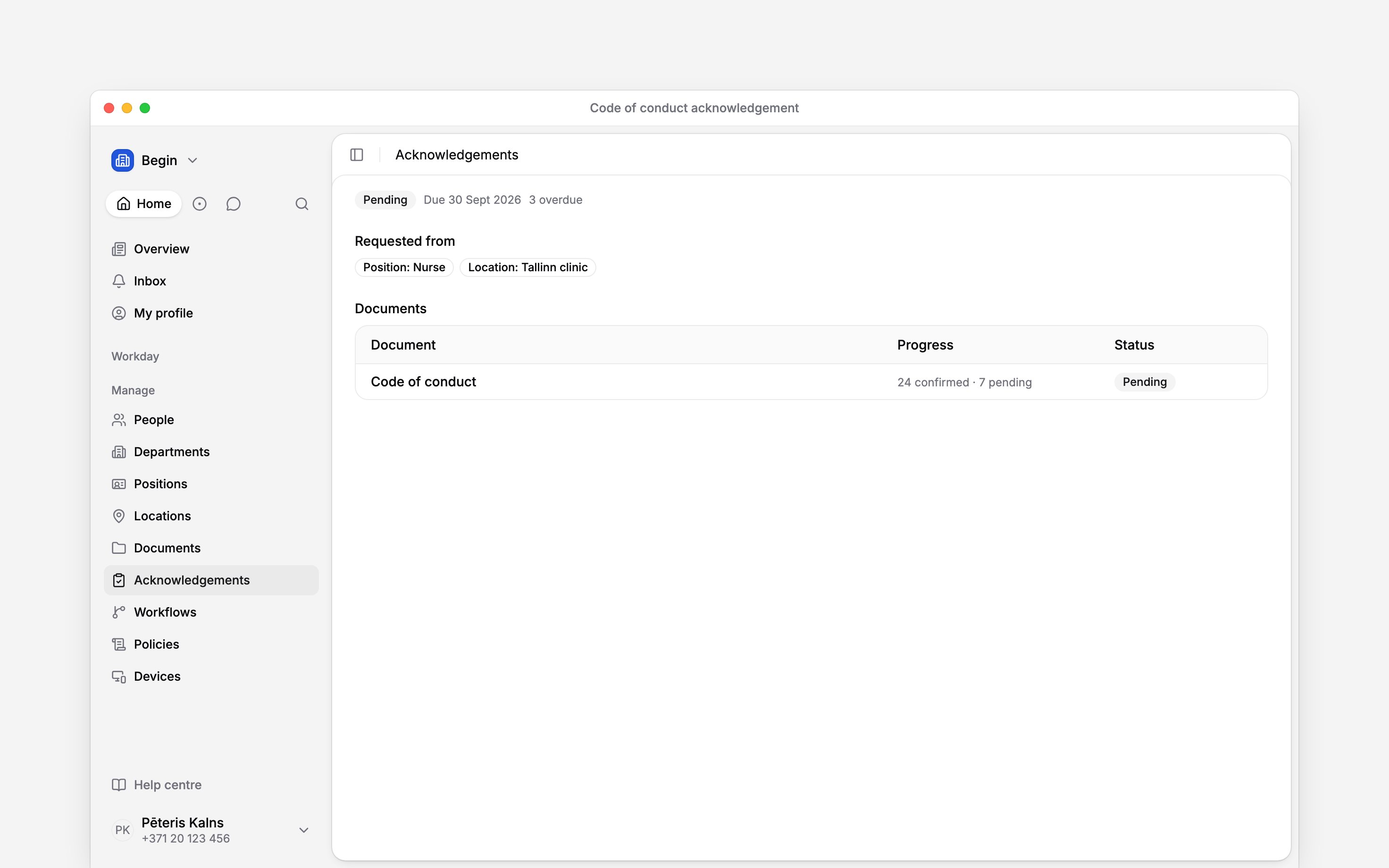
 An acknowledgement audience can name people directly or follow a group. Use a group when the responsibility belongs to a role, department, position or location rather than to today’s roster.
Acknowledgements must be enabled for your workspace and your role needs access (Acknowledgements overview).
An acknowledgement audience can name people directly or follow a group. Use a group when the responsibility belongs to a role, department, position or location rather than to today’s roster.
Acknowledgements must be enabled for your workspace and your role needs access (Acknowledgements overview).
Choose the audience
You can combine any of these targets in one request:- individual people;
- roles, departments, positions or locations;
- everyone in the workspace.
Set both kinds of deadline
Due date is the fixed date for everybody already in the audience when you send. Due days after joining is optional and applies only to people added to the audience later. Enter a whole number of at least 1; leave it empty when you want no relative deadline. Set both when a group will change over time. Without a relative deadline, a future joiner inherits the original fixed date, even if it has already passed.Repeat when the acknowledgement expires
Choose None, Every 90 days, Every 180 days or Every 365 days. On the renewal date, confirmed people return to pending. Begin uses Due days after joining for the new deadline when you set it; otherwise it repeats the original response window. A request without a deadline stays without one. Following up on requests explains how renewals and document changes appear in history.Next
Requesting acknowledgements
Put the audience and deadline into a new request.
Following up on requests
See what happens at renewal or after a document changes.
Still need help?
Contact support
Email the Begin team and we’ll get back to you.
Ask Begin AI
Open the AI assistant and get instant answers based on these docs.