


 A filter hides everything you are not working on. A saved view remembers a set of filters, a grouping and a period together, so you get back to it in one click. Neither changes a shift; both change only what is in front of you.
Narrow to the part you are working on
Filter opens the list, and a filter your role cannot use is not in it. Pick a filter, then its values.
Position, Department and Person pick people, so everyone who matches keeps every shift on their row. A person matches a position or a department through their own assignment or through a shift in it that period: a department’s shifts are those in its linked positions. Location, unlike them, narrows the shifts themselves.
Beta
Most filters start as include any of. Click the operator to change it to do not include, and the same choice becomes an exclusion: everything except the kitchen. Visibility and Time entries take a single value, with is or is not. Every chip you add narrows further, never wider.
Beside the chips Begin counts the people still showing and offers Clear all, which removes your chips but leaves a saved view’s own filters. Person, position, location, type, label and client filters come back when you return and ride in the page address, so a copied link opens on them. The rest last until you leave, unless a view holds them.
Clients are rolling out gradually, so your workspace may not have them yet. If the filter list has
no Clients, ask us to turn them on.
Publish acts on the rows your filters leave: every draft those people have, in any position.
Filter to one position, and the drafts of people outside it stay drafts.
Keep the setup as a view
The pills above the filter bar are your saved views. All shifts and My shifts are always there. Everything after them you made, or somebody shared with you.1
Set the schedule up the way you want it
Filters, grouping, card fields, period. A new view captures what is on screen.
2
Press the + at the end of the pills
Name it, and give it an icon and a colour so you can find it in a row of pills.
3
Decide who else gets it
Only me, Everyone, or Specific for the people you name.
4
Create view
The view becomes a pill of its own. Its menu holds Edit view, Duplicate view, Copy
link and Add to favourites, and dragging a pill reorders it.
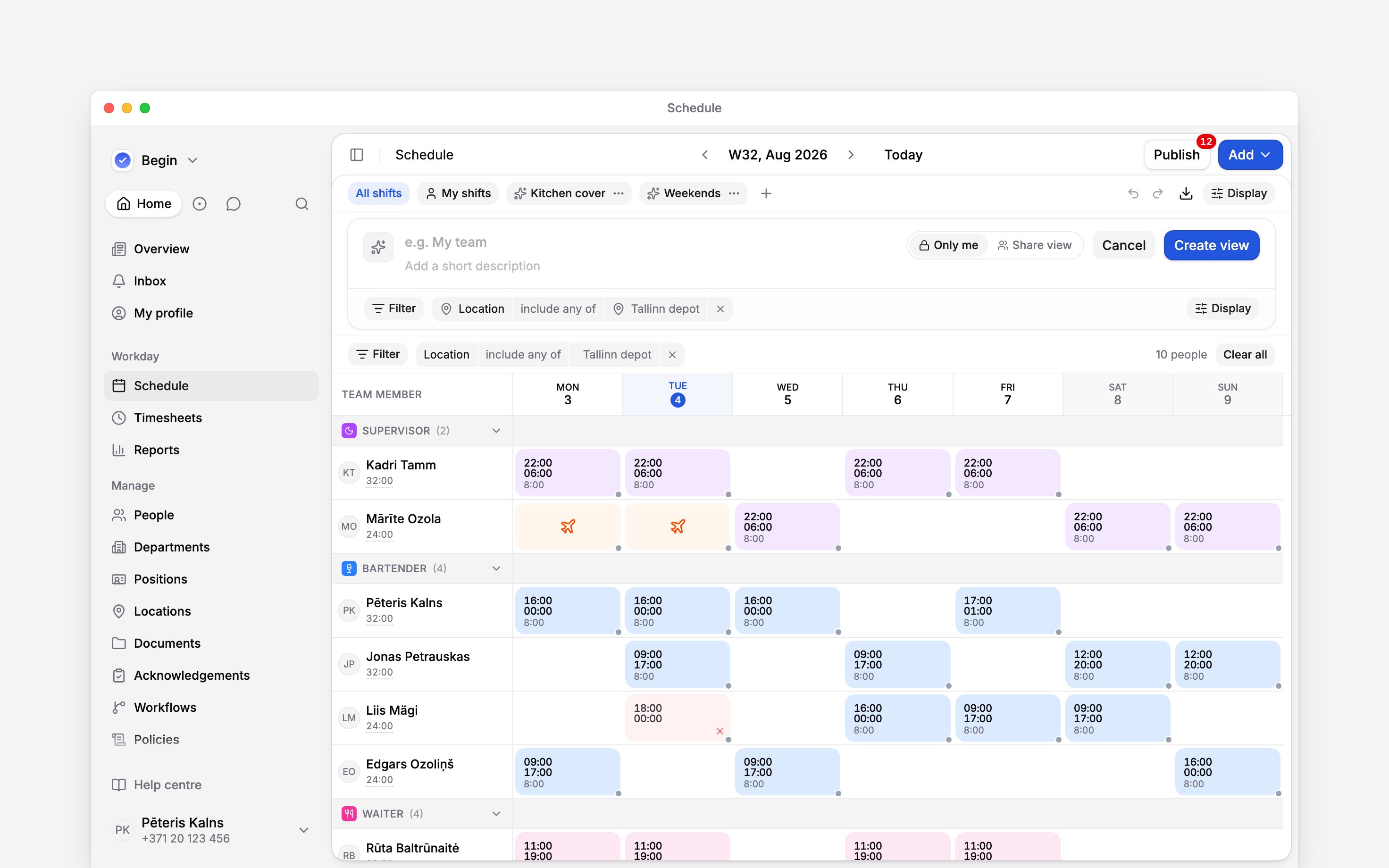
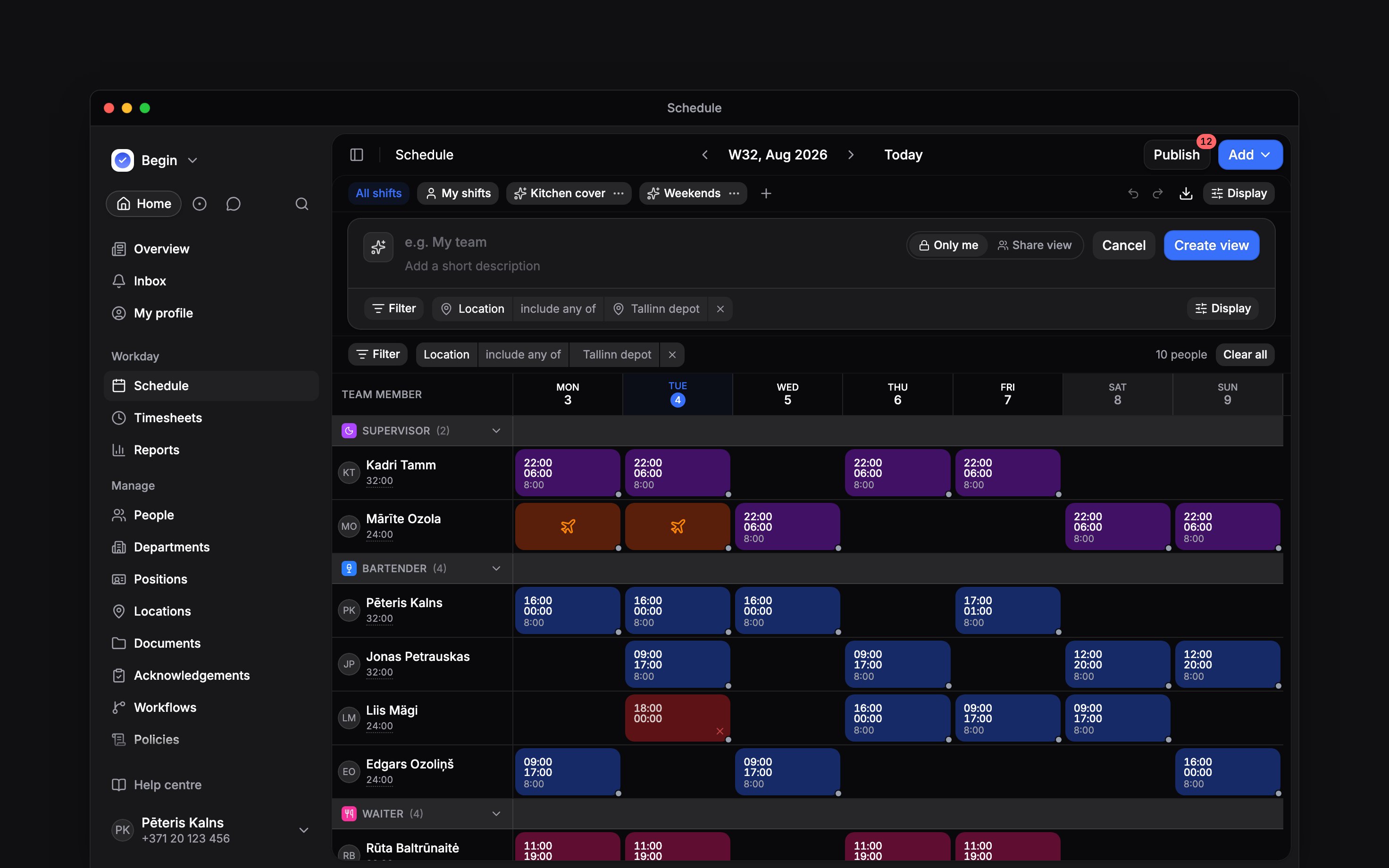
The editor the + opens, already holding the filter the page was showing
What a view carries, and what it does not
Changes to your selected view’s grouping or card fields save as you go. Added filter chips narrow the results without changing the saved view.
Find a saved view with Search, using the name on its pill. If someone duplicated it in another language, its copy suffix follows your language.
If I publish while My shifts is selected, what goes out?
If I publish while My shifts is selected, what goes out?
Only your own drafts in that period. My shifts narrows the count on Publish, and the
publish itself, the same way a filter does.
Why does filtering to Cancelled show nothing?
Why does filtering to Cancelled show nothing?
Cancelled and rejected blocks are hidden before any filter runs. Tick Cancelled and rejected
under Display, in Shift cards, and the Status filter can find them.
Next
Publishing
How a draft period reaches the team, and what the filters do to it.
Editing in bulk
Act on every shift a filter found, in one go.
Still need help?
Contact support
Email the Begin team and we’ll get back to you.
Ask Begin AI
Open the AI assistant and get instant answers based on these docs.