


 Reports bring your shifts, time entries, people and time off into tables and charts. Start with a preset or build a report for the question you need to answer. Saved reports open against current data, so you can reuse the same setup each month. Dialogs call a report a view; they are the same thing.
Find the report you need
Check who can use Reports
Your role decides whether Reports appears in the sidebar and whether you can create or edit reports. Administrators and managers have these permissions by default; the employee role does not. An administrator can change them in Settings → Permissions. Access to a report does not grant access to the records behind it; Sharing a report explains what each reader sees.Choose records or calculated hours
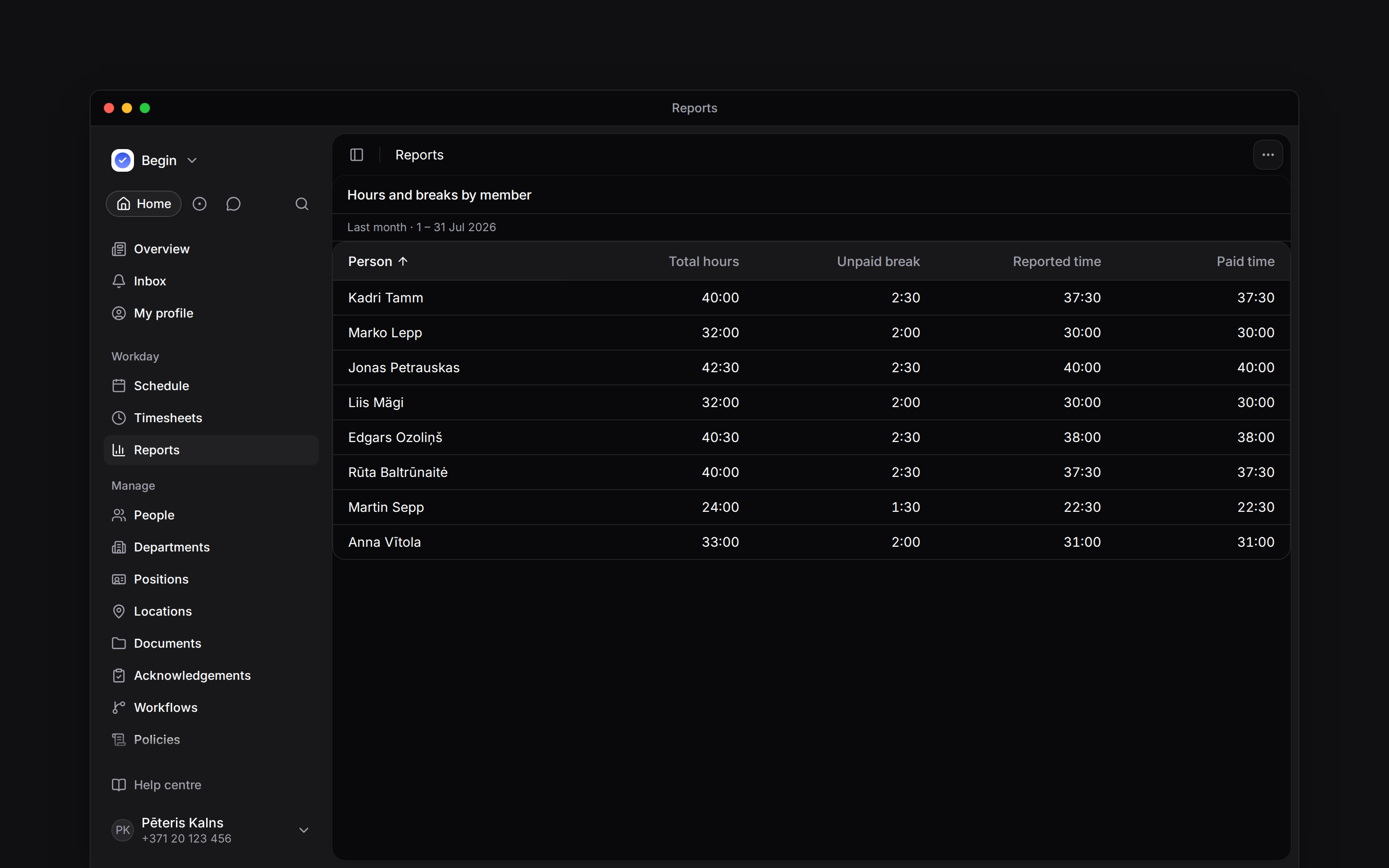
A record list helps you check individual shifts, time entries or requests. A summary grouped by person gives you calculated hour figures, including the effects of your workspace’s policies and rounding. For month-end checks, start with Hours and breaks by member and choose a whole calendar month. The report puts Total hours, Unpaid break and Paid time beside each other, so you can see why the figures differ.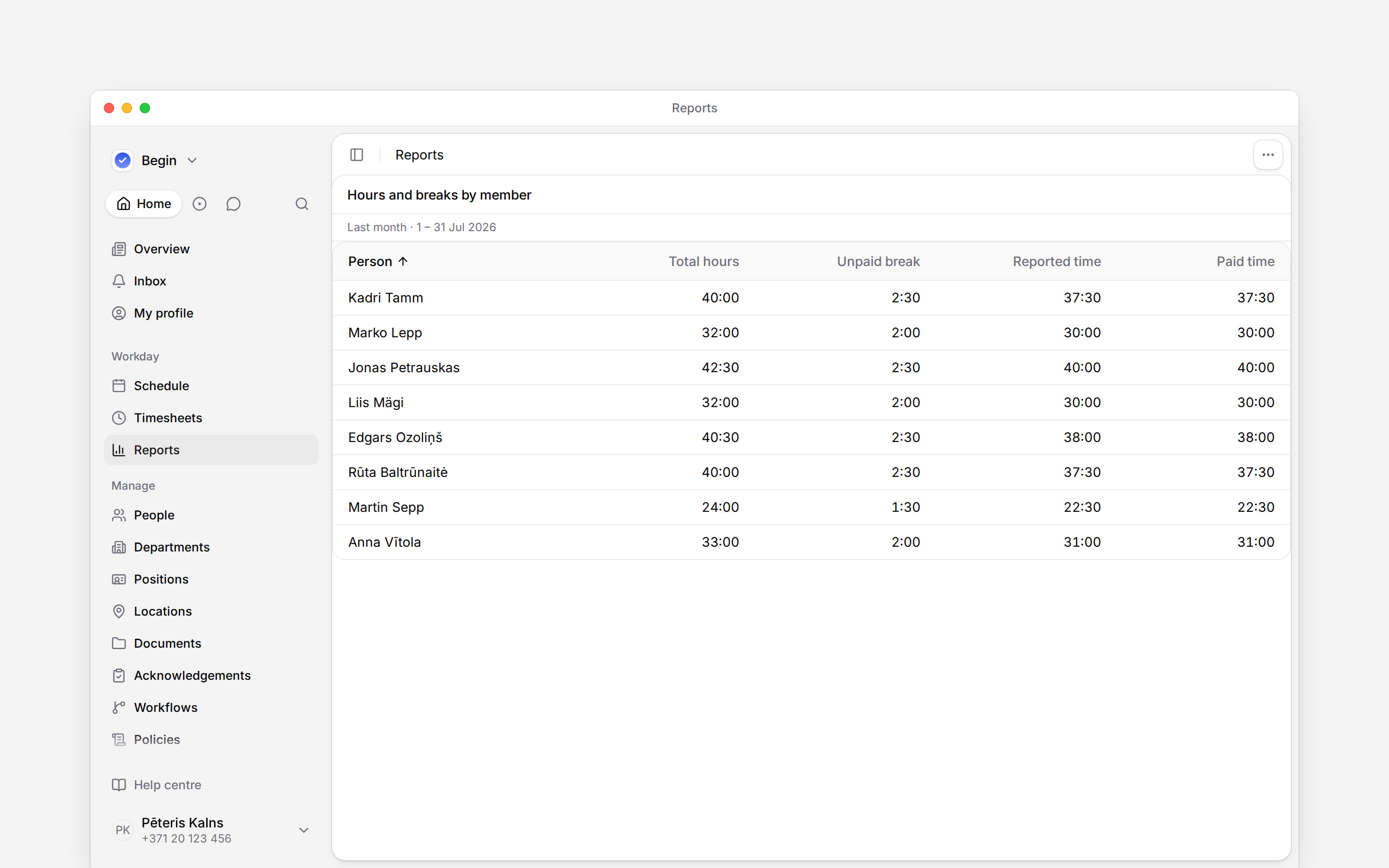
Next
Presets
Choose a starting report and make your own copy.
Building a report
Choose the source, columns and period for your question.
Still need help?
Contact support
Email the Begin team and we’ll get back to you.
Ask Begin AI
Open the AI assistant and get instant answers based on these docs.