


 A department has two separate lists: its positions and its people. Linking a position does not assign the people who hold it. Keep both lists current so department filters select the work or people you expect.
Link the positions
Open Departments, open the department’s row menu and choose Edit. Under Positions, select the jobs that belong here or remove ones that no longer do. Click Save changes. A position can belong to more than one department. Removing its link here does not delete the position or remove it from anyone’s profile.Assign the people
1
Open the person's profile
Go to People, select the person and open Overview.
2
Choose a department
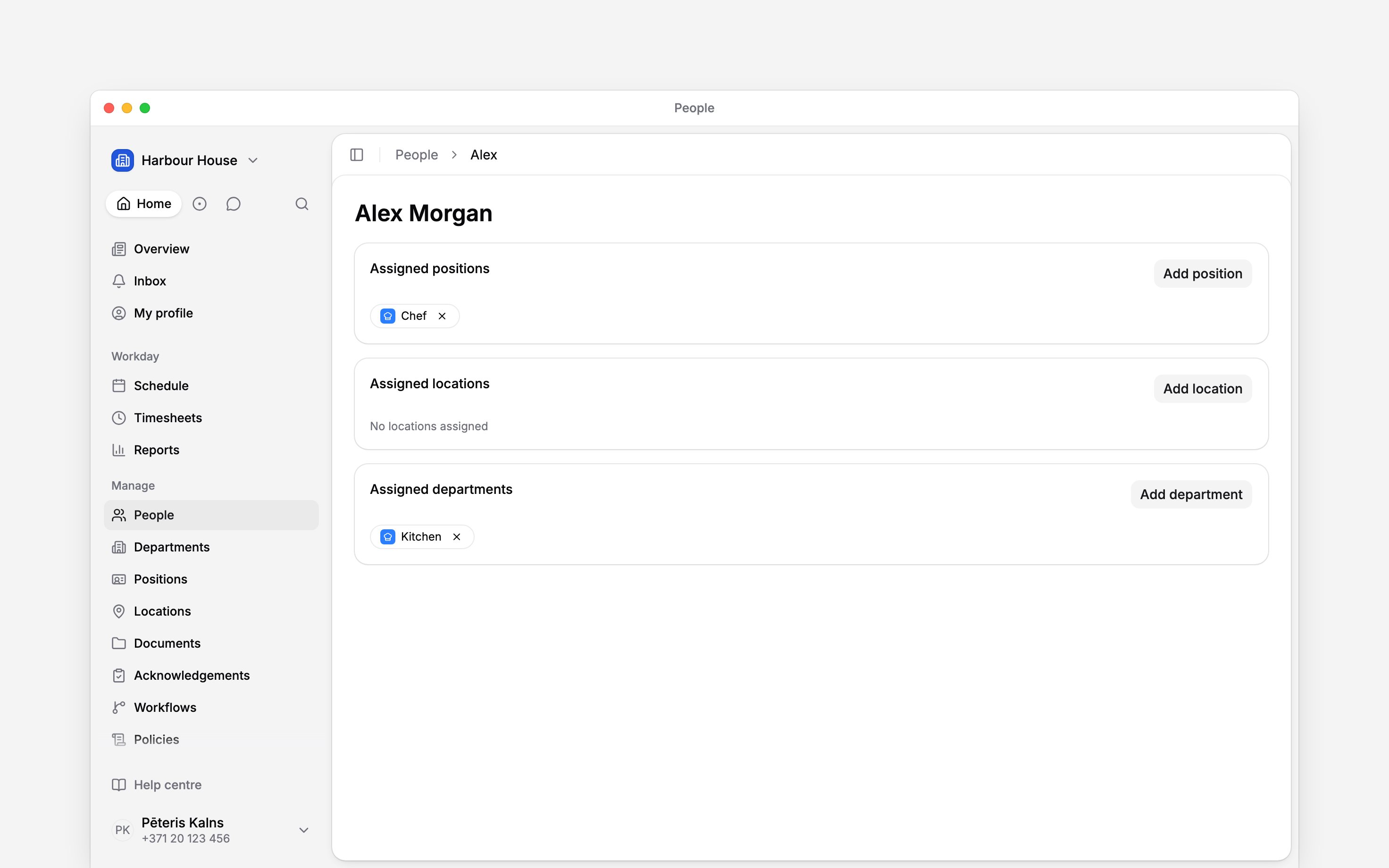
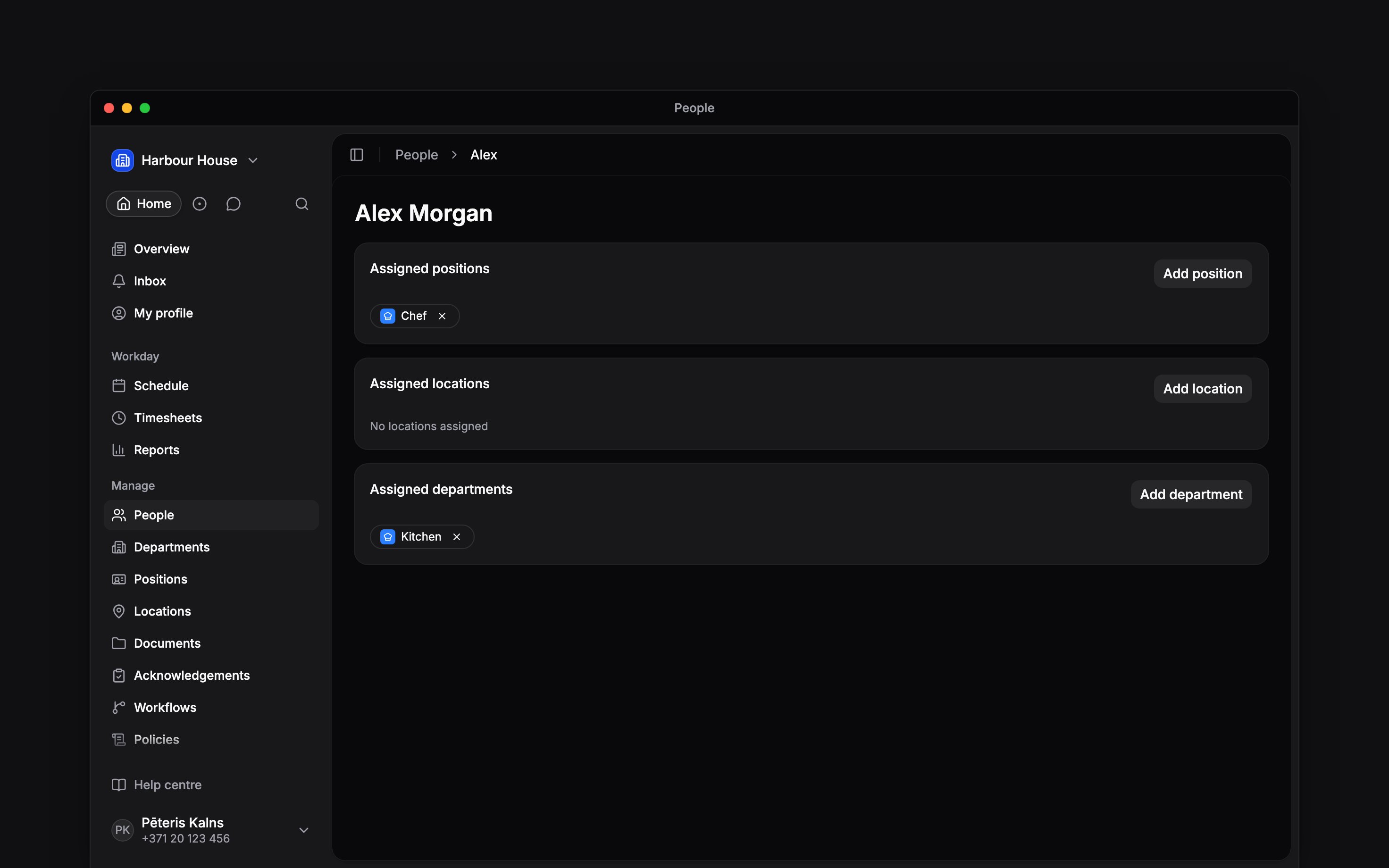
Under Assigned departments, click the add button and select the department. It appears as a
chip and saves immediately.
3
Remove a membership when it ends
Click the remove button on the department chip. The person stays in your workspace and keeps
their positions and other departments.
Check who is included
Back in Departments, the people count comes from direct assignments. See people in the row menu opens People filtered to that department. The list still respects your role’s access to people. The schedule’s Department filter selects the people assigned to it, and anyone with a shift in one of its positions that period, and keeps all their shifts. In Timesheets it selects the entries logged on its positions, whoever logged them. See Filters and saved views before publishing a filtered schedule.Next
Department reporting
Choose the right filter for people or their work.
Managing departments
Change details, reorder the list or remove a department.
Still need help?
Contact support
Email the Begin team and we’ll get back to you.
Ask Begin AI
Open the AI assistant and get instant answers based on these docs.