


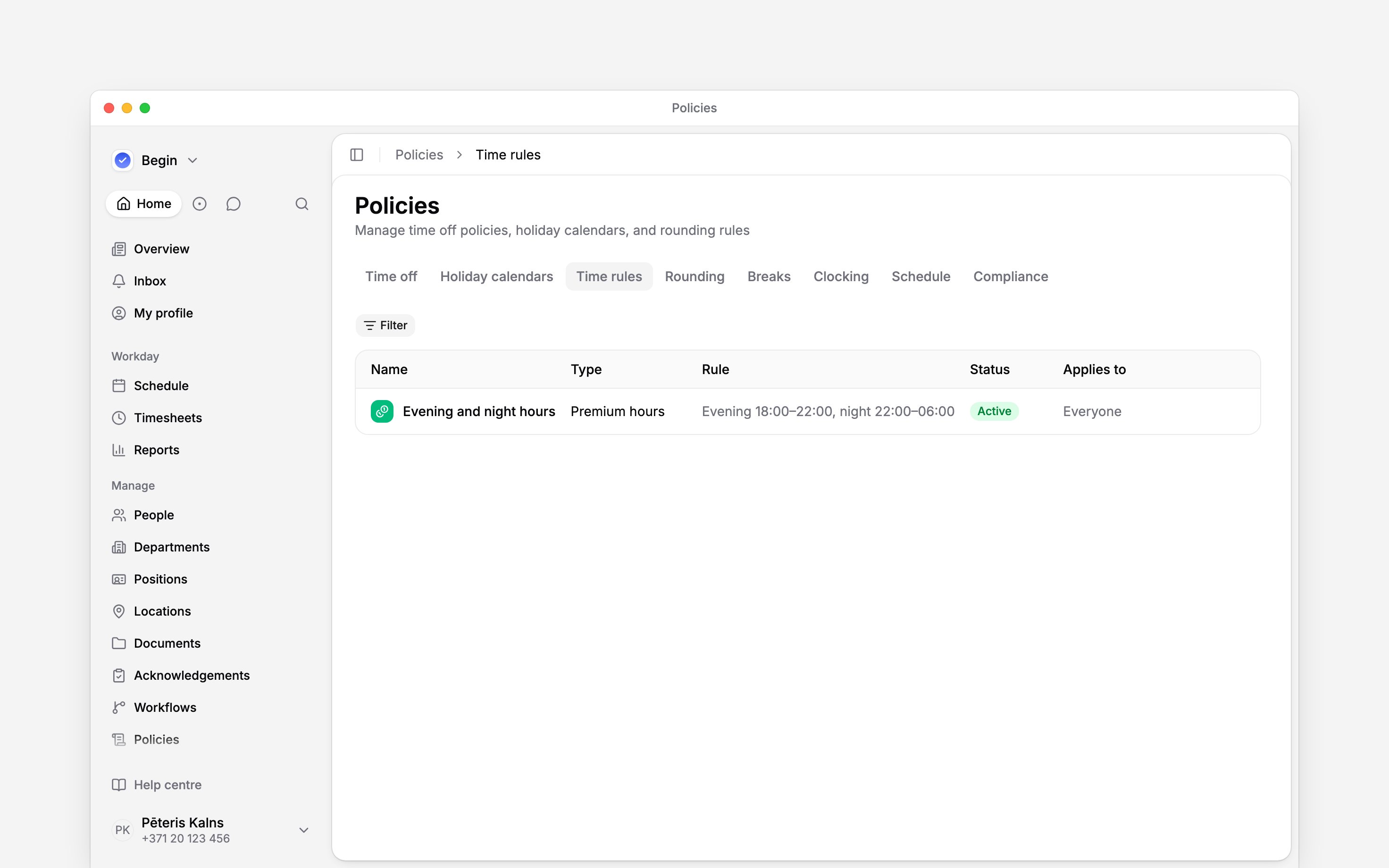
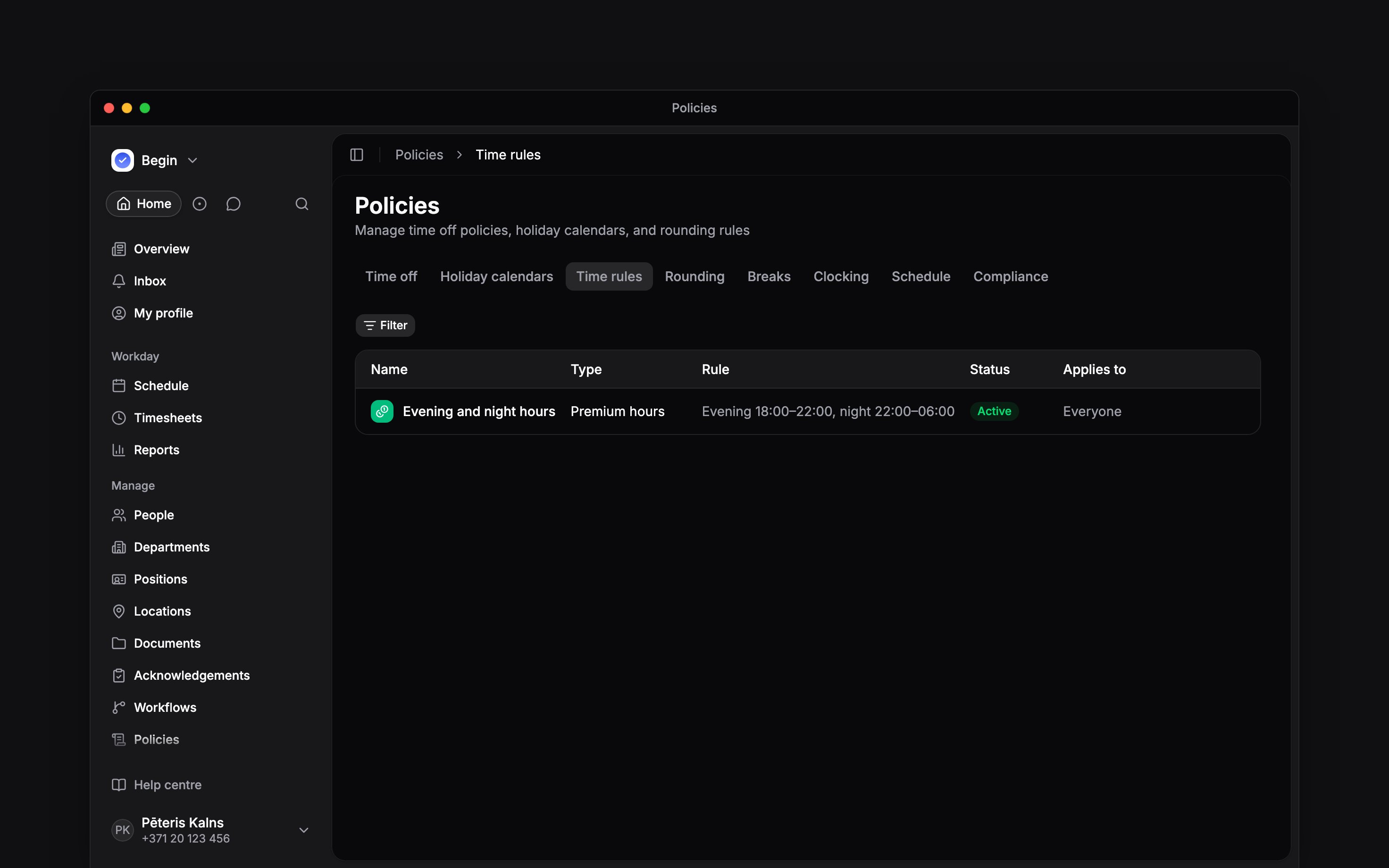
 A premium-hours policy defines the evening and night windows used in calculated hour columns. It classifies time only. It does not set pay rates or multipliers.
Set the time windows
Set both the start and end for each window you use. A window may pass midnight, such as 22:00 to 06:00, but the evening and night windows cannot overlap or have the same start and end. Leave a window unset when that bucket should not be counted at all; the table then shows Not counted and the report column stays at zero. Keep at least one window on: Begin will not save a policy with both off. With no matching premium policy, Begin records no evening or night hours.Weekend hours have their own calculated column. They are not switched on or off by a premium-hours
policy.
Create the policy
1
Start it
Go to Policies → Time rules, open Add, then choose Premium hours policy.
2
Set evening hours
Enter both the evening start and end, or leave the window unset so evening hours are not
counted.
3
Set night hours
Enter both the night start and end. Check that it does not overlap the evening window.
4
Target and activate it
Choose Applies to, set Status to Active,
then save. The workspace’s first premium hours policy counts at once, for work already recorded
too. A later one counts from the day you save it; to start or end it on another day, set
When.
Ask Begin AI
Begin AI (Cmd / Ctrl + J) can create, change, archive or delete a premium-hours policy, including its icon and colour. On Manually approve it shows the change on a card and saves nothing until you confirm. On Automatically approve a new policy or a change applies at once, and archiving, moving an active policy back to Draft, deleting or changing earlier dates still waits for you. See approval modes.Create a premium hours policy called Late shift that counts evening hours from 17:00 to 23:00
Count the warehouse's evening hours from 17:00 from the start of last month, already counted hours included
Read the result
Begin splits worked time across the matching evening and night windows. These buckets appear in reports beside other calculated hour types. For example, with night hours set to 22:00–06:00, an uninterrupted 19:00–03:00 shift contains five night hours. An unpaid break comes off the window it was taken in, so a 30-minute break at 23:00 leaves four and a half. A break entered only as a length, or copied from the schedule, comes off the start of the entry instead. Use Policy tester to check the matching policy, then inspect the Night column for the same person and reporting period. Do not infer an overtime amount from the number of night hours.Choose when a change starts
A policy change starts on the date you choose in Apply from when you save it: any day, today unless you pick a later one. Earlier days keep the windows that applied then, whether or not their entries are approved, and a report that spans the change classifies each day under its own windows. To change earlier days too, choose Earlier dates too in Apply from, select Continue and pick any day in the past year. From that day to the policy’s next change, approved entries of the people it covers take your windows unless the preview counts them as kept, entries awaiting approval follow them, and reports recalculate from that month on.Next
Hour columns
Find evening, night, weekend and holiday buckets.
Overtime
Set the separate rule for hours above the norm.
Still need help?
Contact support
Email the Begin team and we’ll get back to you.
Ask Begin AI
Open the AI assistant and get instant answers based on these docs.