


 Every shift you put on the schedule is a . Publishing is the moment it becomes real: the team can see it, and the people who gained a shift are notified. Until then you can move it, rewrite it or delete it and nobody knows.
Publishing is its own permission, Publish schedule. Managers and admins have it; an employee
role does not. If there is no Publish button on the schedule toolbar, your role does not carry
it.
Publish only what you are looking at
Publish acts on the you have open and the filters you have applied, and on nothing else. Filter to one position and publish, and everyone outside it keeps their drafts. The filter picks people rather than shifts, so a person who also works another position has those shifts published too. The badge on the button counts what would go out right now, and it moves as you change the period or a filter. That number is the check worth making: if it is larger than you expected, something is in view that you did not mean to release. Or ask Begin AI (Cmd / Ctrl + J):Which of next week's shifts are still drafts?
Read the summary, then send
Open Publish and the popover breaks the count down. Chips group it by position, location and department, then a row counts each kind of block it covers: shifts, time off, available and unavailable. Total hours counts the work with unpaid breaks already taken out, and People affected is how many of your team get something. On a release past 2,000 blocks, or one too large for Begin to count exactly, the breaks stay in the hours.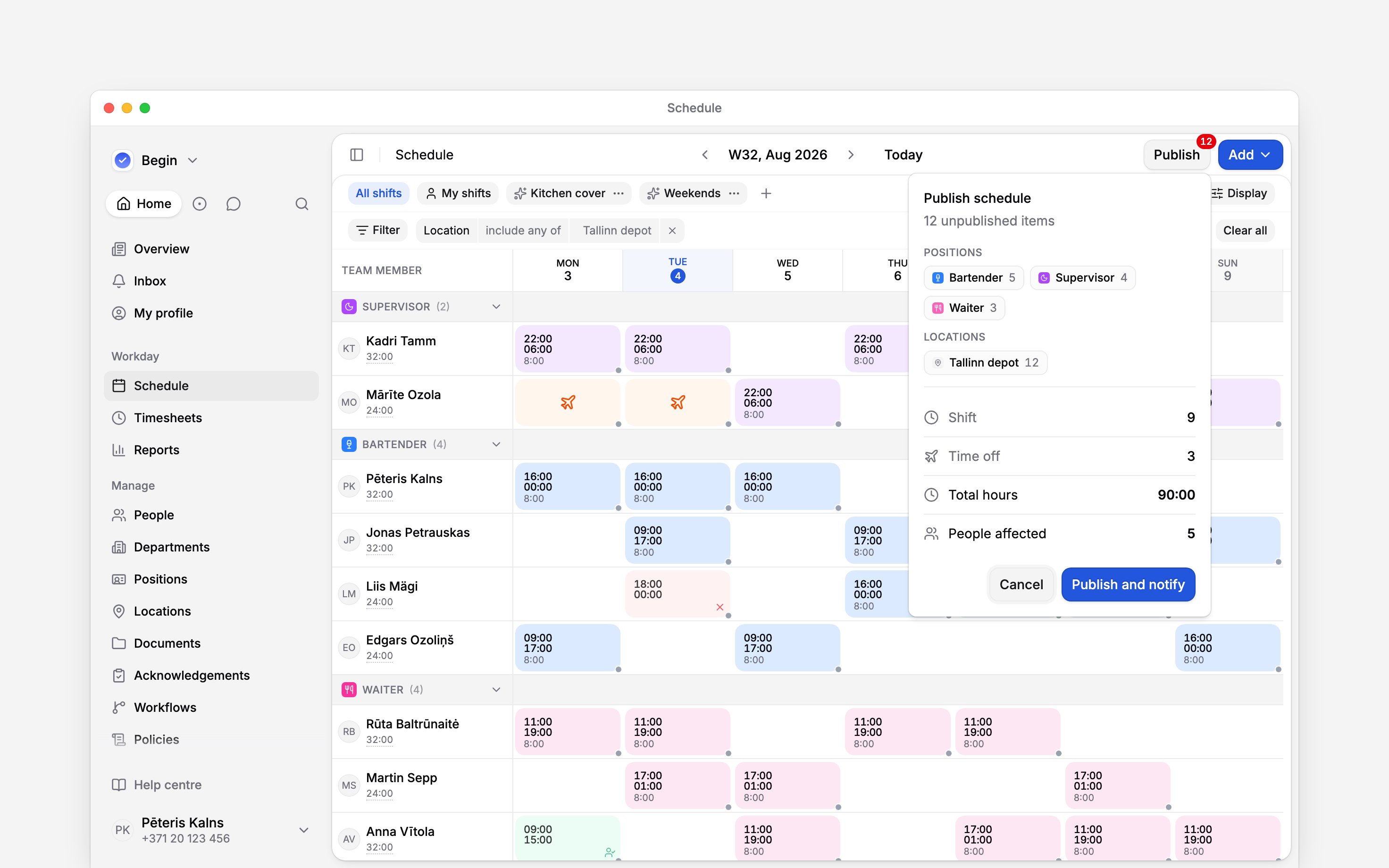
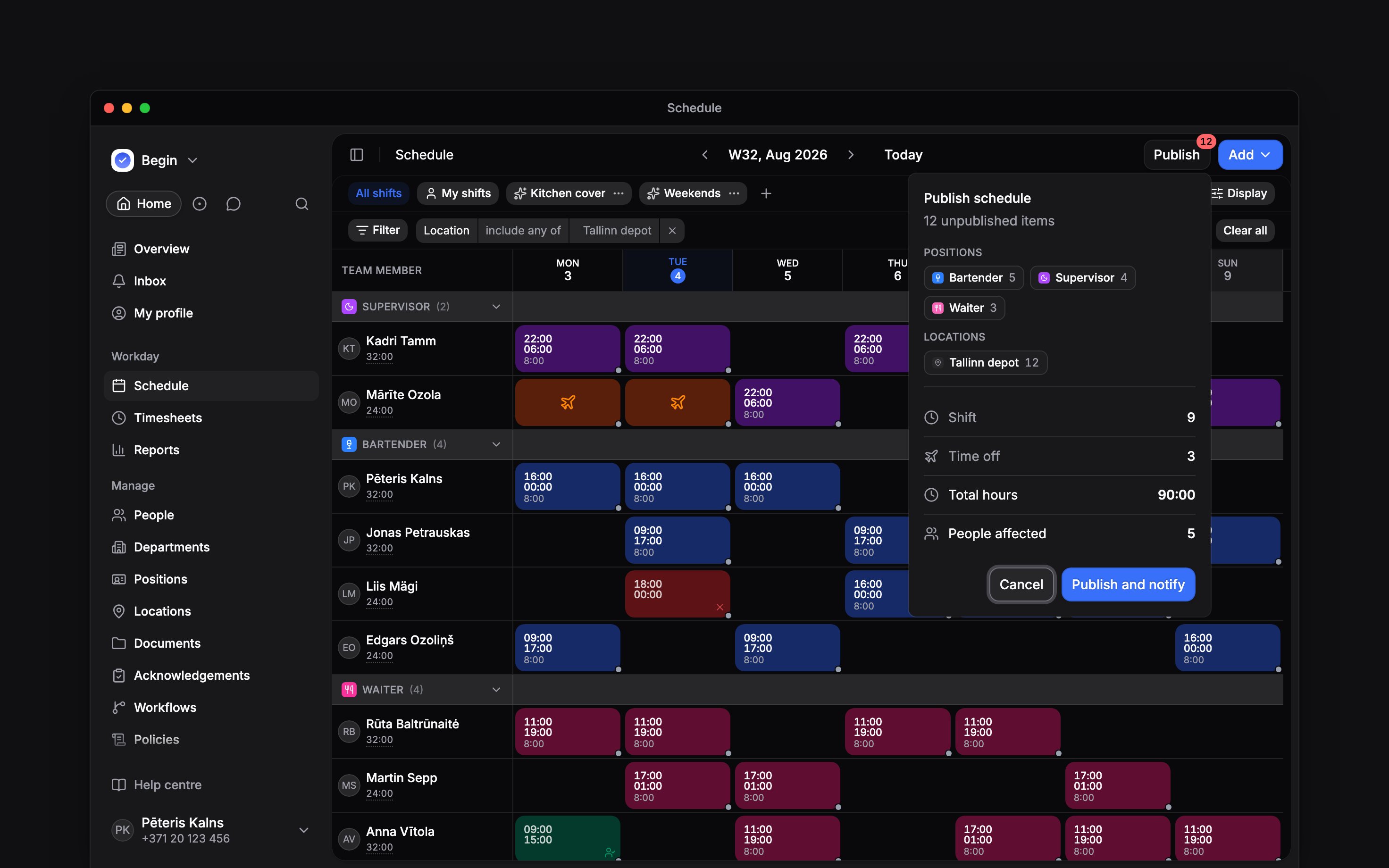
The count broken down before it goes out: by job, by site, by kind of block, then the totals
Publish next week's shifts.
Take something back
Right-click a shift and choose Unpublish to pull one back into draft, or select several and use Unpublish all. It drops out of the team’s view and returns to the unpublished count.Unpublishing does not undo what people have already seen. Once a shift has been published, every
later change to it reaches the team as you make it, with no second publish needed.
Is the person told when I unpublish their shift?
Is the person told when I unpublish their shift?
Yes. The person on the shift gets Shift was unpublished in their inbox, and by email and
push unless they have switched that notification off.
Why did a shift reach the team without anyone pressing Publish?
Why did a shift reach the team without anyone pressing Publish?
Either it came from a rota assigned with Publish the shifts straight away, or it was created
by someone whose role can add shifts but not publish them. Begin publishes that shift as it is
saved.
Next
Filters and saved views
What decides the scope Publish acts on.
Editing in bulk
Change many shifts in one action before you release them.
Still need help?
Contact support
Email the Begin team and we’ll get back to you.
Ask Begin AI
Open the AI assistant and get instant answers based on these docs.