


 Add-ons put optional capabilities on top of your base plan. Messages and Posts unlocks channels, direct messages, company posts, reactions, threads, file sharing, birthday posts and post categories.
Billing must be available for your workspace. If you see Billing is not yet available, contact
Begin support. You need Manage billing and an active paid plan or plan trial. A Free workspace
with no trial must upgrade before it can add Messages and Posts. If the plan card reads Trial
ended, the subscription is paused until a payment method is on file: add a payment method first,
or add-on changes are refused.
Start the add-on
1
Open Add-ons
Go to Settings → Billing and plans and find Add-ons.
2
Read the workspace price
The row shows the price per active employee for your subscription’s billing interval and
currency.
3
Start the trial or add it
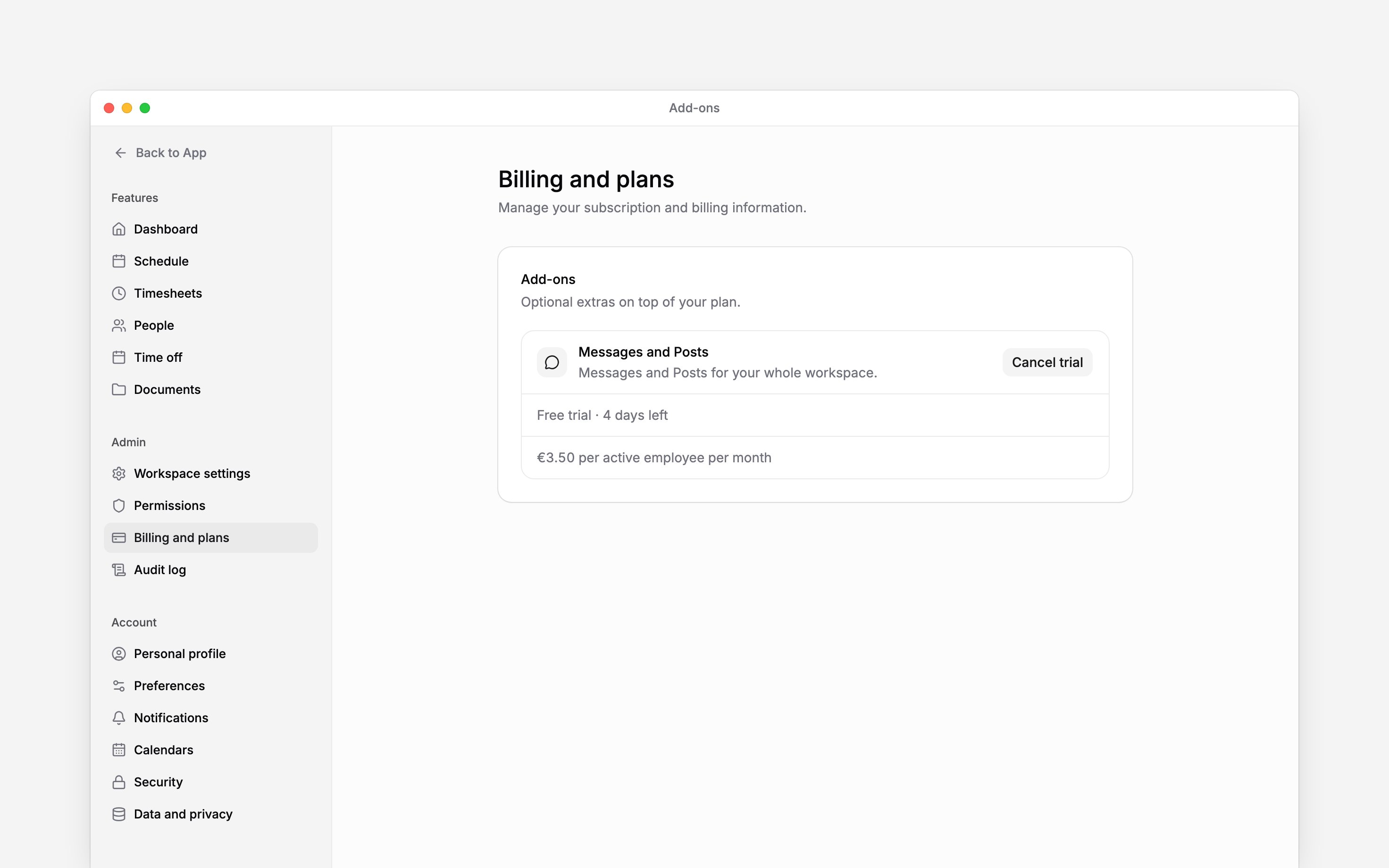
Choose Start free trial when it is offered. Otherwise choose Add and review the
capabilities and price. The dialog shows the amount before VAT, prorated for the rest of the
current billing period, and the date it is charged. Confirm to buy.
Remove it or keep it
Choose Cancel trial during the free trial. Access ends immediately, and the trial cannot be started again. For a paid add-on, choose Remove and confirm. Access continues until the current billing period closes. The row then shows the end date and a Keep add-on action, which cancels the scheduled removal. Removing it does not delete existing content. Existing channels, conversations and posts stay readable. Nobody can start a new channel or conversation, send a message or publish a post until the add-on returns. A channel that Begin support connected to Slack stays open on every plan, so you can always reach Begin there.Next
Choosing a plan
Upgrade the base plan before adding an optional capability.
Changing your subscription
Cancel or resume the subscription that carries the add-on.
Still need help?
Contact support
Email the Begin team and we’ll get back to you.
Ask Begin AI
Open the AI assistant and get instant answers based on these docs.