


 Other time is scheduled time that is not leave, such as training, a meeting or standby. Its policy decides how those hours affect calculations, without creating an entitlement or balance. Employees cannot request it; a manager schedules it.
Choose the effect
Use one type for one meaning. Training that counts as work and standby that changes nothing should be two separate types.
Create a type
1
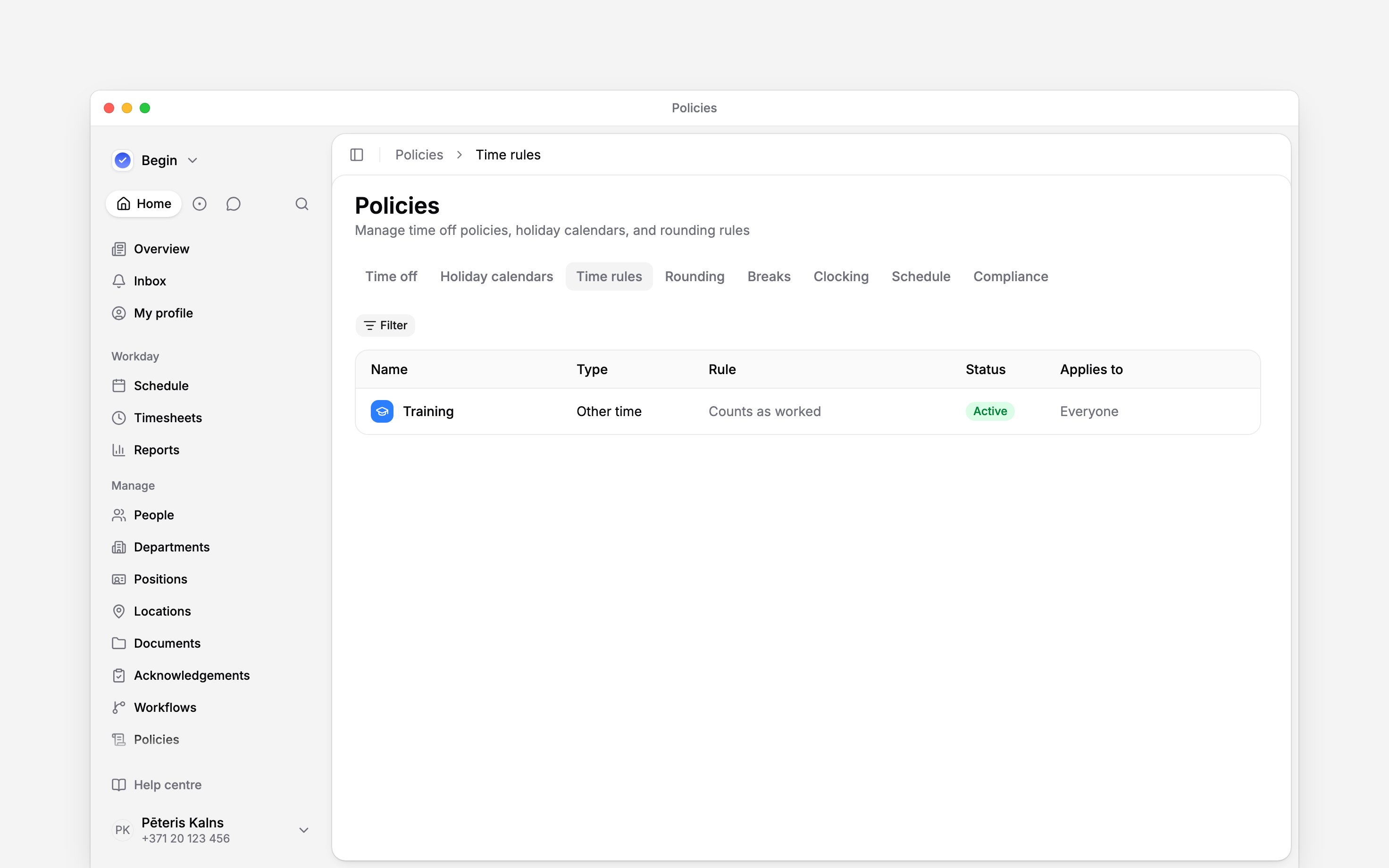
Open Time rules
Go to Policies → Time rules.
2
Start a type
Choose Add → Other time type in the page header. An empty tab also offers Add time rule →
Other time in the middle of the page.
3
Define it
Name the type, choose its Effect on hours, then set who it applies
to.
4
Activate it
Set Status to Active, then save. The type now appears when other time is added to the
schedule.
Next
Applying policies
Target a type and check who receives it.
Hour columns
See how other time reaches calculated report hours.
Still need help?
Contact support
Email the Begin team and we’ll get back to you.
Ask Begin AI
Open the AI assistant and get instant answers based on these docs.