


 Open Settings → Preferences to choose how Begin looks and behaves for you. Your choices do not change a colleague’s interface or the workspace’s regional defaults.
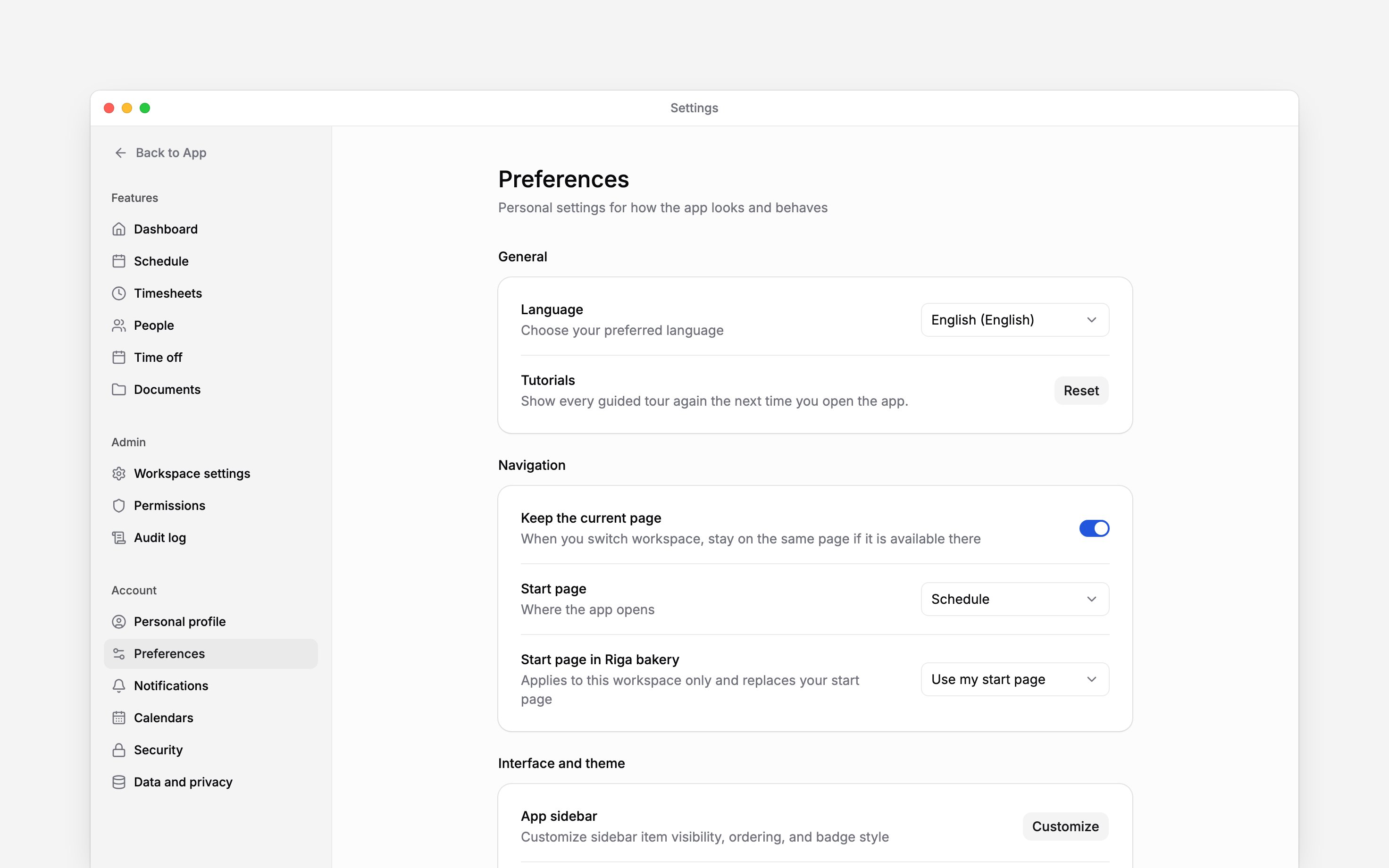
Choose your language and start page
Select Language to switch the interface or ask Begin AI to change it. Your choice follows you into every workspace, and your employer’s workspace language can differ from it. Choose your Start page, where Begin opens. For example, start with Schedule when you plan the team’s week. Only pages you can access appear as choices. If you work in several workspaces, you can set a different start page for the current workspace. Choose Use my start page when you want one choice everywhere. The option to keep your current page while switching workspaces appears when you have more than one workspace.Make the interface comfortable
Use the sidebar customisation control to show, hide or reorder navigation items you can access. Hiding a page does not remove your permission to use it. Adjust the theme, colour scheme, text size and contrast for readability. Pointer cursors and interface sounds are personal choices. Smileys to emoji turns a typed:) or <3 into 🙂 or ❤️ as you write a message, post, comment or note; documents and Begin AI instructions keep what you type; it is on by default, and turning it off leaves :fire: shortcodes and the emoji button working. Hide labels in mobile navigation changes the navigation text on small screens.
Choose Reset beside Tutorials to show the guided tours again the next time you open the app. This does not reset your work or other preferences.
You can also ask Begin AI to change these for you, except light, dark or system mode, which each device keeps. Its card shows each setting before anything changes.
Choose what teammates see
The Privacy group holds three switches. Each one applies to every workspace you belong to, including one you join later.- Hide my contact details keeps your phone number and email off the cards and lists your teammates see.
- Hide my birthday removes the date from birthday posts, the Birthdays list and teammates’ reminders.
- Hide my work anniversary removes the date from anniversary posts and teammates’ reminders.
Admins and HR still see your contact details and dates. The switches do not delete anything or
change how you sign in, and posts already published stay.
Next
Update your personal profile
Update the details held by your account.
Connect your calendar
Connect your work to your calendar.
Still need help?
Contact support
Email the Begin team and we’ll get back to you.
Ask Begin AI
Open the AI assistant and get instant answers based on these docs.