


 Buy e-signature credits to send documents after your workspace uses its monthly signing allowance. One credit covers one signing round beyond that allowance, even when several people sign the same document. Purchased credits carry over and never expire.
You need Manage billing and billing access. Credit purchases must also be enabled separately
for your workspace. If Buy credits is missing, contact Begin support to check availability. A
plan with unlimited e-signatures has no credit wallet.
Check what is available
Go to Settings → Billing and plans and find E-signature credits. Credits available combines Plan allowance left this month with Purchased credits. Begin uses the monthly allowance first. Purchased credits are spent only after that allowance runs out, so you can buy ahead without using them immediately. When the next month’s allowance starts, any unspent purchased credits stay in the wallet.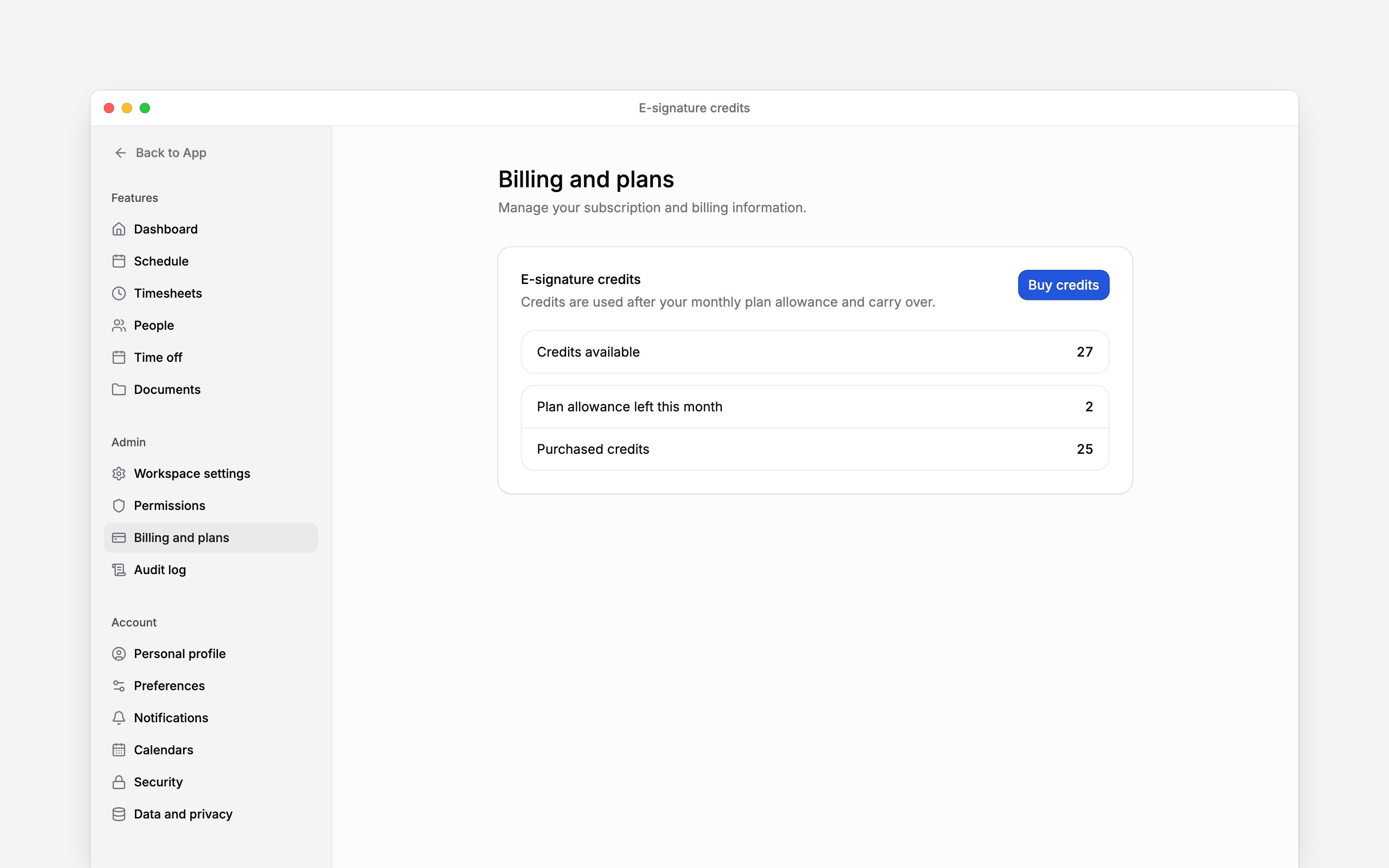
Buy a pack
1
Open the purchase window
Choose Buy credits in E-signature credits.
2
Choose a pack
Select the number of credits you need. Compare the displayed pack prices and any discount.
Prices exclude VAT.
3
Complete payment
Choose Continue to payment and complete checkout.
4
Check the wallet
After payment is confirmed, reopen Begin and go to Settings → Billing and plans. Review
Purchased credits. The new credits add to any unspent purchased balance.
Keep using an existing balance
If your workspace can no longer buy new packs, credits already purchased remain usable. A remaining purchased balance can still appear in E-signature credits without a Buy credits button. When neither the purchase option nor an existing balance is available, the wallet can be absent. Check the Current plan signing allowance and contact Begin support if you need to confirm which options your workspace has.Next
Viewing invoices
Download the invoice for a credit pack.
Choosing a plan
Check the signing allowance included in each plan.
Still need help?
Contact support
Email the Begin team and we’ll get back to you.
Ask Begin AI
Open the AI assistant and get instant answers based on these docs.