


 Leave a workspace when you no longer need access to that employer’s information. Your Begin account and access to other workspaces remain. This removes your own membership; it does not remove someone from your team.
A workspace owner must transfer ownership before leaving. Begin also blocks the only remaining
administrator from leaving. Use Roles and permissions to
arrange the handover first; leaving cannot bypass it.
Leave the selected workspace
1
Check the workspace
Select the workspace you want to leave. Download any personal records you need before
continuing.
2
Open workspace access
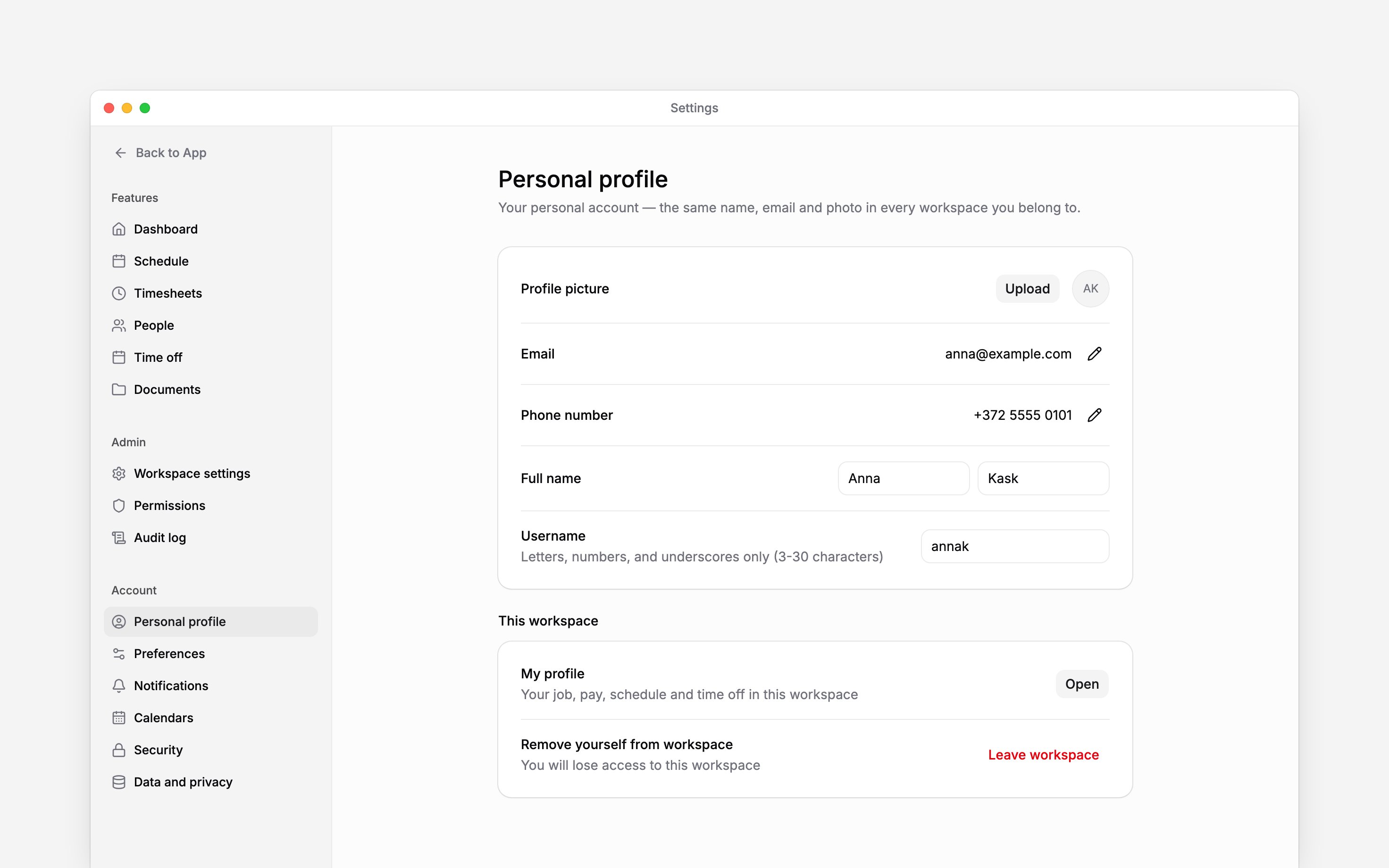
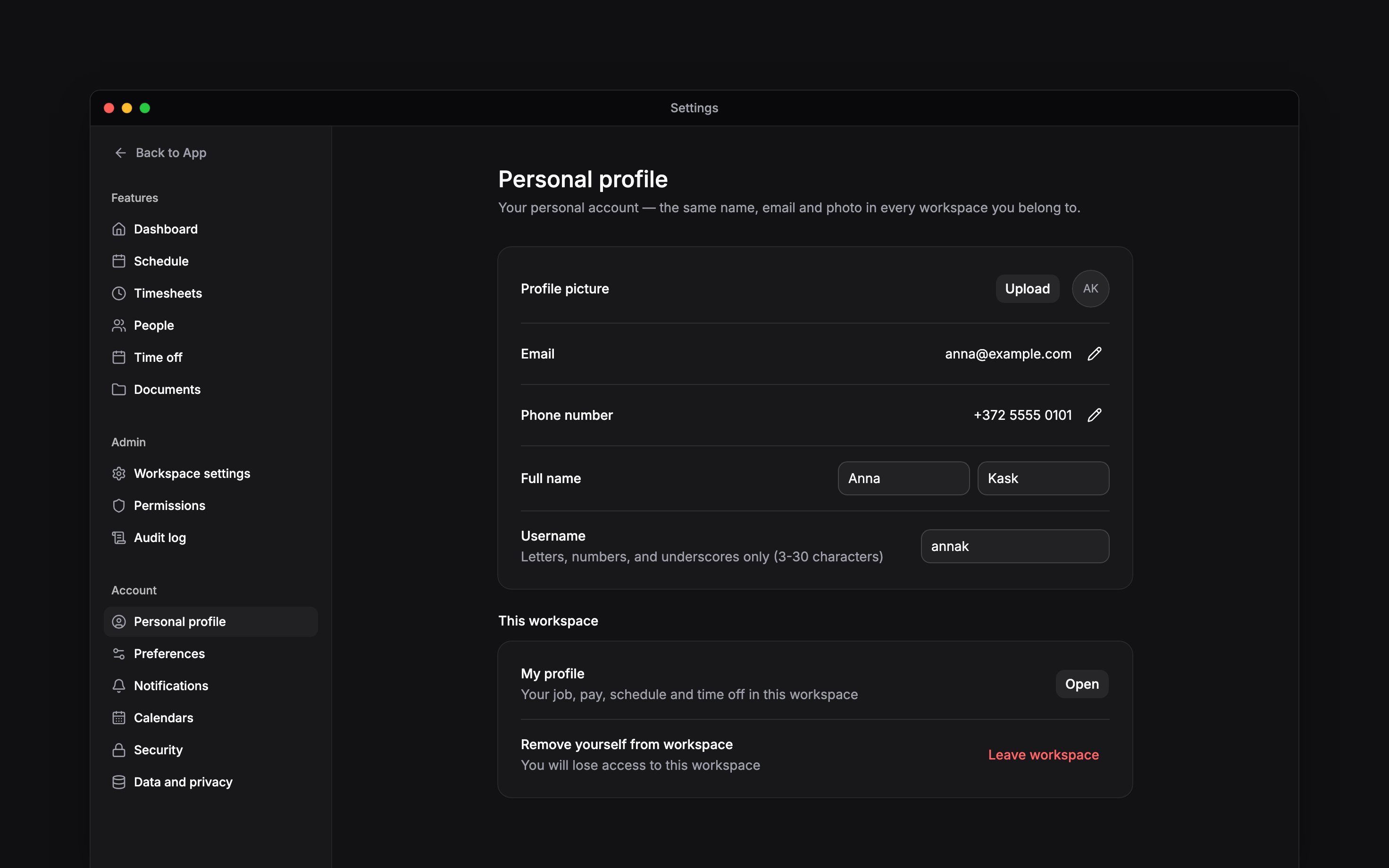
Go to Settings → Personal profile and find Remove yourself from workspace under This
workspace.
3
Review the leave confirmation
Choose Leave workspace and read the loss-of-access message.
4
Choose whether to request erasure
Tick Ask this employer to erase my personal data only if you also want to make that request.
5
Confirm leaving
Choose Leave workspace in the dialog. You lose access to the selected workspace.
Understand the erasure choice
Leaving does not automatically request erasure. The checkbox sends a separate request to this employer. They may retain employment records where the law requires it.Leaving one workspace is different from deleting your Begin account. Use account deletion only
when you intend to lose access across all your workspaces.
Next
Download your personal data
Save a copy before leaving.
Delete your account
Compare leaving with deleting your account.
Still need help?
Contact support
Email the Begin team and we’ll get back to you.
Ask Begin AI
Open the AI assistant and get instant answers based on these docs.